
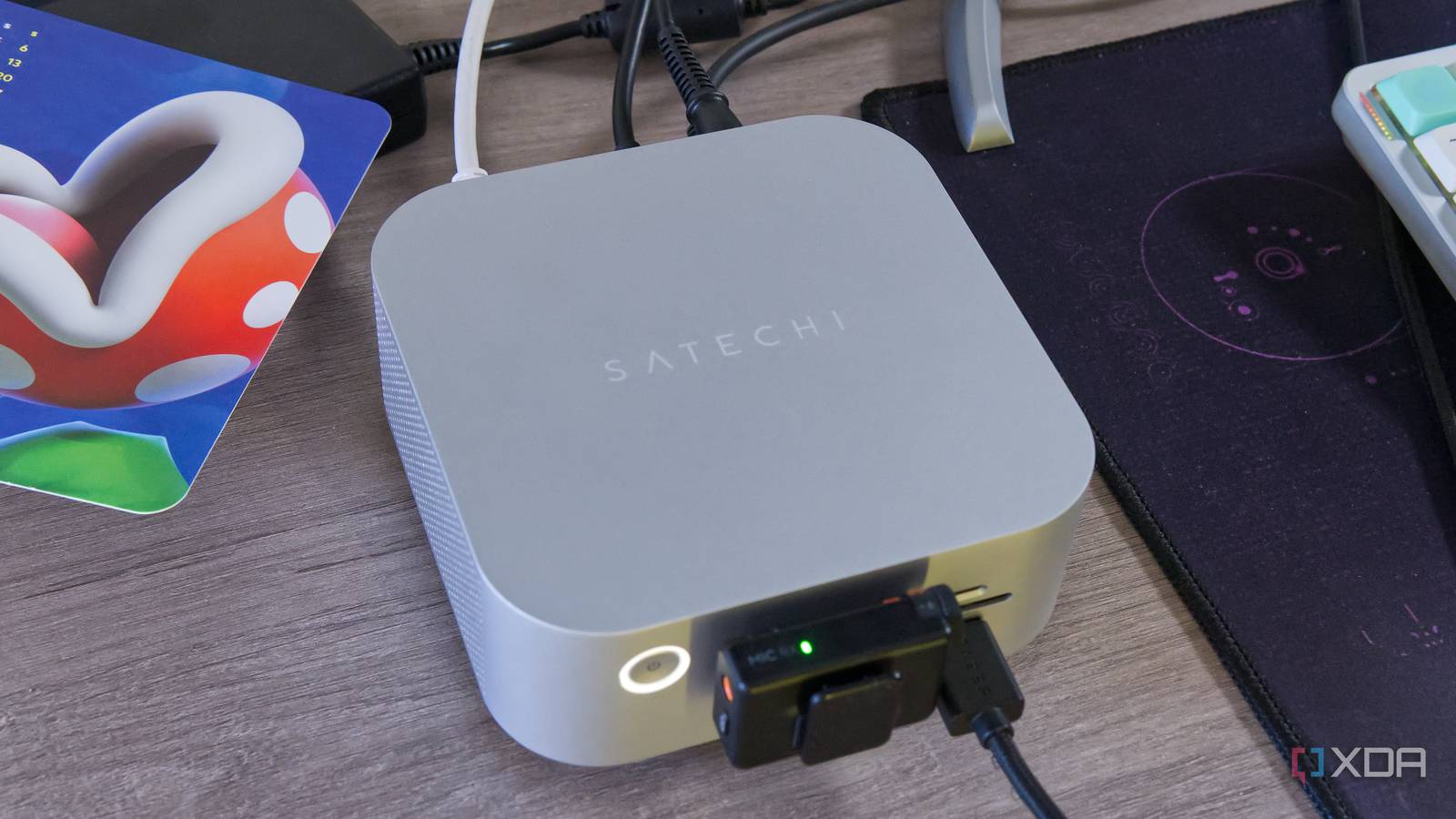
Published Sep 18, 2026, 7:00 AM EDT João has been covering the tech world for over 7 years, with a heavy focus on laptops and the Windows ecosystem. I also love all things tech and videogames, especially Nintendo, which he's always happy to talk about. Prior to joining XDA in 2021, he worked at Neowin: https://www.neowin.net/news/poster/jo%C3%A3o-carrasqueira/ Sign in to your XDA account Satechi makes some excellent peripherals with a specific focus on Apple's ecosystem, and the CubeDock is one of most powerful ones yet. It's designed to take advantage of Thunderbolt 5 while offering a varied supply of ports you just don't get with Apple's PCs, and it does that very well. Its biggest selling point is the built-in SSD enclosure, and it's got a premium-looking design, too, so it's a pretty great product all around. But considering the $400 price tag, that's also the least you can ask for. About this review: Satechi provided us with the Thunderbolt 5 CubeDock for the purposes of this review. The company had no input on — or early preview of — its contents. Satechi Thunderbolt 5 CubeDock Powerful and compact 9/10 Ports Rear: 3x Thunderbolt 5, 1x USB-C 10Gbps, 1x USB Type-A 10Gbps, 2.5Gb Ethernet; Front: 1x USB-C (10Gbps), 1x USB Type-A (10Gbps), 1x SD card slot, 1x microSD card slot, 1x 3.5mm headphone jack USB Power Delivery Yes, up to 30W Power supply included Yes The Satechi Thunderbolt 5 CubeDock offers a wide range of ports plus an SSD enclosure enabling fast external storage. Its all-around great performance and premium design makes it an excellent choice. Pros & Cons Wide range of fast ports Excellent performance for the external SSD Premium design High price tag Internal space could be used better Pricing and availability Satechi launched the Thunderbolt 5 CubeDock earlier this year after announcing it at CES 2026, and it costs $399.99, putting it firmly in premium territory for a docking station. Specifications Ports Rear: 3x Thunderbolt 5, 1x USB-C 10Gbps, 1x USB Type-A 10Gbps, 2.5Gb Ethernet; Front: 1x USB-C (10Gbps), 1x USB Type-A (10Gbps), 1x SD card slot, 1x microSD card slot, 1x 3.5mm headphone jack USB Power Delivery Yes, up to 30W Power supply included Yes Max display res. 8K at 144Hz (Windows), 6K at 60Hz (macOS) Price $399 Dimensions 5x5x2.04 inches (127x127x52mm) Supported SSD sizes M.2 2230, 2242, 2280 weight 1.3lbs (588.9 grams) HDMI No Ethernet Yes, 2.5Gb Color Silver What I like about the Satechi Thunderbolt 5 CubeDock A premium design with plenty of ports I'm not sure why Satechi decided to go with this approach, but the CubeDock has a shape that's remarkably similar to the current generation of Mac Mini. It has a similar footprint, albeit slightly taller, and it looks almost just as premium as Apple's compact desktop itself. The metal does feel slightly lighter, but it is still metal, and it looks and feels great overall. That enclosure houses a good number of ports, too. In addition to the Thunderbolt 5 host connection, there are three downstream Thunderbolt 5 ports, one standard USB-C port (with 10Gbps abndwidth), USB Type-A (also at 10Gbps), and 2.5Gb Ethernet on the back. The front is host to another USB Type-C support supporting 10Gbps plus 30W power delivery, another 10Gbps USB Type-A port, and both full-size and microSD card slots plus a 3.5mm combo audio jack. It's a pretty solid supply, though it oddly skips out on any display outputs aside from USB-C. The inclusion of both microSD and a standard SD card slot has been particularly helpful to make me realize that the microSD-to-SD card adapter I've been using is not of the highest quality. I frequently run into issues transferring files over from my camera when using this card, but now that I can use it without the adapter, those issues are gone. And, for extra credit, the microSD card slot isn't terrible. I've used many docks with spring-loaded microSD card slots that get my card stuck, but I've had no such issues here. I probably shouldn't need to praise that, but it's been a far too common problem. There's also a power button here, which I always appreciate in a docking station that would otherwise have some kind of indicator light on all the time. The ports and SSD are fast Unfortunately, I wasn't able to get a Thunderbolt 5 compatible PC for testing the true extent of this dock's speeds, particularly the SSD, which is what I'd be most interested in. But even over Thunderbolt 4, I've been very happy with what I can do. During my review period, I shifted all my peripherals from the Mac Mini onto the dock, and I've had no issues or limitations in terms of performance. My super ultrawide (32:9) monitor with 5120x1440 resolution can still run at its full 144Hz refresh rate, all while using my webcam, mouse, wireless microphone adapter, and capture card. I stream games on YouTube and Twitch, and this dock has had no toruble keeping up with my workload. Of course, that SSD enclosure is the big draw here, and indeed, it's very fast. I used Blackmagic's disk speed test on macOS to see how fast I could read and write data from an empty 2TB SSD, and I got fairly impressive results at over 1,500MB/s for writes and nearly 3,000MB/s for reads. That's close to the performance you'd get in a high-end PCIe Gen 3 SSD, and much faster than the built-in storage on the 256GB Mac Mini. And again, this is just using Thunderbolt 4. If I was using Thunderbolt 5, those numbers would be even higher. All that performance means the dock can get a bit warm, and it does require active cooling, which can be noticeable next to the extreme quietness of the Mac Mini. But coming off the Wavlink dock I recently tested, I find it impressive that it's still far quieter than that product, even when it can deliver much better performance overall. What I don't like about the Satechi Thunderbolt 5 CubeDock Does it need to be this big? The Mac Mini is a surprisingly compact computer for how much power it packs, so having a dock that's about the same size shouldn't really be egregious, but I do find the size to be slightly inconvenient and not entirely justified by the number of ports. Don't get me wrong, there are plenty of ports, but this chassis just feels like it could fit a few more, especially at this price and when there are no display outputs. Plus, I can't help but think that the Mac Mini also has a built-in power supply, so it just needs a simple cable to power on. This dock doesn't have that, so I have another big brick in the way of my usual setup, which I don't love. Either adding more ports or integrating the power supply into the chassis would make this a nearly perfect product, in my opinion. The price Paying $400 for a docking station isn't exactly new, and considering the power of Thunderbolt 5, maybe it's to be expected, especially with the SSD enclosure. But it's still a tough pill to swallow, and I actually have another Thunderbolt 5 dock awaiting testing that has a similar feature and costs $349 right now (and according to the price history, it's been even cheaper in the past). At $400, a dock needs to have no notable flaws, and as I just mentioned, the size of the CubeDock feels unjustified. This kind of money should have paid for that extra bit of R&D to really perfect this design, though I'm not saying this makes it a bad product in any way. Should you buy the Satechi Thunderbolt 5 CubeDock? I may have grumbled a bit towards the end there, but this is still an excellent product. The Satechi Thunderbolt 5 CubeDock has excellent performance for its ports and the SSD enclosure, it has a premium design, and it feels great to use overall. The price tag is on the higher side, but you do get something from a well-known and trusted brand, and it works very well. I recommend it, though it may be worth waiting for a sale if you can. You should buy the Satechi Thunderbolt 5 CubeDock if: You want to expand the ports on a Mac (or PC) You have a Thunderbolt 5 computer and need fast external SSD storage You shouldn't buy the Satechi Thunderbolt 5 CubeDock if: You don't want to spend $400 on more ports Satechi Thunderbolt 5 CubeDock Powerful and compact Ports Rear: 3x Thunderbolt 5, 1x USB-C 10Gbps, 1x USB Type-A 10Gbps, 2.5Gb Ethernet; Front: 1x USB-C (10Gbps), 1x USB Type-A (10Gbps), 1x SD card slot, 1x microSD card slot, 1x 3.5mm headphone jack USB Power Delivery Yes, up to 30W Power supply included Yes Max display res. 8K at 144Hz (Windows), 6K at 60Hz (macOS) Price $399 Despite the relatively high price, the Satechi Thunderbolt 5 CubeDock is still an impressively powerful docking station with excellent performance, and it's a great way to add ports and extra storage to any modern PC.
The Satechi Thunderbolt 5 CubeDock gives my Mac Mini all the ports I needed, plus super-fast storage
Full Article
Original Source
Read the full article at Xda-developers →KhanList aggregates and links to publicly available news content. We do not host full articles from third-party sources. Always verify important information with original sources.