
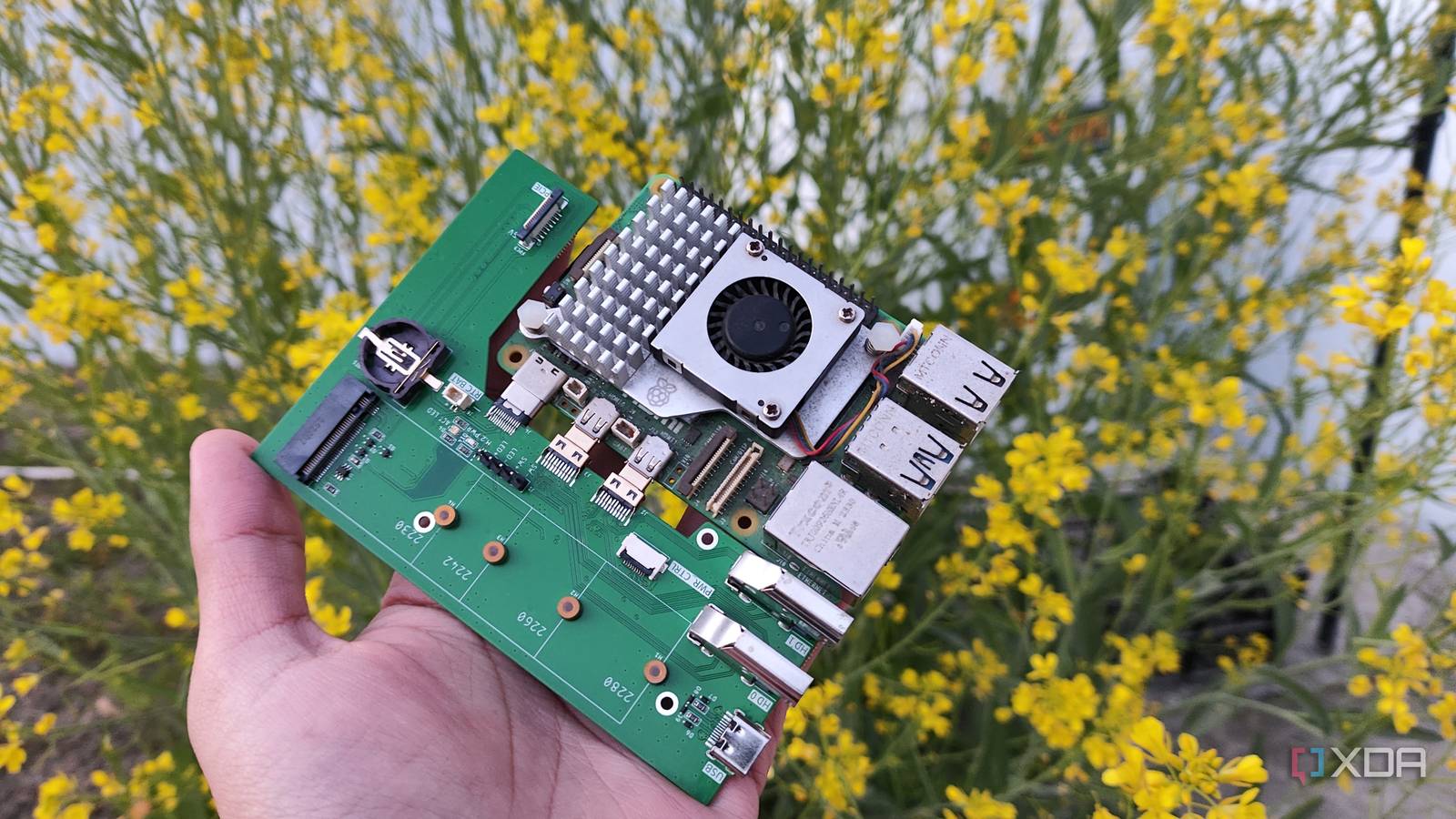
Published Nov 3, 2026, 11:00 AM EST Ayush Pande is a PC hardware and gaming writer. When he's not working on a new article, you can find him with his head stuck inside a PC or tinkering with a server operating system. Besides computing, his interests include spending hours in long RPGs, yelling at his friends in co-op games, and practicing guitar. When I first read the Raspberry Pi 5’s specs list, I had pretty mixed emotions about its capabilities. I wasn’t particularly fond of the 3.5mm audio jack and H.264 hardware decoder going away on the latest version of the Raspberry Pi, but its superior processor (at least, compared to its predecessor), custom RP1 Southbridge-powered I/O ports, and better HDMI and wireless connectivity options were solid upgrades. That said, what really made me curious about the RPi 5 was its PCIe connector. Now that it has been a few years since I started using the Raspberry Pi 5 and its PCIe slot, I have to admit that it definitely makes the SBC more versatile for hardcore experiments. But at the same time, the high cost of most adapters makes it a lot less enticing for beginners and folks looking for a cost-effective solution. An NVMe drive works really well for general-purpose Raspberry Pi projects Even more so when you’re working on demanding experiments Despite being a single-board computer, the Raspberry Pi 5 has enough processing capabilities to drive a GUI environment, especially if you opt for FydeOS, Raspberry Pi OS, and other lightweight distributions. Unfortunately, relying on a slow microSD card as the boot storage can make resource-heavy projects somewhat sluggish. For example, when I tried tinkering with a Windows 11 VM on my RPi 5 (which works a lot better than you’d expect), switching to an SSD made the overall experience a lot smoother, and the same holds true for containers that update databases frequently or write extensive logs every other minute. Speaking of constant read tasks, the low endurance of microSD cards also becomes a real hassle for projects that I’d like to run long-term on my SBC. Switching to a USB-powered SSD is undoubtedly better than relying on a flimsy, low-endurance microSD card. But between loose wires and the USB ports themselves being prone to disconnections, an NVMe SSD firmly hooked up to the PCIe slot is my preferred combo for hardcore projects where speed and reliability matter over all else. As for the speed, the Raspberry Pi 5’s PCIe slot can easily drive 400–500 MB/s in transfer speeds. If you’re willing to tinker with the overclocked PCIe 3.0 mode by tweaking the /boot/firmware/config.txt file, you can bump this number up to 700–800 MB/s. Combine that with the fact that you can accommodate dozens of projects and containers into a 500GB PCIe Gen 3 SSD, and you can see why I often keep an NVMe drive solely for Raspberry Pi experiments where conventional microSD cards can act as a bottleneck. The PCIe socket is versatile enough to accommodate HATs for DIY projects The Frigate + Raspberry Pi AI Kit combo is pretty effective for simple NVR setups Besides supporting SSDs, the PCIe slot on the Raspberry Pi 5 can interface with a bunch of cool HATs and adapters. Take the Raspberry Pi AI Kit I’ve been using with my Frigate setup, for example. On its own, the Raspberry Pi 5 can easily drive the NVR hub Frigate as a Docker container, but object detection tasks are a different beast altogether. Even with the lightest detector on Frigate and low resolution streams on my cameras, my RPi 5 would become painfully slow when I enabled object detection tasks. However, tossing an AI Kit into the equation changes everything. I’ve got a first-gen AI Kit that packs the Hailo-8L accelerator, and it’s more than enough to run object detection tasks on 4 security cameras. I’ve even paired this setup with Home Assistant and a locally-hosted LLM, and Frigate is responsible for alerting my automation pipelines every time it spots anything out of the ordinary on my video streams. But you can also turn your SBC into a NAS with a SATA card I’ve built a couple of OpenMediaVault-powered Raspberry Pi storage servers over the years, but even the RPi 5 isn’t ideal for typical NAS tasks. Sure, I could connect external drives to the SBC and have them serve as Btrfs pools for simple-file sharing experiments. But my tiny tinkering companion tends to encounter performance and stability issues if I rely on its USB ports to power more than three hard drives. However, connecting a SATA HAT into the PCIe Gen 2 socket can turn this pint-sized board into a solid DIY NAS. For one, switching to a SATA HAT lets me add full-fledged internal drives to my Raspberry Pi instead of external HDDs that I’d otherwise have to plug into finicky USB ports. Since most SATA HATs also support dedicated power jacks, I don’t have to worry about the power issues if I try to add 4+ HDDs to this makeshift storage rig. Not to mention, the Raspberry Pi 5 alone costs a pretty penny Although HATs and adapters are handy for advanced Raspberry Pi projects, the amount of money you’ll have to drop on these accessories can make the overall setup overly expensive, especially if you’re just starting out. For the NVMe setup I highlighted earlier, you’d have to spend extra bucks on a PCIe-to-NVMe adapter, which can cost anywhere between $10-20, and even more if you’re looking into dual-SSD boards. That’s before you include the sky-high prices of SSDs. Likewise, the AI Kit can cost $150–250, and the upfront costs grow even higher if you’re buying a fresh Raspberry Pi. When I bought the 8GB RAM variant of my RPi 5, I paid around $90 (including the shipping expenses) for the SBC. But if I were to buy another model, I’d have to shell out $200 at the very least. Factor in the costs of the PCIe HATs and adapters, and the average N100 mini-PC would be far more affordable, all while supporting more operating systems and packing superior hardware and IO provisions. Raspberry Pi 5 CPU Arm Cortex-A76 (quad-core, 2.4GHz) Memory Up to 8GB LPDDR4X SDRAM Operating System Raspberry Pi OS (official) Ports 2× USB 3.0, 2× USB 2.0, Ethernet, 2x micro HDMI, 2× 4-lane MIPI transceivers, PCIe Gen 2.0 interface, USB-C, 40-pin GPIO header GPU VideoCore VII Starting Price $60
The Raspberry Pi 5's PCIe connector is a godsend for DIY projects, but it comes at a cost
Full Article
Original Source
Read the full article at Xda-developers →KhanList aggregates and links to publicly available news content. We do not host full articles from third-party sources. Always verify important information with original sources.