
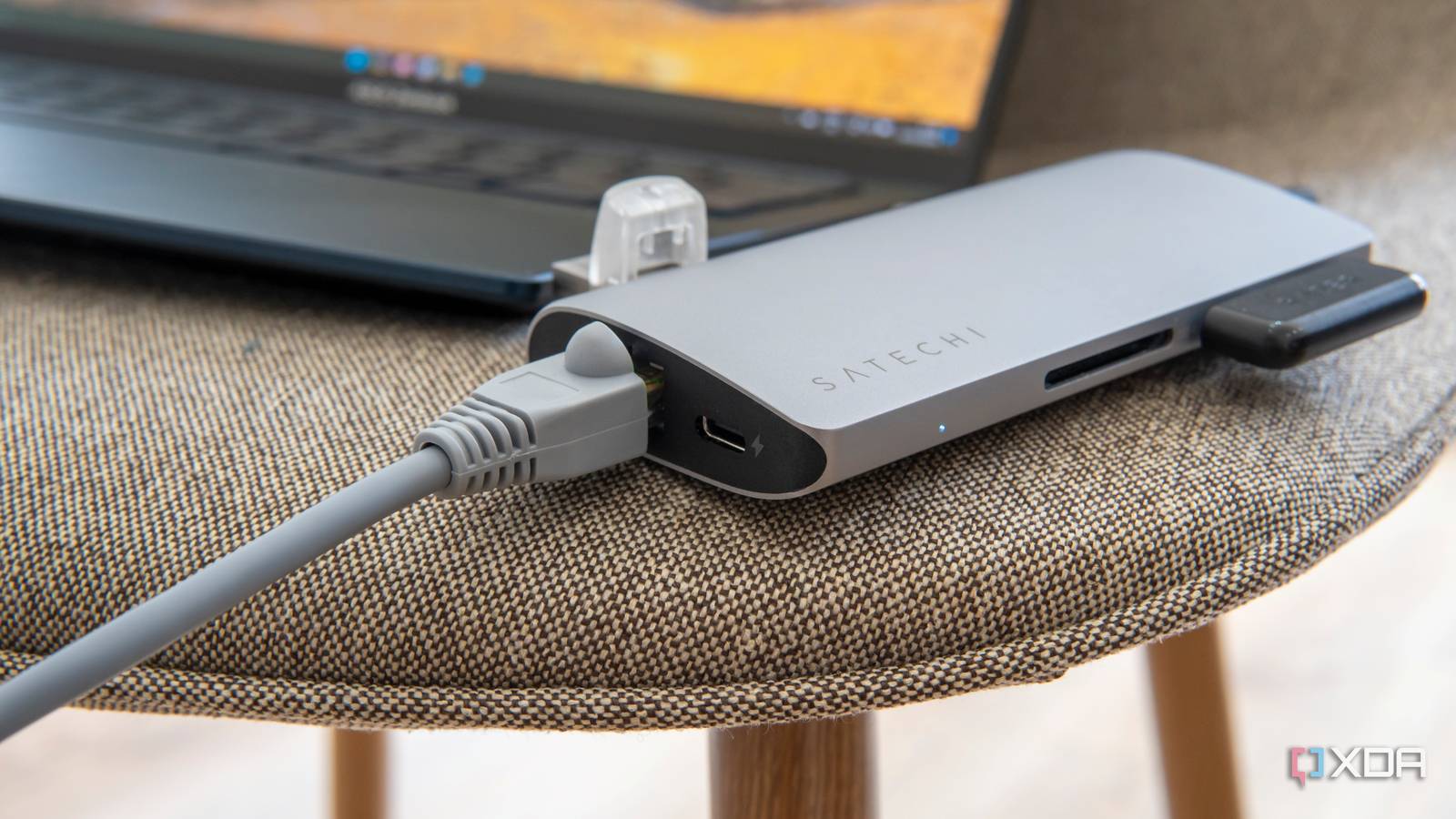
Published Aug 11, 2026, 1:00 PM EDT Maker, meme-r, and unabashed geek, Joe has been writing about technology since starting his career in 2018 at KnowTechie. He's covered everything from Apple to apps and crowdfunding and loves getting to the bottom of complicated topics. In that time, he's also written for SlashGear and numerous corporate clients before finding his home at XDA in the spring of 2023. He was the kid who took apart every toy to see how it worked, even if it didn't exactly go back together afterward. That's given him a solid background for explaining how complex systems work together, and he promises he's gotten better at the putting things back together stage since then. It’s almost time to go away to college, and here at XDA, we’ve got you covered for everything you need to get back to school. Dorm move-in day means new faces, new surroundings, and a new Wi-Fi network to connect to. Except it’s not just your devices; it’s hundreds of other students, which will make for slow streaming. But you don’t have to win the battle for airtime. For less than the cost of a pizza, you can add an adapter to your laptop to use Ethernet everywhere. Skip the slow wireless and your study time will be less stressful. Why your dorm network fights everything you own It's not broken; it was set up that way A dorm has a completely different set of requirements for planning a network than your home does, and it’s a nightmare for system admins. Think how congested your home airwaves get from neighbors’ router signals. Now multiply that by a few hundred, add phones, laptops, and other devices on top, and you can begin to see the problem. Campus wireless also requires WPA2-Enterprise logins, often under the eduroam banner, which requires a username, password, and a certificate handshake before your device gets online. Your laptop can do that, and so can your phone. The rest of the wireless devices you brought? Flip a coin, because most of them can’t. Bringing your old router could get your Ethernet port blocked The internet hive mind’s usual suggestion for dorms is a travel router, cloned to your laptop’s MAC address. That was going to be my suggestion too, until I looked into it and realized it could get your dorm room’s Ethernet port blocked and may lead to disciplinary action. That goes for anything broadcasting on 2.4 GHz or 5 GHz, including smart bulbs and speakers. If you can’t turn off the wireless radio, it’s best to leave it at home. A USB-C Ethernet adapter is the cheapest upgrade you’ll make all semester One dongle and one registration later, you’ll have solid internet Source: Benjamin Zeman Plug a USB-C Ethernet adapter into your laptop and run a cable to the wall, and skip the congested airwaves. Wired connections don’t have to share airtime or get hit by interference, and that’s important when you’re trying to finish term papers. Many universities will suggest this on their housing pages. You might need to register the device MAC address at the start of the semester, but this varies, and you’ll only have to do it once anyway. Stick to trusted brands, and you’ll be fine. You don’t really need to go past gigabit, but if a 2.5 GbE adapter is around the same price, then it’s a no-brainer to upgrade. The dorm jack will probably be gigabit, but the faster adapter will have room to grow into when you go home. The same dongle should work on your phone, tablets, and USB-C handhelds. That gives you easy portability between devices if you decide to use a different screen to stream lecture recordings or other materials, and it’s the convenience here that matters. Anker USB-C to Ethernet Adapter Skip the on-campus Wi-Fi with a cheap and cheerful USB-C Ethernet adapter. Your console already has the port, so use it If you’re bringing your console to campus, skip the dongle entirely because the Xbox or PlayStation has one on the back of the box, and the Nintendo Switch OLED and Switch 2 have one in their docking station. The OG Switch and the Lite will still need the dongle. There’s one other benefit to using Ethernet here. Trying to get a console connected to an enterprise login system like those used by university Wi-Fi is not a fun process, but the cable skips that once you’ve registered the MAC address. The only gotcha is the jack count. Most dorm rooms only have one or two live ports, and that can be a problem when you try using more devices. If you’re lucky, your university allows unmanaged network switches, and you can get a small one relatively cheaply. Just check the ResNet pages before you buy one to be sure. A docking station turns your dorm desk into a full setup One cable in, an entire desk out If your laptop is your only computer, a docking station is the fix for many dorm woes. A USB-C or Thunderbolt docking station with a 2.5 GbE port gives you a one-cable setup that links to external monitors, a proper keyboard and mouse, and charges your laptop at the same time. But it’s not just for laptops. This is how I use my gaming handheld when I’m at home, wired to a docking station so I can do more than only play games. Consider it the dorm console, and you’ll be the popular one on campus. Razer USB 4 Dock $200 $260 Save $60 9/10 Ports 2x USB-A 3.2 Gen 2, 2x USB-A 3.2 Gen 1, 1x USB-C PD 100W, 1x USB-C PD 20W, 1 x USB-C 3.2, 1x Gigabit Ethernet, 1x HDMI 2.1, 1x DisplayPort 1.4, SD card, Micro SD card, 3.5mm combo audio jack, 1x USB-A for use with 2.4GHz dongles Transform your workspace into the ultimate place for gaming and productivity with the Razer USB 4 Dock. Powered by ultra-fast USB 4 connectivity, unify your desktop or mobile setup with a 14-port docking station featuring dual display output, continuous power delivery, and ultra-low latency for all your devices. WireGuard on your laptop brings home to campus There’s one more dorm problem worth solving, and it needs no hardware at all. Client isolation plus campus NAT means you can't reach any self-hosted services you might have running at home. The fix is running WireGuard on your laptop or phone, tunneling back to a server at home or a cloud VM. Do that, and your NAS, your Jellyfin server, and your home ad-blocking DNS all follow you to campus for the semester. Setting up the home end is a winter-break project (unless you already have it running), but the campus end is a quick app install and config file away. You don't fix dorm Wi-Fi; you avoid it Why fight crowded Wi-Fi when you don’t have to? A single USB-C adapter gives you Ethernet to whatever device it’s plugged into, and it doesn’t degrade when everyone comes back from classes. Plus, if you get a docking station, you’ll charge your laptop and have ports to spare for storage, peripherals, and external displays.
The quickest fix for congested dorm Wi-Fi isn't Wi-Fi
Full Article
Original Source
Read the full article at Xda-developers →KhanList aggregates and links to publicly available news content. We do not host full articles from third-party sources. Always verify important information with original sources.