
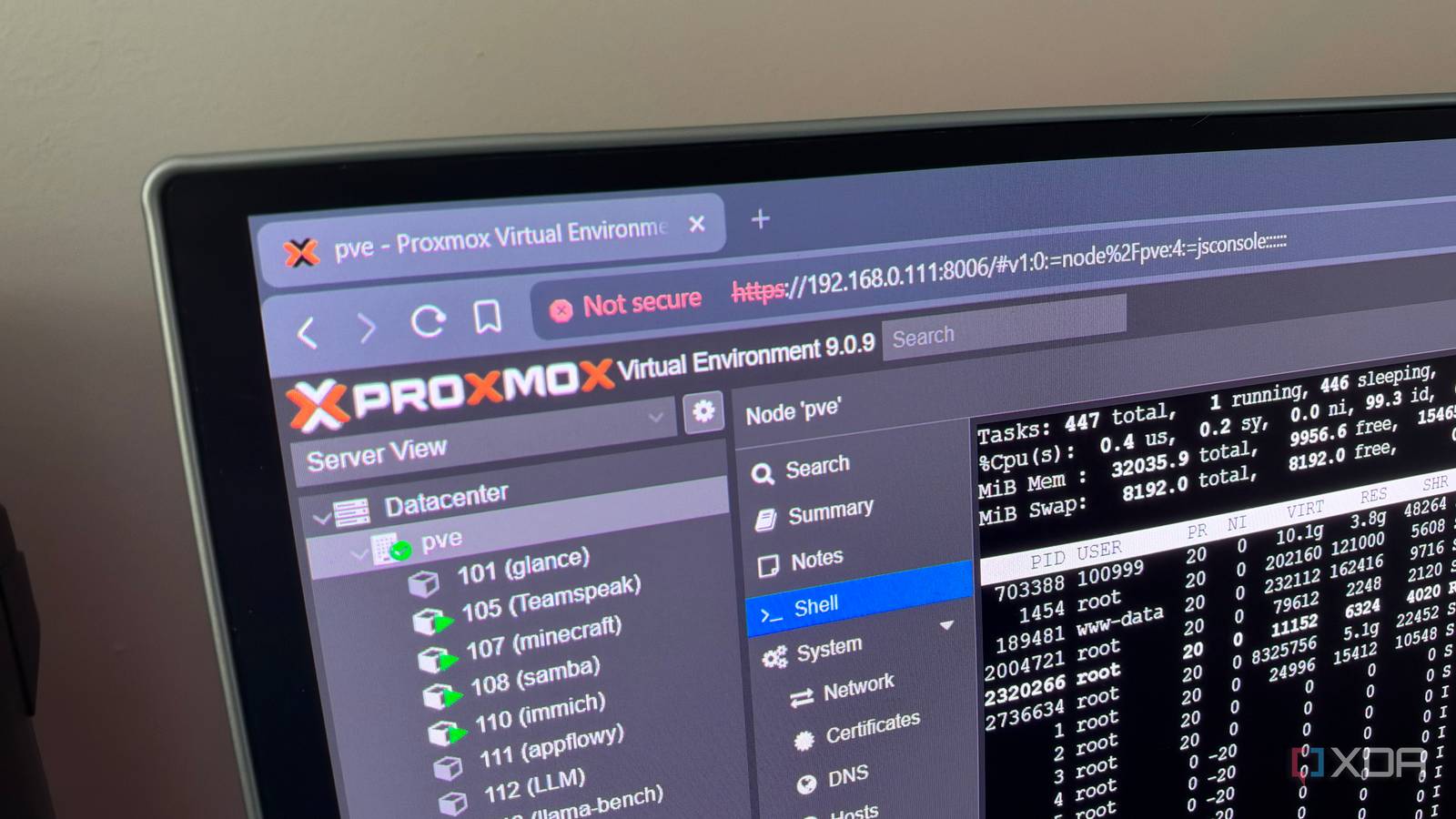
Published Oct 29, 2026, 8:00 AM EDT His love of PCs and their components was born out of trying to squeeze every ounce of performance out of the family computer. Tinkering with his own build at age 10 turned into building PCs for friends and family, fostering a passion that would ultimately take shape as a career path. Besides being the first call for tech support for those close to him, Ty is a computer science student, with his focus being cloud computing and networking. He also competed in semi-pro Counter-Strike for 8 years, making him intimately familiar with everything to do with peripherals. When I first installed Proxmox, I used the web shell almost exclusively. It was convenient and required little configuration to access my home lab from all of my devices, and that was good enough for me. It was only later that I started leaning on SSH as I added more containers, but honestly, I kept yearning for the ease of use of the web shell, and I began to log in using it more frequently. It doesn’t replace SSH everywhere, and I’ll get to where it falls short, but for the day-to-day work of keeping a Proxmox box healthy, it’s become my default way in once again. It's already there on everything I use I'm a few clicks away The best thing about the web shell is that there's nothing to set up, and you're always just a click or two away from everything else in the interface from any browser that can reach the host. It's always in my bookmarks bar on the browser I use, so instead of installing a client and copying over keys, I just open the web page and login there. Since I reach my lab over a mesh VPN, it doesn't matter which system I'm using as long as they're a member of the mesh. The context benefit is also huge. Most of the reasons I'd open a shell in the first place come from the web interface anyway, like creating containers. If I need another window, I can just open another tab in the same browser window without needing to login through SSH again. It does most of what a real terminal should The viewers are crucial for this Credit: If your only experience with browser consoles is the laggy, screenshot-like view of a VM’s display, the node shell will surprise you. Proxmox offers three viewers for it: noVNC, SPICE and xterm.js, and each have their own strengths and weaknesses. xterm.js is what opens when you "pop-out" the viewer using the Shell option at the top of the page. It’s a proper terminal emulator running in the browser, with color, scrollback, resizing, and text you can select and copy. Day to day, it handles everything I used to SSH in for. Package updates, zpool status and scrub checks, digging through journalctl, managing guests with qm and pct, and leaving htop open while a big job runs all work exactly as they do over SSH. It’s the same shell on the same machine; only the way I log in is different. Speaking of logins, since the web interface is only reachable on the local network or through VPN, that makes for far fewer potential points of entry for an attacker to probe. Proxmox also supports two-factor authentication, which is another additional layer of protection if needed. SSH still wins in some scenarios The rough edges of the web UI can bite Calling SSH obsolete would be a massive overstatement, even for the home lab layman. Perhaps the biggest example of where it's still needed is moving files. The web shell has no equivalent to scp, rsync or SFTP, so anything that gets data on or off the host still goes over SSH. The same goes for any tools that expect an SSH connection, like VS Code’s Remote SSH extension or any kind of automation from another machine. The web shell itself also has quite a few rough edges. The biggest one is continuity: if I close a tab that's currently running a command, it will end that command with it unless it was started in tmux. Browser shortcuts can also get in the way, like Ctrl+W, which is used to delete the previous word in a terminal. Hitting that shortcut in a web shell will just close the tab, and that's one that I've fat-fingered more than I'd like to admit. It's also just nice to work within an actual terminal window instead of the web shell sometimes, too. Then there's the dependency on a web stack. If pveproxy stops responding or an update breaks the interface, the shell goes with it, and SSH or a physical console is how you fix things. And not everything in a home lab runs Proxmox. I also run a bare-metal Ubuntu machine for benchmarking, and there’s no web shell on it, so SSH is the only way in. Different tools for different jobs When it comes to actually performing administrative tasks, the Proxmox web UI and shell are excellent. When I do eventually hit a need to transfer some files or integrate an automation somehow, that's when setting up the SSH key and all the authentication makes sense, and for the devices that already have SSH keys set up on them, I'm probably reaching for that first thanks to my reliance on keyboard shortcuts.
The Proxmox web shell is so good that I've basically stopped using SSH in my home lab
Full Article
Original Source
Read the full article at Xda-developers →KhanList aggregates and links to publicly available news content. We do not host full articles from third-party sources. Always verify important information with original sources.