
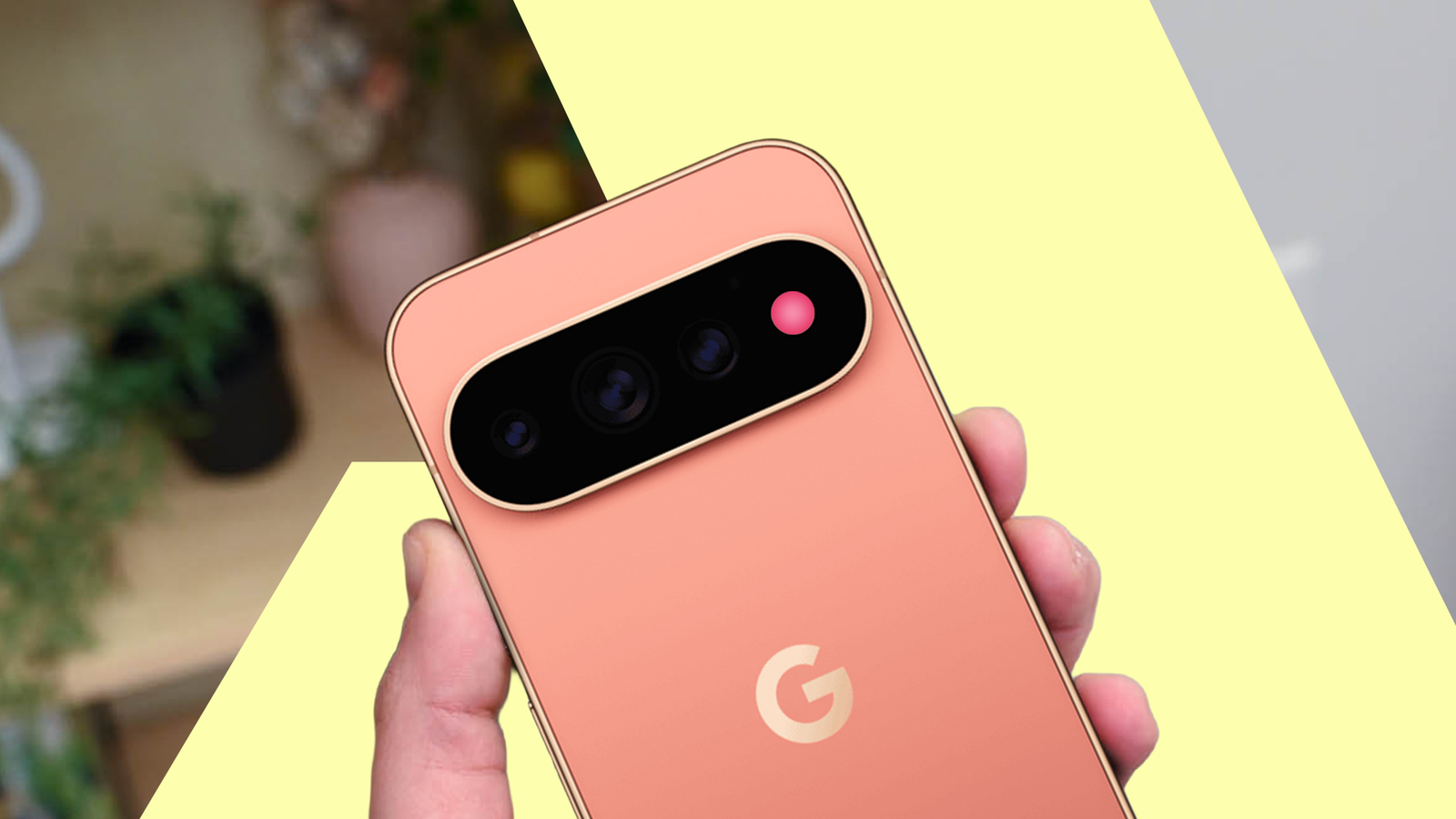
Published Aug 19, 2026, 8:00 AM EDT Dhruv Bhutani has covered the Android ecosystem since 2010, with a focus on smartphones, connected devices, and home networking. His reporting is informed by hands-on experience reviewing hundreds of smartphones and testing a wide range of smart home and audio products over more than a decade. He has attended Mobile World Congress eight times since 2011 and IFA Berlin five times, alongside regular coverage of launch events and industry briefings from companies including Google, Xiaomi, Oppo, and Qualcomm. This on-ground access and long-term exposure to product cycles inform how he evaluates hardware, software direction, and ecosystem shifts. First-Hand Experience Reviewed and tested hundreds of smartphones since 2009 Tested smart home, audio, and connected devices across multiple categories Attended Mobile World Congress (8 times, first in 2011) Attended IFA Berlin (5 times) Covered industry events including Qualcomm Summit and launch events from Google, Xiaomi, Oppo, and Vivo Career History CNET — Freelance Editor May 2024 – Present Android Police — Freelance Editor July 2023 – Present Android Authority — Contributor November 2022 – Present Android Authority — Editor January 2019 – October 2022 FoneArena — Editor February 2010 – January 2018 PhoneReport.info — International Correspondent February 2010 – May 2011 Nokia Mobile Talk — Writer June 2009 – October 2009 Google announced a slew of new smartphones as part of its 2026 release cycle. Part of that is the Google Pixel 11 Pro, which is getting a new notification light called HiLight. An idea that sounds great in theory. When your phone is lying face down, a light embedded in the camera bar glows to indicate that something is happening. Google says that it is a great way to get useful information at a glance without picking up the phone. But there's one big problem. I rarely put my phone face down. HiLight expects me to change how I use my phone I rarely keep my phone face down The use case that Google is targeting is obvious. Put the Pixel face down on a table, and HiLight gives you a way to know that something worth paying attention to is happening on your phone. Be it incoming calls, messages, or Gemini in action. If I'm busy at work, Google expects me to keep the phone face down, so the screen stays out of my line of sight. HiLight can even use a specific color to tell me who is calling, and I can then decide whether I want to interrupt my flow to answer the call. All that sounds useful. The problem is that it requires you to change how you use your phone. My phone normally stays up on my desk because I want to see the time or quickly check notifications at a glance. I might also want to change the music playing on my phone. If a call arrives, I can quickly see who it is and dismiss the call if I need to. If I don't want to be disturbed, there are plenty of tools like Do Not Disturb mode or focus modes to mute specific apps. I don't need to turn my phone over to prevent distraction. Turning the phone over adds an extra step towards checking incoming notifications. No missing piece in my workflow requires a light at the back of the phone. Don't get me wrong, I don't mind the throwback LED. I like small hardware additions that meaningfully upgrade the experience. If this LED was embedded in the power button, or even the volume rocker, I could see it being more useful. Or perhaps the speaker grille at the top of the phone. Neither would require me to change how I use my phone. Elsewhere, having the notification LED on the side of the phone would mean the feature would work whether the phone was facing up or down. Google's insistence on placing the LED on the back doesn't make it useless, but it narrows its scope and makes it niche. HiLight is less flexible than traditional notification LEDs A notification LED that only works at times isn't very helpful What makes HiLight feel even more unnecessary is that Android has already solved the problem by giving you ways to turn the OLED screen into a bespoke notification system. Apps can easily illuminate the edges of the screen, create a ring around the selfie camera, or light up a small section of the screen the moment you get a notification. You can customize everything from colors to the size of the lit-up area and choose which apps trigger the effect. In contrast, Google isn't giving you a universal notification panel with HiLight. While Google says the functionality will expand over time, it currently works with interactions like incoming calls and messages, colored notifications from favorite contacts, and Gemini. That's a much narrower scope than what notification LEDs on older Android phones could pull off, and I don't understand the half-step-forward, one-step-back approach. Even modern interpretations like Nothing's Glyph interface tend to offer more. Compared to what you can pull off with even third-party apps, HiLight comes across as a half-hearted solution. Not only do those solutions work when the phone is face up, but they also offer more flexibility. I would have been willing to forgive the LED positioning if it worked across the entire notification system. But the current implementation isn't there yet. As it stands, HiLight looks like a feature I'll probably use once and then forget about until the one-off time I keep my phone face down. Good has the right idea, but the wrong execution What bothers me is that I'll probably forget about HiLight. I like the idea, and I can see why Google thinks it is useful. A built-in, hardware solution to reduce distractions is worth building. But expecting users to upend how they use their phone over one feature is too much to ask. Google has a long history of building unusual features into its phones. The thermometer in the Pixel 8 Pro is an example. It was niche, but in the one-off chance you needed it, it made you wonder why every phone doesn't have one. The Pixel 11 Pro's HiLight isn't that. It's something a lot of people have been asking for. My only regret is that, in typical Google fashion, the company gave it its own spin instead of sticking to a tried-and-tested solution. Here's hoping Google improves on it with the Pixel 12 Pro next year. Google Pixel 11 Pro SoC Google Tensor G6 Display dimensions 20:9 Display resolution 1280 x 2856 RAM 12 or 16GB Storage 256GB, 512GB, or 1TB Battery 4850 mAh
The Pixel 11 Pro's notification light is half-baked; Google knows it
Full Article
Original Source
Read the full article at Androidpolice →KhanList aggregates and links to publicly available news content. We do not host full articles from third-party sources. Always verify important information with original sources.