
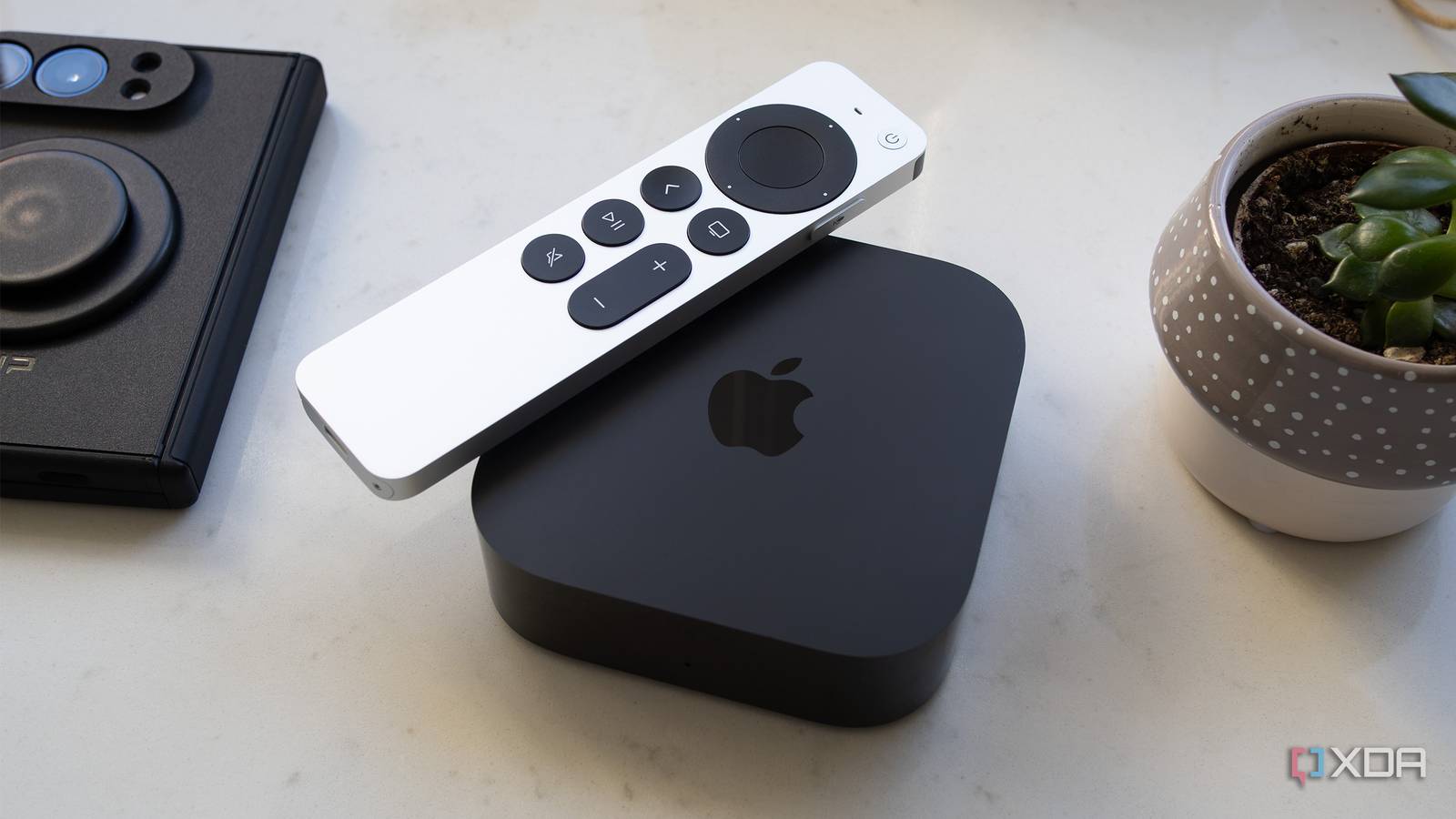
Published Nov 12, 2026, 9:05 AM EST Patrick O'Rourke is XDA's News Editor and Entertainment Segment Lead. Previously, he was Pocket-lint's Editor-in-Chief, the Editor-in-Chief of Canadian tech publication MobileSyrup, and earlier in his career, he worked as the technology editor at the Financial Post and Postmedia. He's based in Toronto. Over the past 15 years, he's written thousands of articles. Patrick has also interviewed dozens of tech industry executives and covered GDC, E3, Gamescom, WWDC, Apple keynotes, Samsung Unpacked events and more. Patrick has a BA in journalism from Toronto Metropolitan University. Sign in to your XDA account I've been an Apple TV user since 2015, back when the tech giant first launched tvOS and the ill-fated Siri Remote. Since then, a lot has changed. The set-top box moved to 4K in 2017, then got the far better Siri Remote (2nd-gen) in 2021, ditching the awful touchpad version that was frustrating to use. More recently, there was the jump to a smaller design and the A15 Bionic chip in 2022. This is where the new A19-powered Apple TV 4K (4th-gen, 2026) comes in. After four years without a hardware refresh, the Apple TV 4K was long overdue for a performance boost, and Apple has finally delivered one. There are other new features, too, including three built-in far-field microphones designed to work with on-device Siri AI, upgraded HomePod surround sound support, and a new Siri Remote (4th-gen) with built-in Find My support. While the performance boost is substantial, whether it's worth it for you to upgrade to the 4th-gen Apple TV 4K (2026) will ultimately come down to what Apple TV 4K you're currently using, or if you're new to Apple's set-top box, whether you're willing to deal with its restrictive tvOS operating system. On top of that, there's the 4th-gen Apple TV's expensive $300 price tag, which, any way you look at it, is a ridiculous amount of money for a streaming device (though, to be fair, the competing, far older Nvidia Shield TV Pro (2019) also costs $300). The Apple TV has always been my top streaming device choice because I appreciate Apple's stripped-back approach to streaming with tvOS. I give up the freedom to sideload and tinker with settings, but in return, I get a UI that's simple, elegant, and straight-up just works nearly all the time, as much as some people don't like to admit it. About this article: Apple sent XDA the Apple TV 4K (4th-gen) for review. The company had no input on the contents of this article. Apple TV 4K (4th-gen, 2026) 8.5/10 Dimensions 3.67 x 3.67 x 1.22-inches (93.24 x 93.24 x 31mm) Brand Apple Audio outputs Dolby Atmos, Dolby Digtial Plus 7.1, and Dolby Digital 5.1 (3 far-field microphones) Integrations Siri AI Ethernet Gigabit CPU/GPU A19 Video Outputs 4K/60fps, Dolby Vision, HDR10, HDR10+, HLG, AV1, HEVC, H.264, VP9, and MPEG-4 Pros & Cons Powerful A19 chip Far-field microphones are great Siri Remote Find My features Very expensive Not that massive an upgrade over last-gen Price, specs & availability The Apple TV 4K (4th-gen, 2026) features Apple's A19 chip, 8GB RAM, and only comes with 128GB of storage (there's no cheaper 64GB model with this refresh). It can stream 4K content at up to 60fps, and supports Dolby Vision, HDR10, HDR10+, and HLG. On the audio side, the set-top box features Dolby Atmos, Dolby Digital Plus 7.1, and Dolby Digital 5.1. Codec support includes AV1, HEVC, H.264, VP9, and MPEG-4. The new Apple TV 4K includes HDMI 2.1, Wi-Fi 7, Bluetooth 6, and a Gigabit Ethernet port. In terms of smart home connectivity, the streamer supports Thread, Matter, and HomeKit. The Apple TV 4K (2026) includes three far-field microphones and Siri AI support with personal context. Like past Apple TV devices, the 4th-generation Apple TV is also fanless. Lastly, the streaming device weighs 0.47lb (217g) and comes in at 3.67 x 3.67 x 1.22-inches (93.24 x 93.24 x 31mm). The Apple TV 4K (4th-gen, 2026) releases on November 13th, 2026, and costs $300. Apple TV 4K (4th-gen, 2026) specs Dimensions 3.67 x 3.67 x 1.22-inches (93.24 x 93.24 x 31mm) Brand Apple Audio outputs Dolby Atmos, Dolby Digtial Plus 7.1, and Dolby Digital 5.1 (3 far-field microphones) Integrations Siri AI Ethernet Gigabit CPU/GPU A19 Video Outputs 4K/60fps, Dolby Vision, HDR10, HDR10+, HLG, AV1, HEVC, H.264, VP9, and MPEG-4 Connective Technology Wi-Fi 7, Bluetooth 6 If you're using an older Apple TV 4K, the 4th-gen's power upgrade is worth it The leap won't feel as substantial if you're moving from the Apple TV 4K (3rd-gen) I've always viewed streaming devices as the sort of gadget you set up, put under your TV or slide into an HDMI port, and mostly forget about. This is why I've been locked in the Apple TV's world for well over a decade now. Unlike other streamers, it's so reliable that most of the time, I forget it's even there. With that in mind, the Apple TV 4K isn't really the type of device you need to upgrade with every generation, even if the releases are several years apart. Unless, of course, a particular feature really catches your eye, or your older Apple TV 4K starts to run into performance issues. In my case, my Apple TV 4K (2021) still runs great, so an upgrade is far from necessary for me, and I bet a lot of people are in a similar situation. That said, the 2026 Apple TV 4K brings several meaningful upgrades anyone using an older Apple Tv 4K will really appreciate. The marquee improvement is the jump from the A15 to the A19 chip. For context, the A15 powered Apple's iPhone 13 series, while the A19 came in last year's iPhone 17 line (it even powers the MacBook Neo). Apple says this is 50% faster CPU performance and 2x faster GPU performance compared to the Apple TV 3rd-gen. My real-world experience with the Apple TV 4K (2026) backs up these lofty claims. Over the past few days with the streaming device, I haven't encountered a single instance of lag or an app crashing, whether I'm streaming content on Netflix, Prime Video, Apple TV+, or one of the several other streaming platforms I subscribe to. I didn't do much gaming with the streamer, but higher-end games like Oceanhorn 2 and Sonic Dream Team performed great on it. Is this level of power overkill for a streaming device? Probably, especially if you don't plan to play games on it, but it also means that while the Apple TV 4K (2026) costs an astounding $300, it'll likely be powerful enough for years to come. On the design front, the 4th-gen Apple TV 4K looks identical to the 3rd-gen model. This means it features the same compact, black, plastic rounded-square design with glossy sides. I've never been a fan of the shiny sides since they scratch easily and really show smudges and dust, but I also don't really care because once you set the Apple TV 4K down, you're not picking it up all the time. The only noticeable design difference is that the status light is now centered on the Apple TV 4K (4th-gen), instead of being left-set. I would have liked to see a more substantial design shift with this refresh, but the Apple TV 4K 4th-gen is still a sleek-looking device. Lastly, one of the more overlooked upgrades is hardware-accelerated AV1 decoding. AV1 is a more efficient video codec that can deliver comparable picture quality at lower bitrates than older formats, making it a useful addition as more streaming platforms adopt it. Right now, AV1 is used by YouTube and Netflix, but not by many other major streaming services. Plex and Jellyfin also take advantage of AV1 when you're playing compatible files. It's unlikely AV1 will be that useful right now for most Apple TV 4K owners, but it's a great future-proofing addition to the streaming device. The Apple TV 4K (2026)'s Siri AI features are impressive They aren't all exclusive to the new Apple TV, though Next, there's the three built-in far-field microphones. Previously, you'd need to hold down the Siri button on the Siri Remote to activate Siri (I know, there's a lot of Siri in that sentence). It feels pretty cool to ask Siri AI random questions with natural language completely hands-free, but I've found I don't always get the results I want. For example, I asked where I could watch season 3 of Interview with the Vampire in Canada, and while Siri AI told me it's available on AMC+, strangely, it also showed me the cast of the 1994 movie starring Tom Cruise and Brad Pitt that shares the same name. The nice-looking full-screen pop-ups for certain questions only sometimes appear, though they work well across third-party apps like Netflix. For example, I was watching a show called Yaga on Crave (a Canada-specific streaming app) and wondered what else its key creator had written and been involved in. Siri AI delivered me an answer, but just in a small bubble in the top corner. The content discovery panels are context-aware, so if Siri AI doesn't have something specific to show you, they just end up being text. This isn't necessarily an issue, but it's still worth noting. On the positive side, Siri AI's voice recognition works pretty well with the 4th-gen Apple TV's three far-field microphones, even when a TV show or movie is playing relatively loudly, and someone is talking on the phone in the background. That said, I have encountered instances where I'm watching TV, ask a question, and it doesn't hear me at all, even when the room is totally quiet. I'd say it works roughly 90 percent of the time, which is pretty good. One frustrating issue I encountered is that saying "Siri" or "Hey Siri" activates Siri on the HomeView sitting in my kitchen many feet away (I had to unplug it), and sometimes my iPhone Duo, too. Hopefully, Apple irons out this problem in the future because it's an odd oversight. Siri AI's ability to draw from personal context feels a bit like magic. While I haven't organically encountered a situation yet, I asked my partner to text me something about the new season of Dexter. I then asked Siri AI to show me "the TV show Tascia texted me about," and it popped up that part of the conversation in Messages on iPhone Duo, understood the context, and showed me the latest episode of Dexter: Resurrection. This all took about 15 seconds, which is a bit longer than I expected, but to my surprise, it actually worked. I likely won't use this feature very often, but it's undeniably useful. For Siri AI's personal context to work, you need to have Apple Intelligence and voice recognition enabled on your iPhone. The Apple TV 4K recognizes your voice and then securely connects to your device on the same Wi-Fi network, or over an active cellular connection in the same location. Even with voice match and Apple's security claims, there are obvious privacy implications, so this probably isn't a feature everyone will want to use, but I found it pretty cool. With all of this in mind, these new Siri AI features aren't exclusive to the Apple TV 4K. They're also coming to the Apple TV 4K 2nd-gen and later in a future update, though you'll need to use the Siri Remote to activate Siri AI since older versions of the streamer don't feature built-in far-field microphones. You can now connect four HomePods (the HomePod 2nd-gen or HomePod Mini 2) to the Apple TV 4K (2026) (previously you could connect two HomePods). I only own one HomePod mini, so I wasn't able to test this feature out. I think the number of people who own four HomePods is likely pretty small, but if you're part of this exclusive club, I can see this addition being useful if you aren't interested in buying a more traditional soundbar-and-subwoofer setup. The Siri Remote (4th-gen) won't get lost in your couch cushions as easily There's precision finding and a built-in speaker now The upgrades to the Siri Remote (4th-gen) are subtle, but still pretty meaningful. There's now built-in Precision Find My support, making the remote easier to locate when your toddler wanders off with it and hides it somewhere silly like in a kitchen cabinet (this has happened to me a few times over the past few months). There's also a built-in speaker in the remote now, making it even easier to locate if Find My's directional guidance isn't cutting it. The rest of the Siri Remote is identical to the last-generation version, including the clickpad with a touch surface, back button, TV button, Siri button, power button, and more. Overall, the 4th-gen Siri Remote is a solid streaming-device remote that I've grown to really appreciate over the years. Like the rest of the Apple TV 4K, it's simple, straightforward, and easy to use — only now, I won't lose it all the time. Should you buy the Apple TV 4K (2026)? You should not buy the Apple TV 4K (4th-gen) if: You already own a 2021 or 2022 Apple TV 4K that still works great. You aren't interested in dealing with tvOS' restrictions. You should buy the Apple TV (4th-gen): Your current Apple TV 4K can't keep up with modern streaming apps. The $300 price tag doesn't bother you. The Apple TV 4K (2026) is a solid upgrade over the Apple TV 4K (2021) I'm using right now, especially as far as the jump to the A19 is concerned, but as I mentioned earlier, I look at streaming devices almost like appliances. You don't need to upgrade your dishwasher or washing machine until something is actually wrong with it. With this in mind, if you're still using an Apple TV 4K (2022) and it's working fine, you can likely stick with it for a few more years, especially given this upgrade costs an astounding $300, which is double the price of the previous generation Apple TV 4K's 128GB model — welcome to the RAMpocalypse. On the other hand, if you're using an older Apple TV 4K that's struggling to keep up with modern streaming apps, now is a great time to pull the trigger as long as you're willing to swallow the $300 price tag. If you're considering taking the Apple TV plunge for the first time, you need to be aware that Apple TV is a walled-garden ecosystem. You can, of course, still run self-hosted platforms like Plex and Jellyfin, but Apple's streamer is not nearly as versatile as the Android-powered Nvidia Shield TV Pro when it comes to sideloading apps or plugging an external hard drive directly into the streamer via USB, despite being notably more powerful than Nvidia's now-ancient set-top box. Ultimately, the Apple TV 4K (2026) gives me exactly what I want from a streaming device: a simple, reliable experience that gets out of the way and lets me watch TV. Apple TV 4K (4th-gen, 2026) 8.5/10 Dimensions 3.67 x 3.67 x 1.22-inches (93.24 x 93.24 x 31mm) Brand Apple Connective Technology Wi-Fi 7, Bluetooth 6 Ports (128GB Model) HDMI 2.1, Power connector
The new Apple TV 4K (2026) makes my favorite streaming box even better, but its steep price holds it back
Full Article
Original Source
Read the full article at Xda-developers →KhanList aggregates and links to publicly available news content. We do not host full articles from third-party sources. Always verify important information with original sources.