
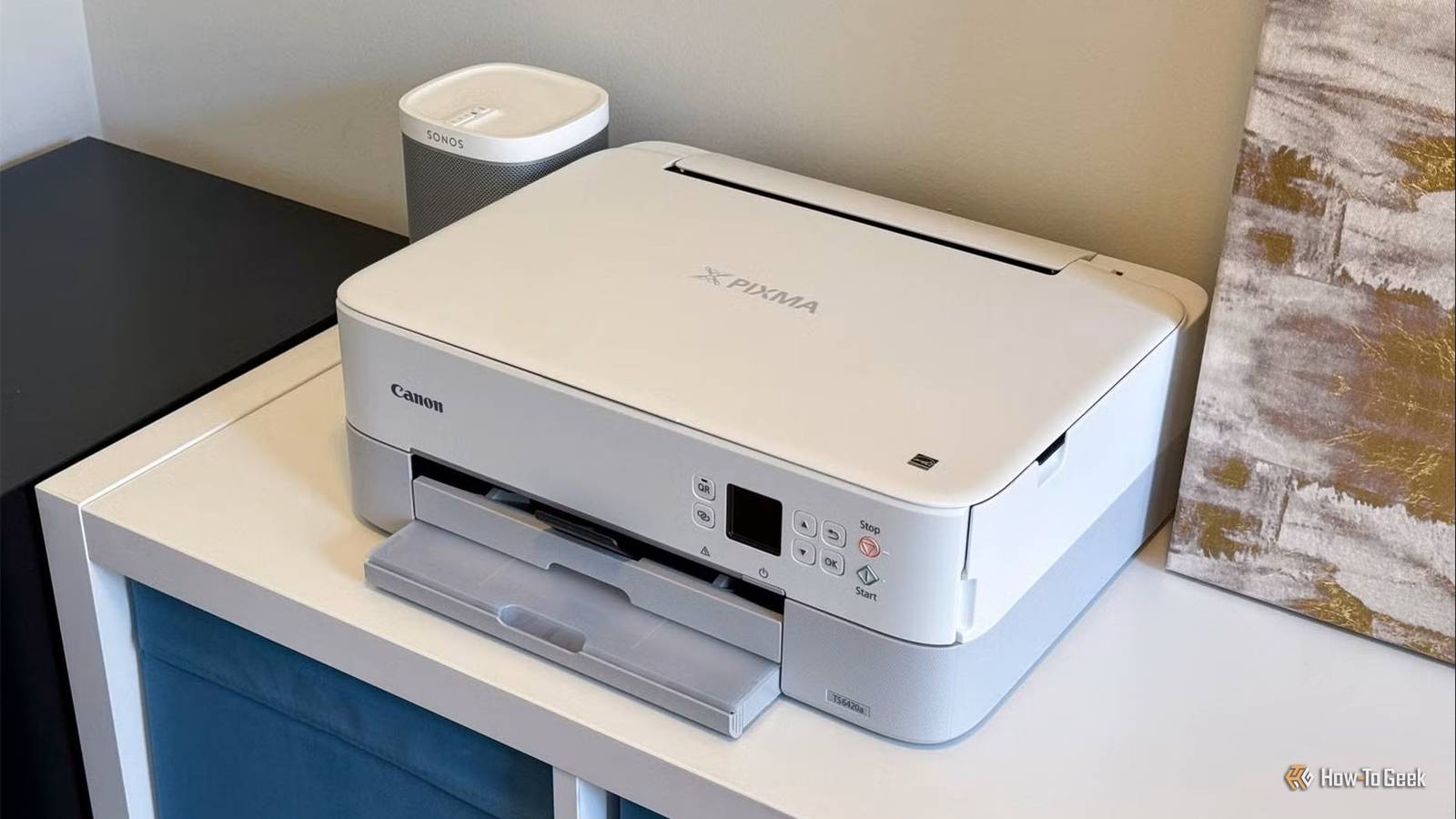
Published Sep 21, 2026, 6:00 AM EDT Aggy is a veteran writer and editor in the technology and gaming space. Having served as a Managing Editor for high-traffic digital publications, alongside being an editor and consultant for over a dozen sites. Aggy's published work spans a wide and respected array of tech and gaming outlets, including WePC, Screen Rant, How-To Geek, Android Police, PC Invasion, and Try Hard Guides. Beyond editorial work, Aggy's direct experience in the tech sphere extends to app development. Aggy has published two games under Tales and is always eager to learn and do more. He also likes working on computers and researching in his spare time. He knows about Windows, Linux, Audio, Video, and much more. Most people assume their printer is the least interesting thing on the home network. It sits there, waits for jobs, and doesn't do much else. But it's actually one of the most active and noisy devices on your whole network. The settings I changed after that audit weren't dramatic, but they kept me safer than I have been in years. Your printer is one of your biggest security risks A printer will literally invite attackers right into your network Credit: Nick Lewis / How-To Geek Most people don't realize how important their printer is to their security. It seems like the most insignificant part of your setup since all you use it for is printing. The idea is that it's a road you can only get to from your PC because that used to be how it was connected. Today, the connection to your printer is wireless, so you're getting to your printer through Wi-Fi instead of through a direct line. A newly installed printer is basically the go-to for attackers because manufacturers care way more about convenience than security. The second you connect a printer to Wi-Fi, it starts blasting discovery broadcasts so you can find it. It broadcasts itself to everything on your network, announcing its make and model, its hardware ID, and the address of its own little control panel that anyone can pull up in a browser. That's just the protocol doing its job of making it easy to find. The trouble is it has no way of knowing who's actually looking. Unfortunately, a lot of the time, whoever finds it usually doesn't need a password. Some of these printers don't even come with a password set, and the defaults are so well known they're basically useless. It's not exactly hard to guess 'admin' and 'password' as the login, so we need a better way to protect admin access. It's worse when someone gets in because printers still run on old protocols that were designed back when networks were closed off and trusted. That means someone on your network can see what you're currently printing, grab saved passwords the printer stores for sending scans to your email or shared folders, or poke around its internal settings. While that sounds tame, you have to remember that you are scanning your ID, passport, and other things. Also, the printer can just be a way into your network. Most home networks are basically one big open room where your laptop, your phone, your TV, and your kids' devices all sit together with nothing separating them. Basically, if someone gets control of your printer, they can use it to look around at everything else on the network. You need to keep your printer away from your other devices Turn off the extra features and change the password The real fix is to just stop letting your printer share a network with everything else you own. Right now your printer, laptop, phone, and your kid's tablet are likely all in the same room together, able to talk to each other freely. The fix is to give your printer its own space. A separate network that can't see or be seen by the rest of the house works fine. You can do this through a VLAN or a guest network. Setting it up means restricting the port or Wi-Fi network your printer uses so that it can't interact with any devices on your home network. If you're doing this over Wi-Fi, look for a setting called "client isolation" on your router. Turn it on. What it does is stop devices on the same Wi-Fi from reaching each other directly, so even if your printer gets compromised, it can't go knocking on your laptop's door. The one issue is AirPrint. If your printer is suddenly on its own isolated network, your phone won't be able to find it anymore. That's kind of the whole point, but it does kill the convenience. I just move the printer onto my network when I need it. Most of the time my printer is unplugged to begin with, because I don't want anyone trying to break in. There's more to worry about besides that. Printers ship with a pile of features that most people never asked for and never use. Automatic discovery broadcasts, old print protocols with no login required, remote management tools built for corporate IT departments back in the early 2000s, and awful passwords are the biggest issues. Go into your printer's settings and disable UPnP, disable WSD, and turn off the old raw printing protocols. Also, make sure to change the admin password. This is the step people skip because it feels like the least technical thing on the list, but it's the one that actually matters most. A huge number of these printers ship with a factory password anyone can figure out, and no amount of network isolation matters if someone can just walk in the front door with a password the manufacturer handed out for free. Set a real one and turn off remote management from outside your house entirely, and if your printer still has old protocols like Telnet or FTP switched on, kill those too. You can't trust built-in security marketing It isn't overkill to make sure your devices are safer Credit: Patrick Campanale / How-To Geek It's easy to assume every device today comes with built-in security that keeps it safe. Words like firewalls, WPA3 encryption, military-grade security, and automated threat prevention get thrown around all the time. But a lot of that is just marketing, and a salesperson trying to convince you your hardware is hard to break into. You have to actually put in work for any of your devices to be safe. The thing is that most of these firewalls are built to inspect and block unauthorized inbound connections coming from the public internet. They're not designed to monitor or restrict traffic moving between devices already inside your local network. Once an attacker is in, they've got free rein. That's a real problem when you think about what your printer is connected to, like the rest of your home network. Act like the IT department for a moment All this kind of sounds like something an IT department would do, and you'd be right to assume so. This is how you should look at everything in your home that runs on Wi-Fi. You should be the one securing your own network. Printers, cameras, and cheap smart plugs don't get patched the way laptops do, and attackers know that. A little time spent locking down your printer goes a long way.
The network settings I changed after realizing my printer can see everything in my house
Full Article
Original Source
Read the full article at Howtogeek →KhanList aggregates and links to publicly available news content. We do not host full articles from third-party sources. Always verify important information with original sources.