
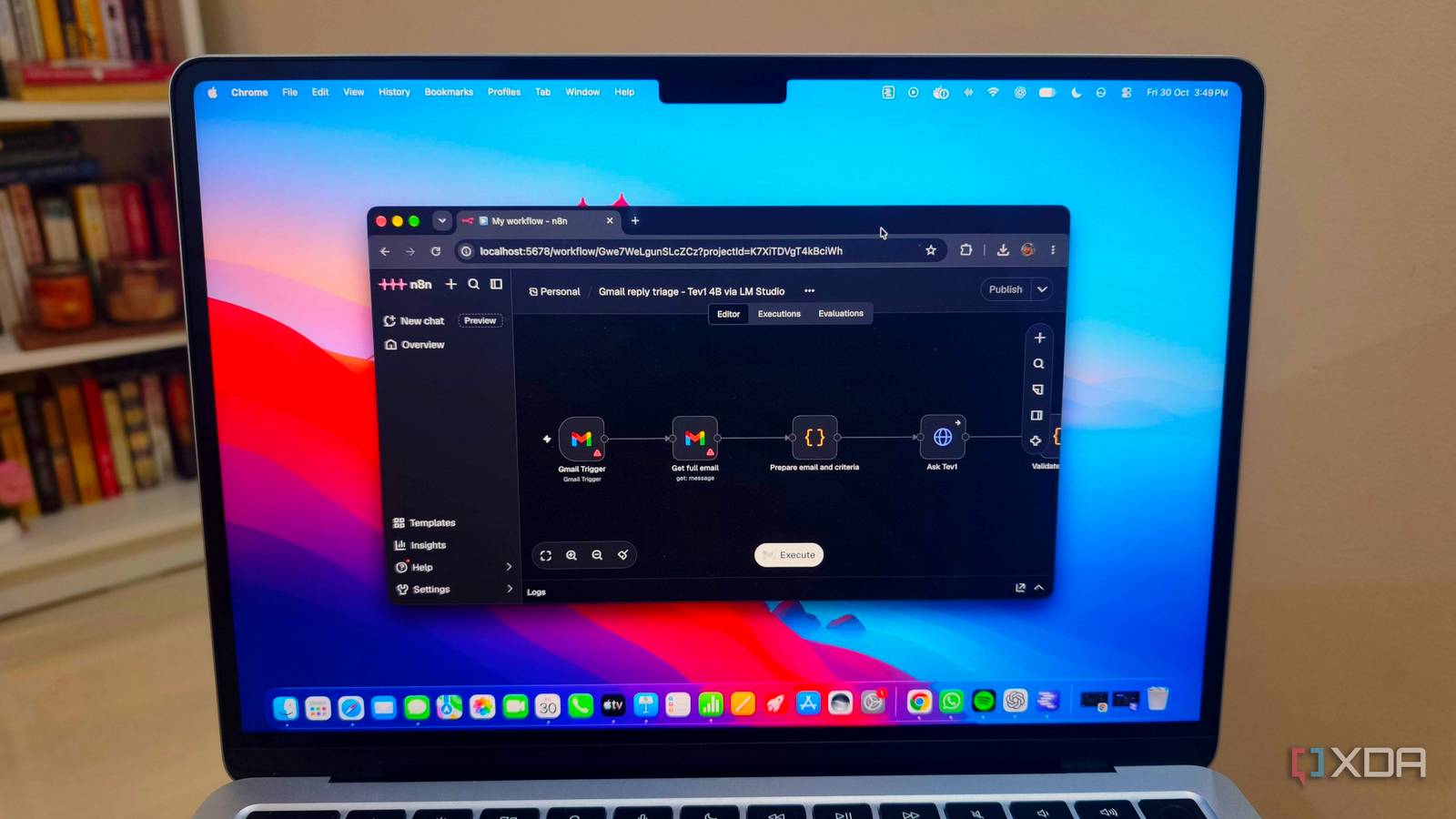
Published Oct 31, 2026, 12:31 PM EDT Anurag is an experienced journalist and author who’s been covering tech for the past 5 years, with a focus on Windows, Android, and Apple. He’s written for sites like Android Police, Neowin, Dexerto, and MakeTechEasier. Anurag’s always pumped about tech and loves getting his hands on the latest gadgets. When he's not procrastinating, you’ll probably find him catching the newest movies in theaters or scrolling through Twitter from his bed. I’ve tried local LLMs for coding and writing, and they do a decent job when you give them smaller tasks. If you’re developing something, breaking a feature into a few steps gives the model a much better chance of getting it right. I think there’s a lot of useful work these models can do that gets overlooked when we only compare them to cloud models on bigger tasks. One of the more useful things I’ve done recently is add Tev1 4B to my n8n workflow to find emails that need a reply. It’s a small decision model that reads a message and checks it against criteria I’ve provided. That sounds like a modest job, but it’s become one of my favorite uses for local AI, and it doesn’t involve writing a single word or generating any code. My inbox needs more than sender filters Finding the emails worth replying to I get a lot of emails from agencies, developers, and companies pitching products or offering opportunities to write about something. Some are relevant to what I cover. Others are general announcements sent to everyone on a mailing list, and then there are follow-ups on conversations I’m already having. I’m sure you get your fair share of these too, even if the subjects are different. I can’t keep up with all of them, and going through every message to decide whether it deserves a reply is a job in itself. Gmail’s filters help with sorting messages by sender or subject, but the same agency can send me an irrelevant press release and a proposal I actually want to respond to. I need something that reads the message and makes that distinction. That’s the job I’m giving Tev1. I provide criteria for what deserves a reply, and it checks incoming emails against them. A direct question or a relevant opportunity gets treated differently from a product announcement that doesn’t ask anything of me. I’ve been going back through the emails manually to check its decisions, and so far, it’s been doing the job reliably. Tev1 4B is a decision model from Together AI. You give it information, a question, and a set of possible answers to choose from. It’s built for tasks like classification and routing, so you can use its answer to decide what happens next in a workflow. Connecting Tev1 to my email workflow LM Studio and n8n handle the setup I’m using n8n for the workflow, with LM Studio serving the model locally. Tev1 uses the /v1/systemone endpoint, where you send the information you want evaluated and the questions it needs to answer. For Gmail, you can start with n8n’s Gmail Trigger node and connect your account. It checks for new messages at the interval you choose. You then need the sender, subject, and message body available for the next step. Check the node’s output here because its simplified response includes headers and message IDs rather than the full body. You can retrieve the message separately using a Gmail node. An HTTP Request node sends that information to LM Studio. The email goes in the state field, and the questions field contains the classification instructions. You could define three outcomes — needs a reply, doesn’t need a reply, and needs manual review. Each gets a description explaining which messages belong there. For example, a direct request to confirm availability belongs in the first category, and a general product announcement belongs in the second. The returned choice gives n8n something to act on. A Switch node can separate those outcomes, and another Gmail node can apply the corresponding label. That gives you a filtered view to open when you’re ready to respond. The criteria are the part worth spending time on. I’m checking the results against my emails manually because “does this need a reply?” depends on what I’m interested in and which conversations I want to continue. You need to give the model those distinctions. There are other uses for it Small decisions across apps and games Email filtering is one example of what you can do with Tev1. A notification filter is another use I’d like to see, where the model decides whether a message deserves an interruption or can wait. Someone saying they’re outside with your delivery needs your attention sooner than someone sharing a link in a group chat. You’d need an app that can access those notifications and act on the result, but the classification fits what Tev1 does. This can also work for filtering feeds. You can keep discussions about a game and hide posts containing spoilers, or sort apartment listings according to whether they explicitly allow pets. There are already some interesting community experiments. Someone has also built a Pac-Man project that compares Tev1 with other models choosing legal moves from the current game state. That’s a more entertaining application than sorting emails, and it opens up ideas for hobby game developers. A small job worth handing over I still enjoy trying local models for coding, but I’d like to see more uses like this built into the tools we already use. Finding emails worth replying to is a job I need done every day, and a small model that handles it reliably gives me a good reason to keep it running.
The most useful local AI model I've installed this year doesn't write a single word
Full Article
Original Source
Read the full article at Xda-developers →KhanList aggregates and links to publicly available news content. We do not host full articles from third-party sources. Always verify important information with original sources.