
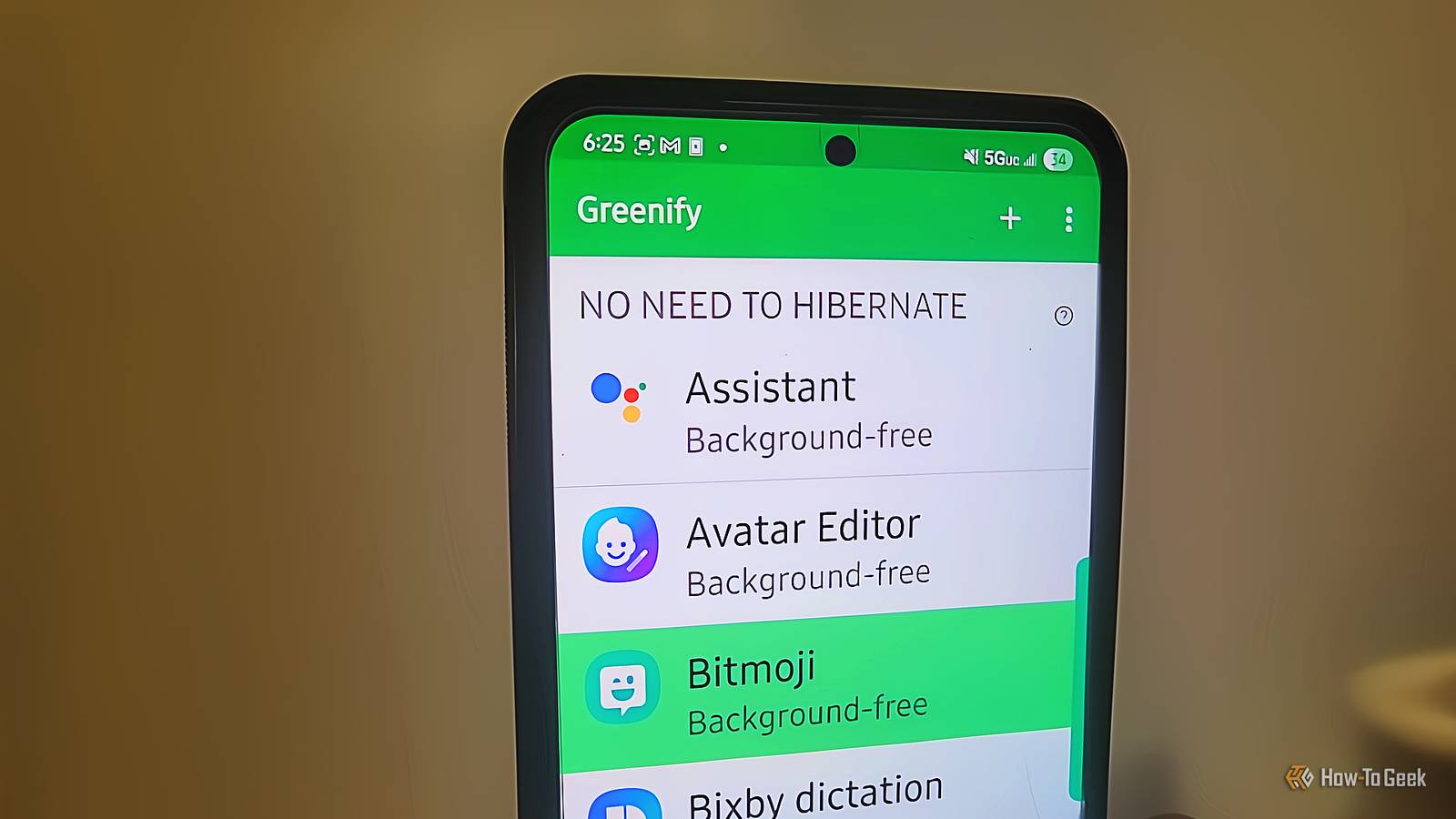
Published Nov 24, 2026, 7:00 PM EST Aggy is a veteran writer and editor in the technology and gaming space. Having served as a Managing Editor for high-traffic digital publications, alongside being an editor and consultant for over a dozen sites. Aggy's published work spans a wide and respected array of tech and gaming outlets, including WePC, Screen Rant, How-To Geek, Android Police, PC Invasion, and Try Hard Guides. Beyond editorial work, Aggy's direct experience in the tech sphere extends to app development. Aggy has published two games under Tales and is always eager to learn and do more. He also likes working on computers and researching in his spare time. He knows about Windows, Linux, Audio, Video, and much more. Anyone who owned an Android phone around 2015 knows how quickly the battery died. Apps were allowed to run in the background almost whenever they wanted, and nobody had a good way to tell them to stop. That freedom made Android flexible, and it also made the phone run out of power by mid-afternoon. A third-party app called Greenify actually fixed this issue, and Google would later build a very similar feature into Android. The timeline is messier than the headline makes it sound, but I think it's worth sorting out who deserves credit for what. Android let background apps run wild Greenify had a better idea than task killers Back around Android 5.1 Lollipop, Android let apps have a lot of freedom to run in the background. It treated mobile apps a lot like desktop programs, so they could run persistent background services, set alarms, grab wake-locks, and listen for system-wide events. When some system events happened, like a network change, many background apps could wake up at the same time. Android did restrict many of the broadcasts that triggered this eventually, but it was still an issue at one point. Once awake, those processes would often grab partial wake-locks, which kept the CPU from ever fully sleeping. Even one badly behaved app could keep the processor running forever. This really messes with how mobile radios work. Cell modems cycle through different power states and spin up to a high-power channel whenever there's network traffic. Then they hang around in that high-power state for a few seconds afterward, waiting for more data before finally stepping down. With a bunch of background apps all firing off pings and sync requests on their own, the modem constantly got dragged back into that high-power state. Basically, the battery drained even when you hadn't touched your phone all day. Also, the hardware of that era didn't help: phones usually had around 2GB of RAM, and batteries that couldn't survive a full day under that kind of pressure. Greenify went after that same problem. Its answer was app hibernation, which worked very differently from the old-school task killers people had tried before. Task killers on Android just closed apps, and you were supposedly done, but the apps promptly woke themselves back up through alarms or broadcast receivers. The Greenify team decided to put apps into a real hibernated state until the user opened them. While hibernated, the app's background services, periodic tasks, event receivers, and alarms would stop working. Android built its own background limits Each release made the rules a little stricter Google eventually built these controls directly into Android, but I remember it took a while to get to where we are now. Google rolled this out over a few releases. The first way to improve battery life was Doze mode, which came in Android 6.0 Marshmallow. Doze watches the motion sensor and screen state, and when the phone has been sitting still with the screen off and unplugged for a while, it kicks the system into a sleep state. In full Doze, background network access is deferred, wake-locks are ignored, alarms and scheduled jobs are paused, and Wi-Fi scans aren't performed. To keep apps from hanging forever, the system occasionally opens short maintenance windows where queued tasks can run before it goes back to sleep for progressively longer stretches. Android 7.0 Nougat added a lighter version that kicks in sooner after the screen turns off, even when you're carrying the phone around. Android 9 Pie went a different way with Adaptive Battery and App Standby Buckets. Instead of one blanket rule for all apps, Android started tracking how often you use each app and sorted them into priority tiers. So that's when you get Active, Working Set, Frequent, Rare, and later Restricted. Apps that land in the lower buckets get squeezed hard. A Rare-bucket app, for example, could run scheduled background jobs for only 10 minutes in a rolling 24-hour period, and it could fire only one alarm per hour. Android also put a hard ceiling on rogue background processes. Starting with Android 8.0 Oreo, background apps were blocked from starting background services the usual way. Android 11 introduced the Cached Apps Freezer on some phones. It uses Linux kernel control groups to freeze a process 10 seconds after it enters the cached state. The app stays in memory, but its threads can't do any CPU work until it is unfrozen. Android 12 added native App Hibernation, which is what we all wanted in the end. Greenify still has a place on your phone Android didn't really steal the idea Greenify is still around and working for many. I think it's better at the sleep mode it started with because you have more control over specific apps instead of waiting for Android's timers and heuristics to eventually kick in. I wouldn't say Android stole the idea because it wasn't a single jump, and it took a few releases to get here. Also, Greenify didn't invent the idea. App hibernation has been around for a long time, and it's simple enough that anyone could come up with it. Android just needed time before it could build it in as a standard feature that worked reliably. I'd say Greenify proved how much regular users cared about this stuff and how hard these processes hit phone batteries. It has its own problems, and it doesn't beat Android at everything. Still, it's one important piece of the hibernation puzzle. You can still use both methods Greenify still gives you direct control, but it asks for more of your time and some patience while you sort out which apps deserve to sleep. Neither one is perfect, but both get the job done. If your battery still drops overnight and you're curious why, checking which apps are allowed to run in the background is a quick way to find out. Greenify App Publisher Oasis Feng Developer Oasis Feng Greenify is an Android app that hibernates background apps to save battery life.
The Greenify app was so good that Android stole its best feature
Full Article
Original Source
Read the full article at Howtogeek →KhanList aggregates and links to publicly available news content. We do not host full articles from third-party sources. Always verify important information with original sources.