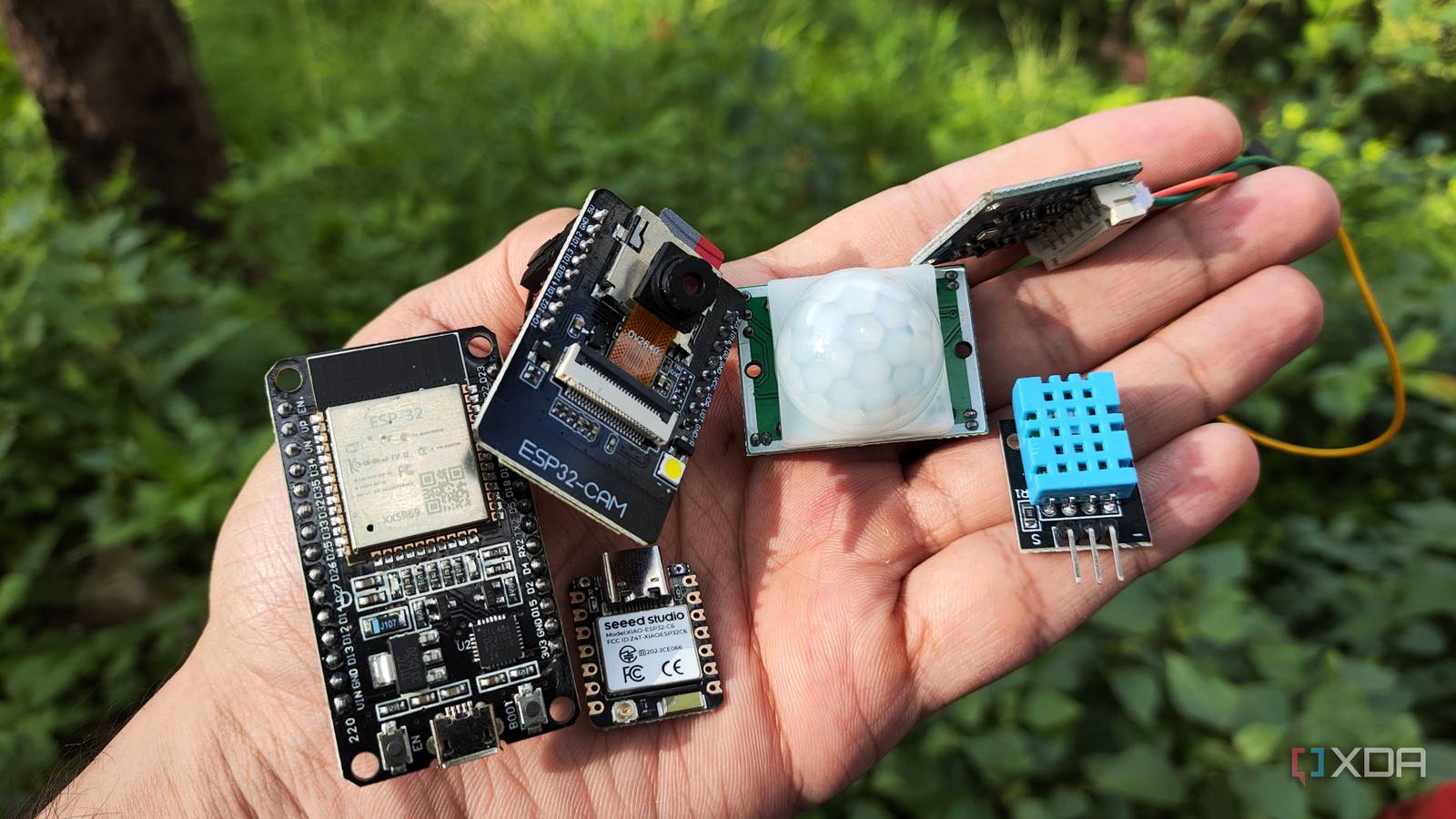
Published Jul 22, 2026, 2:00 PM EDT Ayush Pande is a PC hardware and gaming writer. When he's not working on a new article, you can find him with his head stuck inside a PC or tinkering with a server operating system. Besides computing, his interests include spending hours in long RPGs, yelling at his friends in co-op games, and practicing guitar. Microcontrollers are a joy to experiment with, but it wasn’t until a few months ago that I finally got to experience their sheer utility for my tinkering needs. To be more specific, I’m talking about my ESP32 boards, and even though I occasionally switch to Raspberry Pi Pico modules and Arduino systems, the ultra-powerful (and just as inexpensive) ESP32 family is the one I rely on the most. In fact, ESP32 boards are single-handedly the reason I was able to work on custom sensor setups – a hobby that I’d long since given up on after running into problems with custom PCBs. Between their solid connectivity options, rock solid integration (pun intended) with Home Assistant, and support for all sorts of wacky IoT accessories, my smart home would be incomplete without my ESP32-powered DIY sensors. ESP32 boards turned out to be the key ingredient for my sensor-powered automations It also helps that they’re super cheap Home Assistant may be able to accommodate plenty of smart devices, but seeing as how expensive some IoT products can get, I can’t spend hundreds of bucks on new gizmos without going broke. But when it comes to grabbing certain statistics and (most importantly) performing simple actions after detecting certain triggers, I don’t necessarily need complex smart home devices. Instead, I can simply pull up an ESP32, slot in a couple of extra modules, and flash the microcontroller with some custom-written code to build powerful sensor devices that can enhance my Home Assistant hub’s automation provisions and bring some extra statistics to my dashboards. Thanks to their affordable prices, I can nab quite a few ESP32 boards and use them to prototype different sensor setups for my Home Assistant hub. They’re also surprisingly versatile when it comes to the IoT paraphernalia I can hook them up with. For example, I’ve got an ESP32 that’s connected to a BME280 sensor, which pulls the temperature, pressure, and humidity stats of my room into Home Assistant. Since I can use practically any entity combo when designing automations on HASS, using sensors with ESP32 lets me build some wild trigger-action rules, ranging from something as useful as workflows for controlling air conditioners and humidifiers from my ESP32-turned-weather station to wild setups where hitting my desk would cause my vibration sensor to pick up the disturbance as a trigger and start my everyday PC and home server nodes online as the action. Not to mention, ESP32 microcontrollers are pretty loaded when it comes to specs. Although there are certain exceptions to this rule, typical ESP32 boards out there tend to ship with both Wi-Fi and Bluetooth capabilities, making them quite versatile for DIY experiments. ESP32-CAM and ESP32-C6 have their own place in my Home Assistant automation pipeline So far, I’ve only referred to the ESP-WROOM-32, but I also use its specialized siblings to bring niche features to my smart home. Take the ESP32-CAM, for example, which packs a dedicated camera module. With a little tinkering in ESPHome (and I’ll go over this sweet app in a bit), my ESP32-CAM can stream FFMPEG footage directly to my Home Assistant dashboards. Toss in some AI integrations (specifically LLM Vision) and local LLMs hosted on outdated GPUs, and you have a solid AI-powered security camera built from nothing but an inexpensive microcontroller and recycled hardware. Then there’s ESP32-C6, which packs some terrific wireless capabilities despite its pint-sized design. Its Wi-Fi 6 module comes in handy for networking projects, but it’s the Zigbee and Thread support that makes ESP32-C6 a godsend for HASS enthusiasts. I’ve turned mine into a Zigbee coordinator to help Home Assistant talk to smart gadgets that use this standard, but it can double as a budget-friendly Matter/Thread border router as well. ESPHome makes flashing ESP32 boards quite painless Plus, it meshes well with Home Assistant Remember how I mentioned ESP32 made designing Home Assistant sensors easy? Well, a lot of that credit goes to ESPHome, the flashing utility that I use for my ESP32 projects. I’ve experimented with simple PCBs and IDEs in the past, and after running into everything from compatibility issues to hard-to-troubleshoot C++ code, I nearly gave up on this dream. However, the ESPHome app (or add-on, as we used to call it back in the day) on Home Assistant made microcontroller projects fairly accessible. Rather than requiring complex C++ (or even Python) syntax, ESPHome uses simple YAML code to force ESP32 microcontrollers to do my bidding. Updating their firmware is just as easy with ESPHome, and I really appreciate the detailed documentation it has for ESP32 sensors, circuitry modules, and accessories. In fact, I often use the code from the official ESPHome documentation without too many tweaks, which makes coding projects a lot easier compared to, say, writing long C++ snippets from scratch. Combine all that with the fact that any devices flashed with (working) firmware from ESPHome show up in Home Assistant automatically, and you can see why I adore this app so much. The ESP32 lineup is perfect for designing custom smart home gadgets I’ve spent the last couple of months working on different ESP32-powered DIY gizmos for my Home Assistant hub, and although some require a little bit of elbow grease, they work pretty darn well. Besides my ESP32 weather station, I’ve attached a motion sensor to another one of these inexpensive boards to automatically turn on the lights when I enter my goblin cave. I’m currently working on pairing a soil moisture sensor with my ESP32, so I could automate my sprinklers to water my plants once the moisture level drops below critical levels. Brand AITRIP Connectivity Features UART, USB
The ESP32 turned out to be the least intimidating way into a hobby that scared me for years
Full Article
Original Source
Read the full article at Xda-developers →KhanList aggregates and links to publicly available news content. We do not host full articles from third-party sources. Always verify important information with original sources.