
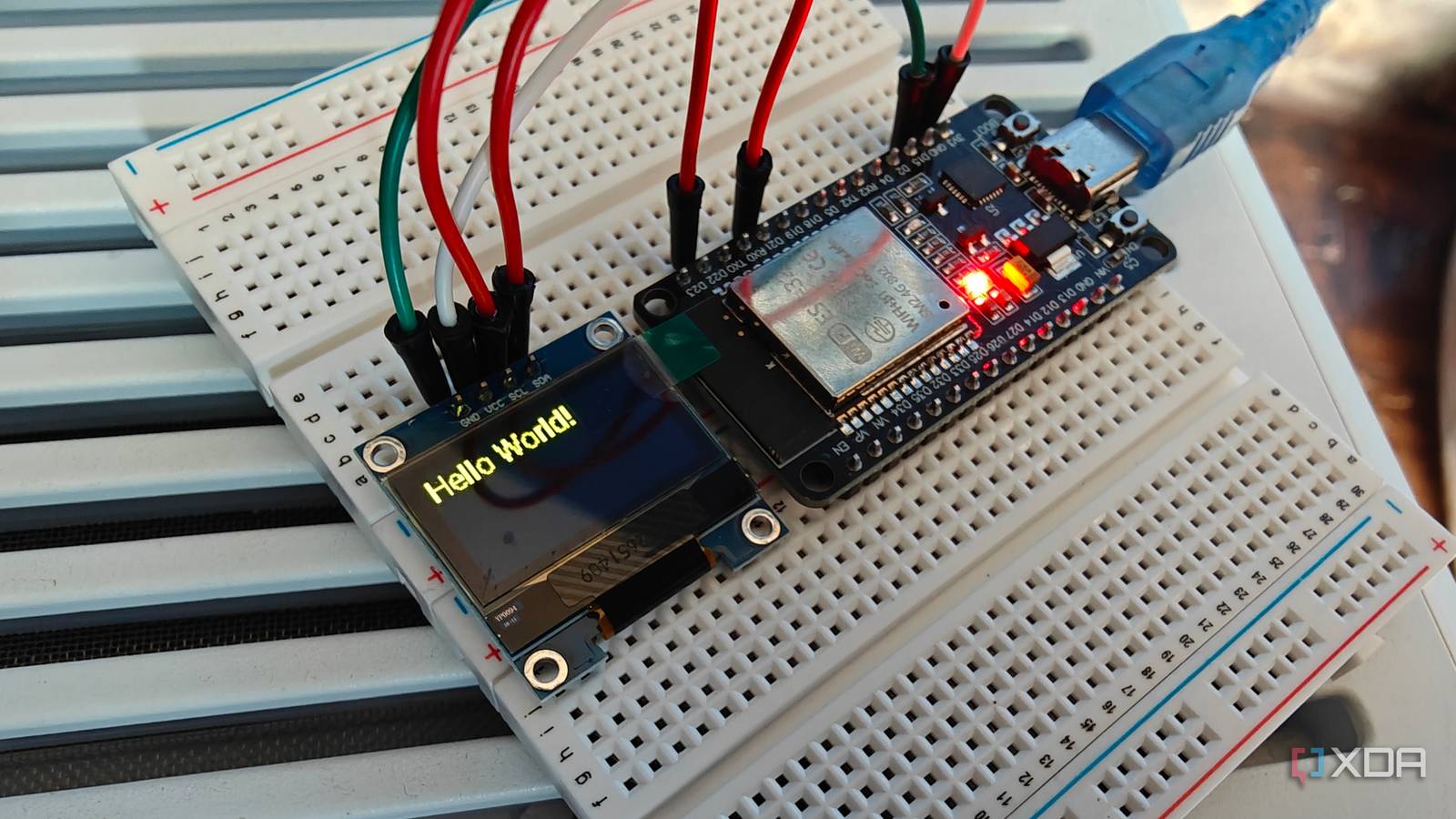
Published Nov 10, 2026, 3:30 PM EST Richard is the PC Hardware Lead at XDA and has been covering the technology industry for almost two decades. He's been building PCs since young, and when not creating content, you can often find him inside a chassis somewhere. Raspberry Pi was an impressive product when it launched in 2012 through the Raspberry Pi Foundation. Its goal was to make computing and programming more accessible, providing an affordable single-board computer (SBC) that anyone could experiment with. It worked, with millions of Raspberry Pi computers sold worldwide. Compared to a desktop PC, the Raspberry Pi is considerably less powerful, but that's part of its appeal, especially when it comes to the smart home and home lab. It can handle all sorts of low-power tasks without requiring expensive hardware or much electricity. But so too can a microcontroller like the ESP32, and I've increasingly found myself turning to these tiny boards instead. Raspberry Pi is great for the home lab But so too is an army of ESP32-built devices The Raspberry Pi 5 is powered by a quad-core ARM CPU and offers up to 16GB of RAM to run full-size Linux distributions. You could fire up Arch Linux, install Home Assistant and some other self-hosted apps, and call it a day. The Raspberry Pi will handle many lightweight services without much trouble. But things get interesting when you want to create low-powered sensors and other devices that add functionality to the smart home and home lab. This is where an ESP32 can make much more sense, especially when you don't need an entire operating system running in the background. A Raspberry Pi 5 can consume around 5 to 15 watts depending on the workload and connected peripherals, though I've usually found mine to hover towards the lower end of the spectrum. As for an ESP32, it uses a fraction of this power. These microcontrollers can run from small batteries, provided the voltage is regulated appropriately, and can achieve exceptionally low power consumption when configured to enter deep sleep between tasks. They're also incredibly versatile and can be paired with a whole host of sensors, attachments, and completely custom circuitry. Even if you have very little confidence or knowledge when it comes to electronics, ESP32 starter kits come with guides and many of the components required to create something unique. This is what I applaud the Raspberry Pi for, since I know plenty of people who have purchased a Raspberry Pi kit over the years and played around with attaching components, running services, and even learning programming languages. The ESP32 feels like a natural continuation of that experimentation, bringing a similarly accessible approach to microcontrollers. And the costs can be considerably lower. A Raspberry Pi typically needs a suitable power supply and storage, and you might also want a case or other accessories. An ESP32 development board can cost just a few pounds, leaving plenty of room in the budget for sensors, displays, and other components. When you're building a collection of devices throughout the home, those savings can quickly add up. Depending on what you're replacing, it's possible to save hundreds of pounds compared to buying numerous fully assembled commercial smart-home accessories. ESP32 is perfect for DIY home lab projects ESPHome makes creating smart devices surprisingly easy One of the best things about ESP32 hardware is how easily it integrates with Home Assistant. ESPHome allows you to configure compatible microcontrollers using YAML, with support for numerous sensors, displays, and other components. While this does mean I don't need to dive into C or some other language, YAML is also fairly convoluted at times, especially if you're unfamiliar with mastering the fine art that is indentation. The first time I finally unboxed an ESP32 kit, I connected a compatible sensor, configured the relevant pins and components, and flashed the firmware, and I had a device that can communicate with your smart home. The entire process took around 30 minutes. I've even used an ESP32 to create a small energy-monitoring display for my Home Assistant installation. It can show information such as current solar generation, battery state of charge, household consumption, and grid usage using a small OLED screen. Instead of running a full Linux distribution, the microcontroller simply connects to the network, receives the information it needs, and updates the display. It's a relatively simple project, but it's also a fantastic example of why using a Raspberry Pi for everything can be excessive. And that's before considering temperature and humidity monitoring, motion and presence detection, door sensors, lighting controllers, and other custom applications. Many of these projects require little processing power, minimal storage, and only occasional communication with Home Assistant. There's also something satisfying about building exactly the device you need instead of purchasing a commercial alternative with features you'll never use. I'm not getting rid of my Raspberry Pis Both platforms have a place in the home lab Of course, there's an important limitation to everything I've discussed. An ESP32 isn't a miniature Linux computer. It doesn't have the processing power, memory, or software environment necessary to replace a Raspberry Pi running conventional self-hosted applications. I won't be spinning up Docker containers, hosting a database, or running an entire Home Assistant installation on one. There are also situations where a Raspberry Pi makes more sense even when the end goal is relatively simple. If you need USB peripherals, local data processing, a graphical interface, or the ability to run existing Linux applications, having a complete operating system is incredibly useful. Battery-powered projects also require careful planning regardless of the hardware, since an ESP32 that's constantly transmitting over Wi-Fi won't achieve the same battery life as one spending most of its time asleep. That's ultimately why I've started reaching for ESP32 development boards more frequently. My home lab and smart home continue to evolve My home lab already has servers capable of handling the processing, storage, and software side of things. I don't need another Linux installation running just to tell me the temperature of a room or display how much electricity my solar panels are producing. Instead, I can leave the heavy lifting to Home Assistant and my existing infrastructure while deploying inexpensive, efficient microcontrollers wherever they're needed. The Raspberry Pi helped make the home lab and DIY electronics more accessible, but the ESP32 has shown me that not every project needs a computer to get the job done.
The ESP32 is replacing Raspberry Pis in my home lab for simple jobs, and it costs far less to run
Full Article
Original Source
Read the full article at Xda-developers →KhanList aggregates and links to publicly available news content. We do not host full articles from third-party sources. Always verify important information with original sources.