
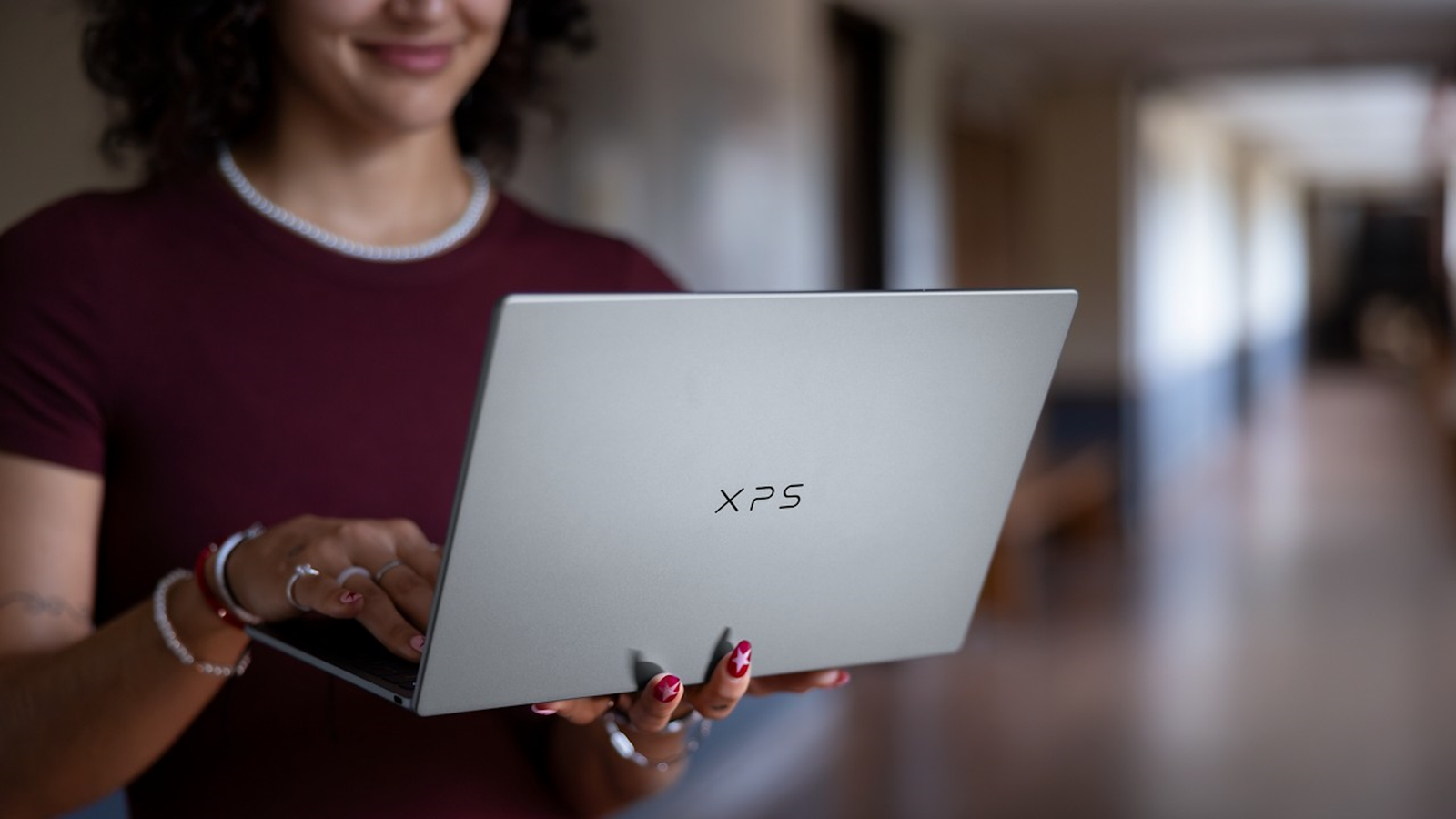
Published Oct 9, 2026, 12:03 PM EDT The below articles are sponsored by one of our partners. Product choices and opinions expressed are from the sponsor and do not reflect the views of the XDA editorial staff. Spend enough time reading laptop recommendations, and you'll notice a pattern: the top options always seem to sit just above whatever budget you set for yourself. That's what makes the Dell XPS 13 worth a closer look. At $699.99, it brings the design language, screen quality, and everyday usability of Dell's flagship line to a price that sits comfortably under $1,000, without feeling like corners cut to hit that number. That's not to say it's the right laptop for everyone. Buyers who need a lot of ports or maximum multitasking headroom will find real trade-offs here. But for those shopping for a Windows 11 laptop under $1,000 who want something that looks and feels premium day-to-day, the XPS 13 is one of the strongest laptops currently on the market. Credit: Intel/Microsoft Why the XPS 13 stands out at this price Dell XPS 13 (2026) CPU Intel Core 5 320 Display (Size, Resolution) 13.4-inch, Touch, 2.5K, 30-120Hz, 500 nits RAM 8 GB or 16 GB of LPDDR5x Battery 52 Wh 3-cell Operating System Windows 11 GPU Intel Graphics The Dell XPS 13 pairs a thin aluminum chassis with a 13.4-inch touch display that runs at up to 120Hz, delivering a premium feel rarely found at this size. At 2.2 pounds and 12.7mm thick, it's the lightest XPS built so far, with Wi-Fi 7 and up to 17 hours of battery life to power a full day of everyday computing, from browsing and streaming to documents and video calls. The XPS 13 weighs 2.2 pounds and measures 12.7mm thick, making it the thinnest and lightest XPS laptop Dell has built. Those numbers matter more than you might think, because a laptop this size disappears into a bag in a way that heavier 15-inch and 16-inch machines don't. It's built from CNC-milled aluminum rather than plastic, which is usually the first thing to give way on a budget laptop. None of this is unique to expensive laptops anymore, but it's still uncommon to find it at this price point. Many sub-$1,000 Windows laptops ask buyers to choose between a nice screen and a nice chassis. The XPS 13 doesn't ask that question. A display that's genuinely hard to beat at this price Credit: Dell The screen is where the XPS 13 really shines. It's a 13.4-inch 2560x1600 touch display running at up to 120Hz with variable refresh between 30 and 120Hz, 500 nits of brightness, 100 percent DCI-P3 color coverage, and support for Dolby Vision and DisplayHDR 400. It also has an anti-glare finish, which is a small detail but a genuinely useful one if you tend to work near a window or outdoors. Put plainly, this is a display specification you'd typically expect to see on a laptop costing several hundred dollars more. The touch support and 120Hz refresh in particular are still missing from many competing laptops in this price bracket, where 60Hz non-touch panels remain common. Performance for everyday computing The XPS 13 launches with an Intel® Core™ 5 processor, with Intel® Core™ Ultra Series 3 processor configurations expected later in the year. This is a laptop built for everyday computing rather than heavy creative or gaming workloads: browsing, documents, video calls, streaming, and general multitasking. For that kind of use, it holds up well. Memory is worth a look. The XPS 13 ships with 8GB as standard, with a 16GB configuration available for $999.99. Anyone doing heavier multitasking, running lots of browser tabs alongside other applications, or planning to keep the laptop for several years should seriously consider stepping up to 16GB. At 8GB, it's fine for lighter use, but not something to overlook during configuration. Storage and Wi-Fi are both solid for the price. The XPS 13 supports Wi-Fi 7 and Bluetooth 6.0, so connectivity isn't an area where anything has been trimmed back to hit the price point. Battery life that suits a full day away from a charger Dell rates the XPS 13 for up to 17 hours of video streaming, backed by a 52Wh battery. Real-world battery life depends heavily on what you're doing and how bright you run the screen, so treat that figure as a best-case number rather than a guarantee. Even so, it's a strong result for a laptop this thin, and it should comfortably cover a working day of typical use for most people. How it stacks up against other laptops in this price range Credit: Dell The under-$1,000 segment of the Windows laptop market is crowded, and most of the competition falls into one of two camps: laptops that are design-light but heavy on ports, or laptops that look premium but cut into performance or screen quality to get there. The XPS 13 is unusual in that it doesn't really pick a side. Compared with similarly priced ultraportables from other Windows manufacturers, the touch display and 120Hz refresh rate are still not standard features at this price. Plenty of rivals still ship 60Hz non-touch panels as the default, reserving touch and high refresh rates for pricier configurations. The XPS 13 includes both from the base model. It's a fair comparison to make against the MacBook Neo too, since many buyers considering a Windows laptop under $1,000 are also considering Apple's entry point. The two take genuinely different approaches. MacBook Neo has the edge in starting price and offers straightforward access to Apple's ecosystem and Apple Intelligence. The XPS 13 answers with a touchscreen, a backlit keyboard, a 120Hz display, and memory that isn't hard-capped, none of which the entry-level MacBook Neo offers. The Neo ships with a fixed 8GB of memory and no option to configure higher, while the XPS 13 can be stepped up to 16GB. Neither laptop is a strictly better choice than the other. It comes down to whether touch, a higher refresh rate, and configurability matter more to you than staying inside Apple's ecosystem at the lowest possible price. What you're arguably giving up It would be misleading to write about the XPS 13 without being honest about its limits, and port availability is the biggest one. The laptop has two USB-C ports and nothing else: no card reader and no dedicated USB-A. That's the same port count as most ultraportable rivals at this size, so it's not unusually restrictive, but those relying on older peripherals will want a dongle or a dock on hand. It's also worth being clear that the XPS 13 isn't a Copilot+ PC (although it will be with the forthcoming PTL launch). That designation, and the on-device AI features that come with it, sit with Dell's XPS 14 and a handful of other models in the range. If Copilot+ features are a priority, the XPS 13 isn't the model to consider. Neither of these are a deal-breaker for the audience this laptop is built for, but they're the honest reasons someone might choose a different laptop, even one at a similar price. A genuine option for students Credit: Dell Dell is also offering the XPS 13 to students at $599 (available on the DX13260 model only), through November 2. That's a meaningful discount on top of an already competitive starting price, and it puts a laptop with this build quality and screen within reach of a college budget. Anyone eligible should factor the expiry date into their decision, since the offer isn't ongoing. Who the Dell XPS 13 laptop makes sense for The XPS 13 is best suited to buyers who want a laptop that feels premium without stretching into four-figure territory. Students, remote workers, and those whose daily computing revolves around browsing, writing, video calls, and streaming will get the most out of it. If your work leans more into heavy multitasking, video editing, or anything that benefits from more memory and a wider array of ports, it's worth looking further up Dell's range, where models like the Dell 14S offer more connectivity, or the XPS 14 offers more memory headroom and Copilot+ support. For most people shopping specifically in the under $1,000 Windows laptop category, though, the XPS 13 does more for the price than almost anything else currently available. It's not trying to be the fastest or most feature-complete laptop on the market. It's making a simpler case: a genuinely good screen, a build quality that doesn't feel like a compromise, and a battery that lasts, all for less than four figures. That's a hard combination to find, and it's the reason the XPS 13 belongs near the top of any list built around this budget.
The Dell XPS 13 proves sub-$1,000 laptops don't require many compromises
Full Article
Original Source
Read the full article at Xda-developers →KhanList aggregates and links to publicly available news content. We do not host full articles from third-party sources. Always verify important information with original sources.