
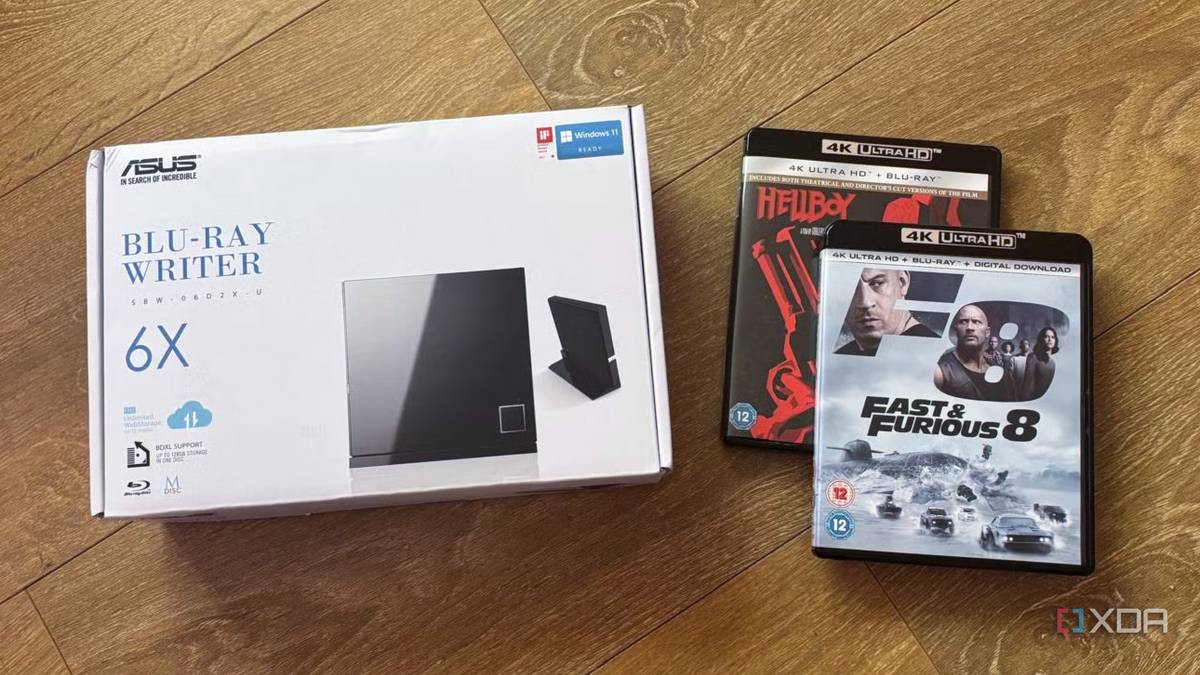
Published Aug 26, 2026, 6:00 PM EDT Jasmine is Software and PC Hardware Author at XDA with years of tech reporting experience ranging from AI chatbots right down to gaming hardware, she's covered just about everything. Whether it's breaking news about the latest AMD NPUs or creating video tutorials on social media platforms, Jasmine has contributed to the world of AI and tech in a variety of ways including interviewing the CEO of Razer, AMD's Director of Product Marketing and the VP of Lenovo. Passionate about gaming and PC technology, she has built countless computers, keyboards and other peripherals - knowing them inside and out. Whenever you want to expand your media server, you might immediately start budgeting around $300 for high-capacity enterprise hard drives while endlessly waiting for web download queues or settling for compressed digital purchases. However, a humble, unassuming piece of hardware that you might write off as obsolete is the $50 internal or USB Blu-ray/DVD drive. There's a staggering price disparity. Secondhand markets and bargain bins are practically giving away 1080p Blu-rays for a couple of dollars and 4K Ultra HD discs for less than $10. They charge you $15 to $20 for DRM-locked compressed licenses that you don't even truly own. The most cost-effective upgrade to a self-hosted media server isn't another high-capacity hard drive. It's an optical disk drive. By pairing a budget Blu-ray drive with open-source ripping pipelines, you unlock a limitless, hyper-cheap physical-content market while gaining 1:1 uncompressed master bit rates that crush commercial streaming quality. The second-hand market is always overlooked Blu-rays are cheaper than they've ever been When trying to expand your media library, the first place you should be looking at is the second-hand market. It's an absolute gold mine as physical media have become exceptionally cheap within the past decade. When buying second-hand physical media, you don't have to spend extra, unlike when purchasing digital content. Digital stores like Apple TV and Prime Video sell compressed 4K streaming rights for $15 to $20 with no physical ownership and the perpetual risk of de-listing. Earlier this year, we saw Sony delist over 500 movies and TV shows, making them unavailable to users who had already purchased them and offering no compensation. According to the terms of the digital purchase, this is completely acceptable and allowed. Thrift stores and second-hand shops are flooded with physical discs from users offloading their physical collections. This means you can get a box set of classic films on Blu-ray for less than a single month of a 4K Netflix subscription, for less than the price of a cup of coffee. A cheap Blu-ray yields a pristine 30 to 40Mbps 1080p master video stream with lossless DTS-HD Master Audio or Dolby TrueHD that outperforms compressed 4K web streams. You also don't have to risk losing access to the content you have actually purchased. Don't skimp out on the hardware It may cost more than a digital movie, but it's worth the investment in the long term When investing in a disc drive, the hardware is fundamental. You have to be able to unlock 4K. Many stock optical drives refuse to read modern 4K discs due to the death of Intel SGX (also known as Software Guard Extensions) and strict AACS 2.0 DRM lockouts, but luckily there is a workaround. So long as you've picked up an affordable standard OEM internal drive, or even a portable USB drive that can read Blu-ray and 4K, you can flash it with LibreDrive-compatible firmware. Sometimes these disc drives can be a little bit pricier, at between $50 and $100, but it's worth the investment in the long term. This would be the price of around five digital movies anyway and allow you to expand your library much further. This flashed firmware bypasses platform DRM checks, allowing tools like MakeMKV to read the raw optical bitstream directly and package it into clean .mkv containers with zero generational quality loss. Essentially, it gives you access to 4K files you might otherwise be unable to access. Automate your disc ripping process Save yourself a lot of time Sometimes, ripping discs can be a lengthy process, but with some self-hosted tools, you can automate the workflow and optimize your storage in the meantime. Take advantage of an automatic ripping machine or ARM docker container on your server or PC, and this will allow you to turn your disc drive into an automated appliance. For example, inserting a disc will automatically spin up MakeMKV, decrypt the disc, tag the metadata, name the movie correctly via the MovieDB API, and then drop it straight into your Plex/Jellyfin library folder before ejecting the tray. All you have to do is insert the disc and then remove it when required. Be sure you're taking care with how you store these files. For blockbuster titles, keep the untouched one-to-one remuxes for uncompressed home theater playback. However, for casual TV shows and comedies, you can run files through Handbrake, FFMPEG with AV1 or SVT/HEVC encoding to compress file sizes by 60 to 70 while preserving superior detail over web reps. This means your home server or NAS won't get clogged with all your home media. When ripping discs, you also have the benefit of effortlessly preserving director's commentary tracks, alternative endings, and behind-the-scenes documentaries that streaming services often cut out. All of these bonuses are stored on the disc too and available for you to rip and store on your server. You don't need hard drives You need a disc drive Building a massive high-quality media server doesn't require endless hard drive expansion budgets or paying escalating cloud rental fees. Physical media isn't dead. It's just evolved into the cheapest, highest-fidelity data source available to home lab builders. So long as you invest in a compatible optical drive and flash the correct firmware, you can then take a trip to your local thrift store or second-hand media shop with just a couple of dollars in your pocket. You can watch your media server transform into an uncompressed, master-quality cinema vault.
The cheapest upgrade to my media library wasn't a hard drive — it was a disc drive
Full Article
Original Source
Read the full article at Xda-developers →KhanList aggregates and links to publicly available news content. We do not host full articles from third-party sources. Always verify important information with original sources.