
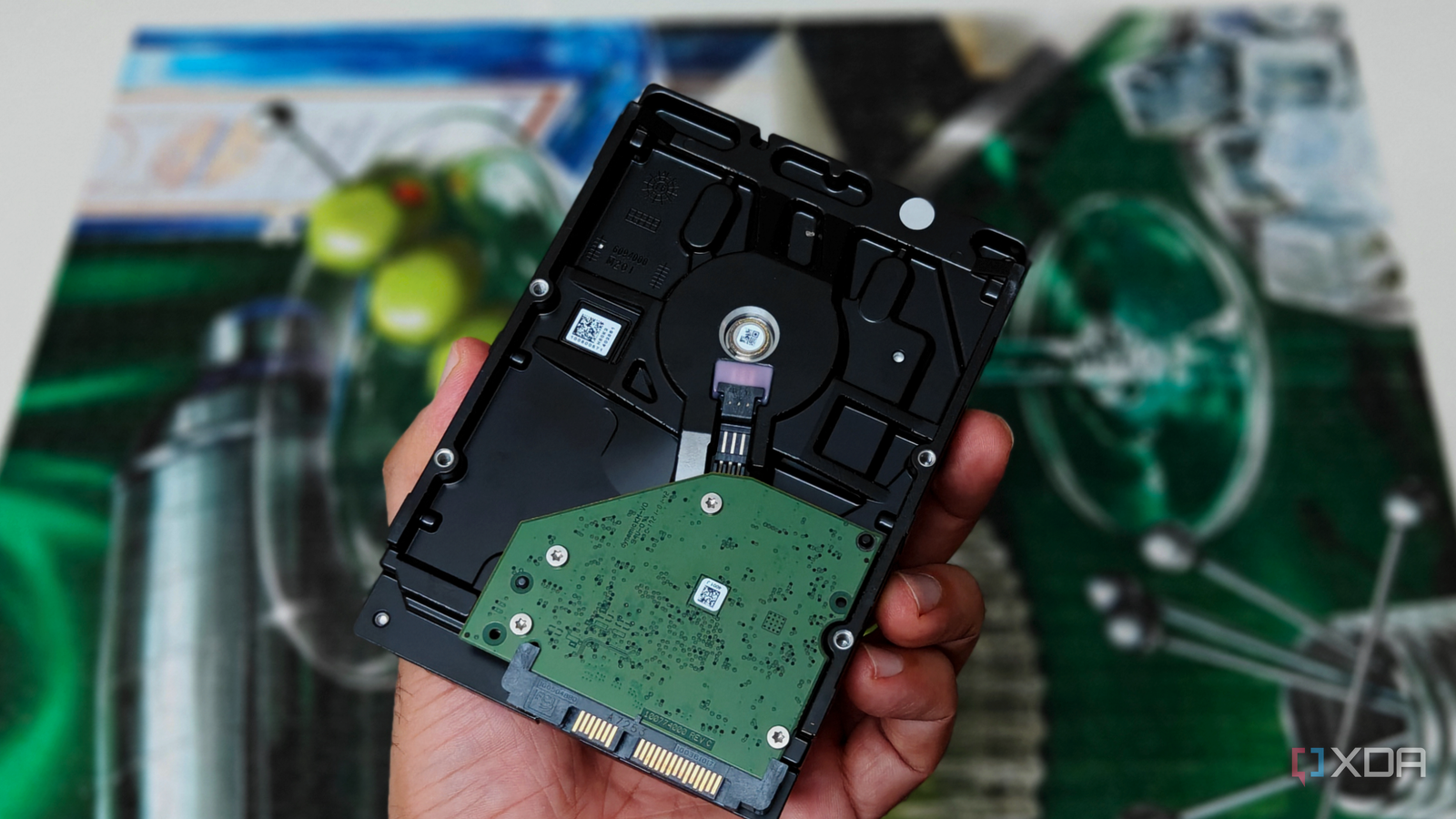
Published Oct 26, 2026, 5:01 PM EDT After a 7-year corporate stint, Tanveer found his love for writing and tech too much to resist. An MBA in Marketing and the owner of a PC building business, he writes on PC hardware, technology, and Windows. When not scouring the web for ideas, he can be found building PCs, watching anime, or playing Smash Karts on his RTX 3080 (sigh). Unless you've been living under a rock for the past year, you know about the PC hardware crisis we're going through. It started with RAM, but soon engulfed GPUs, SSDs, and even hard drives. Storage may not be a priority for gamers, but NAS and home lab users need tons of it at affordable prices. And that combination has all but disappeared if you look at consumer and NAS drives. If you've been looking to buy new hard drives, paying $350–$450 for an 8TB–12TB NAS drive has probably felt insane. Even 8TB consumer HDDs are going for around $300, so the situation is bad all around. In this market, the only way out is to look at pre-owned enterprise drives, specifically of the SAS variety. With a cheap adapter, you can use them with your DIY NAS, beating the market without losing out on performance. Overpriced storage has hit NAS users the most The old rules no longer apply Credit: Rawpixel The "RAMageddon" headlines focus mostly on RAM, SSDs, and GPUs, but NAS owners have been lamenting hard drive pricing ever since the hardware shortage hit our shores. The core hardware for building your own NAS doesn't need to be fancy; almost any old PC can be repurposed as a home NAS. The main concern is storage—buying the right kind and doing so without blowing your budget. For years, NAS owners have used regular HDDs, NAS hard drives, and even SSDs for their storage needs, but the last 12 months have upended the natural order. Capacious drives are out of reach of the vast majority of DIY NAS owners and enthusiasts, delaying or shelving their plans. Even the pre-owned market for consumer and NAS HDDs has caught on, closing another door to potentially affordable storage. That said, once you're open to looking elsewhere, a few additional storage opportunities open up. And SAS drives are perhaps the most attractive of these opportunities, allowing you to install enterprise-grade hardware for a fraction of the cost. All you need is to ensure compatibility with your PC. Buying used enterprise SAS drives might be the only deal left Take advantage of the lower demand Unlike consumer hard drives, NAS drives are optimized for 24/7 use and RAID error recovery. They aren't any faster in terms of read/write speeds, but feature a higher workload rating and vibration protection in multi-drive setups. SAS drives are designed for server use, so they naturally sport excellent reliability and massive capacity. They essentially marry the best of NAS and consumer drives, combining long-term reliability with affordable pricing. The best thing is that once you start browsing SAS drives on eBay, you'll see they're even more affordable than regular HDDs. Since they cannot be used as-is with consumer PCs and require a Host Bus Adapter (HBA) card, they're tied to lower demand and, hence, lower prices. In terms of performance, they're rated for up to 12 Gb/s, which translates to 249 MB/s, which is faster than consumer and NAS drives. The obvious roadblock here is the HBA card. Thankfully, you can source that on eBay, too, for as low as $30. Sellers don't always bundle the necessary cables with the card, so that will be an additional expense. You'll need a Mini-SAS cable that connects to the HBA card on one end and breaks out into SFF-8482 on the other end to connect to the SAS drive. Depending on the card, you can drive multiple 6 Gb/s or 12 Gb/s SAS drives simultaneously. Before buying the card, ensure that it's flashed in Initiator Target (IT) mode (which most eBay listings are), so that the drives are exposed directly to the OS. Most NAS owners prefer LSI 9207-8i cards, but you can also get an LSI 9300-8i or LSI 9400-8i card for full 12 Gb/s support. These cards typically need x4 or x8 PCIe ports, so you'll need the respective spare slot on the motherboard. Overall, your total investment for, say, three SAS drives, an HBA card, and the right cables can be as low as $500, which is quite impressive once you compare it with regular hard drive pricing. Be ready to brave through a few quirks It's still worth the hassle It goes without saying that simply having the right adapter and cables won't eliminate the friction of using enterprise drives on your DIY NAS. Many SAS drives pulled from enterprise systems have a sector size of 520 or 528 bytes instead of the standard 512 bytes. For ZFS to work with your SAS drive, you'll need a reformat, which isn't a quick process on Linux at all. Then, there's the hassle of making your HBA card work with your consumer motherboard. You may have to investigate the card's boot options, disable CSM in the BIOS, or remove the card's option ROM completely before it can allow the system to POST. Dell's LSI SAS2 cards are known not to work with some consumer motherboards unless you tape over the B5 and B6 pins on the card, isolating the card's SMBus from that of the motherboard. Even if you manage to run the card properly, your SAS-powered NAS can be quite noisy, depending on the number of drives. These are server drives designed to operate in large racks, not compact consumer machines. Moreover, you'll need to cool both the card and the drives. Some sellers generously bundle a tiny fan with the HBA card, but most don't. You can use the same strategy with the drives by attaching a small fan directly facing them. Lastly, power consumption can be a concern for some users, especially with 24/7 use. SAS drives need more power than SATA drives, so the power bills over the long term may be a factor in your purchase. The savings are considerable, so I'd recommend looking into used SAS drives seriously before you make the decision. Pre-owned enterprise drives are great for always-on systems For your NAS or home server, buying used enterprise drives is better than expensive consumer or NAS hard drives. Even users who prefer SSDs should consider U.2 enterprise SSDs on the pre-owned market. You can save money while still enjoying great performance and superior reliability for your 24x7 machine.
The cheapest terabytes left for a home NAS are used SAS drives, and they need a $30 card most people have never heard of
Full Article
Original Source
Read the full article at Xda-developers →KhanList aggregates and links to publicly available news content. We do not host full articles from third-party sources. Always verify important information with original sources.