
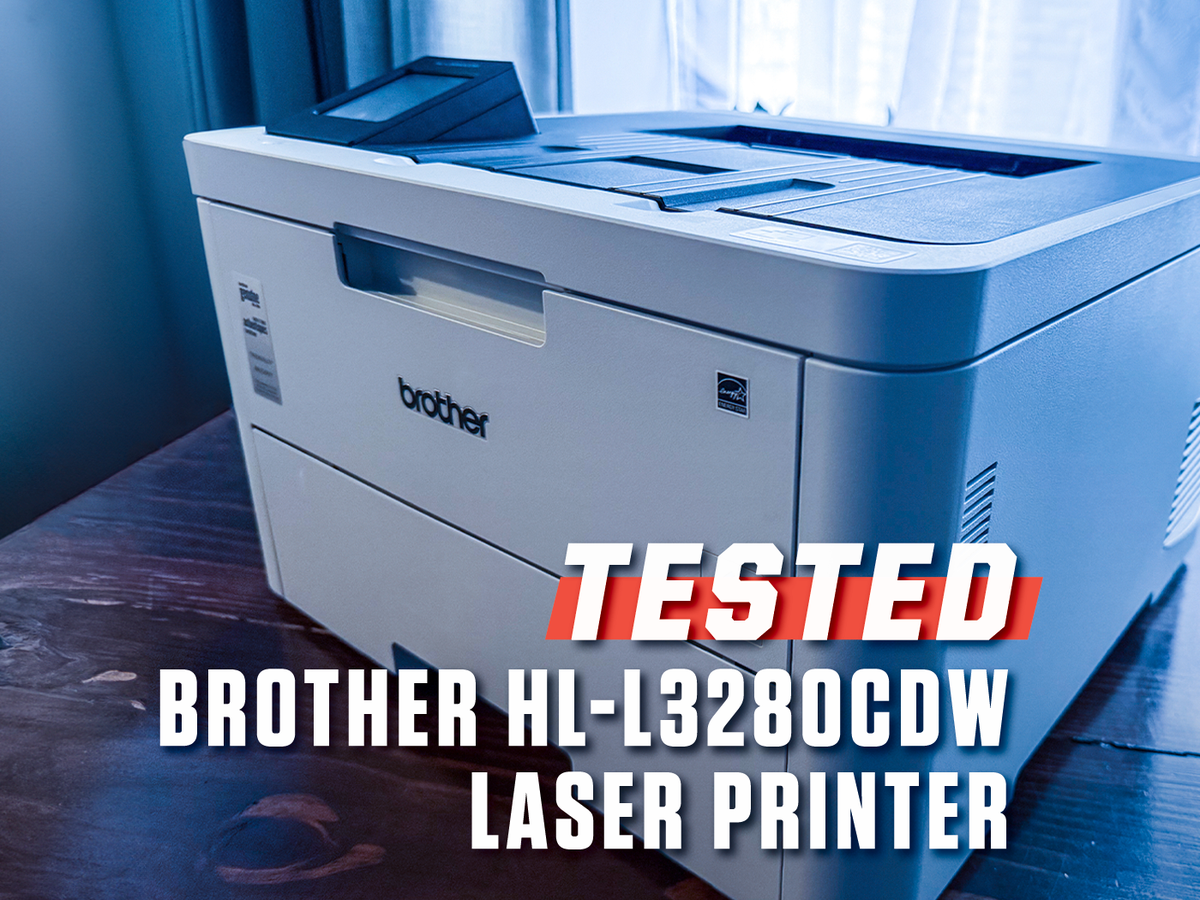
6 min readWant to test whether somebody is a tech person or not? Ask them, “What was the best printer you’ve ever had?” Most people will give you a quizzical look, because who prints anymore, anyway? But the tech person in your life? They’ll grimace with recognition, because most printers are exactly as high-maintenance and cantankerous as their reputations suggest.I’ve been a product tester for years, and I need to use a printer more often than you’d think. I print a lot of shipping labels. And while I’ve found that many of them tend to jam, sending them to an early grave, a durable printer is worth its weight in gold. My favorite to date, the Brother HL-L3280CDW, is one of the few options that you can rely on in a home office setting. It’s $350, which is more than most want to spend on a printer, but it’s extraordinarily fast, durable, and reliable. And while it isn’t as versatile as other models that fax, scan, and copy, it’s a reliable printer, and that counts for a lot.ProsVery fastCompact for a laser printerTop-notch build qualityEasy to set up, with intuitive touchscreen menusConsNo scanner, copier, or fax capabilitiesReplacement toner cartridges can get expensiveKey SpecsTypeLaserPaper Capacity250 sheetsFunctionsPrint onlyDimensions (W x D x H)15.7 x 15.7 x 10.8 in. Weight: 33.9 lbB&W Print Time36.5 seconds (10 pages)Color Print Time48.5 seconds (10 pages)All I Do Is PrintIn a world where it feels like most home office equipment tries to provide an all-in-one solution—printer, copier, scanner, fax machine, and anything else that might fit—the HL-L3280CDW is a simple, single-minded laser printer. It’s here to turn Word docs into physical ones. At a glance, that might seem like a shortcoming. Why buy three tools when I can buy one? Well, if you ask our carpentry and lawn care tool experts, they’ll tell you: The dedicated tool is almost always the better option. In tech, as in every kind of equipment, the best version of the gear you need is usually made specifically for that purpose. So while it’s tempting to go for a multipurpose printer just in case, the reality is that you should buy a printer for making documents, a dedicated scanner for digitizing photos and books, and a fax machine if… How often are you really faxing, anyway?Matt JancerThe HL-L3280CDW takes up space and doesn’t scan or fax, but that’s a small price to pay for a printer that’s built to last.Of course, a dedicated printer needs to do its one job well, and the HL-L3280CDW absolutely hits the mark. First off, it’s fast. When I tested print times, it knocked out 10 black-and-white single-sided pages in just 36.5 seconds, then rattled off a set of 10 double-sided black-and-white pages in 66.8 seconds. Its color performance was similarly snappy, printing 10 single-sided CMYK color swatch test sheets in an impressive 48.5 seconds. That’s shockingly quick compared with other, similarly priced home printers I’ve tested. Most printers I tested for our guide to the best printers took two to three times as long to do the same.All of these times included a 12-second delay at the start of the job while it was receiving data, before it began printing. While that’s a long startup, the printer still came out faster than most of its competition every time, and the delay will impact performance less and less with larger jobs.The Brother worked flawlessly, with no jams or software hiccups. Past experience with most consumer-level printers is that I could expect regular paper jams. They’re just a fact of life, and also one of the looming calamities that tend to scare people away from using printers at all. There’s no true substitute for long-term durability testing, so let me explain why I think the Brother’s jam-free performance during testing isn’t just a lucky fluke. For six years I used its predecessor, the Brother HL-L3210CW, on which this model is largely based. In that time, over thousands of pages, I only had a single paper jam, and I cleared it in less than a minute without fuss.Why I Prefer Laser PrintersI also appreciate the quality of the prints from the Brother HL-L3280CDW, which came out sharp and crisp. I attribute this, in no small part, to the fact it’s a laser printer, rather than an inkjet. Laser printers print by using a laser to create an electrostatically charged pattern on a metal drum, which in turn attracts the toner, a dry pigmented powder, and fuses it to the paper. They tend to be more exact and, without liquid ink, there’s no chance of smudging or bleeding.When I originally tested this printer, I put it up against a bunch of inkjets, and the difference was pretty dramatic. Comparing the test sheets from the Brother to the rest of the pack felt like looking at a 4K TV, then going back to an old cathode-ray tube.People tend to get nervous about laser printers, though, because toner is more expensive to replace. A full set of official Brother toner cartridges for the HL-L3280CDW will run you just over $300, compared with just $47 for a set of ink cartridges for a basic Brother inkjet printer. That difference seems prohibitively expensive at a glance, even if you’re getting a faster, sharper print.Matt JancerToner cartridges are more expensive than ink cartridges, but last longer and don’t dry out.Here’s the thing, though: It’s not an apples-to-apples comparison. Toner lasts much longer than ink. With regular printing, a set of ink carts should print about 300 black-and-white pages. (Though it varies, obviously, based on how much of the page needs coverage.) Ink carts also tend to dry out after a couple of years if you don’t use your printer regularly. By contrast, I’ve gone for as long as six years without replacing the toner in my laser printer. I admit, I was not printing much at that time, but Brother estimates that a toner cartridge should print about 1,500 black-and-white pages, and up to 1,200 color pages.Setup and Ease of UsePrinter setup, which is also usually a bit of a nuisance, is also notably quick and easy on the HL-L3280CDW. Compared with HP’s and Canon’s standard setup processes, which feature a Byzantine labyrinth of screens, Brother’s feels very straightforward. The printer clearly walked me through the process step by step via its 2.7-inch capacitive touchscreen, without any dead ends or hanging threads.Matt JancerThe touchscreen display is surprisingly intuitive by printer standards.While we’re on the subject, the touchscreen works quite well. I expected the screen to be difficult to use, given the small size of the screen relative to a smartphone, but it registered every press clearly, with very few mistypes. Even when loading the toner cartridges, the screen detected when the access panel was open and clearly showed how to replace them on the screen. It’s also very bright, by printer standards. I could even read it in direct sunlight without any issues.Beyond the screen hardware, I also think this printer has a great user interface (UI). It always presented crucial information like that front and center, or at most a couple of screen presses away. That’s the mark of a good interface: You can get every feature, niche and essential, without too many clicks or confusing naming conventions.Then there’s the reload process, which largely reflects the build quality of the printer. Consumer printers often feel flimsy when you actually need to load them with paper, replace ink carts, or move them around. Even expensive models I’ve tested tend to have cheap plastic parts that feel like they’re about to snap the moment you take them out of the box.By contrast, the HL-L3280CDW is built like a tank. The paper drawer opens and closes with a solid thunk, there’s no flex in the toner access panel when loading the toner cartridges, and the paper catcher that I’d flip up to collect stacks of printed pages—a notoriously fragile part of most printers—was solid as a rock.Who Should Buy the Brother HL-L3280CDW?The Brother HL-L3280CDW is an excellent printer. Full stop. It’s fast, reliable, and completely headache-free. It also comes from a long line of great printers. The Brother HL-L3210CW that I used for six years before this test never had a mechanical breakdown. That’s almost unheard of for any printer, but especially with consumer-grade models that have a well-earned reputation for their finicky, short-lived life spans.That said, while I would not call it expensive—in fact, the price is pretty close to “average” among my current recommendations—I realize that many people will balk at the price. At $350, this is more of an investment than many of the most popular printers. (Though that is part of why most people think all printers break easily. Spend more, and you can expect more.)If you absolutely need copying, scanning, and faxing capabilities built into your printer, or if you just can’t bring yourself to spend more than $300, check out the Brother MFC-J1360DW Color Inkjet All-in-One Printer instead. It’s smaller and performs well for a $90 printer.But if you’re sick of dealing with paper jams, broken parts, slow speeds, and constantly buying new printers every two years, you should spend a little more and buy your way out of the printer hell-cycle with the Brother HL-L3280CDW. After all, one of my favorite sayings is one meant to assuage those prying open their wallets for a pricey but well-advised purchase: Buy once, cry once.More Printers We LoveBrother MFC-J1360DW Color Inkjet All-in-One PrinterNow 18% OffCanon imageCLASS MF-665CDW All-in-One Duplex Laser PrinterNow 27% OffEpson EcoTank ET-3950 All-in-One Color Supertank PrinterNow 5% OffMatt Jancer has been in the industry for 15 years and lives in his favorite urban death maze, New York City. He’s traded words for money on behalf of more than 15 magazines. Some of his longest-running bylines were spent covering cars, motorcycles, outdoors gear, health and fitness for Car and Driver, Outside, Esquire, Smithsonian, Playboy and Wired. When he’s not writing about motorcycles and our place in the wilderness for a living, he’s writing for enjoyment, riding his motorcycle, and mountain climbing out West. He believes everyone needs at least one hobby they have none of their ego invested into, and so guitar noises and cooking smells have been known to emanate from his apartment. Oh yeah, and he thinks pigeons are way underrated.Mike Epstein is a Senior Commerce Editor at Hearst Enthusiast Group, producing reviews for buying guides Popular Mechanics, Runner’s World, Bicycling, and Best Products. Prior to joining Hearst, he was a video game and technology critic for over 10 years, with bylines at IGN, Gamespot, Variety, Lifehacker, Kotaku, GamesRadar, Flavorwire and Digital Trends, among others. Now, he’s a jack of all trades, helping reviewers share everything they know about all kinds of technical gear, from snowblowers, to running shoes and bicycles, and every kind of gadget imaginable.
The Brother HL-L3280CDW Laser Printer Review: A Home Office Gem
Full Article
Original Source
Read the full article at Popularmechanics →KhanList aggregates and links to publicly available news content. We do not host full articles from third-party sources. Always verify important information with original sources.