
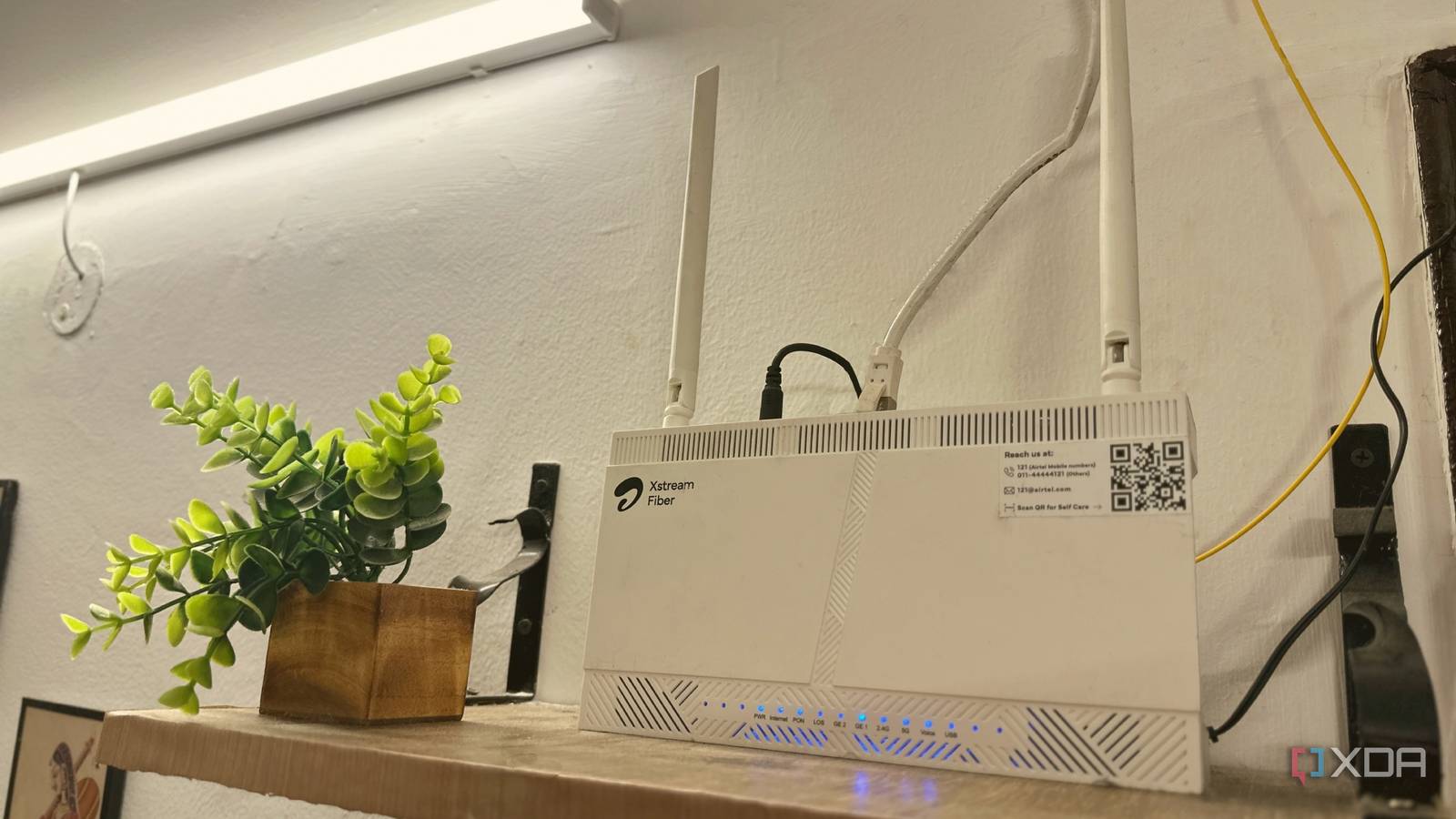
Published Aug 14, 2026, 5:00 PM EDT Gaming has been Samarveer’s greatest passion, and the Literature graduate in him takes immense joy in dissecting games for their themes, messages, and impact. Samarveer holds a deep appreciation of gaming, and considers the platform to be the most immersive and impactful across all media. He can be found engaging with gaming communities online, always ready to debate the finer points of ray tracing or itching to write an 8-page collegiate thesis on any game that impacts him emotionally. I've spent too much time treating bad Wi-Fi like a hardware problem. In fact, I've even treated it like a software problem, digging through several layers of menus and settings in the router's settings for that one magical toggle to make my Wi-Fi faster. I've definitely jumped to blaming the router or my ISP whenever coverage became inconsistent or speeds dipped. That's almost instinctive, too, but after dealing with increasingly annoying dead spots around my home, I decided to actually look at what was happening rather than immediately shopping for an upgrade. As it turns out, I needed to move one single thing. My router had been sitting in a comically-wrong location inside the house, and this realization was embarrassingly simple, completely changing how I think about router placement. My Wi-Fi problem made absolutely no sense The wired connection was perfectly fine The first thing that made this problem particularly annoying was that my internet connection itself was perfectly healthy. My PC, connected over LAN, had no trouble pulling the full 300Mbps bandwidth I was paying for. The Wi-Fi, however, had apparently decided that 300Mbps was an unreasonable request. My two TVs in different rooms consistently struggled to make proper use of the connection, while my laptop was somehow doing even worse. It was sitting in my own room, practically next to the PC, yet routinely struggled to get past 50Mbps over Wi-Fi. At that point, blaming the ISP made very little sense. Still, I went through the usual troubleshooting routine anyway. I split the 2.4 GHz and 5 GHz bands, I experimented with channels, and I even used my ISP's app to automatically optimize the wireless channels. Sadly, none of it produced a meaningful improvement. The network was configured reasonably well, but the results remained stubbornly mediocre. With the software side of things exhausted, I decided that I needed to stop tweaking settings, and instead try something considerably more drastic. I moved the router instead of replacing it Wi-Fi upgrades don't always have to cost money My drastic solution turned out to be surprisingly low-tech: I moved the router. Until then, it had been sitting on a small chest roughly three feet off the floor, immediately beside the refrigerator. That meant my access point was not only sitting relatively low, but also sharing its personal space with one of the largest metal objects in the room. Clearly, I wasn't exactly giving my Wi-Fi an easy life. As such, I picked up the router, unplugged it, and moved it to a wall-mounted shelf I fashioned out of an old piece of plywood I had lying around. This new location was much higher up, closer to the ceiling, but not directly attached to the edge. Changing the router's elevation gave the wireless signal a considerably more open environment, and, in my view, a cleaner path toward both the televisions that were previously struggling to catch a good signal from it. Of course, the other rooms in the house benefit, too, since the new location immediately made every single room just a single wall's thickness away. Wi-Fi signals lose energy as they pass through walls, with thick concrete and bricks being particularly troublesome. There is some physics involved here, too. Wi-Fi signals lose energy as they pass through walls, furniture, and other materials. In this context, thick concrete and brick are known to be particularly troublesome. My walls didn't become any thinner after I raised my router, but this relocation did change the geometry of those paths, reducing the amount of obstruction between the access point and my devices. That mattered in my house because the TVs were mounted higher up than the router's original position. Moving the access point upward put it in a much more favorable position relative to them, while also getting the refrigerator out of the immediate vicinity. So, instead of spending hours trying to get my ISP to upgrade my router out of the blue, I just made my current router stop working so hard. Good Wi-Fi needs more than a good router Hardware, software, and the room itself all matter With the results I saw after moving my router, the one thing that became painfully obvious: good Wi-Fi isn't determined by the router alone. I had decent hardware, a perfectly functional internet connection, and I had already spent time tweaking the software side of the network. And yet, against what was effectively a terrible physical location, none of that mattered much at all. It was the environment of my router that turned out to be the missing piece. Walls, furniture, appliances, distance, and even the router's height can all play a part in influencing a wireless signal's strength. A router can have all the latest Wi-Fi features and still struggle if you bury it behind furniture or surround it with obstacles. That's why I believe it's important to think about Wi-Fi as three separate pieces that have to work together: the hardware, the software, and the physical environment. The router provides the capability, of course, and it's important to have a strong device with plenty of firmware updates ahead of it. Then, the settings help you make the most of it, optimizing the entire system according to the devices on your home network. Lastly, the room determines how easily those two things can reach the devices they need to get to. TP-Link Archer AX55 Wi-Fi Bands 2.4GHz, 5GHz Ethernet Ports 4x 1GbE LAN, 1x 1GbE WAN USB Ports 1x USB 3.0 MU-MIMO Yes Mesh Network Compatible EasyMesh Supported standards Wi-fi 6 The TP-Link Archer AX55 is a dual-band WiFi 6 router that delivers true gigabit speeds of up to 3 Gbps, making it perfect for high-bandwidth activities like streaming and gaming. With its advanced technologies like OFDMA and MU-MIMO, the AX55 ensures smoother streaming, faster downloads, and provides reliable connectivity for multiple devices simultaneously. Before you spend money, look around your room Very few things bring you as much joy as solving an expensive technology problem with a ridiculously simple change. We're conditioned to believe that better performance requires better hardware, even when the hardware we already own is perfectly capable of doing the job. Every time you run into a problem with a device you own, there's a remarkably unglamorous question that you should ask yourself: am I making its job harder than it needs to be?
The best Wi-Fi upgrade I made wasn't a new router, it was moving one piece of furniture
Full Article
Original Source
Read the full article at Xda-developers →KhanList aggregates and links to publicly available news content. We do not host full articles from third-party sources. Always verify important information with original sources.