
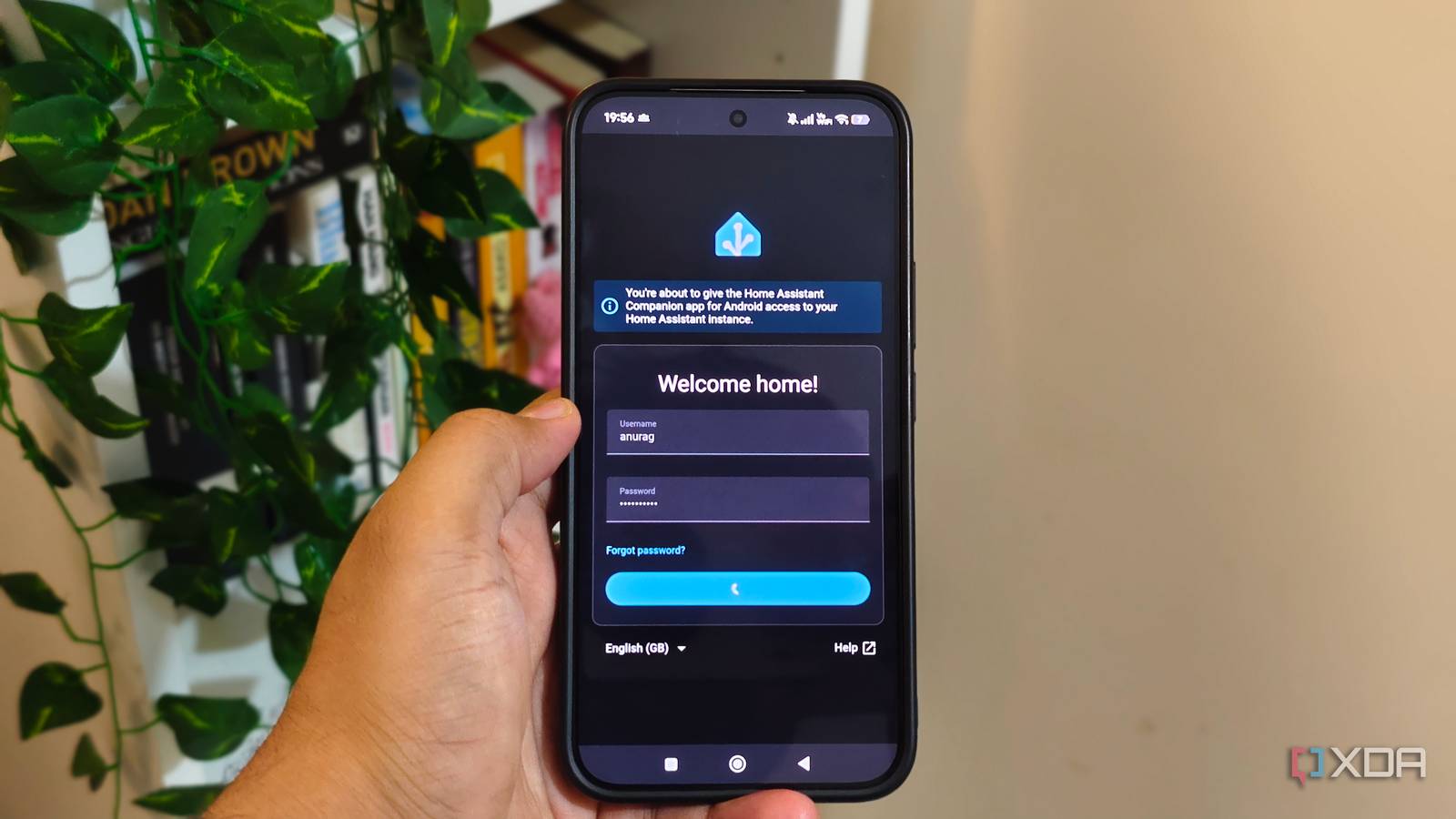
Published Aug 11, 2026, 5:00 PM EDT Anurag is an experienced journalist and author who’s been covering tech for the past 5 years, with a focus on Windows, Android, and Apple. He’s written for sites like Android Police, Neowin, Dexerto, and MakeTechEasier. Anurag’s always pumped about tech and loves getting his hands on the latest gadgets. When he's not procrastinating, you’ll probably find him catching the newest movies in theaters or scrolling through Twitter from his bed. There’s not much you can do with a smart home while renting. Of course, you can use smart bulbs, plugs, and wireless sensors, since they are easy to carry to your next place, but the more interesting upgrades require changes your landlord will notice. I wanted something that could make my existing setup smarter without adding more hardware, and the answer was already in my pocket. Using the Home Assistant Companion app, I turned my phone into a presence sensor that tells my smart home whether I am home or away. That info can then be used to control lights, plugs, air conditioning, and several other automations. It costs nothing, requires no installation, and leaves me with nothing to repair when I move out. Your phone already knows whether you are home Might as well put it to good use Your phone is always with you, which means it spends a lot of time tracking your location and connecting to familiar Wi-Fi networks. The Home Assistant Companion app can use that information to create a device tracker that updates its status when you enter or leave the Home zone defined in Home Assistant. This works better than a motion sensor for automations that affect the entire house. You see, a motion sensor knows when someone walks through a room, although a quiet house does not necessarily mean an empty one. Your phone usually stays with you, giving Home Assistant a much clearer signal to switch off the lights, plugs, fans, or air conditioning after you leave. While this setup works perfectly fine when you live alone, it doesn't when you have roommates or a partner living with you. In that case, you will have to create a person entity for each resident, and everyone who lives with you has to connect their phone and add their tracker to their profile. I somehow convinced my partner to add her phone to this, which has solved a lot for me, but I am yet to figure out what to do for my dog. As you'd guess, he doesn't have a phone, and I don't want the poor boy to struggle when I'm not at home and the lights and everything go off. It’s also worth noting that phone tracking only establishes whether someone is home. It cannot reliably tell whether you are sitting in the bedroom or walking into the kitchen, so motion and presence sensors are still useful for individual rooms. You only need the Home Assistant companion app Nothing else As you would guess, setting this up doesn't need a lot of things, just your phone and the Home Assistant Companion app. Install the Companion app, connect it to your server, and allow background location access. The app automatically creates a device tracker for your phone, which you can add to your profile under Settings and People. You can check the Home zone on the map at the same time because a very small radius can allow GPS drift to mark you as away while you are still sitting on the sofa. Your Home Assistant server must remain accessible after the phone disconnects from your Wi-Fi. The easiest option is Home Assistant Claude, but if you want a fully local setup, you can use an external URL or a VPN like Tailscale. Without remote access, the app cannot immediately send location updates once you leave the local network. To create a departure routine, open Automations & scenes and add a zone trigger. Select your Person entity, choose Home as the zone, and set the event to Leaves. You can then add actions for switching off lights, plugs, fans, or air conditioning. A second automation that uses Enters as the event can handle your return, with conditions based on time, sunset, or temperature. For example, the entrance lights can turn on when you arrive after dark without running the same routine in the middle of the afternoon. Phone tracking needs a few safeguards Give Home Assistant unrestricted access You need to sort a few things before actually using your phone for tracking. Since GPS updates are not always instant, an inaccurate reading can place you outside the Home zone. Android battery restrictions can also create problems by preventing the Companion app from updating its location in the background. You can fix most of that by giving the app unrestricted battery access and allowing background location. If you want more accurate tracking, you might want to combine the GPS tracker with Wi-Fi or router-based tracking. Home Assistant can consider you home when your phone is either inside the Home zone or connected to the router, then mark you away after both signals agree. This prevents a single delayed or inaccurate GPS update from triggering the departure routine while your phone is still connected to the home network. I would also add a short delay before switching everything off. Waiting a few minutes has little effect when you have actually left, and it gives Home Assistant enough time to correct a temporary location error. Also, test the routine with lights or fans before extending it to anything security-related. Use Home Assistant to the fullest You might be using Home Assistant to automate many things at home, but you're not using it to its full potential if you haven't connected any local LLMs to your automations. When you connect an AI model to your home server, you can control things that aren't otherwise possible with a traditional setup.
The best smart home upgrade for renters costs nothing and leaves no holes in the wall
Full Article
Original Source
Read the full article at Xda-developers →KhanList aggregates and links to publicly available news content. We do not host full articles from third-party sources. Always verify important information with original sources.