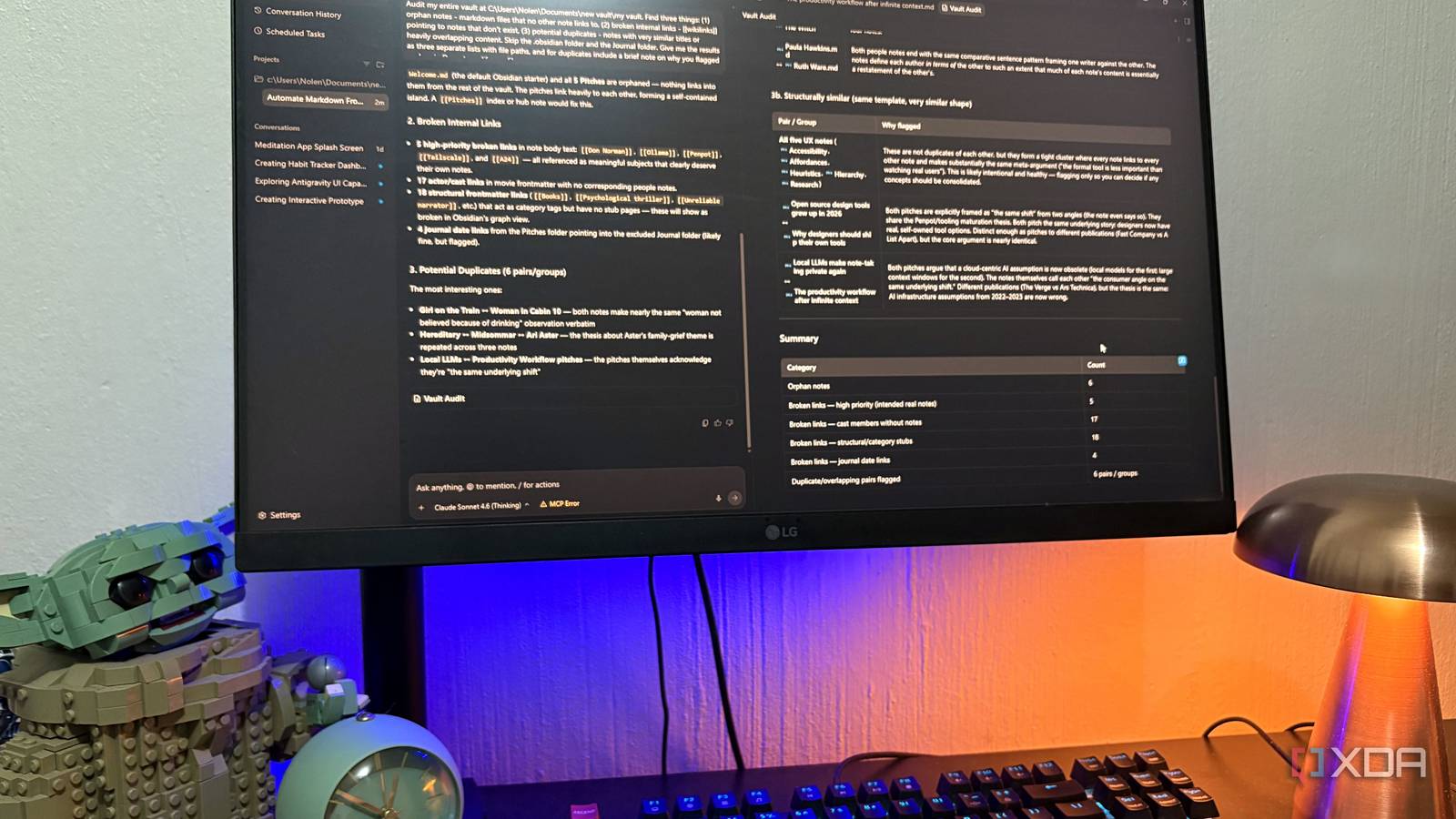
Published Aug 14, 2026, 7:00 PM EDT Nolen began their writing career in 2019, with three years dedicated to editing the Creative section at MakeUseOf. Their expertise lies at the crossroads of technology and creativity, covering areas like photography, video editing, and graphic design. Outside of work, you'll often find Nolen diving into a good book, writing their own stories, or playing video games. Every productivity app I've written about this year has more or less the same vibe and rhythm to it. You usually download and install it, then before it does anything useful, you have to pick a template or set up some type of system first. And I think this upfront tax is the reason why so many productivity tools end up unused after the first weekend. I don't see that changing on the mainstream productivity app side any time soon, so this month I set up something that behaves completely differently. You don't design anything, browse for templates, or learn a schema. Instead you put it in a folder and talk to it. It's Google Antigravity, a coding tool - I'm just not using it for development. What Google Antigravity actually is, and what I'm not using it for Google shipped an agent platform, and I use it for filenames Antigravity is Google's agentic development platform, and version 2.0 launched at Google I/O 2026 back in May as a standalone desktop app for Mac, Windows, and Linux. This is separate from the original Antigravity IDE, which still exists for actual developers who want to write and edit code alongside the agent. The desktop app is a different thing entirely - it opens straight into what Google calls the Manager, sometimes Agent Manager, which is basically a mission control view where you hand tasks to agents and watch them work. So there's almost nothing to configure or set up on the workspace side. It's officially built for developers running parallel coding agents. The marketing is all about building apps, fixing bugs, running tests in a browser, that sort of thing. But the Manager itself doesn't actually care what kind of work it's doing. When you point it at a folder, it treats that folder like a workspace. Whether that folder is full of Python files or PDF receipts or Markdown notes isn't really the agent's problem. Which is great news for me, a non-coder who loves tinkering with AI tools and writes a lot about productivity. I can't think of a more perfect setup - using an agent-first coding platform for organizing files, wrangling notes, and building small personal tools, none of which involves writing code. The closest I come to coding with it is hooking it up to Figma for vibe-designing. The individual tier is free during the current preview and works on all three major operating systems. Model access includes Gemini 3.5 Flash, Gemini 3.1 Pro, Claude Sonnet and Opus 4.6, and gpt-oss-120b, so you're not locked into Gemini either. There's zero pressure on the user, because there's nothing to set up Anyone can dive right in Based on what I've seen, the reason non-technical folks bounce off productivity tools seems to usually come down to the same thing; it's that the tool asks you to design your system before you can use it. You have to go hunting templates and plugins, build a whole database structure, decide on a tagging schema, name your columns, and so on. Antigravity asks none of that. When I opened the Manager for the first time, the setup was: sign in with Google, pick a model (I just left it on the default), and choose a folder to give the agent access to. That's literally the setup. So it's not like Notion or AFFiNE where you need to define a bunch of properties or have that first-run wizard walk you through fifteen concepts before you can do anything. The only thing I'd flag as worth paying attention to is permissions, because this is an AI agent with local system access. You're going to want to go into settings or individual projects and ensure you don't give it read or write access to anything you don't want it to touch, and pay attention to the consent prompts that pop up mid-task, because it's tempting to wave those through without reading them. And the folder itself is your "database" so to speak. Your files stay on your own drive in whatever structure the agent creates, and if you uninstall Antigravity tomorrow, everything is still openable by anything else. It's like vibe-coding, but for productivity and office work If you can text a friend, you can use this Vibe-coding is when developers describe what they want in plain language and let the agent write the code. So I'm calling this vibe-productivity: same idea for the rest of us. Describe what you want done to your stuff, and let the agent figure out how. There are no menus you have to learn or keyboard shortcuts to memorize. The only interface is the text box, and the only skill required is being able to describe what you actually want, which is a skill everyone already has from talking to ChatGPT or Claude or Gemini for the last two years. A prompt I actually used this week, more or less verbatim: "go through this folder of PDFs and rename each one to the format YYYY-MM-DD - vendor - amount, based on what's inside." It renamed forty of them in one pass. I didn't tell it what "vendor" meant or how to find it, and I didn't need to. It's pretty much like messaging a very literal assistant than using an app in any traditional sense. What I actually do with a coding agent as a non-coder Where the productivity payoff shows up The best use case for non-coders and non-technical folks is to use Antigravity to organize what you already have. This is the immediate win and probably the easiest one to demo. Downloads folders full of IMG_2847.jpg and "document (3) (final) (real final).pdf" can get sorted, renamed, and grouped by whatever rule you describe. Duplicate cleanup, extension sorting, date-based archiving, all of it is one prompt away and doesn't require you to touch a single file yourself. You can also take it a step further and turn your folders into your own database. This is where I've been living lately. Markdown files inside a folder structure can become your notes app, your reading log, your project tracker, whatever you want. The agent can read, write, and update them the same way you would if you sat down and did it manually. I've been using it in my Obsidian vault as a Notion replacement for tracking a few things, and it handles frontmatter and tagging without me needing to explain anything about how Obsidian works. Then there are batch tasks, which would take an afternoon manually, but Antigravity handles them in seconds. Here I'm talking about things like turning a stack of PDF receipts into a CSV or summarizing a research folder into an overview document. It's the same thing every time; folder goes in and structured output comes out. And if it's a batch job you'd run again, you can save it as a Skill so you don't have to re-describe the whole thing next time. Lastly, you can vibe-code your own productivity tools. It's still a coding tool underneath, so if a non-technical person eventually decides they want a small habit tracker or a checklist tool that doesn't exist yet, they can describe it and Antigravity will build it. It's not about shipping anything, but just having a custom tool you actually need and use. You might not want to bother with PKMs; this is so much quicker and easier Most productivity tools ask you to build the system before you use it, and Antigravity mostly skips that step because there's no system to build. Your folders are the system, your files are the data, and your words are the interface. This is why I've started actually recommending it to friends who wouldn't otherwise touch anything with "coding" in the description. Antigravity doesn't care if you're working with a codebase or a note stack. Google Antigravity
The best productivity tool I set up this month is built for developers, and I should have done it sooner
Full Article
Original Source
Read the full article at Xda-developers →KhanList aggregates and links to publicly available news content. We do not host full articles from third-party sources. Always verify important information with original sources.