
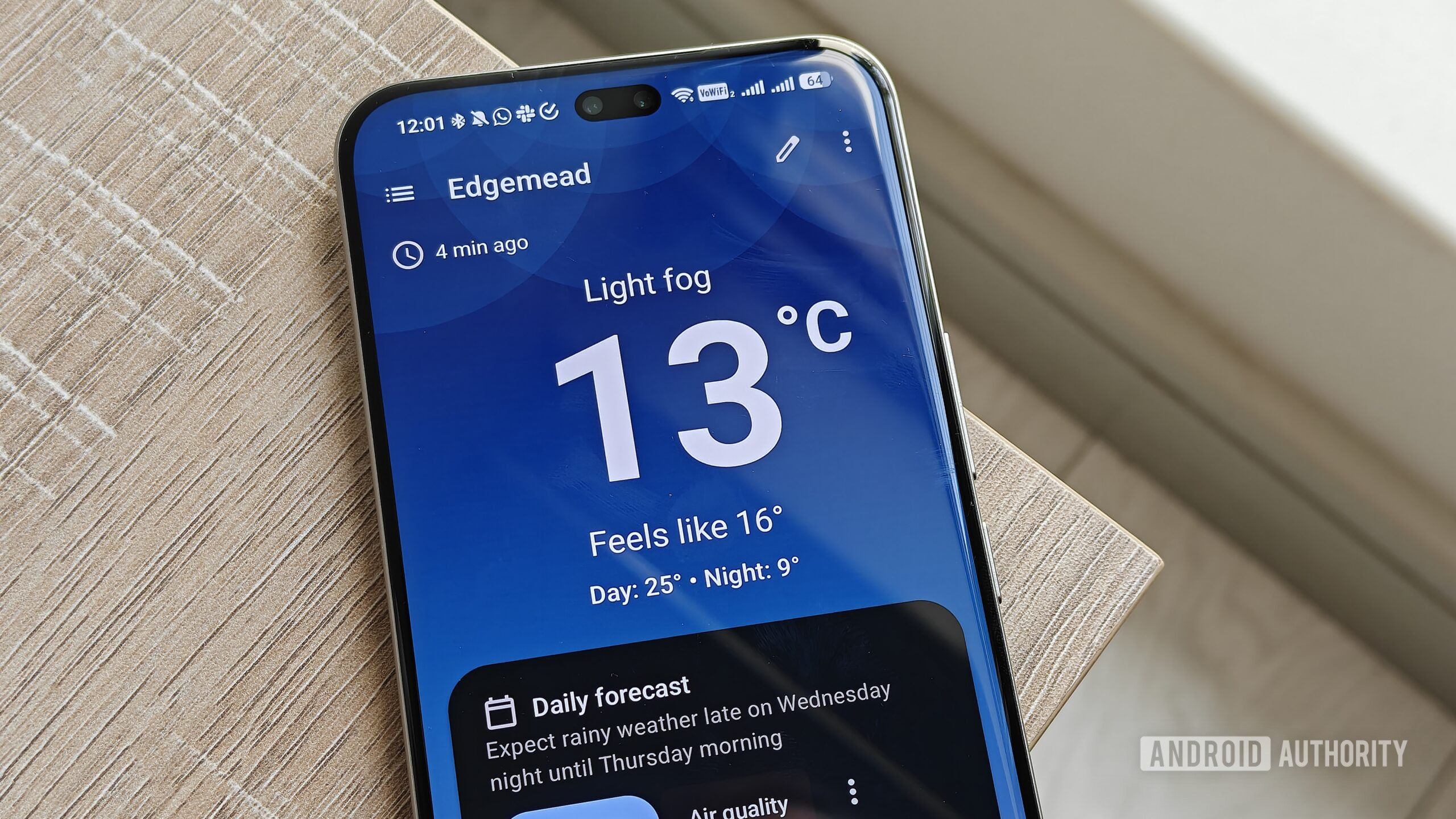
Megan Ellis / Android AuthorityThe Play Store has no shortage of weather apps, but most of them are paywalled, ad-heavy, or just not that good. Breezy Weather is none of those things. It’s free, open-source, and one of the most feature-rich weather apps available for Android. But since you’re here, I’m guessing you already know all that.The real question is how to get Breezy Weather on your phone, as it’s not on the Play Store — and more importantly, how to keep it updated. There are a few ways to do it, and none of them are complicated.Is sideloading apps worth the hassle for you?3 votesHow to download and install Breezy Weather on AndroidAndy Walker / Android AuthorityBefore we get into it, let’s first talk about why Breezy Weather isn’t on the Play Store. It’s not because the app is delisted or does anything shady. It’s a deliberate choice, and there are two main reasons. The first is to avoid paying Google a listing fee for an app that’s entirely free. More importantly, getting an app on the Play Store requires the developer to provide personal identification and agree to comply with Google Play’s policies — neither of which the Breezy Weather team is on board with.With that out of the way, getting Breezy Weather on your phone is easy, and there are a couple of ways to do it. Let’s start with the most straightforward option: download the APK file and install it directly. Open the Breezy Weather app page on GitHub. Scroll all the way down to the Releases section and tap the latest version. Go to the Assets section and download the APK file in this format: breezy-weather-vX.Y.Z_standard.apk. Tap the APK file and you’ll see a warning letting you know that you must give your browser or file manager permission to install it. Tap Settings and enable Allow permission toggle. Go back and choose Install. This is the quickest way to get Breezy Weather on your phone. On some devices, though, you may need to disable a security setting before Android lets you sideload anything. On my Galaxy S26, for example, I had to disable Auto Blocker from Settings > Security and privacy before the install would go through.Sideloading Breezy Weather directly works, but it’s not the most ideal method if you want automatic updates. A better option is to grab Breezy Weather from F-Droid. If you’re not familiar with F-Droid, here’s the short version: It’s one of the many Play Store alternatives, and what makes it special is that every app listed on it is free and open-source. Breezy Weather checks both those boxes, so it’s right at home there.To get Breezy Weather via F-Droid, you first need to install F-Droid itself. That part isn’t much different from what we just did. Head to F-Droid’s GitHub page, download its APK, and install it on your phone. Once you have F-Droid up and running, search for Breezy Weather and hit Install. It’ll download the APK file and give you the option to install it.Keeping Breezy Weather updated takes some work Sideloading Breezy Weather may be a one-time thing, but updates are where it gets a little tricky. With Play Store apps, you obviously don’t have to think about this — automatic updates just handle it. With Breezy Weather, you have a few options to keep it updated, but none of them are quite as hands-off.The first one is letting the app notify you. When you open Breezy Weather for the first time, it’ll ask you if you want update notifications. Allow it, and you’ll get an alert soon after a new version is available. You can also check for updates manually by heading to the Breezy Weather Settings menu, tapping the info icon at the top right corner, and choosing Check for app updates. The catch is it won’t update automatically. If there’s a newer version, it’ll redirect you to its GitHub page, from where you need to go through the same install process all over again.If you’ve grabbed Breezy Weather from F-Droid, the whole update experience is a bit smoother. All you have to do is head to the Updates tab in F-Droid and check there.F-Droid also has an automatic updates option, which is enabled by default. You can open its settings menu to set your preferred update interval and whether updates download over Wi-Fi only or mobile data too. Either way, you’ll still need to tap the Install button manually to actually apply the update. So yes, it’s not as frictionless as the Play Store.Obtainium is the easiest way to keep Breezy Weather updatedPankil Shah / Android AuthorityThere’s also a third option, which is my personal favorite. Obtainium is a free and open-source sideload manager that tracks apps at their source, whether that’s GitHub, a developer’s own site, or an F-Droid page. It notifies you the moment a new version lands, so you can keep apps like Breezy Weather updated. For this, you first need to download Obtainium, either from GitHub or F-Droid.Once you have it, tap the Add button and paste the URL of Breezy Weather app. The exact URL you enter here depends on where you’ve actually downloaded the app from. If you’ve grabbed it from its GitHub page, enter Breezy Weather’s GitHub link. If you’ve got it from F-Droid, copy its link from there and paste it. Both sources give you the exact same version of the app, but the digital signatures differ, so pasting the right URL actually matters here.After adding the link, you’ll see a few toggles for things like whether to include preleases. You can leave all of it as-is and hit the plus icon. That’s it. Breezy Weather will be added to Obtainium, and it’ll check for newer updates every six hours automatically.The real benefit of using Obtainium is that if you’ve sideloaded half a dozen apps from different sources, you just need to add them once, and Obtainium helps you keep them all up to date. There’s no need to download APKs manually or keep multiple third-party app stores installed.Breezy Weather is worth jumping through a few hoops forMegan Ellis / Android AuthorityI want to be honest about this — keeping sideloaded apps updated isn’t exactly smooth. Still, I feel Breezy Weather earns it. And no, it’s not just because it’s free and open-source.What pulled me in first was the sheer number of choices. The app can pull data from 50 different weather sources, so you’re free to pick whichever source you trust. Even its home tab is entirely customizable. You can choose exactly what shows up when you open it, whether it’s humidity, UV index, air pressure, pollen, or sunrise and sunset times. And unlike most weather apps, Breezy Weather doesn’t annoy you with unnecessary news feeds or ad banners.There are also 13 different widget options, all of which are completely customizable. That’s actually my favorite part about the app since I mostly rely on the home screen widget to check the weather.What do you guys think? Is Breezy Weather worth sideloading for you? Share your thoughts in the comments below.Thank you for being part of our community. Read our Comment Policy before posting.
The best Android weather app isn’t on the Play Store. Here’s how to install it
Full Article
Original Source
Read the full article at Androidauthority →KhanList aggregates and links to publicly available news content. We do not host full articles from third-party sources. Always verify important information with original sources.