
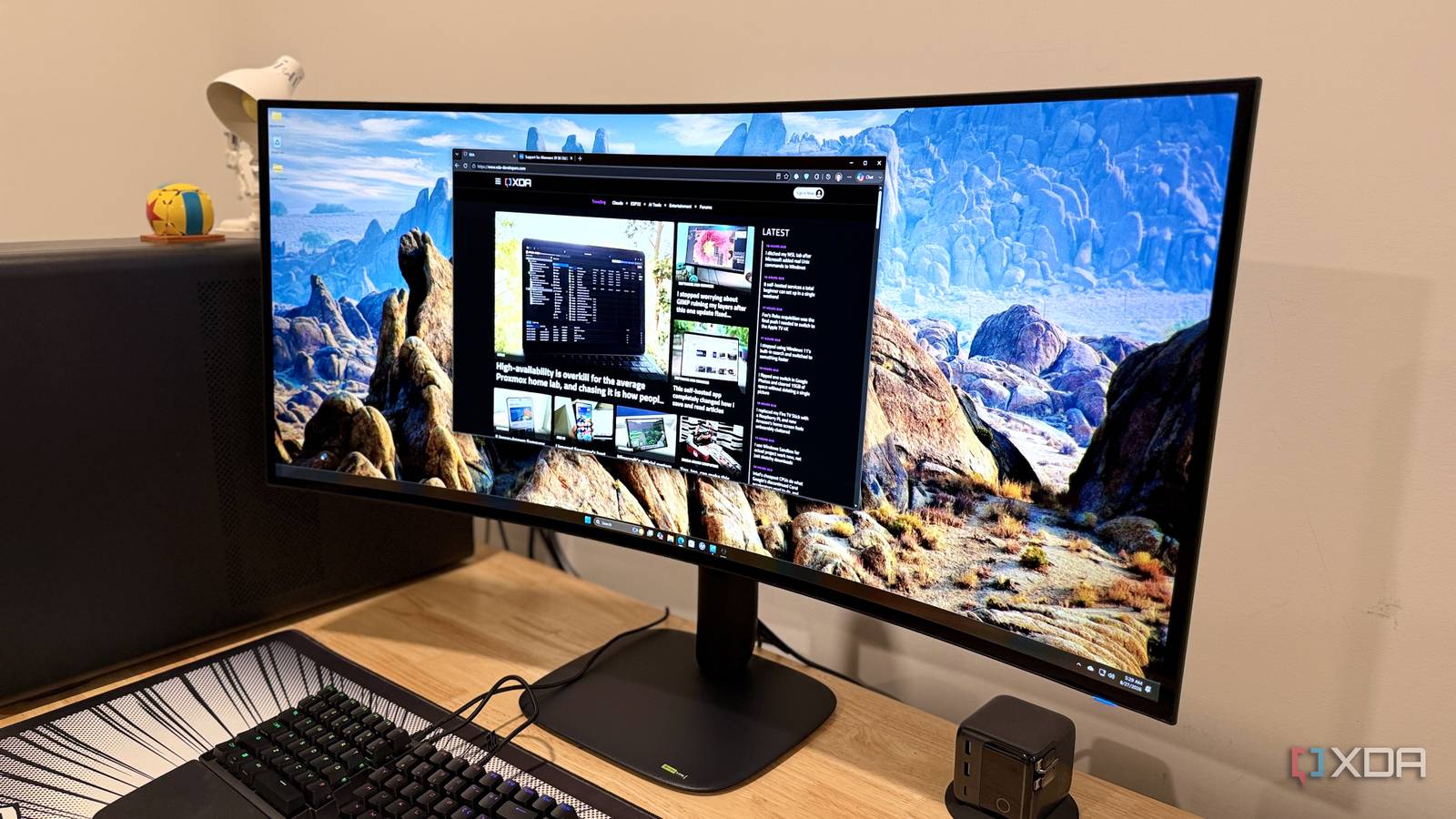
Published Aug 27, 2026, 9:01 AM EDT Maker, meme-r, and unabashed geek, Joe has been writing about technology since starting his career in 2018 at KnowTechie. He's covered everything from Apple to apps and crowdfunding and loves getting to the bottom of complicated topics. In that time, he's also written for SlashGear and numerous corporate clients before finding his home at XDA in the spring of 2023. He was the kid who took apart every toy to see how it worked, even if it didn't exactly go back together afterward. That's given him a solid background for explaining how complex systems work together, and he promises he's gotten better at the putting things back together stage since then. OLED and ultrawide fans are eating good this year, with another beautiful monitor from Alienware, the AW3926QW. This 39-inch stunner is one of the best gaming monitors you can get, with a 5120 x 2160 resolution, a 165 Hz refresh rate, and a dual mode that dials down the resolution to 1080p in exchange for twice the refresh rate. It's also $700 less than the only other comparable model on the market, which pretty much makes the value proposition on its own. It also has an RGB stripe subpixel arrangement, with no white pixel spoiling your perceived color accuracy, and four layers of OLED for decent brightness levels. I was already a big fan of ultrawide monitors for gaming and productivity, and the AW3926QW is nearly the perfect panel for me. About this review: Dell sent XDA the Alienware AW3926QW used in this review and had no input into its contents. Alienware AW3926QW 8.5/10 Screen Size 39 inches Display Technology RGB OLED HDR Dolby Vision, VESA DisplayHDR True Black 500 Resolution Dual resolution: 5120 x 2160 at 165 Hz, 2560 x 1080 at 330 Hz The Alienware AW3926QW is a 5K OLED monitor with RGB stripe technology, which removes the white pixel found on many WOLED panels and has a better subpixel arrangement for text clarity. It's a gorgeous panel for ultrawide enjoyers, and can easily be the only monitor you'll need. Pros & Cons Finally an ultrawide OLED with 5K2K resolution Bright and colorful screen More affordable than the other competition Luminance is variable across the panel Anti-reflective coating could be better Price, specs, and availability of the Alienware AW3926QW The Alienware AW3926QW is available from August 27, 2026, with an MSRP of $1,099. That's a big discount compared to the only other OLED with 5K2K resolution, the LG, which costs $700 more. It's available from Dell and will be available from larger electronics retailers in the coming months. Alienware AW3926QW Resolution Dual resolution: 5120 x 2160 at 165 Hz, 2560 x 1080 at 330 Hz Refresh Rate 165 Hz (5K2K), 330 Hz (2560 x 1080) Screen Size 39 inches Ports 2x HDMI 2.1, 1x DP 2.1, 1x USB-C with DP Alt mode and PD 90W, 2x USB-A 5 Gbps, 1x USB-C 5 Gbps, 1 USB-B upstream port Display Technology RGB OLED Aspect Ratio 21:9 Display coating Anti-reflective Screen Brightness 300 nits SDR, 1,300 nits HDR Dimensions 22.83 x 36.24 x 9.55 inches (580.1 x 920.49 x 242.55 mm) Weight 24.7 lbs (with stand) Mounting Options Stand, VESA 100x100 HDR Dolby Vision, VESA DisplayHDR True Black 500 Variable Refresh Yes Curve 1500R KVM Yes Price $1,099 What I liked about the Alienware AW3926QW It's bright, colorful, and huge The Alienware AW3926QW is the first 5K2K OLED with RGB stripe technology, which uses four layers of emissive material and no white subpixel, giving you a bright panel with better text clarity than traditional WOLED panels. I measured 323 nits peak brightness and 100% of sRGB and P3 coverage, making this a fantastic panel. You also get an inbuilt KVM with USB-C 10 Gbps with DP Alt mode and 90W power delivery, two USB-A 5 Gbps downstream ports, and one USB-C 5 Gbps downstream port with 15W charging for your peripherals. Two HDMI 2.1 ports, and one DisplayPort 2.1 complete the connectivity, and the stand has a handy channel to hide all those cables away. Gaming is out of this world on this panel OLED is always a good choice for playing games, and whether it was in 5K2K 165 Hz mode or 2560x1080 330 Hz mode, the AW3926QW delivered. It's also got G-Sync, FreeSync Premium Pro, and VESA AdaptiveSync support, so no matter your GPU output, you'll have buttery smooth frames in your favorite games. It's demanding to drive in 5K2K mode, but less so in the higher-refresh-rate dual mode. It wasn't a problem for my RTX 5090, but x70-tier cards might struggle without DLSS enabled. Having HDMI 2.1 (FRL) and one HDMI 2.1 with eARC is a nice bonus, and it's great to see a DisplayPort 2.1b port on offer. Every game I played was crisp, colorful, and responsive, and the additional resolution over 1440p ultrawides is glorious to see. The semi-gloss coating handles reflections well and makes for a much better image (in my opinion) than the current crop of matte coatings. What I didn't like about the Alienware AW3926QW Luminance uniformity could be better While almost every aspect of this panel is fantastic, one lags slightly. That's luminance uniformity, with up to a 23% difference from the maximum when at 100% brightness. But before you start worrying about that, it wasn't really apparent to my eyes, only the measuring device. Some of that might also be due to the curved screen, which always complicates measurements, as light from the room can reach the sensor more easily. Is it a problem? No. Is it something to be aware of? Yes, but again, it doesn't make much of a difference to daily use. The panel is bright enough in SDR that you can't really tell. It doesn't affect color accuracy across the panel or the experience of slogging through spreadsheets or pulling off tricks in games; it's just something to be aware of. The controls for the OSD are awkward More affordable monitors have to drop some niceties, and the four-way joystick for navigating the OSD is one of the things that suffers. I'd love a few physical buttons to assign to KVM switching or whatever other functions I use the most, but that's a wishlist item. Should you buy the Alienware AW3926QW? You should buy the Alienware AW3926QW if: You want an ultrawide that's over 1440p resolution You want lots of screen space for productivity You want the versatility of the dual-mode panel You should NOT buy the Alienware AW3926QW if: You don't like curved monitors You want a higher refresh rate You want a more traditional aspect ratio The Alienware AW3926QW is a fantastic ultrawide OLED, and one of the only options if you need 5K2K resolution. With an inbuilt KVM, dual-mode for high resolution or high refresh rate, and gorgeous color reproduction, this is the monitor to get if you've been holding off on a large ultrawide. With an inbuilt KVM, dual-mode for high resolution or high refresh rate, and gorgeous color reproduction, this is the monitor to get if you've been holding off on a large ultrawide. The RGB stripe panel fixes the text-fringing issues of earlier WOLED displays, making it just as capable for productivity as it is for gaming. And in a market where every new device or peripheral seems to be getting more expensive, Dell has somehow managed to make this $700 cheaper than the alternative from LG. Alienware AW3926QW 8.5/10 Resolution Dual resolution: 5120 x 2160 at 165 Hz, 2560 x 1080 at 330 Hz Refresh Rate 165 Hz (5K2K), 330 Hz (2560 x 1080) Screen Size 39 inches Ports 2x HDMI 2.1, 1x DP 2.1, 1x USB-C with DP Alt mode and PD 90W, 2x USB-A 5 Gbps, 1x USB-C 5 Gbps, 1 USB-B upstream port The Alienware AW3926QW is a 5K OLED monitor with RGB stripe technology, which removes the white pixel found on many WOLED panels and has a better subpixel arrangement for text clarity. Display Technology RGB OLED Aspect Ratio 21:9 Display coating Anti-reflective Screen Brightness 300 nits SDR, 1,300 nits HDR Dimensions 22.83 x 36.24 x 9.55 inches (580.1 x 920.49 x 242.55 mm) Weight 24.7 lbs (with stand) Mounting Options Stand, VESA 100x100 HDR Dolby Vision, VESA DisplayHDR True Black 500 Variable Refresh Yes Curve 1500R KVM Yes
The Alienware AW3926QW proved ultrawide gaming isn't a luxury — it's a productivity superpower
Full Article
Original Source
Read the full article at Xda-developers →KhanList aggregates and links to publicly available news content. We do not host full articles from third-party sources. Always verify important information with original sources.