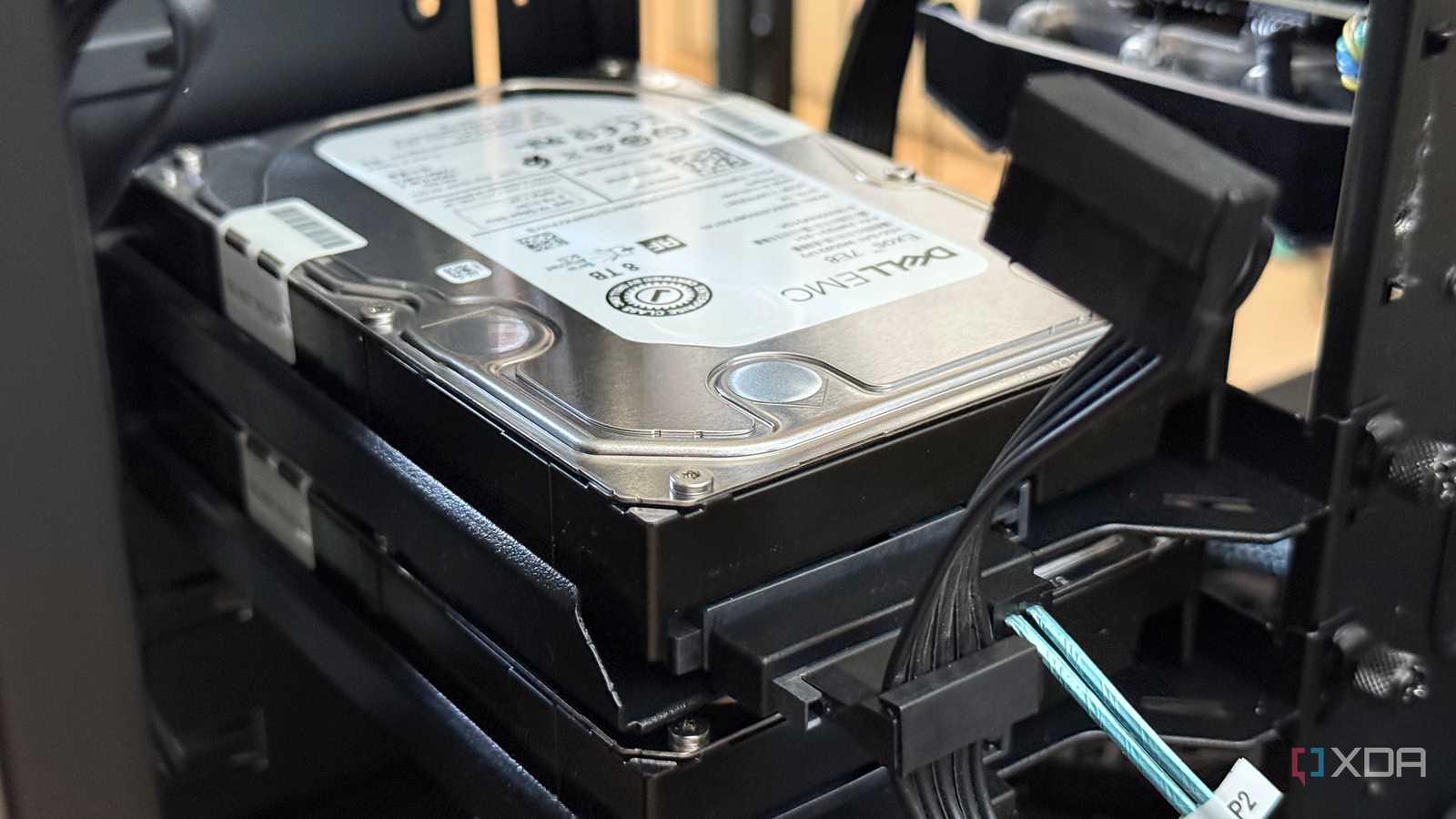
Published Aug 5, 2026, 2:30 PM EDT His love of PCs and their components was born out of trying to squeeze every ounce of performance out of the family computer. Tinkering with his own build at age 10 turned into building PCs for friends and family, fostering a passion that would ultimately take shape as a career path. Besides being the first call for tech support for those close to him, Ty is a computer science student, with his focus being cloud computing and networking. He also competed in semi-pro Counter-Strike for 8 years, making him intimately familiar with everything to do with peripherals. The AI boom has affected the price of DRAM heavily, as evidenced by the hefty increases we've seen in anything that uses it as a primary component. One of the lesser mentioned impacts of the boom is the effect on HDD pricing, and it's arguably just as catastrophic. Western Digital told investors this year that it was effectively sold out of hard drives for calendar 2026, with long-term agreements already signed covering 2027 and 2028. Seagate said much the same about its nearline capacity, and this paints a pretty grim picture for consumers wanting storage. Despite that, building a NAS isn't impossible during the AI crunch. It's certainly a bit more expensive, but there are ways you can dodge some of the AI markup, it just takes a different approach. Prices are high, but not by the same amount across the board Drive count, not bay count When it came to the construction of a NAS by drives, buying more smaller drives usually wasn't that exorbitant, and while you could save a few bucks by buying big, it wasn't super necessary. Things look a lot different now, and not just with consumer-rated drives. Price-per-terabyte at the lower-end looks really poor, with the classic 1 TB, 2 TB, and even 4 TB capacities having their ratios increase significantly. It's now much more expensive to kit out a NAS with a handful of those rather than just buying one or two larger drives. What you give up going this route isn't redundancy, since that's set by your parity level rather than your drive count, but what you do give up is granularity. A failed 20 TB drive takes a much bigger bite out of your array than a failed 4 TB one, and it takes considerably longer to resilver, which isn't risk-free at the best of times. The trade is still worth making at these prices, but it is a trade, and it pushes you toward RAIDZ2 rather than anything with single-drive fault tolerance. Redundancy is the newest tax to go along with high prices When drives were cheap, it was easier to justify The pool in my Proxmox machine is a two-drive mirror of Dell badged Seagate Exos 7E8 SAS drives with 8 TB capacity for each. For as long as I've owned them, I've always thought of one of the drives as more of an insurance premium than a strict tax, but with how high prices have become for consumer drives, it's hard not to see it that way. If you double the price of a drive, you double the cost of redundancy along with it, and in a two-way mirror, redundancy is half the cost of entry when it comes to a NAS. Worse, expanding a mirrored pool means buying in pairs, and every pair you buy returns exactly one drive's worth of new usable capacity. At current pricing, that is the most expensive method of adding a terabyte if you're using ZFS like I am. Used enterprise drives and RAIDZ expansion is how I'd build or expand from here The storage crunch hasn't been as brutal to this approach RAIDZ expansion landed in OpenZFS 2.3 and ships in Proxmox 9, which means a bay left deliberately open can actually be utilized. You can attach a single disk to an existing RAIDZ vdev and let ZFS reflow the data across the wider set, but it's not a one-size-fits-all affair. Blocks written before the expansion retain the original data-to-parity ratio, so the usable space you'd gain immediately is smaller than your initial math might suggest. It also only converges as the data gets rewritten. Despite those caveats, it's still the flexibility that this kind of storage market is desperately in need of. It's something I'll be rebuilding my current ZFS setup to if I were to add more drives, although you can't convert plain ZFS to RAIDZ, so if you're starting from scratch, you have to choose one or the other. In regard to the actual cost of the spinning platters themselves, new retail drives are competing directly with hyperscaler purchase orders, and retail simply loses every time. It's less profitable, so naturally, storage companies will opt to support the higher grossing market. Thankfully, used enterprise drives follow a completely different supply chain, and have absorbed the price hike better than anything else. Recertified Ultrastar and Exos drives like my own, are tested and re-warranted by sellers who publish SMART data, and remain the best value in bulk storage by a wide margin. When paired with an HBA card, you start to see why opting for enterprise might help more than it used to, especially with SAS. Most people shopping for NAS drives are limited to SATA by their motherboard or their enclosure, which means SAS inventory sits in a smaller pool of buyers. Having the controller already installed means I can shop both interfaces and take whichever one is actually available at a sane number, and availability has become at least as important as price. There are a couple of big asterisks I would place on going the SAS route, the first of which is the higher cost of entry. An HBA card, its cooling, the cabling, and especially the time spent configuring is by no means dirt cheap. In addition to that, enterprise drives don't follow the same price scheme as consumer drives do. Price-per-terabyte don't usually decrease linearly as you increase total capacity. The cheapest recertified stock comes out of deployments that are several years old, so the value floor tends to sit a tier or two below the current flagship capacities. Your NAS plan might look a lot different My advice to anyone looking to start a NAS this year wouldn't necessarily be to go the SAS route, or even buy recertified enterprise stuff, but to calculate the cost of redundancy now. Then, weigh whether the capacity you might want in 5-10 years is worth paying for right now, especially if you're going with a strict 50-50 ZFS mirror. It's not guaranteed that prices will fall back to pre-AI levels, and that's where a half-planned expansion or scratch NAS build can come back to bite you.
The AI hard drive shortage is a real problem, and it's changing how I'd build my next NAS
Full Article
Original Source
Read the full article at Xda-developers →KhanList aggregates and links to publicly available news content. We do not host full articles from third-party sources. Always verify important information with original sources.