
9 min readAny competitive PC gamer knows that a good gaming mouse can mean the difference between victory and defeat. Standard productivity mice aren't built for the fast-paced action of games like League of Legends and Apex Legends. Game console controllers, while comfortable, put you at a major disadvantage in competitive shooters like Fortnite.Whether you play on one of the best gaming desktops, a handheld gaming PC docked at your desk, or a Mac, a gaming mouse gives you the fastest, most responsive connection to your game. If you want to map more actions to your mouse, improve your aim, and react faster, our top gaming mouse picks can help you reach the next level and leave your rivals in the dust.Best Overall: Razer Viper V4 ProBest Budget: Logitech G305 LightspeedBest for Online Shooters: Logitech G Pro X3 SuperstrikeBest Ultralight: Corsair Sabre V2 ProMost Versatile: Razer Naga V3 ProHow We SelectedWe've been testing gaming mice and other PC peripherals for years, including recent coverage of the Logitech Mobi Fold travel mouse, the Logitech Alto Keys K98M mechanical keyboard, and the gaming-focused Kinesis Freestyle Edge RGB Plus split keyboard, as well as our roundup of the best ergonomic keyboards. For this update, we started from that past testing and coverage, then researched the newest models from Razer, Logitech, Corsair, and other major brands to see what has changed since our last update in 2023.We judged each mouse on what affects gameplay, including weight, shape, sensor tracking speed, polling rate, switch type, battery life, and how many buttons you can program. We checked every claim against the manufacturer's published specs. We also looked at price and value, which is why the guide includes a budget pick alongside $150-plus flagships. Each pick suits a specific kind of player, whether that's a competitive shooter fan, an MMO player who needs a dozen thumb buttons, or a left-handed gamer tired of mice built for righties.ReviewsProsUltralight 49-gram bodyUp to 180 hours of battery lifeKey SpecsConnnectionHybridCPI50,000SensorOpticalBest ForRight-handed gamersThe Razer Viper V4 Pro weighs 49 grams and still runs up to 180 hours on a charge, which is about six weeks of play at four hours a day. It's light enough to steer with your fingertips, so small aim corrections in shooters are faster, and your wrist gets less tired over long sessions. The symmetrical body has no thumb rest or flared sides, so it suits claw and fingertip grips better than a full palm grip.Razer's Focus Pro 50K sensor tracks at up to 930 inches per second, so the cursor stays where you aimed even when you swipe the mouse hard. The included wireless dongle supports an 8,000 Hz polling rate. At that rate, the mouse reports its position to your PC eight times as often as a standard 1,000 Hz mouse, so movements reach the screen a fraction of a millisecond sooner. At 8,000 Hz, battery life drops to about 45 hours.The mouse doesn't support Bluetooth, so the only wireless option is the included USB dongle. That dongle uses up one of your computer's USB ports, and if you use the mouse with a laptop, you have to remember to bring the dongle too. The main buttons use light instead of metal parts to detect a click, so each press reaches your game a little faster than on a standard mouse. With no metal contacts to wear down, they also hold up longer. Razer rates them for 100 million clicks, which works out to more than 25,000 clicks a day for ten years.ProsUp to 250 hours on one AA batteryReceiver stores inside the mouseConsA dead battery means no mouse until you swap in a fresh oneKey SpecsConnnectionWirelessCPI12,000SensorOpticalBest ForRight-handed gamersThe Logitech G305 Lightspeed is the cheapest wireless mouse in this guide, and you still get the same 1,000 Hz connection as a standard wired gaming mouse through Logitech's Lightspeed receiver.The G305 runs on a single AA battery instead of a rechargeable one, and should last up to 250 hours. If you switch on Endurance mode in Logitech's G Hub software, that stretches to as long as nine months. A slot inside the mouse holds the USB receiver, so if you play on a laptop, you can toss the mouse in a bag without worrying about losing it.The mouse’s HERO sensor tops out at 12,000 CPI, which is lower than the other picks in this guide but well above what most players use. The symmetrical shape is comfortable in either a claw or palm grip, and its six buttons can be remapped. The settings are saved to the mouse itself, so they carry over when you plug it into another computer.ProsAdjustable click point and rapid triggerMore than 135 hours of battery life8,000 Hz pollingKey SpecsConnnectionHybridCPI48,000SensorOpticalBest ForRight-handed gamersThe Logitech G Pro X3 Superstrike lets you decide how far each main button must travel before it counts as a click. Instead of a standard switch, each button uses an electromagnetic field to sense how far you’ve pressed it, and you can choose from 10 click points. Set a shallow one, and your shot fires as soon as you press. Logitech says this cuts click delay by up to 30 milliseconds.The buttons also support rapid trigger, which you can set to one of five reset points. A button resets as soon as you start lifting your finger instead of waiting for it to spring all the way back, so you can fire again sooner. With no mechanical switch inside, haptic feedback creates the click you feel.The mouse weighs 59 grams, and Logitech moved that weight toward the center. It reports its position to your PC up to 8,000 times a second, over both the wireless receiver and the USB-C cable. The battery is rated for more than 135 hours, and the mouse can also charge on Logitech's Powerplay mouse pad, which is sold separately.ProsAt 36-grams, it’s the lightest in this guideYou can change settings in a web browserCons70-hour battery life is shorter than other picksKey SpecsConnnectionHybridCPI33,000SensorOpticalBest ForRight-handed gamersAt 36 grams, the Corsair Sabre V2 Pro is 13 grams lighter than our top pick. With less weight to move on every flick, your wrist and arm don’t tire as quickly during long play sessions. The body is 119 mm long, so it's small and best suited for claw and fingertip grips.It runs at the same 8,000 Hz polling rate as the Viper V4 Pro over the wireless dongle or the cable. It doesn’t quite match the V4 Pro’s battery, though. Corsair rates it for 70 hours at the standard 1,000 Hz and gives no number at 8,000 Hz, saying only that it lasts "a full day of scrims," meaning practice matches. When the battery runs low, you can plug in the included USB-C cable and keep playing; a full charge takes 90 minutes.You don't need to download an app to set it up. Corsair Web Hub runs in your browser, so you can remap buttons, record macros, and adjust sensitivity. Corsair also includes grip tape and a spare set of skates, the slick pads on the bottom of the mouse, to swap in when the originals wear down.ProsThree swappable side plates with 2, 6, or 12 buttonsUp to 280 hours of battery lifeConsIt’s on the heavier side at 117 gramsKey SpecsConnnectionHybridCPI50,000SensorOpticalBest ForRight-handed gamersThe Razer Naga V3 Pro's left side features a magnetic plate that pulls off and swaps for one of two others. The 12-button plate is laid out like a phone keypad, which puts a dozen spells, macros, and mounts under your thumb in MMOs. The 6-button plate suits games like League of Legends, where you trigger a few abilities, and the 2-button plate clears the side for shooters. Depending on which plate is on, the mouse has 13, 17, or 23 programmable buttons.Two small buttons next to the left click instantly change sensitivity. You can lower it for a careful shot, then raise it again to move around the map. The ring-finger button has a physical lock, so you can switch it off if you accidentally keep pressing it. In the scroll wheel's Smart-Reel mode, the wheel clicks in steps when you scroll slowly and spins freely when you flick it.It connects via Razer's wireless dongle, Bluetooth, or a cable. On a charge, it lasts up to 155 hours on the dongle and 280 hours on Bluetooth. It weighs more than twice as much as the Viper V4 Pro, and its 1,000 Hz polling rate is an eighth of the rate on our first three picks.ProsSide buttons move to either sideCharges over USB-C or on a Logitech Powerplay mouse padCons95-hour battery life falls short of our other picksKey SpecsConnnectionWirelessCPI44,000SensorOpticalBest ForLeft- and right-handed gamersMost mice sold as ambidextrous only have a symmetrical shape, so the thumb buttons still sit on the left side, where a left-handed player's pinky ends up. The Logitech G Pro 2 Lightspeed fixes that with magnetic side buttons. Pull them off one side, snap them onto the other, and you’re ready to go. You can also run buttons on both sides, for four to eight programmable buttons total.Logitech's Lightforce switches use the same light-based sensing as the Viper V4 Pro's. They add a small mechanical part that gives each press the firmer, clickier feel of a traditional mouse button. The HERO 2 sensor is also used in Logitech's other Pro mice.The battery lasts up to 95 hours, which is a lot for most of our other picks. You can recharge it over USB-C, or set the mouse on a Logitech Powerplay mouse pad, which charges it wirelessly while you play. Out of the box, it connects through the standard Lightspeed receiver. To match the 8,000 Hz rate on our first three picks, you'll need Logitech's Pro Lightspeed receiver, which is sold separately.ProsMechanically customizableHighly programmableConsLooks like a transformerKey SpecsConnectionWiredCPI16,000SensorOpticalBest forRight-handed gamersBeyond providing customization software for the internals, Mad Catz designed the R.A.T. 8 Plus so you can break it down and rebuild it to suit any hand size and shape. The pinky and palm rests are interchangeable across the three included versions. The thumb rest is also adjustable. Despite the forward-thinking customization, it’s a bit expensive, particularly for a wired gaming mouse. And the distinctive, somewhat retro design won’t appeal to everyone.However, no other gaming mouse lets you tinker with nearly every component to create a truly unique fit. If you’re into swapping out your keyboard switches, building your PC, and modifying your tech, the R.A.T. 8 Plus allows you to explore your technical side by giving your mouse a full functional and aesthetic makeover on the fly.ProsFor large handsComfortableKey SpecsConnectionWiredCPI18,000SensorOpticalBest forRight-handed gamersPlayers with larger hands can sometimes feel like Goldilocks when looking for a mouse to fit their bear-sized mitts. Smaller gaming mice cause cramping and hand issues, whereas bigger mice lack precise control and satisfying buttons. This mouse was designed with that player in mind and blends bigger with better.The Ironclaw has a grippy rubber body and a waxy scroll wheel for a satisfying, comfortable feel. Its refined dome conforms to the palm of bigger hands, and the contoured shape allows for easy button access. Those same buttons have ultra-durable Omron switches that can withstand up to 50 million clicks. Although it is on the heavy side, it feels substantial rather than cumbersome.What to ConsiderWireless is fast and convenientWireless gaming mice now match wired ones on speed, and nearly every pick in this guide is wireless. The key component is the small USB receiver, or dongle, that comes in the box. It talks to the mouse on its own dedicated channel, which keeps lag low enough for competitive play. Some mice also connect over Bluetooth, which lets you pair with a laptop when the dongle isn't handy. Bluetooth responds more slowly, though, so it's better for browsing and casual games than for shooters. If you lose the dongle and your mouse doesn't support Bluetooth, you'll need a cable to keep using it.A lighter design makes quick aim easierA lighter mouse takes less effort to start and stop, so quick flicks and small corrections in shooters get easier. Competitive mice now weigh 36 to 60 grams. Mice with lots of buttons, like MMO models with side keypads, often weigh over 100 grams. That doesn't matter much in games where you aren't constantly swinging your aim around.Pick a shape that matches how you hold itRight-handed mice are sculpted to support your palm and thumb. Symmetrical mice are flatter and smaller, which suits claw and fingertip grips, where only your fingertips and the back of your palm touch the mouse. If you're left-handed, look for side buttons that can move to the right side. A symmetrical shape alone still puts the thumb buttons under your pinky.Faster polling is for competitive playersPolling rate is how often the mouse reports its position to your PC. A standard gaming mouse does this 1,000 times a second, and the newest models reach 8,000. At higher rates, each movement shows up on screen slightly sooner. Most players won't notice the difference, but competitive players chasing every millisecond might. Higher polling also drains the battery faster.A higher DPI doesn’t mean better aimCPI, also called DPI, sets how far your cursor moves for every inch you move the mouse. A higher number doesn't mean better aim. Most players set it somewhere between 400 and 3,200, and the 30,000-plus ceilings in spec sheets go far beyond what anyone uses. Look at tracking speed instead, listed in inches per second (IPS). It tells you how fast you can swing the mouse before the sensor loses track.Newer switches click faster and last longerOptical switches register a click when a beam of light is interrupted, which makes them faster and longer-lasting than older mechanical switches. A few newer mice let you set how far a button travels before it clicks, so a shot can fire with a lighter, shorter press.Check whether the software saves to the mouseMost gaming mice come with free software to remap buttons, record macros, and save profiles for different games. Some load the settings onto the mouse itself, so you don't have to set it up again on another computer. A few run entirely in a web browser, with nothing to install.Harry Rabinowitz is a writer, editor, and columnist covering the latest and greatest products in the gaming industry. He also works to tell educational and entertaining stories about tech, entertainment, home goods, and more. When he’s not learning or writing something new, he’s probably heading to the library for a new graphic novel to read.
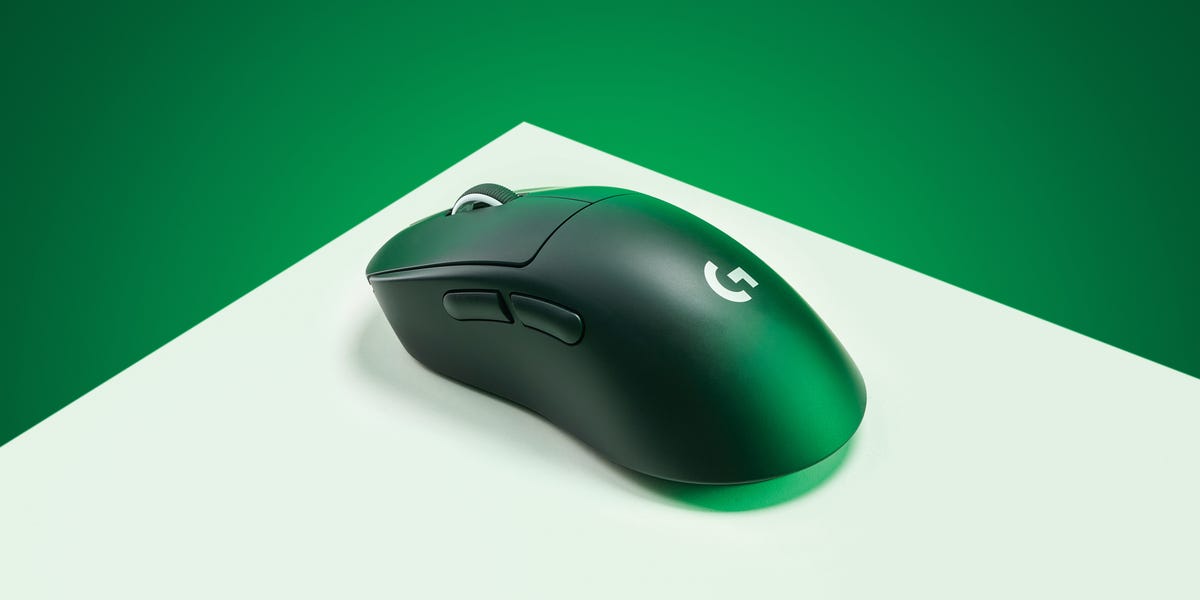
The 8 Best Gaming Mice for Precise Control
Full Article
Original Source
Read the full article at Popularmechanics →KhanList aggregates and links to publicly available news content. We do not host full articles from third-party sources. Always verify important information with original sources.