
7 min readThe beauty of getting a new iPhone is that it typically offers faster charging than the one it replaced, especially if yours is a few years old. With the iPhone 18 Pro and 18 Pro Max now leading Apple’s lineup, a 60-watt-capable adapter takes the 18 Pro from empty to 50 percent in about 15 minutes, and wireless charging tops out at 25 watts over MagSafe. Every iPhone Apple sells now uses USB-C, so unless you’re holding an iPhone 14 or older, the Lightning cables in your drawer can stay there.The Best iPhone ChargersBest Overall: Apple 40W Dynamic Power Adapter with 60W MaxBest Budget: Anker Nano Charger (30W)Best Smart Display Charger: Anker Nano Charger (45W)Best for Charging Multiple Devices: Anker 100W USB-C Charger (3-Port, Smart Display)Best Nightstand Charger: Belkin Qi2.2 25W 3-in-1 Charging StationTo hit full speed, you need a USB-C wall adapter that can deliver the wattage and a cable rated to carry it. For the 18 Pro, that means a 60-watt-capable adapter or higher with Adjustable Voltage Supply. On the other hand, the iPhone 15 and 16 reach 50 percent in about 30 minutes on a 20-watt adapter, and the iPhone 17 does it in about 20 minutes on a 40-watt one. If you’d rather skip cords, a Qi2 or MagSafe pad with a 30-watt adapter gets you the 25-watt wireless speed, though the iPhone 15 caps at 15 watts. Get the combination of wall adapter and cable wrong and your phone will charge at a fraction of what it’s capable of.Below are the chargers, cables, docks, and power banks worth buying right now, whether you’ve got the latest Pro Max or an older model that still does the job.How We SelectedWhen researching picks, we made sure each one delivers fast charging suited to the range of what current iPhones can take, from the iPhone 18 Pro and Pro Max at 60 watts, to the iPhone 17 at 40 watts, down to the iPhone 15 and 16 at around 20 to 27 watts. Each recommendation supports the right standard for the job, USB-C Power Delivery for wired charging and Qi2 or Qi2.2 for wireless. We stuck with brands we’ve used before and that back their products with warranties. Everything here is widely available across major retailers, including Amazon.Looking for more iPhone goodies? Check out our picks for the best iPhone accessories, USB car chargers, and MagSafe cases.Full ReviewsProsDynamic output ramps up to 60 watts on demandCompact design that’s travel-readyConsSingle USB-C port, so it only charges a single device at a timeKey SpecsMax Output60WPorts1x USB-CCable IncludedNoStandardsUSB-C Power Delivery, AVSApple’s dynamic adapter is a USB-C brick that runs around 40 watts most of the time and ramps up to 60 when a device needs it, using Adjustable Voltage Supply (AVS) to match power demand. It’s small for what it delivers, about 3.2 ounces, with a matte white shell and prongs that fold flat so it slips into a bag or pocket. Smart thermal management holds its output steady through a long charge rather than throttling back as it heats up. There’s only one port, so it charges a single device at a time, but it’s the most dependable way to get full wired speed from Apple’s newest iPhone.ProsVery small, with prongs that fold flat30 watts is enough to fast-charge any recent iPhoneConsIt won’t reach the iPhone 18 Pro’s peak charging speedKey SpecsMax Output30WPorts1x USB-CCable IncludedNoStandardsUSB-C Power Delivery, PPSAt roughly the size of an ice cube, the Anker Nano Charger delivers up to 30 watts using gallium nitride (GaN) internals, enough to fast-charge any recent iPhone and even provide power to an iPad Air or MacBook Air in a pinch. It weighs under two ounces, the prongs fold flat, and ActiveShield thermal monitoring keeps it cool. It supports Programmable Power Supply (PPS), so it plays nicely with phone from other brands, too, and it comes in five colors. Like most chargers here, the USB-C cable is sold separately. It won’t hit the iPhone 18 Pro’s absolute peak speed, but for around $15, it’s great to have on hand.ProsOn-device display that shows charging statusAutomatic iPhone recognition, plus a Care Mode that runs the battery coolerConsIts 45 watts fall short of the 60 the iPhone 18 Pro wantsKey SpecsMax Output45WPorts1x USB-CCable IncludedNoStandardsUSB-C Power Delivery (AVS on the preorder version)Why add a display to your charger? Well, it can show real-time charging status. The charger recognizes your iPhone model automatically and tunes its output to match, with a Care Mode that runs the battery cooler for overnight charging. The prongs also fold two ways and rotate a full 180 degrees, so you can plug it into an awkward or sideways outlet and still angle the screen to face you.A single USB-C port delivers up to 45 watts, and the whole thing is about 47 percent smaller than a standard 30-watt charger. With a top output of 45 watts, it falls short of the 60 the iPhone 18 Pro wants, so it charges fast but not at the phone’s absolute peak. Anker also has an updated version available for preorder that adds AVS adaptive charging and built-in iPhone 18 recognition through an app update.ProsThree ports for charging multiple devices simultaneouslyRotatable smart display shows live wattage per port and temperatureConsThe lone USB-A port tops out at 33 wattsKey SpecsMax Output100W totalPorts2x USB-C, 1x USB-ACable IncludedYes (USB-CStandardsUSB-C Power DeliveryThis is the charger to get for a desk where a laptop, phone, and tablet all want power at the same time. It has three ports—two USB-C and one USB-A—set on the side rather than the bottom, which keeps the weight of your cables from tugging it out of the outlet. A laptop plugged into one of the USB-C ports can pull the full 100 watts on its own, enough to fast-charge a MacBook Air or most 14-inch laptops, and the charger reallocates power as you add or unplug devices. Small icons next to the ports show which one delivers the highest output, so you know where to plug the laptop.Like the Nano Charger above, Anker’s 100W USB-C Charger has a screen, and you can rotate the readout to face you whichever way the charger sits on the outlet. Once more than one device is connected, the 100 watts gets split automatically, so a glance tells you when your laptop has dropped in charging speeds because a tablet is sharing the load, or confirms your phone is fast-charging rather than trickling from a bad cable. Thankfully, Anker includes a USB-C cable in the box.ProsCompact footprint, plus a phone pad that tilts for StandByBuilt-in smart fan keeps the dock cooler during fast chargingConsThe cooling fan can be a little loud, though there’s an on/off switchKey SpecsMax Output25W wirelessPortsMagSafe pad, Apple Watch puck, AirPods padCable IncludedYes (wall adapter in the box)StandardsQi2.2, MagSafeThis is the one to leave on a nightstand, since it powers your iPhone, Apple Watch, and AirPods from a single base, and it comes with a wall adapter in the box. The magnetic pad delivers the full 25 watts of Qi2.2 to an iPhone 16 or later, while an iPhone 15 tops out at 15 watts. What separates it from most 3-in-1 stands is a fast-charging Apple Watch puck instead of a slow generic coil, so a Series 10 or later reaches 80 percent in about 45 minutes.The phone pad tilts for the iPhone’s StandBy mode, so it doubles as a bedside clock, and the pad has a built-in fan that helps with heat dissipation. It also features a relatively compact design. A lot of 3-in-1 stands sprawl sideways and take up a lot of space, but this places the Apple Watch puck in the back, along with a third charging pad for AirPods in the base.ProsSlim design doesn't add much bulk to your phoneSnaps on magnetically and charges wirelessly up to 25 wattsThe short USB-C cord doubles as a lanyardConsWireless output could fall below 25-watt rating as it warms upKey SpecsMax Output25W wireless, 45W wiredPorts2x USB-C, magnetic wireless padCable IncludedYes (attached short cord/lanyard)StandardsQi2.2, MagSafe, USB-C Power DeliveryAt barely half an inch thick, this magnetic bank snaps onto the back of an iPhone. It charges wirelessly at the full 25 watts of Qi2.2 with an iPhone 16 or later, while older models top out at 15 watts, and its 10,000mAh capacity holds close to two full iPhone charges. A short USB-C cord clips on as a wrist lanyard and pulls off when you want faster wired charging, up to 45 watts, enough to take an iPhone 17 Pro from empty to around 50 percent in about 25 minutes. A tiny digital display shows how much charge is left, and it supports pass-through, so you can refill the charger and your phone at the same time.ProsIt has a built-in USB-C cable that’s retractableA display shows live wattage and remaining battery percentageRelatively compact and supports pass-through chargingConsYou may need more capacity for longer tripsKey SpecsMax Output45WPorts1x USB-C, USB-ACable IncludedYes (built-in retractable USB-C)StandardsUSB-C Power DeliveryInstead of tossing a separate cord in your bag, Anker’s Nano Power Bank has a built-in retractable USB-C cable, so you don’t have to worry about carrying a cable with you. It puts out up to 45 watts, enough to fast-charge an iPhone, and a small display shows live wattage, how much charge is left, and the battery’s long-term health.A second USB-C port and a USB-A sit alongside the built-in cable, so you can charge a few devices at once. It also supports pass-through charging, allowing you to charge the battery and your phone at the same time. The compact design makes it easy to throw in a bag, and it’s flight-approved, so you can have it ready in your carry-on.What to ConsiderThe charging speed your iPhone can achieve depends on the model you own. Apple rates each recent iPhone by how quickly it refills with a large enough adapter. An iPhone 15 or 16 reaches about 50 percent in 30 minutes from a 20-watt adapter or higher, the iPhone 17 does it in roughly 20 minutes with about a 40-watt adapter, and the iPhone 18 Pro reaches 50 percent in about 15 minutes, but only with a 60-watt-capable adapter that supports PD 3.1 with AVS.For nearly everyone a 30-watt charger is enough, and it can also charge an iPad or a small laptop. Whatever you buy, check whether a cable is included and that it’s rated to support the speeds your phone needs. For instance, the iPhone 18 Pro’s fastest speed requires a 60-watt-capable USB-C cable. An older cable can reduce charging speed even on a good charger, so you may want to consider a new one to use with your setup.A single-port adapter is all most people need, but a multi-port charger is useful if your setup includes a laptop, tablet, and a phone. Note that a multi-port charger divides its total wattage among the ports, so a 100-watt three-port charger will not deliver the full 100 watts to a laptop once other devices are attached. Chargers built with GaN run cooler and fit more power into a smaller body than older silicon models, so a 100-watt charger can now be small enough to carry every day, and a foldable plug helps if you travel or work remotely.On the wireless side, MagSafe and Qi2 are the most convenient way to charge and a good choice for a nightstand or a desk. They reach 25 watts on an iPhone 16 or later (with a 30-watt adapter or higher) and 15 watts on the iPhone 15. If you’re after convenience, wireless is a good option, especially overnight when you don’t need the phone charged as fast as possible.While fast charging is convenient for a quick top up, the higher heat can shorten a battery’s lifespan over time, so for a phone left charging overnight, a slower or actively cooled charger reduces long-term wear. Look for basic protections such as over-temperature and over-current cutoffs, and for wireless chargers, choose Qi2 or MagSafe-certified models from established brands.Kevin Cortez is an editor for Runner's World, Bicycling, and Popular Mechanics covering reviews. A culture and product journalist for over ten years, he’s an expert in men’s style, technology, gaming, coffee, e-bikes, hiking, gear, and all things outdoors. He most recently worked as the Style Editor for Reviewed, a top product recommendation site owned by USA TODAY. He also helped with the launch of WSJ's Buy Side commerce vertical, and has covered the music and podcast industries for Mass Appeal, Genius, Vulture, Leafly, Input, and The A.V. Club. Equally passionate about leisure as he is his penmanship, Kevin dedicates his spare time to graphic novels, birding, making cold brew, and taking long, meandering walks.
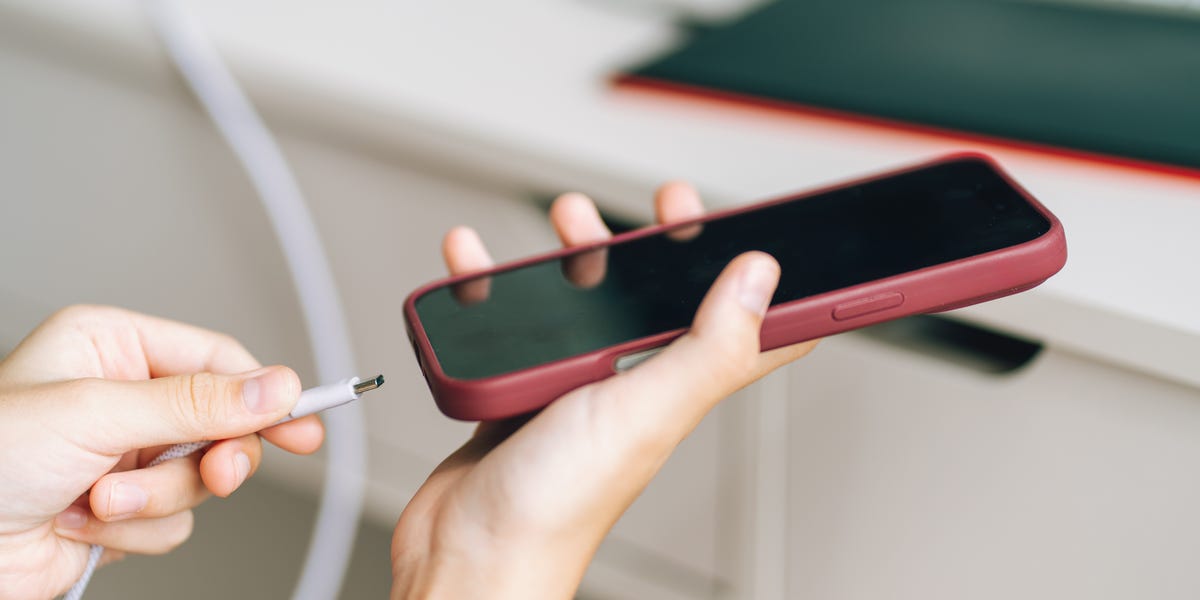
The 7 Best iPhone Chargers for Keeping Your Phone Juiced
Full Article
Original Source
Read the full article at Popularmechanics →KhanList aggregates and links to publicly available news content. We do not host full articles from third-party sources. Always verify important information with original sources.