
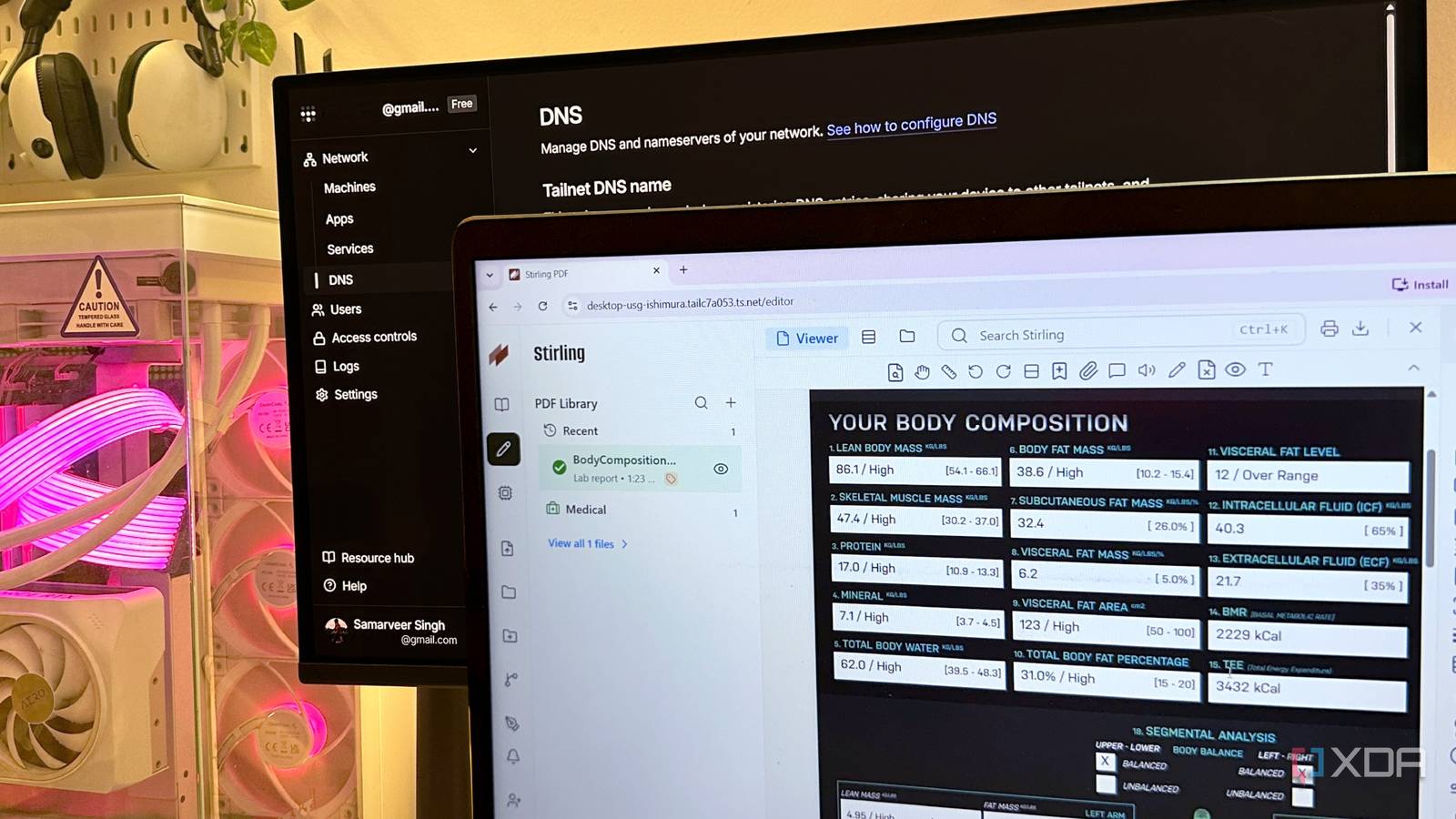
Published Nov 3, 2026, 10:01 AM EST Gaming has been Samarveer’s greatest passion, and the Literature graduate in him takes immense joy in dissecting games for their themes, messages, and impact. Samarveer holds a deep appreciation of gaming, and considers the platform to be the most immersive and impactful across all media. He can be found engaging with gaming communities online, always ready to debate the finer points of ray tracing or itching to write an 8-page collegiate thesis on any game that impacts him emotionally. Anyone who ever caught the self-hosting bug at any point in the past six years is no stranger to Tailscale, the mesh VPN that lets users reach their self-hosted services from anywhere. Tailscale's USP, of course, is that you don't have to go through the trouble of opening up ports on your router. Things do tend to get unnecessarily complicated when you want someone outside your Wi-Fi network to access a self-hosted app. Thankfully, Tailscale's Funnel feature is free, and it lets you make a service running on your machine accessible through a public URL. This way, you can avoid having to touch your router's settings, and what's even better is that your friend doesn't have to install a client, either. I've been exploring ways to make my home server more accessible without making networking my full-time job, and Funnel is an interesting addition to that toolkit. Tailscale Funnel eliminates the usual networking headache I get one public link with zero router configuration Anyone who's tried sharing a self-hosted app outside their home network knows how quickly things can go sideways. Terms like port forwarding, dynamic DNS, firewall rules, and the occasional fight with your ISP's CGNAT often turn into an evening of troubleshooting, when all you actually set out to do was a simple favor to a friend. And that's before you even get to the security implications of exposing a service to the internet. Tailscale Funnel takes a rather different approach. Instead of asking you to expose a port on your router, it publishes a service running on your machine to the public internet through Tailscale's infrastructure. Any incoming HTTPS traffic travels through Tailscale's relay servers, so your router doesn't need any special configuration. As a result, your friend gets a regular URL to paste into their browser, and you get to sidestep any screen-sharing calls to walk them through a software installation and setup. Setting up Tailscale Funnel was surprisingly painless I got Stirling PDF onto the public internet Once I got Stirling PDF running on my home server, getting Tailscale installed was refreshingly uneventful. I signed in, checked tailscale status, and saw my machine sitting on its own 100.x address. Heck, getting Docker up and running was tougher than getting my Tailscale Funnel service started. Before Funnel could work, though, I had to tweak a few settings in the Tailscale admin console through my web browser. I had to enable MagicDNS and HTTPS certificates under Tailscale's DNS settings. Then, of course, I enabled the Funnel service from the console after approving the necessary permissions. It was a simple process, with the loud asterisk warning me that my machine's name would become part of its public hostname, so I could change that if I needed to. After running Stirling PDF on my local network, I served my 8080 port with Funnel through the tailscale funnel 8080 command in PowerShell. While 8080 was my app's local port, Funnel handled the public HTTPS access for me. Finally, Stirling PDF loaded at its public ts.net address in a regular browser through Funnel. That's the URL I sent my friend so they could use my PDF tools without having to install Tailscale or Stirling PDF, and never touching a terminal on their PC. On my end, my router remained uninvolved, which was an absolute boon for me. My friend could use the service from across the country, and after a quick collaboration session, I closed the Funnel service and went back to regular life. The important bit here is that just for the sake of getting my friend's two cents hands-on and a couple of PDF-sharing sessions, I didn't have to engage with reverse proxies or go digging through tens of menus in my router's settings. I know Funnel isn't a replacement for every sharing method It's important to know when to use a public link (and when not to) With Funnel, there's always the potential downside involved where anyone who obtains that public URL can potentially access your service as well — obscurity is doing a lot of heavy lifting here. It comes in pretty handy for a quick demo, but becomes much less appealing if your personal files are involved. If you want genuine friend-only access, Tailscale's device sharing remains the better option. It's also what I'd use for something like my Jellyfin library, because I don't need random strangers on the internet dropping into movie night. Funnel makes considerably more sense for temporary, low-stakes sharing. I'm going to continue using it, but only when I need to demonstrate a project, test a webhook, or let a friend try an app I've created over an afternoon. Funnel matters most when I need to remove every possible barrier at the recipient's end, especially if I'm trying to show something to a parent. There are a few drawbacks to Funnel Not all rainbows and sunshine Tailscale Funnel does come with a few caveats, though. On paper, Tailscale Funnel remains in beta, but on the bright side, it's free across all Tailscale plans. One thing to bear in mind, though, is that Funnel makes the service you share publicly available. So, if someone else gets a hold of the URL that's meant only for a friend or family, they can attempt to access it. It would be pretty nice to have a friend-specific access control built into the public link itself, but that's not a feature yet. There are also bandwidth constraints that make Funnel pretty unsuitable for demanding workloads like 4K movies over a Jellyfin server. Moreover, Funnel only publishes on three specific public ports (443, 8443, and 10000), and not any port you may fancy. Technically speaking, you could squeeze a few apps under those by path-routing them, but this is still built for exposing a service or two, and definitely not for throwing open half your homelab at once. For my Stirling PDF use case, however, Funnel hits the sweet spot. I shared one service, avoided router configuration, and spared my friend another client installation. A little less tinkering, a lot more sharing It's impossible not to enjoy self-hosting when it lets you take control of your software while removing dependency on half-a-dozen subscriptions. Unfortunately, though, the networking side of that equation can occasionally feel like a second job. There's a fine line between enjoying the process and spending an entire evening debugging something that should have taken five minutes. Tailscale Funnel won't magically eliminate every networking headache, nor should you treat it as a universal solution for remote access. But I appreciate tools that make self-hosting more approachable without demanding that everyone around me become self-hosters as well. If Funnel can make sharing my little projects as effortless as sending someone a link, that's one less excuse to keep the things I build to myself. Tailscale Tailscale is a tool that allows you to create specific network connections so you can remotely access resources within a private network.
Tailscale Funnel let me share one app with a friend without opening a single port on my router
Full Article
Original Source
Read the full article at Xda-developers →KhanList aggregates and links to publicly available news content. We do not host full articles from third-party sources. Always verify important information with original sources.