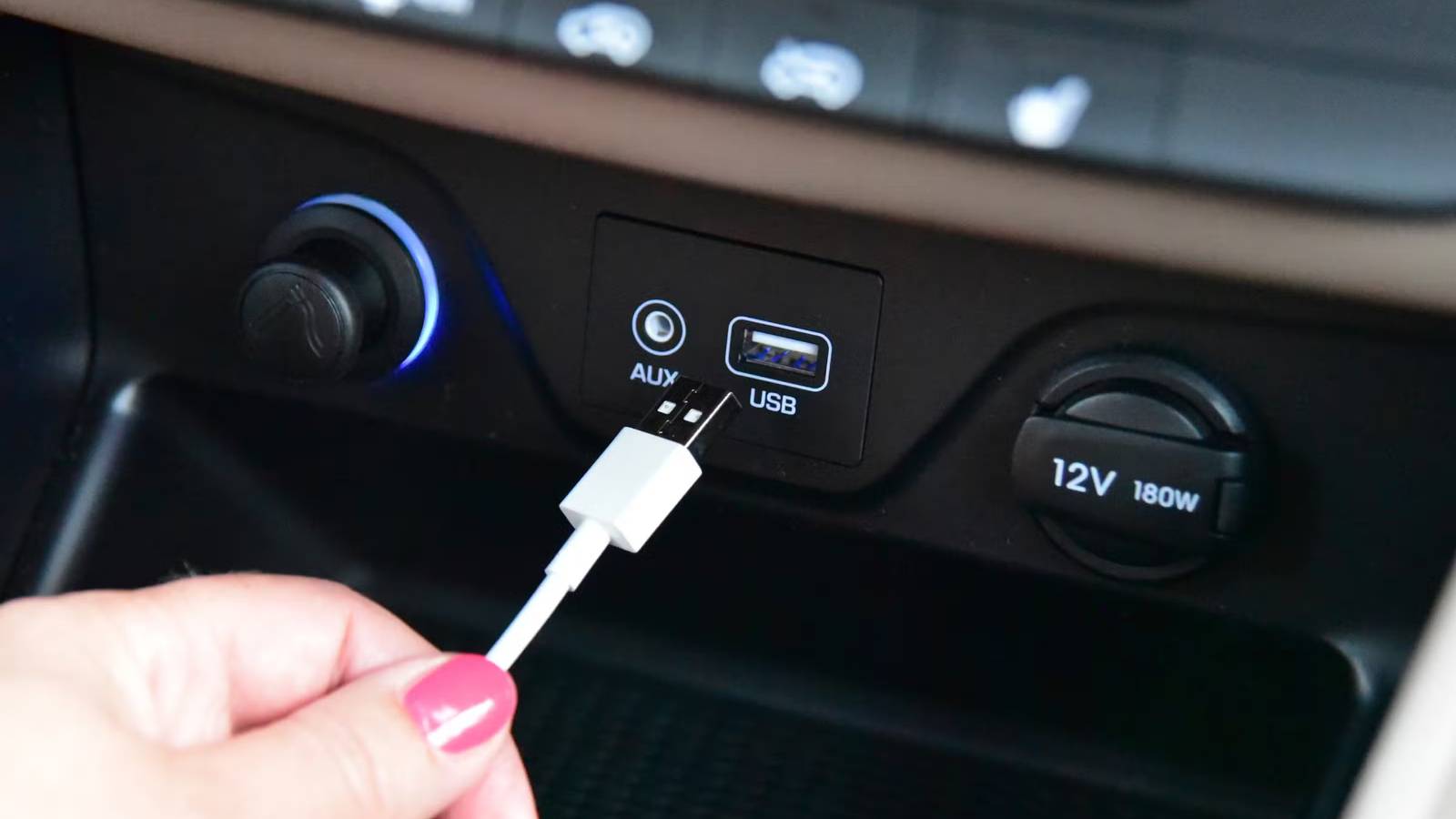
Published Jul 23, 2026, 12:20 PM EDT Cory Gunther is a senior author and Newsletter Editor at Valnet, covering cutting-edge tech, Android, and more for How-To Geek. He's covered Android, cars, and technology for over a decade. When he's not reviewing the latest gadget, you can find him off-roading in his Toyota truck, fixing said truck, or doing something outdoors with friends and family. He's covered CES, SEMA, and MWC and reviewed countless phones, TVs, speakers, EVs, e-bikes, and more. Before Valnet, Cory worked for GottaBeMobile. His writing has also appeared on SlashGear, InputMag, and AndroidCentral. He's written over 9,000 articles. If you have a relatively new vehicle, it probably has USB-A and newer USB-C ports on the dash, in the center console, and maybe in the back for passengers. They're everywhere, and it makes charging phones fast and easy, right? Nope. Have you ever plugged your phone into a car's USB port for an hour and realized it barely charged at all? You're not alone. Here's why, and what to use instead. That USB port in your car isn't for charging It's mainly a data port Credit: Justin Dunio / How-To Geek My wife has a relatively new 2024 Chevrolet Blazer, and it has two USB-C ports on the dashboard. At first, I was happy to see USB-C instead of the old USB-A port, but things are far more complicated than that, and there's a reason those USB ports in your car are useless for charging. On a recent road trip, I plugged my Samsung Galaxy S25+ into that USB-C port with 56% battery remaining, thinking it'd quickly top off just like it does on the charger at home. Instead, the screen told me, "2 h 51m until full." Samsung phones tell you how long it'll take to charge fully, and considering this device can go from 0–50% in about 30 minutes, that's a significant difference. Sound familiar? If you've ever plugged a phone into your car's USB port, you know what I'm talking about. It barely has enough juice to trickle charge your device, let alone maintain its current battery level while using Google Maps and navigation. Unfortunately, the built-in USB ports in most cars aren't for charging; they're for data and the infotainment display. You plug your phone in to access CarPlay, Android Auto, or to make hands-free calls and listen to music. Those USB ports don't deliver the same amount of power as your home wall charger. Most USB ports in cars are for data transfer, not power delivery. As a result, if you hook up something like a USB voltage meter, you'll find that many automotive USB ports only output around 0.5A. Sure, that's enough for music playback and transferring Google Maps data, but that's about it. As a result, when you plug your phone in for an hour, you only get a charge of around 3–5%. Our high-end modern smartphones require a lot more than 0.5A to juice up those big battery packs. In fact, that's barely enough to maintain the current battery level. This is the same reason the USB-A or USB-C port on that new recliner you bought for the living room is so slow. It doesn't deliver enough amperage. Dedicated ports for charging aren't much better Car brands keep getting this wrong I know what you're thinking. Many cars have a second "always-on" port designed for charging devices. My truck has that too: one USB port turns off with the vehicle, and the second stays running and can "charge my phone" even when the truck is off. Plugging my phone into the second port (labeled as 2.1A) doesn't open Android Auto because data only works on the first port. Unfortunately, the situation isn't much better with that port. Most of those secondary USB slots in vehicles, even the rear-facing USB-C ports, only deliver 1A. That's still not enough to charge a smartphone at a useful speed. Many newer vehicles actually label the USB ports, with some covers or labels stating 2.1A output, but more often than not, those ports are still slow. That's because the voltage is too low, or, despite the higher rating, it still prioritizes a data connection over charging. For context, the Samsung Galaxy S25 supports 25W fast charging, but it requires a charger with a 3A output and Power Delivery (PD) technology. Most wall plugs and portable chargers deliver those specs. The Galaxy S25+ and S25 Ultra support 45W super-fast charging, but that needs a 5A cable and charger. What about the iPhone? Something like the iPhone 17 supports fast wired charging up to 40W, as long as the charger can deliver 20V at 2A, or something like 15V at 2.67A. See the problem? Your car's USB port can barely push 1A, and that's if you're lucky. Use your 12V power outlet instead Credit: Corbin Davenport / How-To Geek Stop plugging your phone into your car's USB port, and tap into the 12V auxiliary power outlet instead. I'm talking about the round 12V DC port that's usually under the dashboard or in your center console. It's commonly referred to as the 12V cigarette socket or cigarette lighter. Most car 12V cigarette lighter/accessory outlets are rated for 10–20 amps, delivering 120–240W of power. That's way more than the USB port can handle. Get a dedicated fast charger that uses the 12V power outlet, like the UGREEN 130W 3-port car charger pictured above. All three ports are way faster than the built-in port in your car. Even the USB-A port in the middle delivers 22.5W, enough to charge most devices quickly. And if you use either USB-C port, especially the bottom 100W port, your phone will charge as fast as it does at home because it can pull as much power as it needs. Skip the car's USB port and go back to basics A good fast charger is all you'll ever need to charge phones, tablets, laptops, and more in your vehicle, and do so quickly. In short, car USB ports are slow, so you'll want a dedicated car charger that plugs into the 12V cigarette lighter. UGREEN 130W Car Charger $23 $35 Save $12 Brand UGREEN Output 24 Volts Color Black Cable included Yes Charging Ports 1 USB-A and 2 USB-C With 100W power delivery via one of its USB-C ports, the UGREEN 130W Car Charger can juice up most mobile devices, including laptops, at their top speed.
Stop using your car's USB port to charge your phone
Full Article
Original Source
Read the full article at Howtogeek →KhanList aggregates and links to publicly available news content. We do not host full articles from third-party sources. Always verify important information with original sources.