
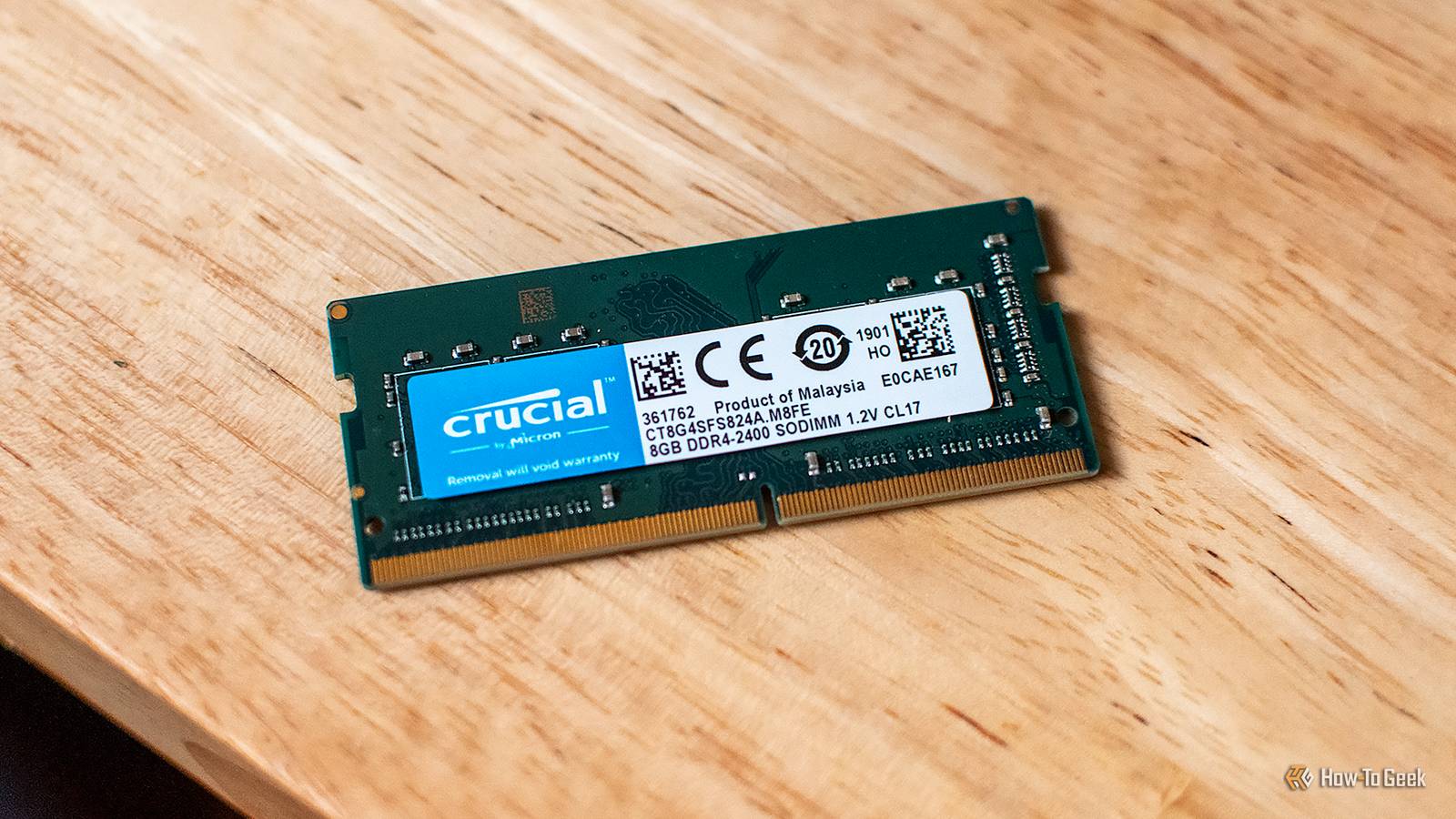
Published Sep 25, 2026, 11:30 AM EDT Sydney Butler is a technology writer with over 20 years of experience as a freelance PC technician and system builder and over a decade as a professional writer. He's worked for more than a decade in user education. On How-To Geek, he writes commerce content, guides, opinions, and specializes in editing hardware and cutting edge technology articles. Sydney started working as a freelance computer technician around the age of 13, before which he was in charge of running the computer center for his school. (He also ran LAN gaming tournaments when the teachers weren't looking!) His interests include VR, PC, Mac, gaming, 3D printing, consumer electronics, the web, and privacy. He holds a Master of Arts degree in Research Psychology with a minor in media and technology studies. His masters dissertation examined the potential for social media to spread misinformation. Outside of How-To Geek, he hosts the Online Tech Tips YouTube Channel, and writes for Online Tech Tips, Switching to Mac, and Helpdesk Geek. Sydney also writes for Expert Reviews UK. He also has bylines at 9to5Mac, 9to5Google, 9to5Toys, Tom's Hardware, MakeTechEasier, and Laptop Mag. Skyrocketing, unprecedented RAM prices have changed the entire way we have to think about RAM for our PCs. When RAM was cheap, I would always recommend buying a matched pair and installing them in a dual-channel configuration. You get double the memory bandwidth, after all. So why not? Now, the cost of that second stick might require some serious financial planning and a call to your bank manager. Suddenly the idea of just buying one stick of RAM now, and perhaps another later, seems more appealing. But, won't cutting your memory bandwidth in half be a huge deal? For most people, most of the time, it won't be. Single-channel RAM is slower, but that doesn’t mean your PC will feel slow You might not even notice Credit: Justin Duino / How-To Geek There is no getting around the fact that using one channel for your memory offers half the maximum theoretical speed of a dual-channel setup. But, memory bandwidth is only one type of performance constraint. It affects different workloads to different degrees. I strongly recommend you watch the entire Gamers Nexus Video where they compare the Valve Steam Machine running with one and then two channels of memory. This is important, because Valve made the decision to ship the Steam Machine with a single stick of memory in light of RAM supply issues and pricing. Credit: Gamers Nexus via YouTube As you can see, the biggest differences are for tasks like compressing a file, where dual-channel memory results in about 20% better performance. That's significant, but far from half the performance. That's also a worst-case scenario and, by and large, you'll see performance differences like this in bandwidth-heavy CPU tasks. Many of which are going to be prominent in science and engineering applications with extreme multithreading and a high rate of data passing through the memory bus. Likewise, there can be double-digit performance difference in video games when running in single-channel mode, but only when you're CPU-limited. In the benchmarks above, Baldur's Gate 3 at 1080p with low settings showed a 15% difference in frame rate, but except for eSports players, no one actually plays like this. Traditionally you want your game to be GPU limited. There is always a performance difference, but for most of the things regular folks do, including gaming, that difference is in the low single digit percentage range. One big DIMM can be the smartest way to leave yourself an upgrade path It's better than paging off your SSD! So, instead of buying a 2x16GB kit for your dual-slot motherboard, why not buy a single 32GB stick? Assuming an apples-to-apples situation, a single 32GB stick should be slightly cheaper than two 16GB modules from the same series with the same specs. When the time comes to upgrade, hopefully when RAM prices have come down significantly, or you happen across a bargain of some kind, you don't have to throw anything out. After all, if you're upgrading because RAM has become cheaper again, it means the resale value of your dual-channel kit will have collapsed as well. Going from 32GB to 64GB is easy in the first instance and complicated in the other, because you'd have to get rid of two 16GB sticks, instead of just sticking a second 32GB module in. Adjust that example for whatever upgrade path applies to your specific situation. There are still PCs where I absolutely would buy two sticks I honestly think single channel memory is perfectly fine for most of us, especially if we're talking about DDR5, which already has a massive amount of bandwidth per channel, and has a more efficient sub-channel setup compared to how DDR4 does things. That said, there are some people who should buy dual channel today, even with the insane price situation. The first group that comes to mind I already mentioned earlier. If you're working with scientific and engineering software, or any CPU-bound task that's memory bandwidth dependent, go for dual-channel. You're probably doing something that either generates money or is properly funded anyway, and an extra 20% or more in performance pays for itself. If you're going to use a system with integrated graphics or an APU, then you'll want as much memory bandwidth as you can get. Since the GPU in this system shares RAM with the CPU, there's a direct correlation between RAM speed and graphics performance. If you're an eSports person, or someone who otherwise prefers lower-resolution, higher-frame-rate gaming, then you'll want more memory bandwidth to take advantage of that 240Hz or better monitor. If you're building a gaming PC today, and are putting enough RAM into it for the foreseeable future, go dual-channel now. Single-channel is only a stop-gap to spread out the cost of your total desired RAM capacity. If 32GB is all you're going to need until you complete your next build, there's no reason to wait.
Stop stressing over dual-channel RAM: Why a single stick is fine while prices are high
Full Article
Original Source
Read the full article at Howtogeek →KhanList aggregates and links to publicly available news content. We do not host full articles from third-party sources. Always verify important information with original sources.