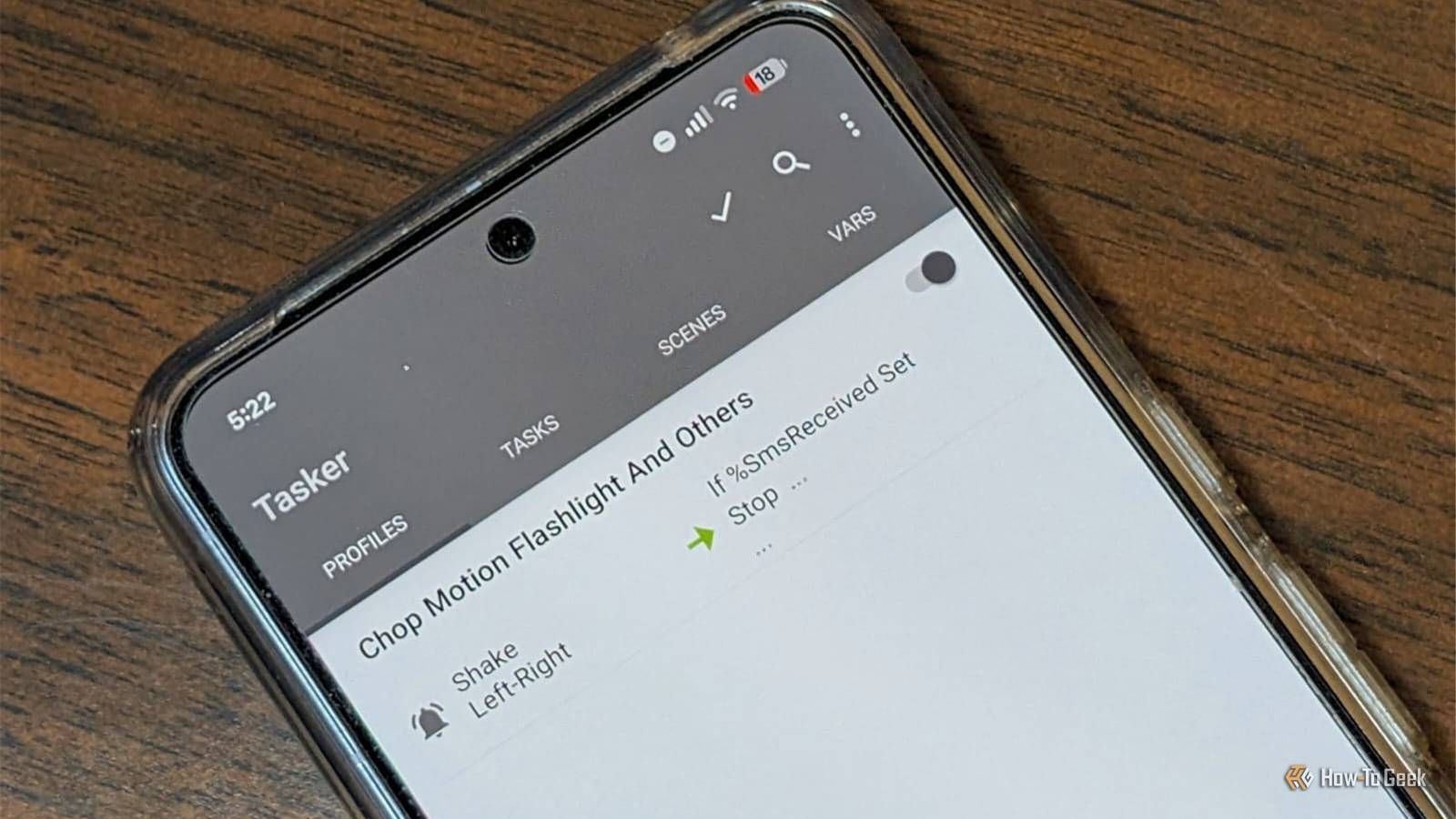
Published Jul 26, 2026, 5:48 PM EDT Nick Lewis is an editor at How-To Geek. He has been using computers for 20 years --- tinkering with everything from the UI to the Windows registry to device firmware. Before How-To Geek, he used Python and C++ as a freelance programmer. In college, Nick made extensive use of Fortran while pursuing a physics degree. Nick's love of tinkering with computers extends beyond work. He has been running video game servers from home for more than 10 years using Windows, Ubuntu, or Raspberry Pi OS. He also uses Proxmox to self-host a variety of services, including a Jellyfin Media Server, an Airsonic music server, a handful of game servers, NextCloud, and two Windows virtual machines. He enjoys DIY projects, especially if they involve technology. He regularly repairs and repurposes old computers and hardware for whatever new project is at hand. He has designed crossovers for homemade speakers all the way from the basic design to the PCB. Nick enjoys the outdoors. When he isn't working on a computer or DIY project, he is most likely to be found camping, backpacking, or canoeing. Most people have played around with the smart automation features on our phones. Between Samsung's routines, Google Assistant, and Gemini, it feels like there are plenty of ways to automate a job. However, I've always found that they're disappointingly surface-level, especially when you compare them to the Shortcuts app for iPhones, which is stellar. Thankfully, there is a third-party application called Tasker that gives you as much automation control over your Android device as you could ever possibly want. Once I tried it, the default tools felt hollow and even more disappointing by comparison. What does Tasker do? Automation taken to the limit At its most basic, Tasker is built to trigger specific tasks or actions whenever specific conditions are met. At its core, Tasker is built around profiles—the conditions that trigger specific tasks, or actions. You can also set optional exit tasks, which essentially reverse whatever changes were made once the condition is no longer met. The variety of contexts you can use is incredible. You aren't limited to just time or location; you can trigger actions based on Wi-Fi or Bluetooth connections, app states, system settings, incoming messages, NFC tags, and most of your phone's sensors. It also comes packed with more than 350 built-in actions, which allow you to control everything from notifications to music payback to connectivity. Best of all, you don't even have to root your device for the overwhelming majority of functions, though there are a few that require it. NFC Tags Sticker with NTAG215 Blank Chips Weight 1g Colors White Connectivity NFC These affordable NFC tags use the NTAG215 chip that can hold up to 504 bytes of memory. They're easy to stick onto any surface, providing you with a convenient way to trigger automations in your smart home. Tasker beats the automation already on your phone You can design any rule you want The big problem with the automations that you can create with stock Android is that you're limited to a relatively small list of pre-approved triggers and actions. Tasker lets you control almost all of that. You can stack context, create your own variables, and combine as many layers of conditional logic as you want, which can lead to very specific automations. The stock tools just don't provide that level of granular control. If Tasker's built-in features aren't enough, there are a ton of plugins that you can add, including AutoInput, AutoVoice, and Join. They all do slightly different things, but they allow you to control other apps or even send commands to or from other devices. The complexity has a learning curve Of course, like any power-user tool, there is one serious trade off: a learning curve. The jargon isn't super transparent (it isn't immediately clear what a variable actually does just by reading the term), and there isn't a one-size-fits-all tutorial built in to get you used to the software. Even the Beginner Mode still throws a lot of information at you very quickly. The first time I tried Tasker, I had to mess with it for about 45 minutes before I fully had a handle on how everything worked. Today, there is an AI designed to help build automations. It is decent, but it shares issues with Try something simple as your first automation I'd recommend starting with something simple as your first automation, ideally something that actually annoys you in your day-to-day life. Maybe you want your phone to automatically silence itself when you're at specific locations, or you want the theme to change intelligently based on the time of day. Build a simple profile: choose a single context and attach a task with one or two actions. Before you trust it to trigger automatically like it should, use the manual run button to make sure the action actually does what you think it does. Remember to add an exit task if the situation calls for one. Forgetting an appropriate Exit task has caused me a ton of trouble. If you find building something from scratch a bit daunting, I'd recommend checking out a few of the pre-made options to get a better idea of how tasks, profiles, and actions are actually set up. It makes it much easier to build your own. Once you adjust, however, Tasker is pretty incredible. I'm currently working on an automation that will automatically transfer all screenshots I take during my work day to my desktop PC using KDE Connect so that I don't have to worry about manually moving files. Once it is done, I expect it'll save me a ton of time any time I cover a topic related to a phone. The complexity is worth the trouble this time Tasker can be pretty daunting. If you want something simpler and arguably more intuitive, you might try MacroDroid or Automate instead. Additionally, Tasker isn't free—it costs about $5 once, or you can get it via the play pass. However, for the $5 and the time you spend learning it, you gain the ability to make your phone way more customized than is normally possible. Even the smart AI features that are designed to "learn" from you can't beat the flexibility that Tasker offers.
Stop settling for Android's surface-level automation—Tasker does what Google won't
Full Article
Original Source
Read the full article at Howtogeek →KhanList aggregates and links to publicly available news content. We do not host full articles from third-party sources. Always verify important information with original sources.