
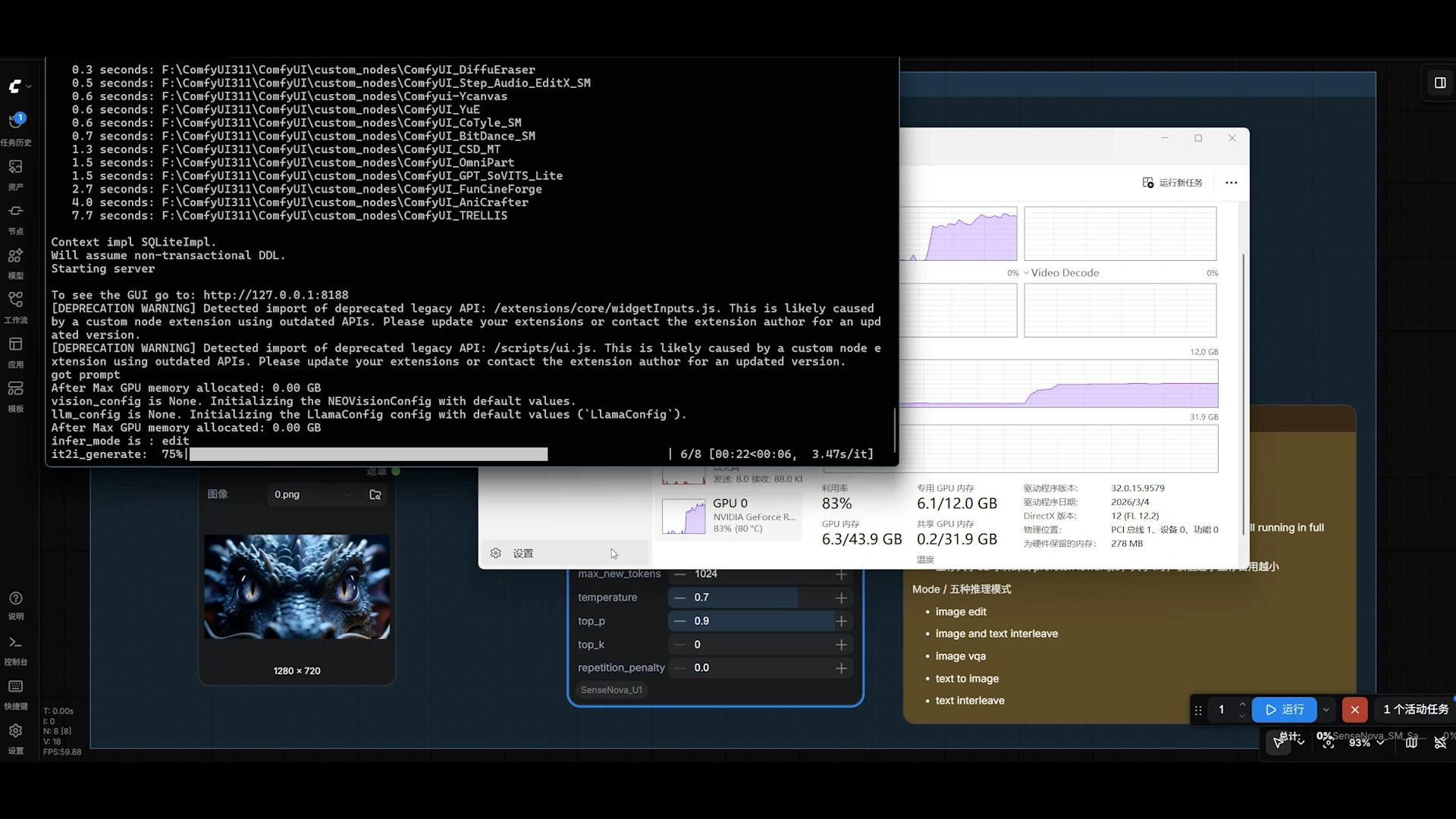
OverviewSenseNova-U1-8B-MoT-Merger-gguf is a quantized GGUF format version of the SenseNova-U1 multimodal model maintained by smthem. This model operates as an 8-billion parameter multimodal transformer capable of both understanding and generating content across text and image modalities using the NEO-unify architecture. The critical detail before using this model is that it requires ComfyUI integration with specific VRAM optimization for 8GB GPU configurations, making it accessible on consumer-grade hardware. The GGUF quantization format enables efficient inference through quantization-based compression, with Q4 and Q6 quantization variants available. The model supports a "think" mode that enables extended reasoning capabilities, allowing it to process complex prompts with chain-of-thought processing before generation. You will interact with this model through the ComfyUI node system rather than standard Python libraries, requiring familiarity with the ComfyUI workflow paradigm.Best use casesText-to-image generation with reasoning requirements. This model excels when you need to generate images from detailed text descriptions that require interpretation and spatial reasoning. The built-in "think" or chain-of-thought capability means it can parse complex compositional instructions like "a steampunk library with brass machinery visible through curved glass windows, afternoon lighting from the left" and decompose them into coherent visual generation. Use this when your prompts are intricate or when you need the model to reason through visual relationships before committing to generation.Infographic and information design generation. The SenseNova-U1 architecture was specifically trained on structured visual content, making this variant particularly effective for generating infographics, diagrams, and layout-intensive designs. When you need to convert text specifications into visual information hierarchies—such as process flowcharts, data visualization layouts, or structured information displays—this model handles the composition and arrangement better than general-purpose text-to-image models because it understands how to organize spatial information.8GB VRAM-constrained environments requiring high-quality output. This model specifically targets hardware limitations that exclude other quality models. If you are working on consumer GPUs, laptops with 8GB VRAM, or edge devices where larger models are impossible to load, this is a practical choice. The Q6 quantization provides acceptable quality while remaining loadable in memory-constrained scenarios where fp16 full models would exceed your hardware budget.Multimodal understanding with image input. Beyond text-to-image, the SenseNova-U1 architecture understands and analyzes images as input, making this useful for tasks like image captioning, visual question answering, or image-guided generation where you provide both an image and text prompt to guide modifications or extensions.LimitationsThis model carries significant practical constraints that require honest assessment. The VRAM requirement explicitly targets 8GB configurations, meaning it is memory-constrained even on systems that can run other models. The quantization necessary to achieve this efficiency trades off quality compared to full-precision versions—GGUF quantization, particularly Q4, introduces artifacts and can reduce fine detail reproduction in generated images. Inference speed reflects the 8B parameter count and quantization overhead; this is not a fast model for real-time applications, though concrete timing data is not provided in the documentation.The model's training appears to focus on Chinese commercial use cases based on the maintainer profile and deployment context, which may mean it performs differently on English prompts or specialized Western image aesthetics. The reasoning/thinking mode, while powerful, increases generation time further as the model must complete reasoning tokens before beginning image synthesis. The ComfyUI integration requirement limits portability—you cannot simply call this via a Python library or API wrapper; you must maintain a full ComfyUI environment. The documentation is minimal, with no detailed API specifications, failure mode analysis, or comprehensive usage examples beyond visual outputs. License compliance requires careful tracking since while the model itself uses Apache 2.0, the broader SenseNova ecosystem may have additional restrictions.How it comparesSenseNova-U1-8B-MoT-Infographic is the original base model from which this merger version was derived. The merger variant potentially combines multiple SenseNova checkpoints to improve performance across use cases, whereas the infographic variant is optimized specifically for structured visual content. Choose this merger if you want broader capability across diverse image generation tasks; choose the original infographic version if infographic and structured design is your primary use case.SenseNova-U1-8B-MoT-Infographic-V3 represents a newer iteration with potential improvements in reasoning and visual quality. V3 is the superior choice if you can run it in your environment, as it likely includes bug fixes and enhanced training. The merger version offers value only if you need the specific combination of capabilities or if V3's performance still exceeds your hardware constraints despite being theoretically larger.SenseNova-U1-8B-MoT-SFT indicates a supervised fine-tuned variant. SFT typically improves instruction-following and output quality compared to base models. If your use case demands high quality instruction adherence, the SFT version is preferable if your VRAM allows it, as supervised fine-tuning generally improves alignment with user intent.SenseNova-U1.5-8B-MoT-Preview indicates a newer architectural iteration. Version 1.5 should outperform this 1.0-based merger in image quality and reasoning, making it the preferred choice if available in compatible quantization. The merger is a fallback for users whose testing shows they need the specific combination of model weights it contains.Technical specificationsThe model operates as an 8 billion parameter transformer using the NEO-unify multimodal architecture. It accepts text prompts as input and generates images as output within the ComfyUI node framework. The model supports multiple quantization formats—specifically GGUF Q4 (lower quality, minimum VRAM) and GGUF Q6 (higher quality, increased VRAM consumption). VRAM requirement is explicitly 8GB, with the architecture optimized to fit within this constraint. Input resolution and output resolution specifications are not explicitly documented, though example outputs suggest 1024x1024 or similar standard diffusion model resolutions. The model integrates with ComfyUI through custom nodes available in the referenced repository, requiring the Ollama or GGML inference framework for GGUF format execution rather than standard PyTorch or Hugging Face Transformers.Technical details:Architecture: NEO-unify (multimodal transformer)Parameter count: 8 billionModel format: GGUF (quantized)Quantization options: Q4 (efficient), Q6 (quality-focused)VRAM requirement: 8GBIntegration: ComfyUI nodesInference framework: GGML/GGUF compatible runtimeMultimodal capability: Text input, image output; image understanding also supportedSpecial features: Chain-of-thought "think" mode for reasoning before generationModel inputs and outputsInputsText prompts (natural language descriptions of desired images)Optional image inputs for multimodal understanding or image-guided generationComfyUI node parameters specifying generation settings (sampling steps, guidance scale, seed, etc.)Optional reasoning/thinking mode toggle to enable chain-of-thought processingOutputsGenerated images (likely 1024x1024 or standard resolution based on prompt and settings)Intermediate reasoning tokens when thinking mode is enabledLatent representations convertible to PNG or other image formats through ComfyUI decodersGetting startedThe model requires ComfyUI installation and the custom node implementation from the maintainer. Clone the node repository into your ComfyUI custom_nodes directory:cd /path/to/ComfyUI/custom_nodes git clone https://github.com/smthemex/ComfyUI_SenseNova_U1.git Download the GGUF model file (Q6 recommended for quality, Q4 for minimum VRAM usage) and place it in your ComfyUI models directory. Load ComfyUI and create a workflow using the SenseNova nodes:1. Add a SenseNova Loader node and select your quantized model file2. Add a text input node containing your image description3. Connect the text to a SenseNova prompt processor node4. Set generation parameters (steps, guidance, optionally enable thinking mode)5. Connect to the image generation node6. Route output through a latent decoder to create the PNG imageThe exact node names and parameters depend on the specific ComfyUI integration implementation, so consult the node repository README for current node naming and connection requirements.Frequently asked questionsQ: Can I use this model commercially?A: Yes, under Apache 2.0 license terms, which permits commercial use with proper attribution and no warranty. However, generated images may inherit restrictions from any fine-tuning or training data licensing, so verify your specific use case does not violate downstream model agreements.Q: What GPU do I need to run this model?A: Minimum 8GB VRAM (targeting this constraint is the model's core design goal). An 8GB RTX 3060, RTX 4060, or equivalent will load and run it. Larger VRAM provides faster inference and higher quantization precision (Q6 vs Q4), but the model is explicitly designed for 8GB operation.Q: Should I use Q4 or Q6 quantization?A: Use Q6 if you have the VRAM headroom, as it preserves more model precision and produces higher quality images. Q4 is a fallback when even 8GB is marginal; it reduces quality but guarantees you can load and run the model on minimal hardware.Q: How does this compare to the official SenseNova-U1 models?A: This is a community-quantized GGUF version targeting VRAM constraints. The official models may offer better quality if you have sufficient hardware; this variant trades some quality for accessibility on 8GB GPUs. If you can run full-precision or less-aggressive quantization, official versions are preferred.Q: Does the "thinking" mode actually improve image quality?A: The thinking/reasoning mode adds chain-of-thought tokens before image generation, allowing the model to interpret complex prompts better. For simple prompts it adds latency with minimal benefit; for intricate compositional requests it should improve fidelity to your intent. Test both modes on your specific use case.Q: Is this model still maintained?A: The maintainer has activity on the repository, but maintenance status is unclear from the documentation. Check the GitHub repository last commit date to verify ongoing support before building production systems on this variant.Q: What framework actually runs GGUF inference?A: GGUF models typically run through GGML/Ollama or similar GGUF runtimes. ComfyUI handles this integration through the custom nodes, so you do not need to manage the inference framework directly—ComfyUI abstracts it.Q: Can I fine-tune this quantized model?A: Quantized GGUF models are inference-only formats. Fine-tuning requires returning to full-precision checkpoints. If fine-tuning is necessary, work with the unquantized SenseNova-U1 models instead.This is a simplified guide to an AI model called SenseNova-U1-8B-MoT-Merger-gguf maintained by smthem. If you like these kinds of analysis, join AIModels.fyi or follow us on Twitter.
SenseNova-U1-8B GGUF: Run Multimodal AI on 8GB VRAM
Full Article
Original Source
Read the full article at Hackernoon →KhanList aggregates and links to publicly available news content. We do not host full articles from third-party sources. Always verify important information with original sources.