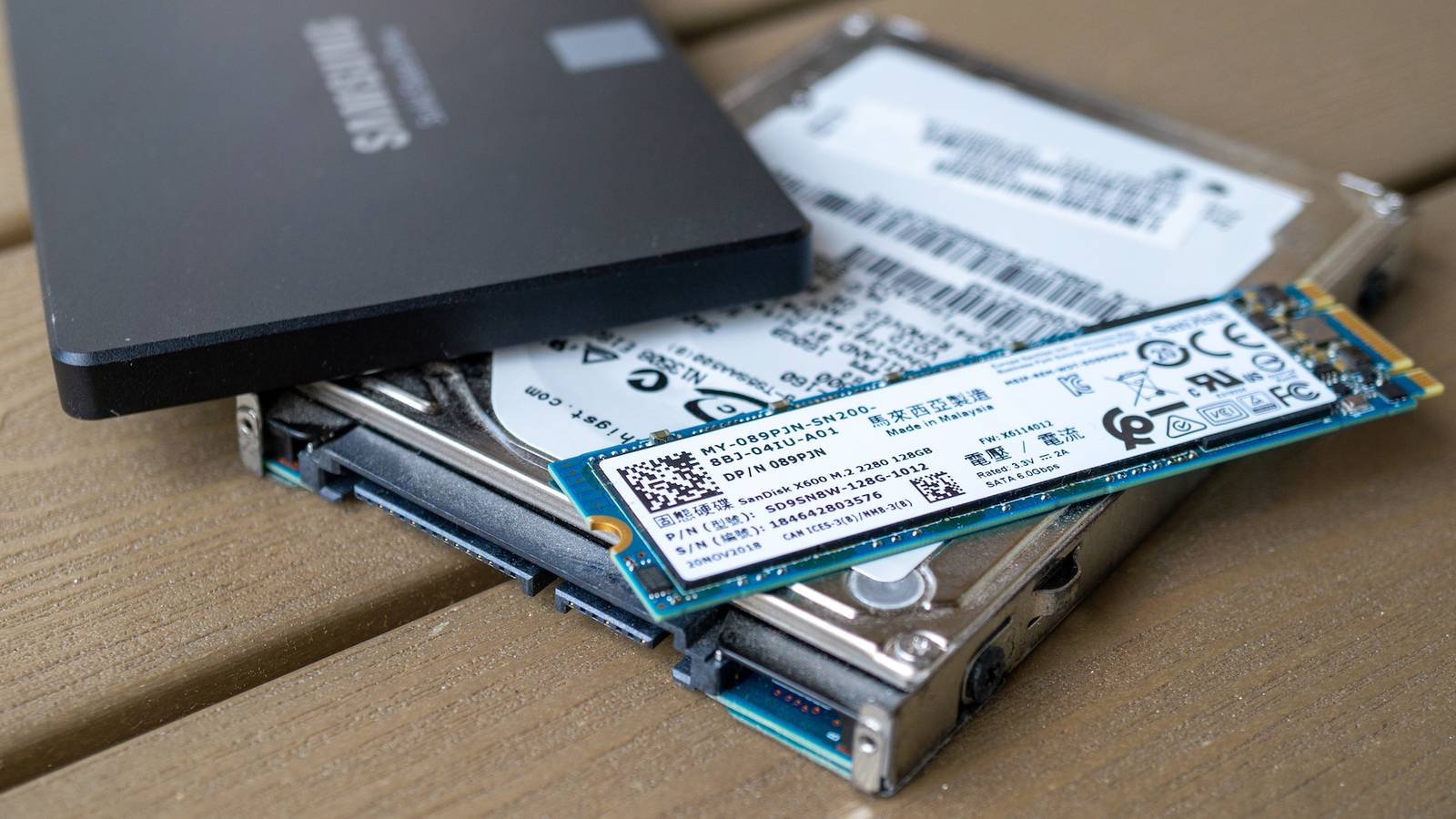
Published Aug 13, 2026, 8:15 AM EDT Sydney Butler is a technology writer with over 20 years of experience as a freelance PC technician and system builder and over a decade as a professional writer. He's worked for more than a decade in user education. On How-To Geek, he writes commerce content, guides, opinions, and specializes in editing hardware and cutting edge technology articles. Sydney started working as a freelance computer technician around the age of 13, before which he was in charge of running the computer center for his school. (He also ran LAN gaming tournaments when the teachers weren't looking!) His interests include VR, PC, Mac, gaming, 3D printing, consumer electronics, the web, and privacy. He holds a Master of Arts degree in Research Psychology with a minor in media and technology studies. His masters dissertation examined the potential for social media to spread misinformation. Outside of How-To Geek, he hosts the Online Tech Tips YouTube Channel, and writes for Online Tech Tips, Switching to Mac, and Helpdesk Geek. Sydney also writes for Expert Reviews UK. He also has bylines at 9to5Mac, 9to5Google, 9to5Toys, Tom's Hardware, MakeTechEasier, and Laptop Mag. The state of SSD pricing as I write this isn't great. In fact, you might describe it as an apocalyptic trash fire, but I'll let you be the judge on whether that's hyperbole or not. Yet, the need for storage isn't going anywhere, and with massive media files and ballooning video game installs, you're going to need more storage eventually. Mechanical hard drives still have a place in this conversation for some types of data, and perhaps ancient applications, but everything else needs an SSD. But NVMe SSDs aren't the only option, and as things stand, we should all give SATA SSDs some consideration every time we think about buying more storage. A quick refresher ons SATA III SSD performance The numbers look better than you remember Credit: Corbin Davenport / How-To Geek To give some context to this discussion, we need to go over what you actually get with a SATA III SSD. The SATA III interface has a theoretical maximum speed of 6Gbps. That translates to 750MB/s, but in the real world, a typical SATA III SSD will give you somewhere between 500-600 MB/s. This is much slower than common PCIe 3.0 NVMe SSDs, which are usually somewhere around the 3GB/s mark, and as we move to PCIe 4.0 and 5.0 drives, the numbers become ludicrous—offering 10–20 times the transfer speeds of SATA III SSDs. Apart from sheer speed, SATA III SSDs share all the other core benefits of SSD technology. They have effectively instant random access, are robust, and take up very little space. So now that you have an idea of what you'd be buying when opting for a SATA III SSD instead of an NVMe model, why would you want to? They're perfect as USB 3.0 drives You weren't using that port anyway USB 3.0, which has been annoyingly rebranded to USB 3.1 Gen 1 or USB 3.2 Gen 1, has a maximum rated speed of 5Gbps or 625MB/s. You'll immediately notice that this is pretty close to the theoretical speed of SATA III, and very close to the real-world speeds of SATA III SSDs. In my experience, when connected via USB, my SATA III SSDs yield around 500 MB/s, and I've been using two of these drives with my Windows laptop as Steam video game storage for years at this point. USB 3.0 ports are common on computers these days, and using an external SATA III drive is a great match, because you don't lose anything practically significant compared to installing the drives internally, and it's a cheap way to repurpose your old SATA SSDs if you have them. Crucial X10 Portable SSD 9/10 Storage capacity 1TB, 2TB, 4TB, 6TB, 8TB Hardware Interface USB-C 3.2 Gen 2x2 The Crucial X10 Portable SSD features read speeds of up to 2,100MB/s using its USB-C 3.2 Gen 2x2 interface. With a drop rating of 9.8 feet and IP65 water- and dust-resistance, this drive is ready for whatever you can throw at it. Plus, it comes in storage capacities ranging from 1TB up to 8TB. Brand Crucial Transfer rate 2,100MB/s Dimensions 2.53 x 1.93 x 0.37 inches Weight 37.9 grams Plenty of apps get no benefit from NVMe performance Like a Ferrari on a dirt road Credit: Ismar Hrnjicevic / How-To Geek The simple truth is that most of the apps you use won't perform any differently on a 500MB/s SATA SSD or a 5,000MB/s NVMe drive. This is especially true for video games that predate the current console generation. Video games that were designed for the PlayStation 4 and Xbox One era had mechanical hard drives in mind. For a game to take full advantage of an NVMe drive, it has to be architected for it. If you put these older games on faster NVMe drives, you're unlikely to notice any difference in loading or performance unless you're using a stopwatch. So what's the point of using your expensive NVMe real estate on software that gets no benefit from it? Yet, a mechanical hard drive would make the experience noticeably worse, so SATA SSDs are the ideal middle ground. SATA SSDs are cheaper per GB If only a little Credit: Patrick Campanale / How-To Geek Sadly, the same forces pushing up the prices of NVMe SSDs are also affecting SATA SSDs. While data centers aren't using SATA SSDs to run AI models, the lack of NVMe drives is increasing the demand for this older SSD technology among regular consumers, and, of course, SSD production is focused on the high-end drives that corporations with endless money supplies actually want. The end result is that, for a 1TB drive, you're going to pay around $130 for a name-brand SATA SSD, and around $200 for a name-brand NVMe offering ten times the speed. The price delta used to be much higher, but in this topsy-turvy market it has shrunk. Still, that's not a small difference, and the per-GB savings can be greater if you compare higher-capacity drives. The used market is also a potential source of good SATA SSDs. As long as the drives have not been hammered with write-erase cycles, they should be good used purchases. You probably have room for more SATA drives than you think Your computer probably only has one or two NVMe slots, but likely around six SATA ports. This allows you to buy up several cheaper drives and add them to one system. For example, there doesn't seem to be much demand for 500GB SATA SSDs right now, so you could scoop up six used ones and add 3TB of fast storage to your system. It's not an ideal solution, but SATA SSDs still offer some alternative solutions when money is tight and prices are sky-high.
SATA SSDs aren’t dead—this is where they still beat NVMe drives
Full Article
Original Source
Read the full article at Howtogeek →KhanList aggregates and links to publicly available news content. We do not host full articles from third-party sources. Always verify important information with original sources.