
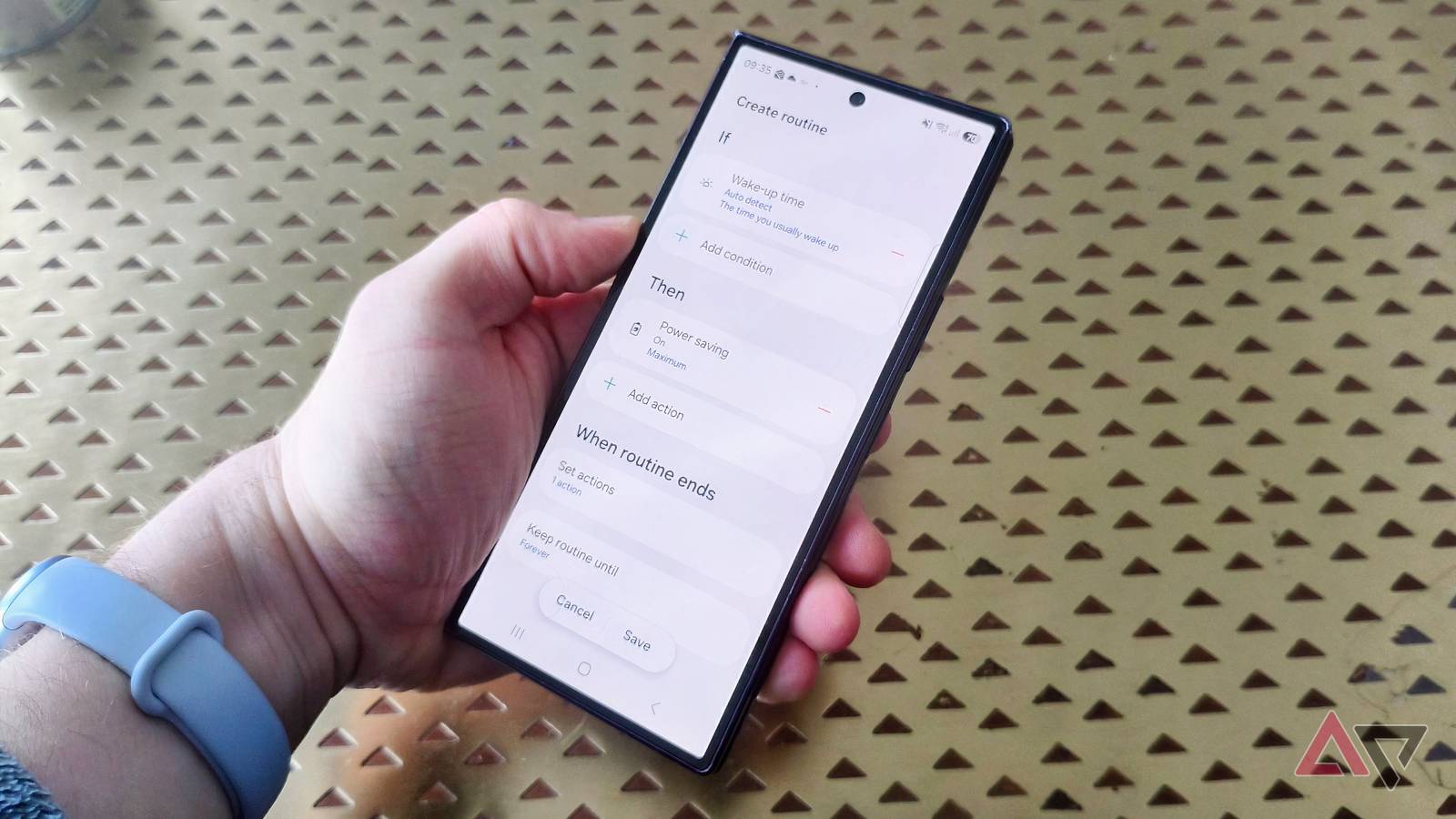
Published Nov 18, 2026, 11:00 AM EST Tom has been covering technology since 2019, having worked as part of the phones team at TechRadar and then as an editor at What to Watch. Since 2025 he’s been a freelance contributor for many more brands including Digital Trends. BGR, TechRadar Gaming, TechAdvisor and GamesRadar. He's written about myriad topics over his career including phones and tablets, headphones and earbuds, fitness and AV, and enjoys adding more beats to his repertoire. Outside of technology he’s also written reviews and features on games, movies and sports, having worked for many years as an editor at movie & TV website WhattoWatch. He's attended tech launches, product shows, movie premieres and game launches to do so. Tom is based in London, UK, and when not covering technology he does work in the film sector, enjoys to run, cycle, climb and play tennis, and plays several instruments. I've tested a few of the best Samsung phones of 2026, and while I love loads of their software features, their cameras, and the way the folding phones work, they have a common problem: the battery life is subpar. On my Samsung Galaxy Z Fold 8 Ultra, I've taken to running my phone in power-saving mode 24/7, because I don't find the default battery life enough to assuage battery anxiety. To offset the problem, I found a useful Samsung feature that has come to the rescue: Routines, a complicated but incredibly useful tool, has begun saving me a whole hour of battery every day. When Routines come to the rescue for battery life A small tweak every night Samsung's Modes and Routines app doesn't get enough love. These help you automate your phone like a pro, but I bet they're a little intimidating to the average phone user. I don't hear people sing their praises enough. Modes are self-explanatory: if you're driving, at the theater, or working out, you select the appropriate Mode to enact a few appropriate settings changes. Game, for example, blocks edge panels and Bixby, and turns on Do Not Disturb. Routines are the more complicated setting; it lets you customize a string of actions so that if one thing happens, another does. For example, if you arrive at a certain place or the clock ticks over to a certain time, a specific setting turns on. That sounds simple, but Routines work best when you create more involved ones, with specific triggers and results that help you in certain situations. And they're what helped me save battery life on my Galaxy Z Fold 8 Ultra. I've made Routines that change the phone's equalizer or display settings for various apps, but decided the fix to my battery woes could come from the app. Specifically, I wanted to reduce battery drain when I didn't use my phone: at night, and when I was at work. To address nighttime battery drain, I created a routine that was enabled between midnight and 7.30 a.m., and only when I was at my home property. It turned on Do Not Disturb and restricted most apps except a small handful. I used this automated battery-saver mode for several days, then turned it off for a few more. I also recorded the battery percentage every night and morning to see how it varied. Let's take a look at this Routine's results A small percentage that adds up Before we look at the results, I want to highlight the best part of my battery-saver routine: after setup, it took no effort. I didn't need to manually turn it on or off, because it worked in the background. Most nights I didn't even notice it, because I didn't use my phone after midnight or immediately upon waking up (after all, I use my smartwatch for an alarm). In effect, it has no negative consequences. Now, the results. On average, my overnight battery drain with the mode enabled was 2%, while the average drain with it turned off was 6%. That's not a massive difference, but it doesn't take into account the variation. That 2% drain was consistent every night, but there was quite a variation with the mode turned off. On one night, it hit 9%, so the difference wasn't always just 4%. How much battery life is 4% really? I did a quick test of my phone's idle battery drain, and it was about an hour of use; that tracks with these phones having day-long battery lives (4% per hour over 24 hours is 96%). It's not a massive saving, but one hour per day is a lot of extra time to find a charger, or some heavier use for intensive sessions, and I'm glad for every percentage point saved. What about battery saved during work hours? My failed mission Oh yes: my regrettable attempt to save battery during the day, and at night. A workday Routine was more complicated because I use my phone for work, so I couldn't restrict its use. As a freelancer, I also have a variable work schedule: my hours and location change day to day. This made it hard to find a trigger that would work in all situations and a set of results that wouldn't interfere with my work. As I quickly discovered, it also made it hard to scientifically record how battery drain varied day by day. I created a mode that turned on between 8 a.m. and 1 p.m. if I was at home, my partner's house, or two of my frequented coffee shops. It turned on Reading Mode and power-saving mode, as well as a few features that were useful for work. I tried adjusting other settings, like turning off Bluetooth or lowering the brightness, but many of them ended up annoying me. The phone still needs to be usable. The difference in battery drain is hard to chart, but it roughly seems to save me a few percentage points per day. Nothing to write home about (or write a headline about), but it did seem to modestly reduce battery drain. The other work-related feature changes were more useful, though. I usually keep my phone on vibrate, but it was handy having it play notifications aloud, so I saw emails immediately, and turning on Link to Windows. I've dabbled with Routines before, but I always forget how many phone settings they can change. They can change your wallpaper, open specific apps, read your texts aloud, switch display and setting modes, and more. If you own a Samsung phone, I can't recommend them enough. There's a steep learning curve, but they can help in many ways, depending on how you use your phone. The use cases are nearly unlimited, and my handy battery-saving routine is just one of them. It's a handy way to extend your Samsung Galaxy phone's battery life, and a useful way into the wild world of Routines.
Samsung's Routines feature quietly saves me an hour of battery every single day
Full Article
Original Source
Read the full article at Androidpolice →KhanList aggregates and links to publicly available news content. We do not host full articles from third-party sources. Always verify important information with original sources.