
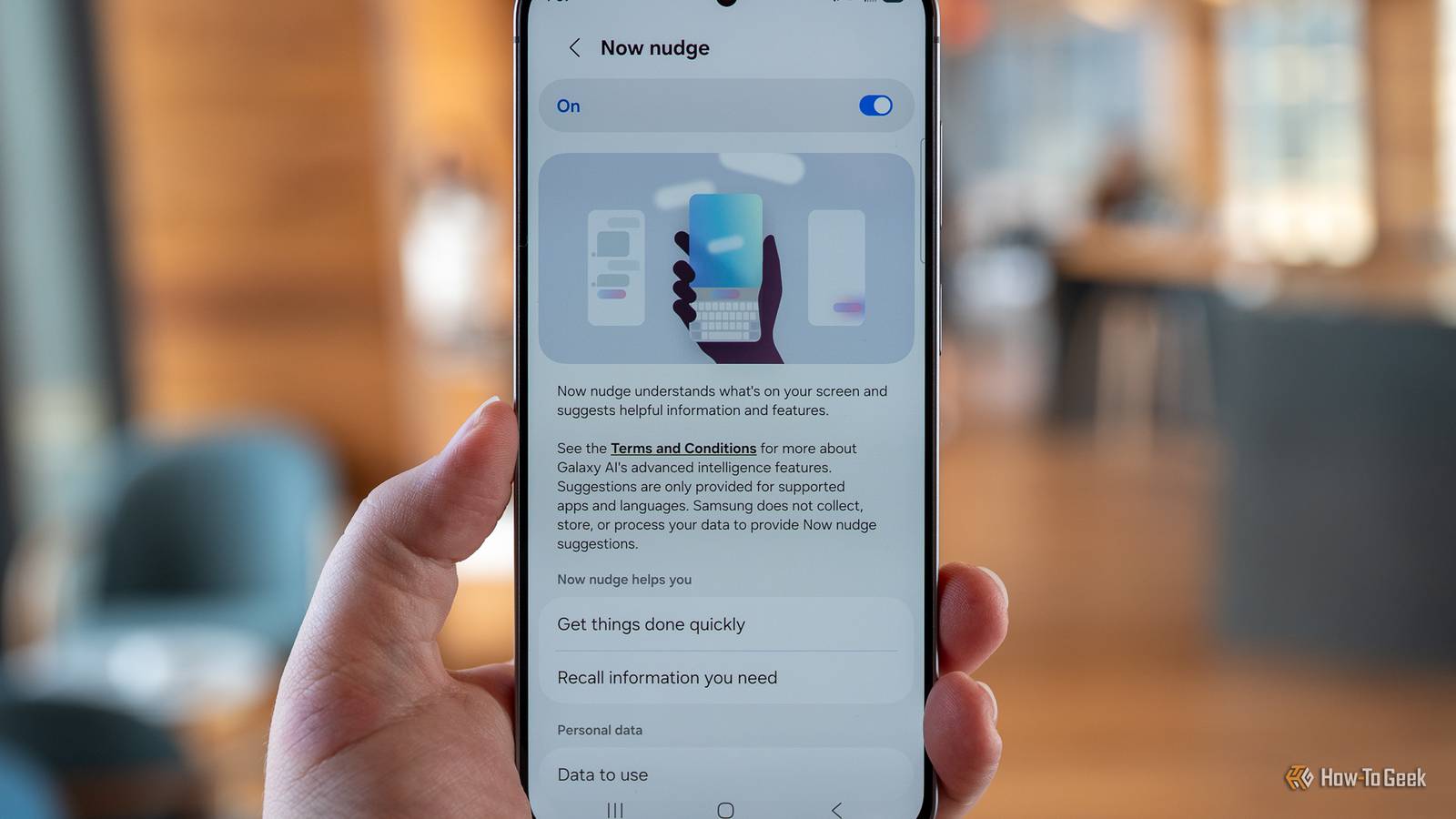
Published Oct 27, 2026, 7:00 PM EDT A Computer Engineer turned tech-savvy. Sanya is part of the How to Geek team, and she covers Android, Samsung, Google, apps, and everyday technology, combining hands-on experience with thorough research. She helps readers understand technology without getting lost in technical jargon. I’ve always been a Samsung fangirl, so it’s not like I needed convincing to love its phones. But One UI 9 has given me a few more reasons to appreciate them. I love exploring my Galaxy’s settings, and One UI 9 has a few new features that could save me an extra 10 minutes a day to enjoy my evening walk instead of fiddling with my phone. Here are five One UI 9 features that got me excited about Samsung phones all over again. I want my videos to keep up with the action My FanCam keeps the action in frame I’m that excited mom who records the entire school function when my daughter performs. I want to capture every moment, but keeping her in the frame is another story. I’ve tried zooming in, moving my phone around, and recording the entire stage. Somehow, I still end up with videos where she’s barely visible. Now, I use Samsung’s My Fancam. It uses Galaxy AI to follow a selected person and automatically adjust the framing. I could use it to record my friends dancing at a wedding without constantly moving my phone to follow everyone. I can enjoy the celebrations and let my phone handle the framing. To use it, open Gallery, select a video, tap the Galaxy AI icon, and choose My FanCam. Select your subject and tap Follow. It’s also great for grandparents or anyone who struggles with camera angles, letting them capture better videos without worrying. I hate switching between apps, and Samsung gets it Now Nudge brings relevant information to my fingertips When a friend asks me to pick a time for dinner on WhatsApp, I have to open my Calendar to check if I’m free, then return to the chat to reply. It’s a hassle when I’m already juggling work and errands. Now, I love Now Nudge for that. It can offer relevant shortcuts based on what’s on your screen, so you don’t always have to dig around for information yourself. I recently tried this when a friend messaged me about making plans, and I noticed Calendar pop up among the suggested actions. Instead of leaving the chat and opening another app, I could access the shortcut right there. Now, Nudge saves me from remembering which app to open next. And I like it. I don’t need editing skills to fix my photos Photo Assist does the editing heavy lifting I used to spend more time editing vacation photos than actually taking them. I’d return home with hundreds of pictures, promising myself I’d edit them later. Sometimes, I’d finally get around to it ten days after the trip. The problem is that I’m not great at photo editing. I’d spend ages adjusting things, trying different tools, and still not get the result I wanted. Photo Assist in One UI 9 acts like my personal editor, using AI to help make edits. Instead of manually tweaking everything, I can describe the changes I want. I’d simply type, “Remove the strangers in the background and brighten the photo while keeping the colors natural.” I’d much rather spend those extra minutes sipping an Aperol Spritz somewhere in Italy than fixing my vacation photos after I get home. I don’t have time to check everything Now Brief helps me catch up at a glance My mornings get busy fast. Between getting my daughter ready, checking messages from my editor, and planning errands, I sometimes forget things I meant to do that day. That’s where Now Brief can help. It brings information such as weather, calendar events, reminders, and other personalized updates into a single briefing, depending on the devices and supported services. Instead of checking my calendar separately to see what’s coming up or opening a weather app before heading out, I can get a quick overview of the day in one place. It gives me a reason to check my phone with a purpose, rather than bouncing between apps and getting distracted by notifications along the way. I can’t leave my phone’s settings alone The Quick Panel gives me more control I’m the kind of person who starts exploring a new Samsung phone’s settings almost as soon as I set it up. I like keeping the features I use most within easy reach, especially when I’m busy. With a customizable Quick Panel, I can arrange the controls I actually use. I’d keep my Modes and Routines shortcuts, screen recording, and other frequently used tools easy to reach, so I can get to them without digging through settings. A quick swipe is enough. I love you, One UI 9 I’m excited to see how these features change the way I use my Galaxy phone. My phone is starting to feel less like a device I use to open apps and more like an AI assistant that helps me get things done. Is that a good thing or a bad thing? Honestly, I’m leaning toward good. Samsung is still rolling out One UI 9, so some Galaxy users will have to wait a little longer to try these features.
Samsung's One UI 9 update has me rethinking my Galaxy phone habits (for the better)
Full Article
Original Source
Read the full article at Howtogeek →KhanList aggregates and links to publicly available news content. We do not host full articles from third-party sources. Always verify important information with original sources.