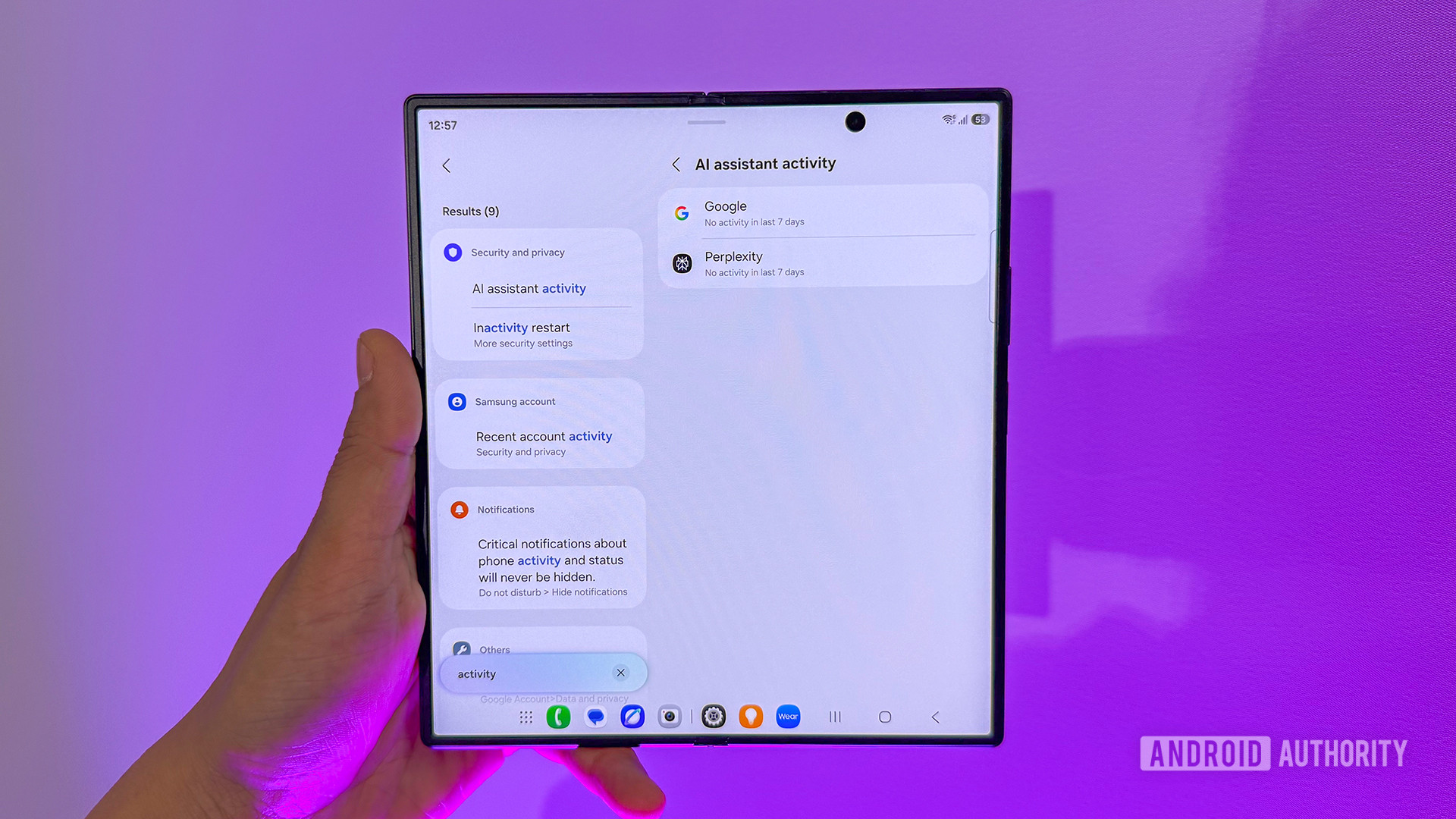
TL;DR Samsung has officially debuted One UI 9 on the Galaxy Z Fold 8, Fold 8 Ultra, and Flip 8, introducing a central AI Assistant Activity dashboard. Powered by Gemini Intelligence, the new devices support background app automations, like ordering food or booking event tickets, directly from the context on your screen. The dashboard prevents user confusion by providing a single location to monitor background AI actions and access agent settings. Samsung is launching the first stable release of One UI 9 with today’s launch of the Galaxy Z Fold 8, Fold 8 Ultra, and Flip 8. While we wait for the company to release an official changelog, Samsung has revealed that One UI 9.0 on the new foldables comes with a new AI Assistant Activity dashboard.Adamya Sharma / Android AuthorityOne UI’s AI Assistant Activity dashboard sounds very similar to Android 17’s AI-related upgrades to the Privacy Dashboard. The AI Assistant Activity dashboard provides a centralized view of AI automations running on the user’s behalf, enabling them to review AI actions in one place and navigate directly to the relevant agent for additional context and settings.Adamya Sharma / Android AuthorityOn the new Galaxy Z8 series, users can instruct Gemini to carry out tasks within third-party apps. The assistant can carry out tasks such as ordering food or booking event tickets while also understanding what’s currently on your screen. So if you’re chatting with friends about dinner plans, for example, Gemini can use that context to help you find a restaurant or complete a booking without making you jump between multiple apps. These task automation capabilities are currently limited to the US and Korea.As you can see in the GIF above, tasks can run in the background. This creates scenarios in which users may forget whether an AI assistant is running a task in the background. The AI Assistant Activity dashboard thus becomes invaluable for knowing whether any of these invisible workers are working in the background on your phone, saving you from having to remember the AI app and hunt it down.Thank you for being part of our community. Read our Comment Policy before posting.
Samsung’s latest foldables gain a new way to keep tabs on AI
Full Article
Original Source
Read the full article at Androidauthority →KhanList aggregates and links to publicly available news content. We do not host full articles from third-party sources. Always verify important information with original sources.