
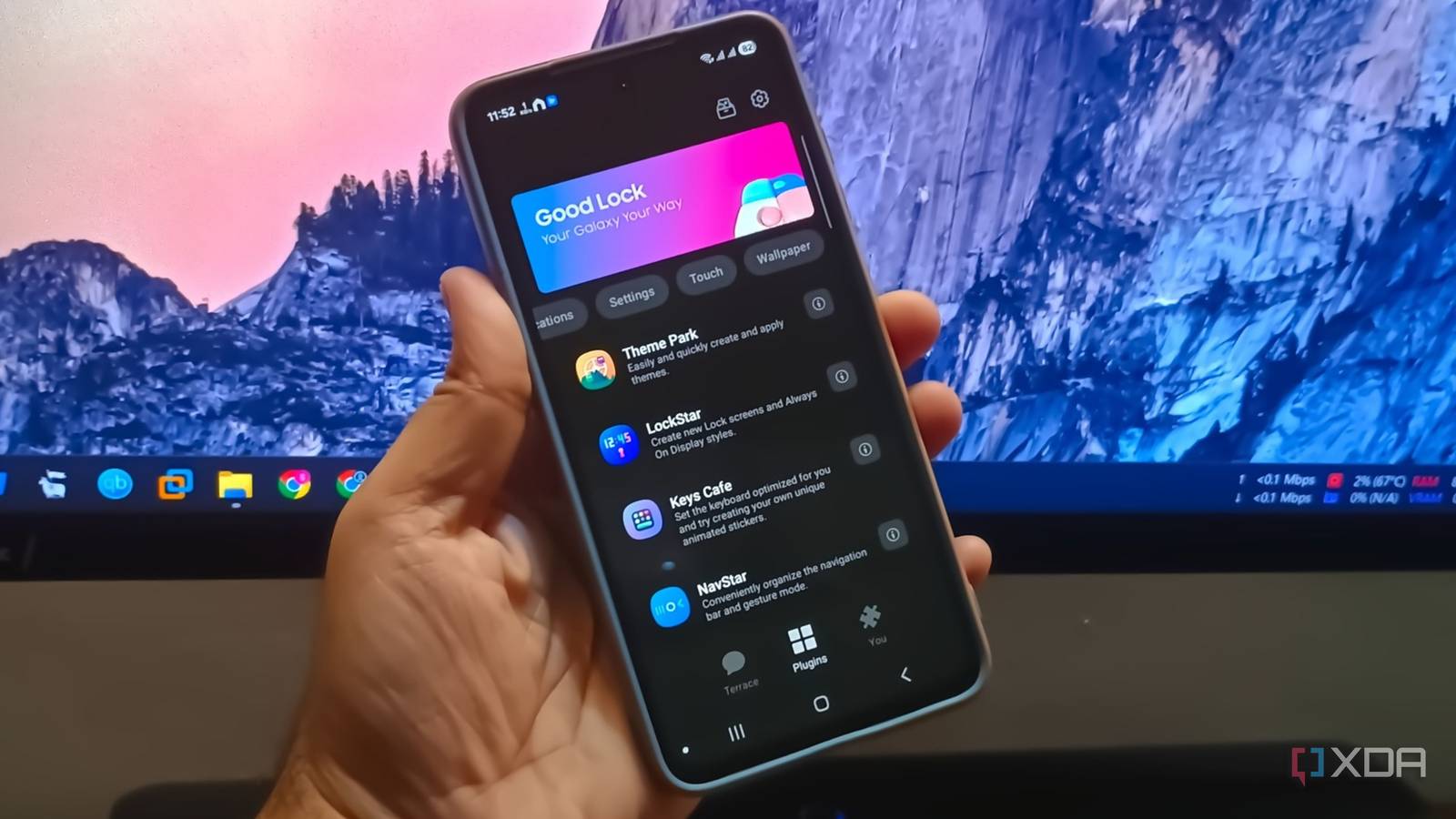
Published Nov 28, 2026, 8:00 PM EST Abhishek is an author at XDA who covers computing. He has loved computers since he got the Lenovo G570 in 2012. Abhishek holds a master's degree in computer applications and began his writing career in 2018. He loves writing how-to articles, listicles, and informational posts on popular operating systems and web services. He closely follows the Windows Insider program and tests new Insider builds to discover upcoming experimental features and upgrades. His past work includes long-term collaborations with reputed publications like Tom's Hardware, and Windows Latest. When not writing anything, he is busy watching new episodes of One Piece or searching for something binge-worthy. Samsung One UI is one of the best default UI experiences available on an Android phone. I have been using it since version 1.0, and it's been quite a ride. I left the Samsung ecosystem for a bit but returned when it launched version 6.0. It now looks clean and polished, with features you wouldn't normally expect from most other Android OEMs. Samsung's UI is on par with Google Pixel's custom Android experience, and if you've used both, you can understand my perspective. However, the default One UI is not the only thing Samsung has in mind for all its devices. There are a lot of customizations and features hiding inside an app that you wouldn't find on the phone. It's called Good Lock, and it hides inside Samsung's official app store and is a must-try for everyone. Let's discuss how it elevates your experience. Good Lock expands your customization scope Mold every OS element to your will There are always complaints about the stock UI experience, and an Android launcher is often the easiest way to improve it. You might not like the presentation, layout, iconography, or other parts of One UI and might install an Android launcher instead. But several Good Lock plugins can help you do that, with probably more control than a standard launcher. Yes, I said plugins because that's what Good Lock offers. You don't get a simple app with a bunch of settings to tweak. Instead, there are plugins for each UI element, like QuickStar for Quick Panel customization, LockStar for adding more elements to the Lock Screen, or Home Up for changing everything related to the home screen design. Don't mistake it for a launcher app, because each plugin has its quirks. For example, I never paid attention to the navigation bar at the bottom (the one with three buttons). But there's a plugin called NavStar that lets you change the appearance and modify its behavior. I can add a fourth button if I want and align the buttons to one side, which is great for big-screen devices. There's an option to use a default set of navigation bar designs or change the icon for each button. Tell me another launcher app that doesn't do this at the same granular level. Similarly, I can use QuickStar to change the whole theme of the drop-down Quick panel. The plugin can control the icons that appear on the top bar, and it's easy to disable the bothersome ones. Home Up is where things become more interesting. It can completely transform the home screen appearance, add a finder tool, hide the favorites row, and adjust the app icons. I can switch to a more compact recent screen design, like a slim list with Task Changer, or include more items in the Edge panel. There are a few more elements in the Home Up plugin, but the ones I mentioned fulfill most of my customization needs. Add features that aren't included by default NotiStar, Routines+, and a few more Good Lock doesn't restrict itself to cosmetic UI changes and can enable really helpful features. I need a notification history feature because there's so much information coming through multiple apps. It's common to miss critical things and not respond in time because I tapped the clear button in the notification panel. NotiStar can help you preserve the important ones, and you can pick apps whose notifications you can't afford to miss. I can even add a filter list and specify keywords that the tool should pay attention to, like a person's name or a bank account number. One thing that I appreciate is its ability to capture even dual apps like WhatsApp. You can configure the notification backup to stay on the phone for a year, which is a long time to keep everything. Modes and Routines are a great feature for day-to-day automation tasks. But if you want to build more complex routines and add extra triggers and actions, the Routines+ plugin can help. You can build routines triggered by buttons, like enabling a custom sleep/focus mode, or create a touch macro. It's meant for more serious users than the default presets in the Discover section of Modes and Routines. Better native integration without paying a penny No ads to ruin your experience The plugins that I mentioned are barely half of what the current version of Good Lock offers. Usually, you have to install a freemium app to get features that a module like QuickStar or NotiStar offers. Some apps aren't free at all, and others become a pain to use because of excessive ad placement. Honestly, if there were such an app that could go to the extreme lengths of what Good Lock does, a Samsung user like me would happily pay for it. There's no risk of feature incompatibility because Samsung itself maintains the app. A third-party app can often run into permission issues, and Good Lock doesn't share that problem. It has better native integration than any other customization app. It's also surprising to see Samsung put effort into improving the app while also including bloatware. Samsung phones already ship with several useless apps by default, and the brand should replace them with Good Lock. Good Lock should be more popular An app as powerful as Good Lock should be more popular among Samsung users. It's a thoughtful take on building a dedicated app where power users can tweak more UI elements to their heart's content. It's the main reason why so many users suggest improving the home screen via Good Lock before hastily installing a third-party launcher. NotiStar and a few other plugins add features that aren't part of the core One UI set. I highly suggest giving it a try. Samsung Galaxy S26 SoC Snapdragon 8 Elite Gen 5 Display 6.3-inch Dynamic AMOLED 2x The latest flagship series phone with new AI features and improved camera.
Samsung hides its best Galaxy features in an app most owners never install
Full Article
Original Source
Read the full article at Xda-developers →KhanList aggregates and links to publicly available news content. We do not host full articles from third-party sources. Always verify important information with original sources.