
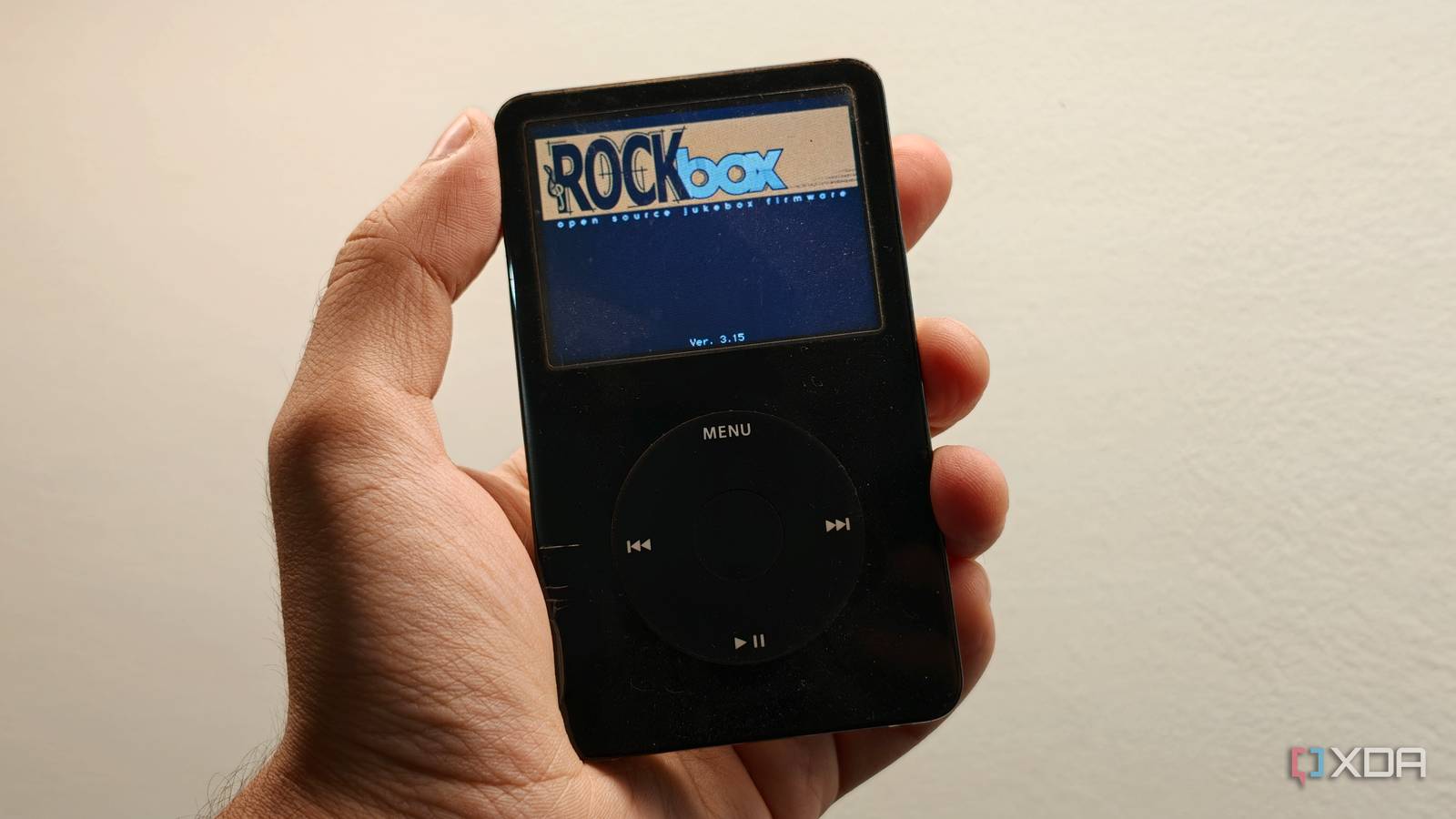
Published Nov 9, 2026, 3:00 PM EST Dhruv Bhutani has been writing about consumer technology since 2008, offering deep insights into the personal technology landscape through features and opinion pieces. He writes for XDA-Developers, where he focuses on topics like productivity, networking, self-hosting, and more. Over the years, his work has also appeared in leading publications such as Android Police, Android Authority, CNET, PCMag, and more. Outside of his professional work, Dhruv is an avid fan of horror media spanning films and literature, enjoys fitness activities, collects vinyl records, and plays the guitar. With a collection of over 30 iPods, it's safe to say that I'm pretty deep into the rabbit hole of collecting what might be the best music player ever made. This fandom isn't new, and I've been tinkering with iPods for well over 20 years. Part of that tinkering has involved replacing the one part of the Apple experience that truly changed the game: the operating system. Even back in 2006, I was already experimenting with swapping out the iPod's operating system for iPod Linux and Rockbox. Why, you ask? Rockbox removes every limitation the iPod faces and turns it into the ultimate expression of music listening. With Rockbox installed, you no longer need iTunes or any music synchronization app. You can just drag and drop music onto the iPod. You also get FLAC playback, folder browsing, and much more. And arguably, it is even more important today. What amounted to jailbreaking back in 2006 is giving old but functional devices a practical purpose in 2026. Rockbox makes my FLAC library playable on my iPod Folder browsing and modern playback controls, no iTunes required The biggest reason most people will want to install Rockbox today is simple. ALAC is good and cool, but most high-resolution libraries today tend to be in FLAC. I don't know about you, but I have no interest in transcoding my music library every single time I want to synchronize my iPod with my computer. To begin with, iTunes or, well, the Music app on macOS doesn't even support FLAC music. So you'll have to find yourself a third-party app that lets you sync your iPod. It's all a bit much for such a simple task. Rockbox removes that limitation by supporting a long list of file formats, including FLAC, ALAC, WAV, Vorbis, Opus, and the usuals like MP3 and M4A. You can copy your existing music folders to the iPod's disk mode and start listening without worrying about compatibility or maintaining a shadow library. I've spent a decade building a curated music library, and this lets me move files and get to listening immediately instead of bothering with another app. In fact, Rockbox lets you avoid the database approach Apple uses with the stock operating system. While the stock database is fine for around 25,000-30,000 tracks, anything beyond that starts bringing the system to a halt. Now, sure, that's a sizeable library by any means, but if you're still using an iPod, you are probably more of a prosumer user of the music player. Rockbox, too, offers a database if you prefer it, but for me, folder navigation works best. Using folder-based music listening means I'm no longer dependent on database limits and can store as many tracks as the hard disk will hold. There are plenty of quality-of-life additions to the playback experience, too. While crossfade, ReplayGain, and gapless controls are nice to have, the ability to adjust stereo width and use a full-fledged equalizer is excellent, too. For me, the biggest improvements come to playlists. Rockbox lets you create and modify as many playlists as you want on-device, no iTunes needed. You can add tracks to queues, shuffle entire folders, and effectively get a more curated listening experience. Rockbox lets me completely customize my iPod Themes, plugins and surprisingly easy installation The other big upgrade you get with Rockbox is themes. Look, I love Apple's interface choices. In fact, my preferred Rockbox theme combines the look and feel of the 5th-gen iPod Video with the split-screen quality-of-life upgrades from the 6th-gen Classic. However, if you want to make your iPod look like Winamp or give it a completely modern, minimal feel, there's nothing stopping you. Rockbox is actively supported, and the themes database includes hundreds of options, letting you spruce up the look and feel to match what you want. And if you want to build something bespoke, the theming is simple enough that you can whip up something fresh in an afternoon. That includes everything from the look and feel to the placement of menu elements, fonts, and more. Elsewhere, you'll find plenty of interesting plugins. These include everything from mini-games to text and image viewers. Yes, it'll also let you play Pokémon on your iPod if you so choose, thanks to the Game Boy emulator plugin. As far as installation goes, the process has almost 20 years of polish, making it almost foolproof. Crashes and failed installations can happen, but they are rare. All you have to do is download the Rockbox installer file, plug in your iPod, and use it to flash the bootloader. After that, the installer script copies the latest version of Rockbox, and you're good to go. The best part here is that Rockbox doesn't overwrite the stock operating system. You can swap between the two whenever you want. Giving your iPod a fresh lease on life Music streaming is convenient; there's no denying that, and I still use it for some discovery. However, I do most of my everyday listening with my iPod and a pair of wired headphones. It's a much more focused, distraction-free experience, and with Rockbox, I can carry my music library exactly as it is without needing third-party synchronization software. Rockbox effectively turns a 20-year-old music player into a 2026 product, and I can't imagine using my iPod without it. Rockbox Rockbox is an open-source replacement operating system for the iPod that lets you play FLAC music and doesn't need iTunes for syncing files.
Rockbox turned my old iPod into the best music player I own, and it plays my FLAC library
Full Article
Original Source
Read the full article at Xda-developers →KhanList aggregates and links to publicly available news content. We do not host full articles from third-party sources. Always verify important information with original sources.