
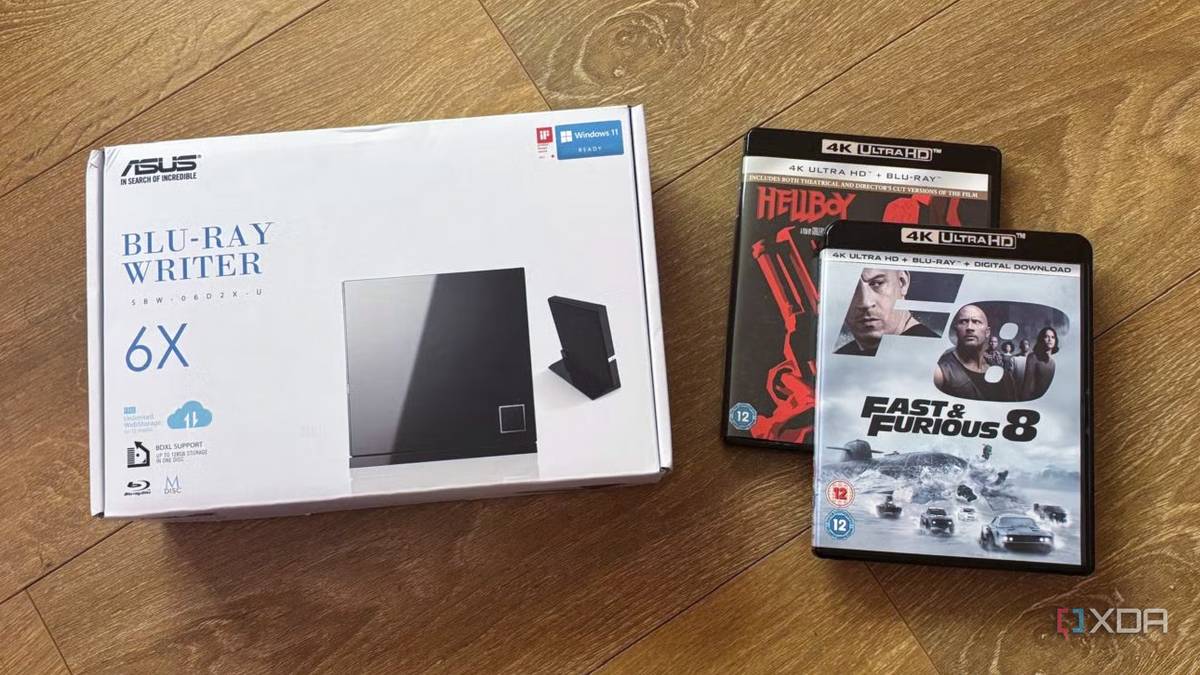
Published Aug 16, 2026, 6:00 PM EDT Jasmine is Software and PC Hardware Author at XDA with years of tech reporting experience ranging from AI chatbots right down to gaming hardware, she's covered just about everything. Whether it's breaking news about the latest AMD NPUs or creating video tutorials on social media platforms, Jasmine has contributed to the world of AI and tech in a variety of ways including interviewing the CEO of Razer, AMD's Director of Product Marketing and the VP of Lenovo. Passionate about gaming and PC technology, she has built countless computers, keyboards and other peripherals - knowing them inside and out. For many self-hosted media server owners, downloading compressed 1080p and 4K web rips is enough to call it a day. The server works, the library looks pretty, and storage demands stay low. However, when doing an A/B comparison, loading up an uncompressed 4K Blu-ray remux on a proper home theater setup with an OLED display reveals that commercial streaming platforms and web rips compress away a significant amount of the raw data. Building a personal physical-to-digital pipeline by ripping your own Blu-rays isn't just about high-capacity archiving. It actually transforms your Plex server into a reference-grade streaming platform, delivering uncompressed 80+ Mbps video bitrates, lossless Dolby TrueHD/Atmos and DTS-HD master audio, as well as total immunity from cloud licensing takedowns. The difference between streaming and discs The quality change is immediately noticeable There's a stark technical comparison between web-delivered video and physical optical media. With commercial 4K streaming, whether that's through Netflix, Disney Plus, Apple TV, or one of a range of other streaming platforms, you're likely getting a highly compressed HEVC or AV1 encoded at 15 to 25Mbps with lossy Dolby Digital Plus audio. Compare this to a 4K Ultra HD Blu-ray remux, and you're getting pure uncompressed HEVC streams that peak between 60 and 100+ Mbps, with lossless Dolby TrueHD/Atmos or DTS-HD MA tracks. The difference between the two is so significant that you'd notice it immediately. So what actual visual differences does this bit rate change fix? Visual artifacting and macroblocking are two things you'll notice immediately. You get an elimination of banding in dark gradients and star fields with near-black handling. It preserves native film grain and high-frequency textural detail without temporal smoothing artifacts. It ensures dynamic range in Dolby Vision (HDR10) doesn't get clipped by aggressive cloud compression algorithms. Alongside this, you'll notice a difference in audio. Compressed streaming audio crushes dynamic range, whereas uncompressed disc tracks preserve full audio mastering headroom, dynamic punch, and spatial object separation for dedicated speaker setups. Ensure you have the correct hardware And software stack When ripping Blu-rays, the hardware is very important. You can't just use any UHD optical drive. This is because any off-the-shelf USB Blu-ray drive you plug into your PC to rip 4K discs might not work. Commercial 4K discs enforce AACS 2.0 copy protection, which requires Intel's SG-X, a hardware security feature that Intel axed years ago. Luckily, there is a workaround with the Blu-ray Drive Solution. By cross-flashing specific OEM optical drives, such as the LG WH-16NS40 or the ASUS BW-16D1HT, with custom LibreDrive-compatible firmware to bypass OS/hardware AACS handshakes, you grant direct raw bitstream read access. There are other software you can make use of as well, like Make.MKV. This is the industry standard for lossless 1:1 bitstream extraction. It decrypts the disc and packages raw video, audio, and subtitle stream straight into a.MKV container with zero re-encoding or generational quality loss. HandBrake is another option for optional archiving. If you're using AV1 or SVT/AV1 then this will allow you to re-encode versus keeping pure raw remuxes. Can your network keep up? Your TV might not have the right network port Once you've ripped your Blu-ray, then direct play is pretty much imperative. This is because raw remixes require a client capable of direct play, like an Apple TV 4K with Infuse or a Nvidia Shield TV Pro. Trying to software-transcode an 85 Mbps 4K True HD stream on the fly will peg even high-end server CPUs. Realistically, your local LAN infrastructure needs to be strong as well. Many smart TVs still ship with legacy 100 Mbps Fast Ethernet ports because streaming will never, ever need to go beyond this. However, because 4K RAM remuxes can burst over 100Mbps during complex action sequences, streaming disks locally requires gigabit LAN connections or robust 5GHz Wi-Fi 6. If your home network can't handle these speeds, you likely won't even be able to see the benefit of ripping your Blu-rays. And lastly, a fundamental for many viewers is subtitle handling. Optical discs use bitmap PGS subtitles, so properly setting up Plex also prevents PGS subtitles from triggering unwanted server-side video transcoding. Don't fall victim to the price creep for streaming subscriptions Start your own library In an era where you're seeing shrinking streaming libraries, escalating subscription fees, and compressed bit rates, it feels like ripping your own physical media gives you the best of both worlds. You get the convenience of a modern UI on a streaming platform with an app like Plex, but you also get the uncompromising audiovisual fidelity of physical discs. If you already have an old disc collection, don't let it just sit and gather dust. Instead, pick up a compatible optical drive, flash LibreDrive firmware, and give your home theater and Plex server the pristine 4K master files they were built to showcase.
Ripping my Blu-rays was the best upgrade I ever made to my Plex server
Full Article
Original Source
Read the full article at Xda-developers →KhanList aggregates and links to publicly available news content. We do not host full articles from third-party sources. Always verify important information with original sources.