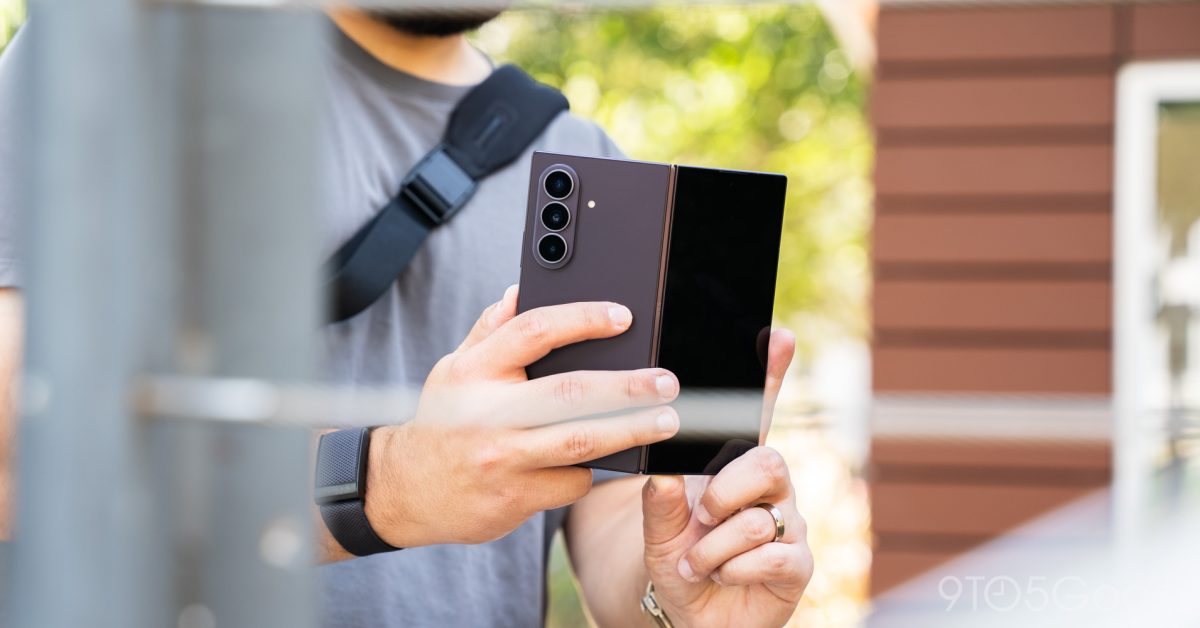
Between two foldables – we can ignore the flippy one – the Galaxy Z Fold 8 Ultra positions itself as the specced out monster next to its little brother, the Galaxy Z Fold 8. But “specced out” comes with a disclaimer, because there are only a couple of true differences. And even with a better camera, battery, and various hairline differences, the Galaxy Z Fold 8 Ultra might be too good to get excited about. Hardware Samsung won’t retire this design Let’s be clear – the Galaxy Z Fold 8 is built well. Very well. But compared to the Galaxy Z Fold 7, the tall design has only shifted a little bit in a couple of ways. One of those changes is thickness. Now, it isn’t a massive change, and it barely registers as a small change. But at 4.1mm thick when opened, the phone is 0.1mm thinner. Crazy, I know. What’s impressive is that Samsung was able to make the phone thinner while improving aspects that would generally add a little thickness. The hinge would normally do that, with it being a stronger, new design that works with a “flex titanium” under the inner display to give it a little extra strength and durability. This could be a placebo, but the Galaxy Z Fold 8 Ultra feels snappier than the previous model, like the hinge has more tension. It’s so satisfying to open and close the Galaxy Z Fold 8 Ultra, even if it can be a little difficult to get enough surface grip to open the phone. It’s also incredibly light, and I’ve forgotten what it feels like to carry a lightweight foldable daily. The Fold 8 Ultra hasn’t become a weighty burden, like the Pixel 10 Pro Fold or other, chunkier devices. Now, in terms of height, it can certainly be tricky to fit in a pocket. But the existence of the Galaxy Z Fold 8 proves that I’m not the only one thinking that. It really feels like a strong overall refinement on the Galaxy Z Fold 7, which was such a big step in hardware design. It brings similar boxy aesthetics, but it doesn’t give off this futuristic vibe. It’s just a foldable phone, and the Galaxy Z Fold 8 Ultra is built well enough that the sentiment feels normal to say. I could do without the camera bump, though. I can’t, for the life of me, understand why we’ve accepted camera design to a point where the phone is paper-thin, but this trio of lenses that sits on top of an island of extra material is perfectly fine. Trust me, I understand what goes into building a heavy-duty camera array, and it’s arguably tiny compared to a mirrorless camera. Still, it bugs the life out of me, and it’s always going to be a notch against Samsung and like-minded manufacturers. But that pales in comparison to the remaining minimalism. Both folded and unfolded, the Galaxy Z Fold 8 Ultra just feels good to hold. The points of contact feel solid, like the inner display bezels and buttons on the side, down to the frosted back panel. This color, Violet Shadow, slides into dark grey territory in almost every light except for direct. Fortunately for you, I review photos with lights! In almost every other circumstance, it looks a little darker and could pass for neutral. I can’t complain, because I’m all for a grey-looking phone. And if you like clean devices, Samsung’s logo sitting on the one section of the phone that hides when you open it up is a beautiful touch. Qi2, or the lack thereof I’m not alone in this, and I think my colleague, Ben Schoon, has a few more choice words than I do about the Qi2 situation on the Galaxy Z Fold 8 series. I get it. Google is one of the only mainstream US companies to develop a phone with magnets under the rear panel. They’re built to fit within the Qi2 standard, which calls for precise placement to aid wireless charging, not hinder it. Samsung has yet to add its own magnetic components in the back of the Galaxy Z Fold 8 Ultra, or any device for that matter. It would undoubtedly make the phone thicker, just like it halted the Pixel 10 Pro Fold’s progress towards a slimmer design. But this phone is made for it. Think about it just for a minute. Watching videos mounted to a wall or your fridge while you cook. Getting directions on a larger display in your car because you refuse to sell your Android Auto-barren car. Adding accessories like a ring/stand because the phone is so slippery sometimes! All of these naturally come with Qi2 magnets. But the Galaxy Z Fold 8 Ultra doesn’t get them. It’s fine, because case makers have almost universally decided it’s better to include them. They can sell proprietary accessories, but it also means they’re universally compatible. Whether the Galaxy Z Fold 8 Ultra would fit most accessories is another story. It’s plagued by the same design flaw as the Galaxy S26 Ultra, which is a camera hump so big that magnetic accessories that come in any shape except a circle might not fit. So if Samsung were to add Qi2 magnets, there are other changes that need to follow. But that doesn’t change my mind. Just add magnets. I beg. Display Is this still the best approach? Again, nothing about the Galaxy Z Fold 8 Ultra’s shape is new. Don’t let the “Ultra” fool you. Samsung has been building out foldables in this sort of aspect ratio for the better part of seven years. Seven! But it’s a proven concept. Multitasking apps just look better when they can be side-by-side in a format that doesn’t squish the contents within. That’s why the Galaxy Z Fold 8 Ultra is taller than it is wide. Now, modern app scaling has improved tremendously, and I’ve found that most of the apps I use on a regular basis have conformed to this near-square display. Apps like Reddit have made surprising improvements to scale video and image size properly, while providing a tablet-like experience. The same goes for Gmail, funny enough. So that’s where there’s admittedly some confusion in Samsung’s new lineup. It obviously knows users want a wider inner display, so the Fold 8 was born. But the Ultra version – this version – carries the Fold 7’s aspect ratio and just improves on that experience. What surprised me, though, was the absence of hurdles throughout my usage. I genuinely thought that I would need to compromise in a few spots to comfortably use the Galaxy Z Fold 8 Ultra because of its unorthodox, turned traditional approach to a larger inner screen. The other side of the coin, quite literally, is a slightly different story. I found myself using the inner screen much more often than the external display because it’s still hard to use sometimes. Perhaps I need a little more time with it, but the thinner cover screen is just narrow enough to impede muscle memory. To its credit, the display is slightly larger than it used to be. The Galaxy Z Fold 6 was in worse shape, so this is a step up. Of course, those who need a little more space in the front would lean towards the Fold 8. But that comes at the cost of less vertical real estate. Either way, you’re making a sacrifice; a wild statement to say for a $1,899+ series of phones. As much as I thought the Galaxy Z Fold 8 Ultra couldn’t rope me back into taller foldables, I’ve been proven wrong. It’s no longer exciting, but the 8-inch internal display, coupled with proper app scaling, works very well. Did you forget about the crease? As a general update to Samsung’s foldables, the Galaxy Z Fold 8 series makes some serious strides in what might have been the biggest downfall of these foldables – the crease. If you’re unfamiliar, foldable Android phones have been plagued by physics for at least seven years. Because you’re actually bending glass in repeated motions, there needs to be a panel underneath to adhere to and support it. But where the phone folds, the panel needs to make way for the glass to expand without pushing against an acute bend in the material. With the new flex titanium plate, Samsung has been able to insert support material that offers a little bit of give without abandoning support for the inner AMOLED screen. Titanium also happens to have excellent memory in this case, and where plastic-based parts gave way to deformation, a crease developed. But that’s changed. The Galaxy Z Fold 8 Ultra is the first Samsung-built foldable without a major crease down the middle of the inner display. It’s still there, to be candid. But it’s improved so much that it no longer warps text or content on the display when you look at it from the wrong angle. No matter how you look at the Galaxy Z Fold 8 Ultra, the crease nearly disappears. It’s really only visible in the right lighting. And much like Violet Shadow, I prefer it that way. At the time of writing this, I’ve been using the Galaxy Z Fold 8 Ultra for the better part of a week. With that comes fold cycles – plenty of them. The Galaxy Z Fold 7 would have shown its true cracks and bends well into a couple of days, but that isn’t the case here. Software & Performance One UI 9 in lockstep If the Galaxy Z Fold 8 Ultra is a refinement over the Fold 7, One UI 9 is the same thing. My experience has genuinely shocked me, because I expected to have to fight with the Galaxy Z Fold 8 Ultra more than I did. But little improvements to One UI 9 have added up to make using the phone anything but. For instance, multitasking is actually usable for me now. I can add up to four apps to the internal display. That’s including one floating window, which I’m lukewarm on, but I’ll use if I need to. But the general layout seems to be two apps stacked vertically and one to the side. Moving them around is easy; drag the divider any way you need to, and you’re done. Those apps can be switched out, closed, or converted to a floating window using the handlebar at the top of each window. Now, even the raw power of the phone’s Snapdragon 8 Elite 5 for Galaxy isn’t enough to prevent a little stutter when moving apps around. But it isn’t enough to bother me. Actually using the apps is the biggest thing, and performance has been solid. One UI 9 also splits notifications and Quick Settings into two windows, unless you tell it to do otherwise. The fun part comes when you open the phone to the inner screen and get two drop-down shades – one for notifications and one for Quick Settings. It’s not a shocking revelation, but it’s a little tablet-like touch I’ve enjoyed using that doesn’t make me feel like I can’t use the Galaxy Z Fold 8 Ultra like a phone. I’ve also really enjoyed having the Google Search bar at the bottom of the screen, locked in place and toggled on. On other Galaxy devices, it comes as a widget. That’s fine, but it never felt native. The Galaxy Z Fold 8 Ultra’s approach sets the Search bar into place, like a cornerstone of the homescreen. And the best part – the inner display gets an adorably small version of it. Google integration doesn’t stop there, of course. Circle to Search is alive and well on the Fold 8 Ultra. Gemini follows suit with quick access via the power button. On a big display like the Fold 8 Ultra’s, having access to those search tools facilitates a more research-oriented experience. That falls right in line with proper multitasking. Galaxy AI, on the other hand, is hit or miss. I can’t bring myself to use Samsung Keyboard, so Now Nudge doesn’t make an appearance. The Now Brief is helpful, but I haven’t found that it does more for me than act as an adboard for articles and YouTube videos. The Now Bar, though, does give me quick access to some items, like Google Wallet tickets and Maps directions. That’s a design element I’ve always hoped Samsung would improve on. There’s still a way to go with third-party apps. Overall, though, One UI 9 and Android 17 are a good fit for the Galaxy Z Fold 8 Ultra. The fluidity took me a little bit by surprise. Cameras Are we ‘Ultra’ yet? This. This is where the Galaxy Z Fold 8 Ultra is supposed to live up to its name. That, of course, depends on whether the cameras take better photos than the Fold 7 and the Fold 8. A little bit of that might be true, because the Galaxy Z Fold 8 doesn’t have a 200MP main sensor and 50MP ultrawide. It also doesn’t get a 10MP telephoto lens, which I’ve chosen to write off almost completely. The 200MP wide lens, though, performs very well. That’s in part due to what I think is an improved post-processing system after the shutter button gets pressed. But it’s also in the sensor. A sensor that appears entirely unchanged from the Galaxy Z Fold 7. So, uh.. is it Ultra, yet? Samsung effectively took the camera array of the Galaxy Z Fold 7 and put it in the Fold 8 Ultra and made it slightly more expensive. To its credit, there is a new 50MP ultrawide that, again, performs very well. I didn’t have much time to take a ton of outdoor photos, but some of the photos I got with the ultrawide were pretty good. The shots I did get were well-lit and likely easier for Samsung’s processing to handle, but I’ve been genuinely surprised at how well some of these images came out. I just don’t think I’ve come around to the idea that a foldable phone can have a good camera or two, but the Fold 8 Ultra is trying to convince me otherwise. Sample images: Sample images have been compressed for faster viewing. To circle back, the 10MP telephoto lens doesn’t add much. It has a 3x optical zoom, and anything beyond that is tough to stomach. Photos in good lighting can look grainy and unappealing. But I don’t tend to use it that often, so on the Galaxy Z Fold 8 Ultra, it isn’t a big deal for me. I do use ultrawide and wide fairly often, and I genuinely wouldn’t mind using this camera setup as my daily for the foreseeable future. It does the job, and I don’t have to sit down and edit everything I take. In that regard, it’s fine. It’s also worth mentioning the camera UX. In the same way other foldables let you use both displays and a sort of flex mode, the Galaxy Z Fold 8 Ultra sets you up with a few features. My favorite has been the top-down viewfinder, which lets me pretend I’m shooting with a 35mm film camera. You could call it a gimmick, but it lets you take a more flexible approach to photos. Compared to the Galaxy Z Fold 8, the only similarity is the ultrawide camera. The main sensor takes a downgrade to 50MP on the smaller foldable, and the telephoto is left behind completely. I can’t speak to the Galaxy Z Fold 8’s photos, but I think the Fold 8 Ultra is equipped to take decent to good photos in any condition. Just get closer. Battery We are so ‘Ultra’ Silicon-carbon. It’s different, but not really. This is the first year that Samsung is incorporating the new battery makeup. Chinese manufacturers have been using silicon-carbon batteries for a few years, but it’s taken companies like Samsung a while to come around. So, this is the first taste of what should be a better battery. So let me detail what my days have looked like since using the Galaxy Z Fold 8 Ultra. I wake up around 6:30 a.m. and browse on my phone for a bit. By 7 or 8 a.m. I’ve had breakfast and start to use the inner display to catch up on work. Sitting at my desk, I don’t tend to use the phone too heavily. Light browsing here and there with some messages and emails in between. Around noon, I might watch a couple of videos and use the phone more heavily. Towards the end of the day, phone usage gets a little heavier, but it dies down towards night. By the time I’m ready for bed, the Galaxy Z Fold 8 has been hovering around 30%. I’ve gotten it down to 20% a couple of times, but that was with more than average usage. So in reality, I get what I need out of it in a day with one charge. By comparison, the Galaxy Z Fold 7 seems to die a lot sooner, with a dead phone around 7 p.m. To be honest, I would have expected more from a 5,000mAh silicon-carbon battery. Maybe it’s not optimized yet. Overall, though, I’ve been pretty satisfied with how well it handles mixed-screen usage. I think the upgraded charging speeds have been a saving grace, too. It’s rated for 45W wired charging and 20W wireless. The difference in time it takes to charge it wirelessly is palpable. It’s been so nice to stick it on a charger and come back to it with Qi2.2 charging speeds. And wired speed is good too, with a solid 50% done in around 20 to 25 minutes. I think this is the first foldable phone from Samsung that I’ve mostly trusted to last me a day. Then again, I don’t tend to game and stream videos for hours every day, so your mileage may vary. So it’s a better experience, but it leaves me confused as to why a 5,000mAh silicon-carbon battery struggles to power a day with power to spare. Final thoughts In with the old, because the old just got better No matter what Galaxy Z Fold 8 model sings to you, know that Samsung has made some serious refinements to the display and build. Software took some notes, too, and One UI 9 performs better as a solid alternative to stock Android. In reality, I really don’t think there’s a wrong choice, but that’s only the case if the Galaxy Z Fold 8 Ultra – a design we’ve seen around the block for years – is good enough to warrant your attention. I think it is. At least, for me. Samsung finally did enough to make me want to use the Galaxy Z Fold as a daily driver, and then it went and released a different version that, theoretically, offers a better user experience. But if you like to multitask and don’t mind a taller form factor that your apps fit right into, then I’m inclined to believe the Galaxy Z Fold 8 Ultra might be for more people than they realize. Of course, that’s if you’re willing to pay for a foldable, while prices seem to go up when they were supposed to go down. The RAM crisis makes it impossible to predict smartphone costs, but a $100 increase for the Galaxy Z Fold 8 Ultra is tough to swallow. That’s eased by better trade-in offers during the pre-order period, but it’s still a lot. If it’s more of a case of deciding between the two, give the Galaxy Z Fold 8 Ultra more credit. It might not be the newest and most exciting form factor, but it’s easily the best it’s ever been. Buy the Galaxy Z Fold 8 Ultra Samsung store Buy the Galaxy Z Fold 8 Samsung store FTC: We use income earning auto affiliate links. More.
Review: The Galaxy Z Fold 8 Ultra ticks every box, but it’s the boring option now
Full Article
Original Source
Read the full article at 9to5google →KhanList aggregates and links to publicly available news content. We do not host full articles from third-party sources. Always verify important information with original sources.