
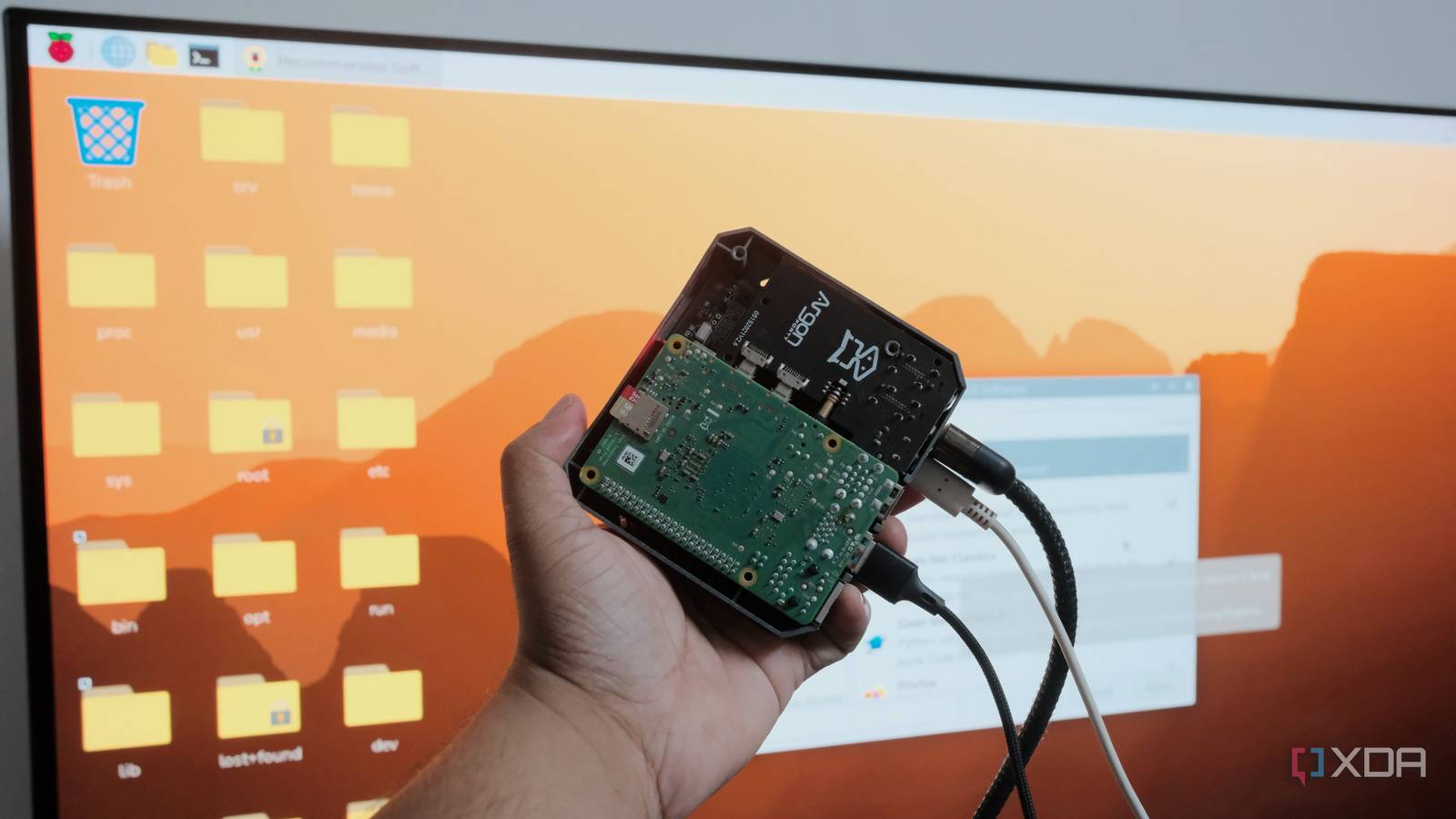
Published Nov 8, 2026, 9:00 AM EST Samir Makwana is a technology journalist and editor from India since past 18 years and his work appears on MakeUseOf, HowToGeek, GSMArena, BGR, GuidingTech, The Inquisitr, TechInAsia, TechWiser, and others. He has written news, features, and gadget reviews for national technology media publications. His passion is to help people with their technology problems and gadget purchases. For that, he has worked for some of the biggest international technology publications, covering news, explainers, how-to guides, listicles, and product-buying guides. He has worked as an editor and managed teams since 2015. His expertise broadly covers computers, smartphones, game consoles, headphones, smart home products, browsers, and apps. I have spent an unhealthy amount of time browsing and monitoring the 8GB Pi 5 listings and SSD-supporting cases. My Pi 4 (8GB) felt slow, and I wanted more powerful SBC hardware to run a few self-hosted apps and home lab experiments. But the prices kept making me reconsider. So I decided to wipe the Pi and set it up from scratch. Out of curiosity, I flashed DietPi onto a microSD card. The hardware stayed the same, but the Pi no longer felt slow. My Pi 4 still sits in my Argon 40 case with the same microSD card and SATA M.2 SSD. The only thing that changed is the operating system. Raspberry Pi OS was holding my Pi 4 back Background services pile up faster than I thought I installed the Pi OS for desktop on my Pi 4 for general-purpose usage and experiments. While the OS is built to work for everyone, the desktop environment arrives with a bunch of services and packages I never needed. I wanted the Pi to become a part of my home lab, but most of its background processes were eating CPU and RAM. A fresh installation of Raspberry Pi OS with the desktop took a couple of minutes to show the desktop interface. After switching to DietPi, the same Pi took about 12 to 15 seconds to boot. While it's not always about checking how fast Pi boots, let's face it, having an OS boot in seconds is certainly helpful. Since a memory upgrade was out of the question, this switch freed up a lot of RAM headroom. Even though the gap between the reboot times of Pi OS and DietPi is in seconds, it matters when using an SBC like a Pi. I get to choose what DietPi installs on the PI I picked DietPi because it’s a Debian-based image with scripts layered on top. It’s minimal by default and has no desktop interface to strip off. I get a text menu and a cleaner system. I can browse DietPi Software, a catalog of apps, and install the ones I like with a few keypresses. Each app comes with defaults suited to headless setups. I picked Docker and Docker Compose to quickly start running containers. Pi-hole, Jellyfin, Nextcloud, and plenty more are in the same list. Of course, you can do the same on Pi OS, but installing apps on DietPi takes less time and doesn't add extra bloat. Without a desktop environment, the system stays lean because it carries fewer packages. Like Pi OS, you can set the hostname, Wi-Fi details, locale, SSH, and other settings before the first boot. That gives you easy SSH access and saves basic setup time. I used the dietpi.txt file on the card to enable SSH access and add other details, skipping the most basic setup. Storage tuning makes it worth using an SSD The SSD finally got its proper job for heavy I/O I got an M.2 SATA SSD expansion module for my Argon 40 case, and that made it easy to use spare SSDs. But I ran only Docker on the SSD, while the microSD handled far more system reads and writes than I’d planned. I didn’t realize the microSD card was actually doing more work than the SATA SSD, but DietPi-Drive_Manager helped fix that. It lists every connected drive, handles mounting and persistent mounts, and can also run a quick benchmark of the drive’s performance. On Pi OS, I had to mount the M.2 SSDs and make them persistent by hand. I used it to move my Docker containers to the SSD, and it stopped constant read-write stress on the microSD card. DietPi stores the logs in RAM and reduces unnecessary writes to the memory cards by default. That’s possible on Pi OS, but with guided access using Drive Manager. DietPi logs everything in RAM and skips unnecessary writes to the card by default. The microSD card mostly handles booting, and the SSD does the heavy read/write activity. As a result, containers start a few seconds faster, and image pulls no longer slow down the system. The microSD card was no longer a bottleneck while I ran a leaner OS on it, and a sensible storage layout made a bigger difference. Leaner DietPi does have some trade-offs, but they’re small Documentation is sparse, and there’s no desktop Calling DietPi perfect would be misleading. It's a smaller project than Raspberry Pi OS, so the community and documentation are thinner. If something breaks, you’re left to the DietPi forum and several tutorials. Without a desktop interface, it makes less sense to hook the Pi up to a monitor and use it like a tiny PC. However, you can install a desktop through the DietPi-Software. If you’re familiar with Debian, the terminal will feel like home, and you don’t need to relearn any commands. The only thing I had to learn was to force server-style tasks on DietPi and expect it to be efficient. To avoid messing up my existing setup, I flashed DietPi on a separate microSD card before making the switch. The upgrade I should’ve tried instead of shopping for hardware Before I ordered the Pi 5, I wanted to try a different OS on the Pi 4 first. With DietPi, the Pi feels noticeably faster, with lower idle memory, faster boot, and an SSD that makes storing apps or media more convenient. DietPi is perfect for Pi 4 setups that have become sluggish, and you’ve been eyeing an upgrade, just like. It costs nothing and takes less than an hour to set up. You can always switch back to your old OS on the microSD card if it doesn’t click for you. For me, it made several things faster and more convenient, even without the desktop interface. DietPi A minimal Debian-based OS that's optimized to be lightweight and is very easy to install and use.
Replacing Raspberry Pi OS with this lightweight distro made my SBC faster than any hardware upgrade
Full Article
Original Source
Read the full article at Xda-developers →KhanList aggregates and links to publicly available news content. We do not host full articles from third-party sources. Always verify important information with original sources.