
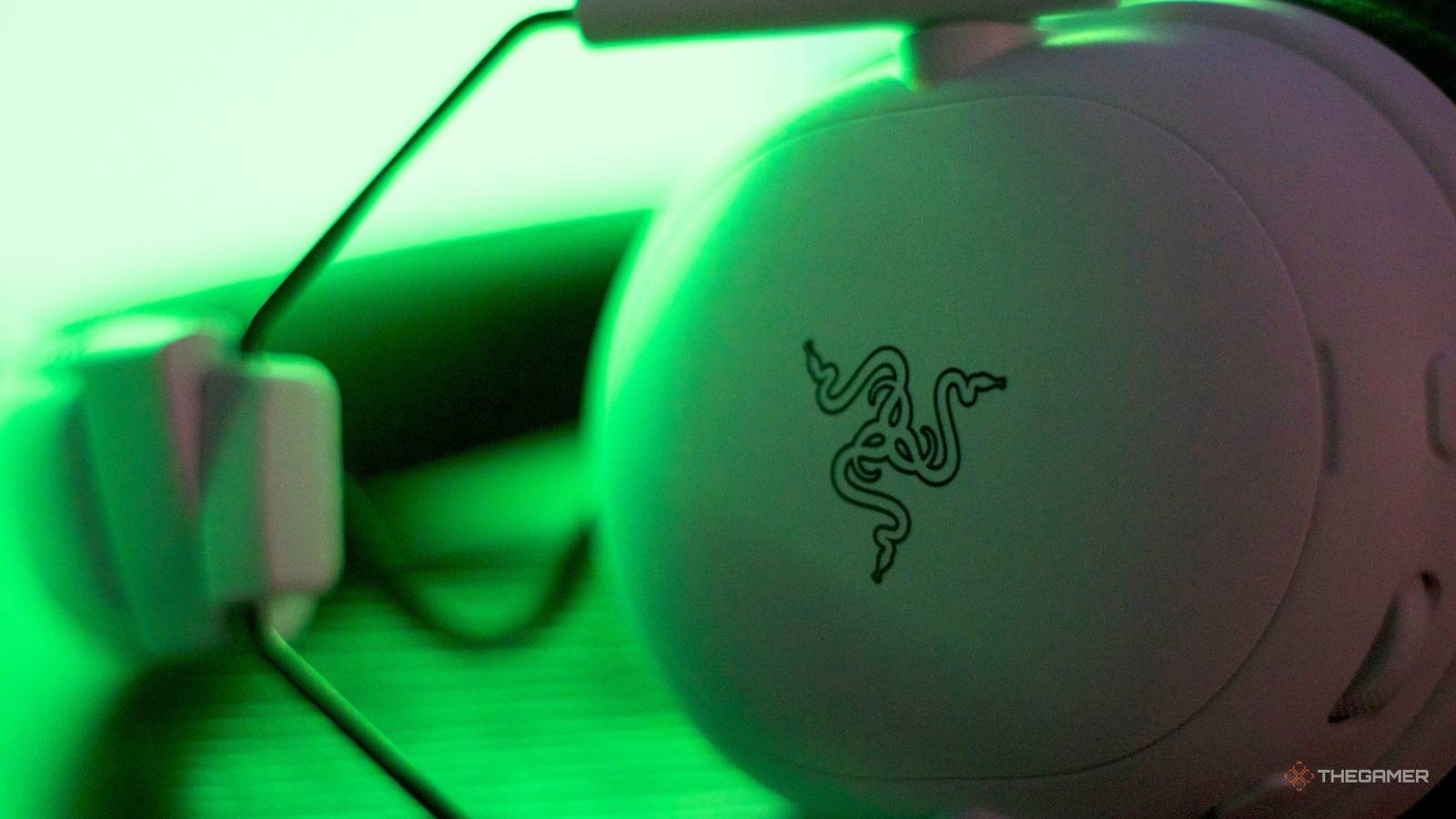
I’m a creature of habit. If something does exactly what I need it to without issue, I’m unlikely to ever deviate from it, which is probably why I’ve only ever owned newer versions of the same make and model car since I started driving. After all, why risk disappointment with something new when I already know that what I have hasn’t let me down yet? Of course, a lack of failure probably isn’t the best way to measure a product’s quality, so even though my reliable Sony headphones get the job done, I jumped at the chance to test out Razer’s latest headset, the BlackShark V3 Pro. Needless to say, it was quite an upgrade, and after two weeks with it, my Sonys are slowly beginning to collect dust. Big, Durable, And Surprisingly Comfy My first impression after opening up the box was that the BlackShark V3 Pro headset was huge. As a loud and proud earbud hater, I’m no stranger to bulkier headphones and headsets, but I’ve never had anything quite this size. The headset was jokingly described to me as resembling a helicopter pilot’s headset before I got my hands on it, and that turned out to be less of a joke than I thought. My initial concern was that it might be heavy or uncomfortable to wear for long periods due to its size, but I was happy to be wrong. It is surprisingly lightweight despite appearances. That said, don’t take lightweight to mean fragile. My 4-year-old makes it a personal mission to test the durability of anything new in my home, and so far, these have passed with flying colors. It seems clear that every piece of the BlackShark V3 Pro headset was built not just for quality, but also for longevity. After wearing these for hours, I never noticed any irritation or discomfort on my head or around my ears, which is rare for me. My ears typically get warm if I wear a headset for too long, and occasionally the headset itself gives me a headache if I don’t take a break. However, that was never the case with these. The ear cushion covered my ear entirely, so I never needed to adjust them, and the Dual-Sense Memory Foam kept my ears from getting hot during long sessions. While I don’t think this headset would bother anyone with studs or other small ear jewelry, if you wear hoops or dangling earrings like me, then you may need to remove them for a better seal. I was a little disappointed that the BlackShark V3 Pro headset doesn’t feature any customizable RGB lighting like other Razer headsets and accessories, but it still looks pretty damn good. Plus, the BlackShark V3 Pro comes in several colors with platform-specific stitching, so you’re not just stuck with a standard black headset if you don’t want to be. Just Go Ahead And Glue These Straight Onto My Head Because I’m Never Taking Them Off I’ll be honest, I don’t typically use headsets when I’m gaming unless I’m intentionally setting aside time to play with friends and need a mic. Even though it doesn’t offer the best sound quality, I’m usually fine listening through the TV speakers. That said, a large reason for my lack of headset usage up to this point is simply that I didn’t have a great one. It wasn’t worth taking the time to grab it anytime I wanted to play something, since I felt like it didn’t add much to the experience anyway. I was hoping the BlackShark V3 Pro headset would change that, though. I wanted it to feel like a necessity when starting up a game because the experience with it was so much better than anything the default speakers could offer me. And after two weeks with the headset, I’m happy to say it did. This isn’t just for the sake of flattery; this is genuinely the best audio accessory I’ve ever owned. The Razer TriForce Bio-Cellulose 50 mm Drivers are said to promise unmatched clarity, precision, and spatial awareness, which has certainly been true to my experience with them. Right out of the box, the default settings are already incredible. However, between the Razer Audio App and Razer Synapse 4, you can build a fully customized audio experience that you can cycle through at the press of a button. Of course, if you’re not too tech-savvy, that’s not a problem either, as there are a few FPS presets based on the settings of Pro Esports players that you can apply straight to your headset. I took the time to set up a new 3D Audio sound profile on my PlayStation 5 with these, and the precision afterward was almost eerie. My couch backs up to a wall, so I know nobody can be behind me while gaming, and yet I was still startled when an in-game enemy approached me from behind because I could almost swear their footsteps were real. As if that’s not enough, the BlackShark V3 Pro also features three noise cancellation settings. Using a button on the headset, you can cycle through ANC On, ANC Off, and Ambient, all identified by a voice prompt, so you know which is active. We’ve all used a headset or headphones that promise some level of noise cancellation, but in reality only muffled whatever the ear cushions themselves managed to block out. That’s not the case here. Swapping from ANC Off to ANC On is almost tangible. By that I mean, my ears experience a pressure-like sensation, almost like what you’d encounter on a plane, when it’s active. Now I know this is just the way my brain is responding to the sudden change in sound, not an actual pressure change, and it’s only present when I have ANC on without any audio playing, but it was still fascinating. Since it seemed to have such intense Active Noise Cancellation, I decided to test the feature by listening to a Podcast while doing the dishes. Water was running, the garbage disposal was on, and I could barely hear either of them right in front of me, let alone anything else happening more than one to two feet away. Needless to say, yes, I now wear these while I do dishes. With ANC off, some noise is still muffled, but if anyone speaks at a reasonably loud volume, then you should be able to hear them. It still blocks out more sound without noise cancellation than traditional headphones would, but if that concerns you, that’s what Ambient is for. Ambient mode intentionally lets sound in to keep you aware of your surroundings, which is great if you want to use these in a public space or simply need to hear someone around you while playing. I don’t use this often, but there is a noticeable difference when I do. It actually made me more aware of sounds in my home that I typically tune out, like the sound of my AC running, because it was funneling in such clear sound from around me. As for the mic, I did have my partner throw the headset on and speak to me through it so I could be on the receiving end of the sound, and as far as I could tell, the clarity was as close to being there in person as I could hope. There was no strange distortion or even a delay in anything he was saying, and when I used it during a game night with friends, others confirmed my voice was coming in crisp and clear. More Than Just A Gaming Headset While this is undeniably a top-of-the-line headset, it’s probably easy for most players to write it off as being for those who game beyond a casual level. After all, it’s roughly $250, which certainly isn’t cheap, and all the marketing is based around how Esports players use this headset. However, Razer has made it clear that in designing something that meets the needs of pros, it has made something incredible for everyone. With everyone turning to their hobbies to relieve stress, now more than ever, every gamer deserves the best, and whether you’re doing it alongside teammates on a stage or from the comfort of your own desk, the BlackShark V3 Pro headset should be part of that. It’s designed to be as convenient as possible for all players. The BlackShark V3 Pro features four connectivity methods, including Bluetooth, USB, 3.5mm analog, and Razer HyperSpeed Wireless Gen-2. So, regardless of what device you’re connecting to and whether you prefer wired or wireless, this headset will fit all your needs. Since connectivity was so easy, I even used these on the go, pairing them with my phone in just seconds. If you plan to use the BlackShark V3 Pro headset with Xbox at all, you will want to get the Xbox-specific version, as it is specifically designed to meet Xbox's unique requirements for accessories like this, while the PS and PC versions are not. I opted for the Xbox version to cover my bases, but I also used it with my PlayStation and other devices without any issues. The price is higher than the average headset, but as I mentioned, these things are durable. I’ll likely be enjoying this headset for years, so I don’t doubt you'll get your money’s worth. It’ll suit your gaming needs on any platform and, if you’re like me, you might even start using it to listen to music or YouTube videos, too. Razer’s BlackShark V3 Pro headset has become my all-around go-to for any headset or headphone needs, especially since the mic is easy to detach, and I’m honestly disappointed that I previously overlooked Razer when it comes to audio accessories. You can bet that when it comes time to replace them, I won’t make that mistake again.
Razer's New BlackShark V3 Pro Headset Brings Pro-Level Performance To Every Player
Full Article
Original Source
Read the full article at Thegamer →KhanList aggregates and links to publicly available news content. We do not host full articles from third-party sources. Always verify important information with original sources.