
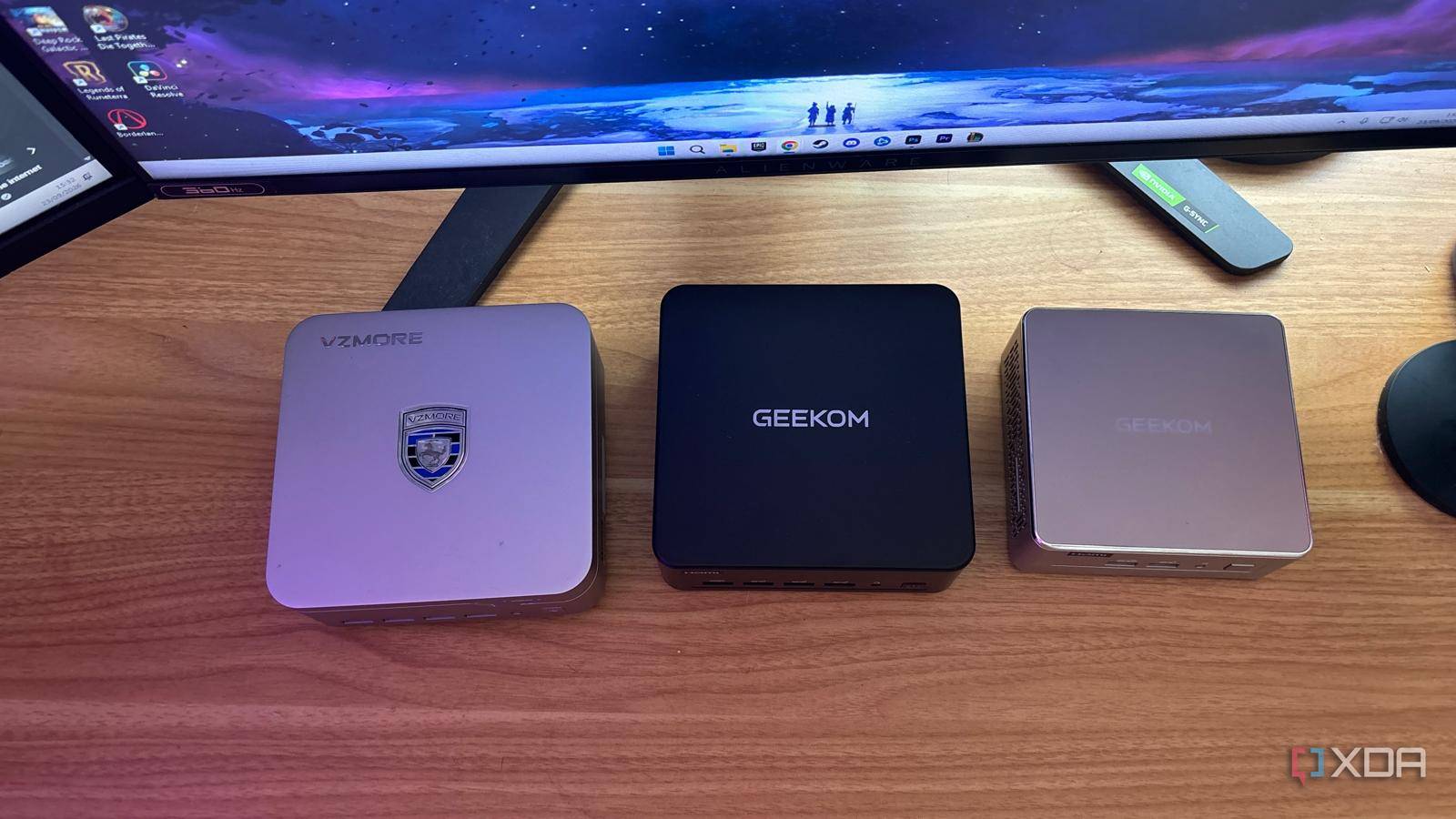
Published Sep 24, 2026, 3:31 PM EDT Jasmine is Software and PC Hardware Author at XDA with years of tech reporting experience ranging from AI chatbots right down to gaming hardware, she's covered just about everything. Whether it's breaking news about the latest AMD NPUs or creating video tutorials on social media platforms, Jasmine has contributed to the world of AI and tech in a variety of ways including interviewing the CEO of Razer, AMD's Director of Product Marketing and the VP of Lenovo. Passionate about gaming and PC technology, she has built countless computers, keyboards and other peripherals - knowing them inside and out. For a lot of tech enthusiasts, it's a rite of passage to pick up a Raspberry Pi with grand visions of building a cluster, hosting a home cloud, or running local home automation. It starts out strong, but the moment you try to scale up (like adding multiple Docker containers, compiling heavy Go binaries, and running Plex media transcoding), the Pi hits a brick wall. Realistically, it might be better for you in the long run to pivot to a modern, energy-efficient x86 and high-end mobile silicon mini PC. For a slightly higher initial investment, you get a complete, robust system with native NVMe speeds, massive RAM headroom, and architectural freedom, while Raspberry Pis remain phenomenal for simple GPIO tinkering and dedicated edge sensors. Using them as primary home servers feels like a compromise. Upgrading to a budget-friendly or high-performance mini PC unlocks desktop-grade compute, lightning-fast storage, and native x86 virtualization that completely outperforms single-board computers for 24/7 home labs. Raspberry Pi might not always stack up A mini PC might be a better alternative Single-board computers can struggle under modern self-hosting workloads compared to active x86/mobile silicon. This is because they have slow I/O bottlenecks, thermal throttling under load, and the hidden Raspberry Pi tax (which means buying official power supplies, Micro HDMI adapters, aluminum armor cases, and high-end A2 microSD cards can be very pricey). This pushes your $35 entry-level board closer to hundreds of dollars when you factor all of these in. Raspberry Pi's rely on microSD cards or constrained single-lane PCIe/USB bridges for storage. Under heavy database writers like Home Assistant or Immich background indexing, IOPS collapse, leading to card corruption and sluggish response times. The storage that you've potentially spent quite a lot of money on might not even be adequate. Moving to a mini PC gives you native x86 architecture, so you no longer have to hunt for obscure ARM64 Docker image variants or run into painful compilation errors for specialized self-hosted utilities. You have the advantage of the ecosystem as a whole. You have to invest in the right machine There are a wide range of mini PCs on offer The machine that you pick up will depend entirely on what you're hoping to use it for. There are a range of mini PCs on the market, so I decided to test three versions with very different specifications. If you're looking for something in the sweet spot of value, the GEEKOM A5 2027 is a great option, featuring an AMD Ryzen 5 7430U CPU. It's the ultimate budget-to-performance bridge as it offers you 6 cores, 12 threads, and an ultra-low 15 W to 25 W idle profile. It handles multi-container Docker stacks, Home Assistant, and light media servers silently, but you might struggle when it comes to local AI. Another option is the high-end Intel workhorse in the form of the GEEKOM IT13 Max, which features an Intel Core Ultra 9 185H processor. It is built for power users who need heavy multithreading, with 16 cores and 22 threads, dual 2.5 GbE network ports, and robust Wi-Fi 7 for routing and heavy server workflows. It handles intense virtualization, Plex 4K hardware transcoding, and local development environments effortlessly. And lastly, if you're someone who is looking to push local intelligence right to the edge, then the VZMORE AX9 Max, which features an AMD Ryzen AI 9 HX 470 CPU, is one of the best of the best when it comes to specifications. It's powered by Zen 5 architecture and a dedicated NPU pushing up to 55 TOPS. It acts as a powerhouse for running local LLMs like Ollama or LM Studio, and you can also run Frigate compute, vision NVR systems, and heavy-duty agentic workflows right on your local LAN. If you're looking to invest more heavily in local AI, a beast like this will get you there, but it's understandably a lot more expensive. While a mini PC costs more than a Raspberry Pi, you get so much more out of it that it's a better long-term investment because you don't have to keep upgrading or investing in new tech. Your Raspberry Pi might still be the right call A mini PC isn't one size fits all A mini PC isn't the right call for absolutely everything. Sometimes it is better to keep using your Raspberry Pi. Depending on the job you're hoping to use it for, you might be better off keeping your Raspberry Pi for physical computing projects, GPIO sensor prototyping, LED lighting controllers, or low-power remote network sniffers where physical size and pin headers matter. Don't get me wrong. I'm not saying you should never purchase a Raspberry Pi anymore. I'm just saying that sometimes a mini PC might be better suited to the job and save you money in the long term. Using a mini PC for your core home automation server (like Home Assistant), media centers (like Plex or Jellyfin), private photo vaults (like Immich), as well as local AI agents and 24/7 network-attached utility services. These are the places where Raspberry Pi simply can't keep up without you spending an equivalent amount on upgrades for the board. An easy way to know if you're ready to move beyond single-board computers is by auditing your current Pi bottlenecks. You can do this by checking your CPU load averages and IO wait times in Home Assistant to pinpoint where your Pi is currently choking. Luckily, the transition can be seamless: export your Docker Compose files, spin up Proxmox or clean Linux on your new mini PC, and watch your container deployments snap into place instantly. VZMORE AX9 Max The VZMORE AX9 Max is a powerful mini PC and while it costs a lot when compared to a Raspberry Pi, it provides you with a whole other level of functionality. Geekom Mini IT13 $699 $899 Save $200 CPU Up to Intel Core i9-13900H Graphics Intel Iris Xe graphics Memory Up to 64GB DDR4-3200 Storage Up to 2TB PCIe 4.0 SSD Motherboard Proprietary The Geekom Mini IT13 is a mini PC powered by 13th-generation Intel Core processors, featuring solid connectivity and upgradeability. Geekom A5 2027 If you're looking for a budget friendly mini PC then the Geekom A5 2027 is a great investment. It won't be able to run AI locally but does a fantastic job in place of a Raspberry Pi. It might be time to ditch your single-board computer A mini PC might save you money in the long run Raspberry Pi's are fantastic educational tools, but trying to stretch them into heavy-duty home servers creates an endless cycle of bottlenecks and workarounds a lot of the time. Moving to a capable mini PC gives you real server performance in a footprint only slightly larger than a deck of cards. Instead of duct-taping USB SSDs to single-board computers, pick up a reliable mini PC, which might be a much higher upfront cost, but it allows you to consolidate your home lab infrastructure.
Raspberry Pi's storage bottleneck is worse than you think — here's what I switched to instead
Full Article
Original Source
Read the full article at Xda-developers →KhanList aggregates and links to publicly available news content. We do not host full articles from third-party sources. Always verify important information with original sources.