
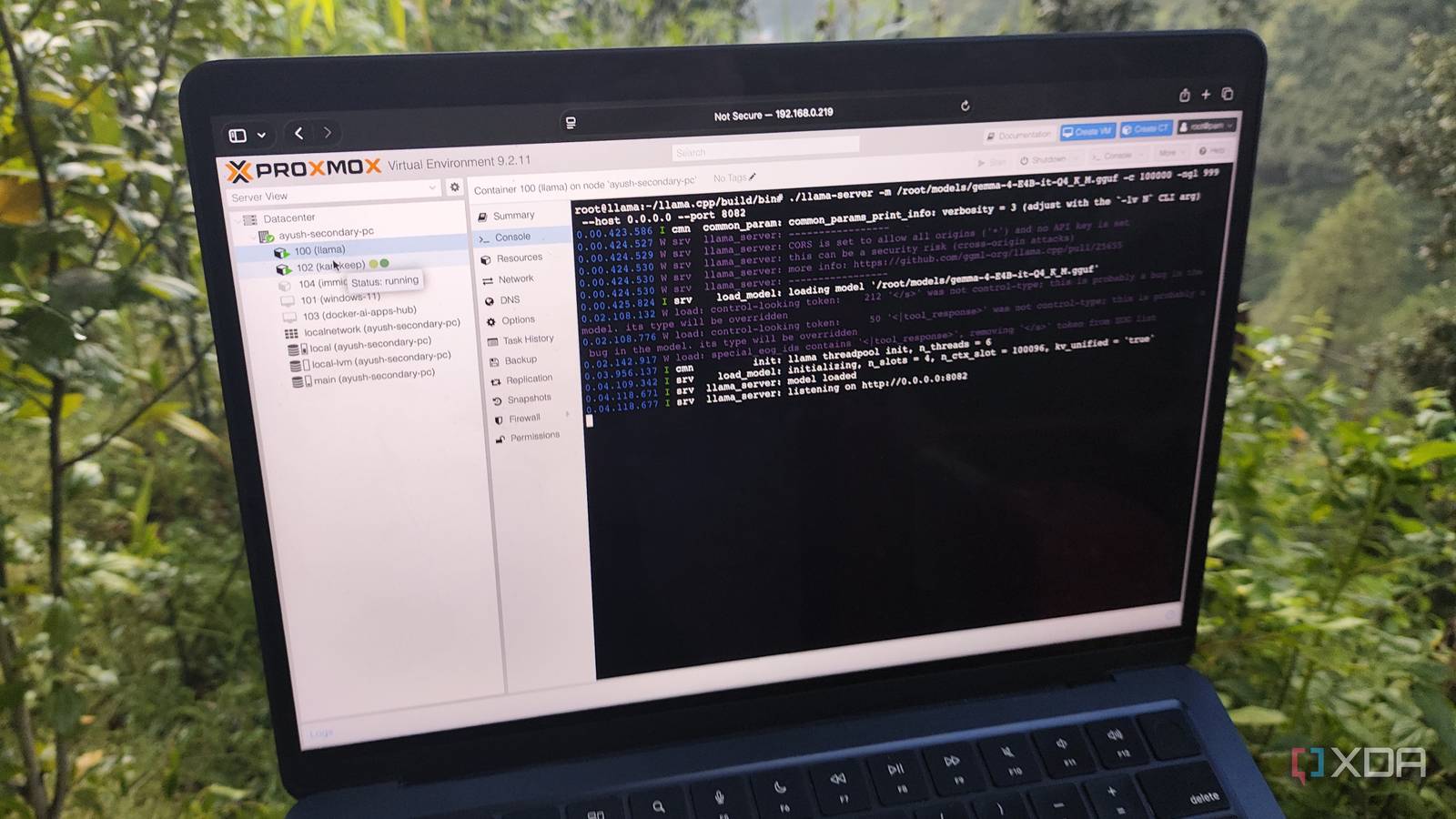
Published Aug 28, 2026, 9:00 AM EDT Ayush Pande is a PC hardware and gaming writer. When he's not working on a new article, you can find him with his head stuck inside a PC or tinkering with a server operating system. Besides computing, his interests include spending hours in long RPGs, yelling at his friends in co-op games, and practicing guitar. Having relied on Proxmox for a long time, I almost always update my experimental PVE nodes every time a new version gets released. But despite my desire to experiment with cool features, I typically wait a few weeks before migrating the workstations housing my essential virtual guests to a new release. It’s something that I started doing ever since the Proxmox VE 9.0 upgrade resulted in my overprovisioned local-lvm pool going offline until I ran a few commands. So, when Proxmox 9.2 rolled out, I waited a few weeks before I updated my self-hosting PVE nodes. But what I didn’t realize was that there’s a new bug that affects outdated GPUs on the latest version of Proxmox – one that caused my AI workflows to stop altogether. Fortunately, the solution turned out to be as simple as switching to a specific legacy version of the GPU driver. The 7.0-pve kernel didn’t mesh well with my Pascal-era card It took me a while to figure this out When I say outdated GPU, I’m not just talking about an RTX 30 or even 20-series card. Instead, I’ve got a GTX 1080 responsible for hosting Gemma 4 E4B, Nomic-embed-text, GPT OSS 20B, and a handful of other large language models. So, the broken drivers only came to my attention after the LLMs stopped working and broke the AI-aided features on Karakeep, Paperless-GPT, and a bunch of other productivity tools. After a lot of research and preliminary fixes, I realized that the issue stemmed from the new kernel that ships with Proxmox 9.2. Specifically, pve-kernel 7.x is known to cause issues with old Pascal cards, which makes sense considering Nvidia stopped supporting these GPUs last year. Up until Proxmox 9.1, 580.119.02 has worked really well with my GTX 1080 (and even a GTX 1060 on an old laptop), but PVE 9.2 just doesn’t support it anymore. On both the host and my llama.cpp LXC, nvidia-smi couldn’t connect to the GPU, and any attempts to install the drivers after cleaning up the old ones just resulted in more errors. Turns out, Nvidia had rolled out a specific driver to fix this problem Installing it was just as simple, too A few weeks ago, Nvidia released a driver for the Pascal series, which gets rid of the DMKS build errors during the installation sequence. Better yet, installing the new drivers was as simple as executing the following set of commands: wget https://us.download.nvidia.com/XFree86/Linux-x86_64/580.173.02/NVIDIA-Linux-x86_64-580.173.02.run --no-kernel-moduleschmod +x NVIDIA-Linux-x86_64-580.173.02.run./NVIDIA-Linux-x86_64-580.173.02.run Running nvidia-smi afterwards confirmed that my Proxmox host was detecting my outdated gaming companion. Since I’ve previously seen the major numbers associated with this GPU change after installing new drivers, I quickly ran the ls -l /dev/nvidia* command on the host. Sure enough, the new drivers had caused the major numbers on the /dev/nvidia-uvm and /dev/nvidia-uvm-tools to change from 234 to 235, while the nvidia-cap1 and nvidia-cap2 were now 237 instead of 234. To make the GPU passthrough configuration consistent, I ran nano /etc/pve/lxc/100.conf (with 100 being the ID of the container) and made these changes to the lxc.cgroup2.devices.allow: parameters. Of course, I still had to install the new drivers on my LXC. First, I uninstalled the older drivers by running NVIDIA-Linux-x86_64-580.119.02.run --uninstall. Then, I ran pct push 100 /root/NVIDIA-Linux-x86_64-580.173.02.run /root/NVIDIA-Linux-x86_64-580.173.02.run to send the freshly-downloaded driver to my LXC. Once again, I ran the chmod +x command followed by ./NVIDIA-Linux-x86_64-580.173.02.run to make the file an executable. However, I appended the --no-kernel-modules flag at the end of the ./NVIDIA-Linux-x86_64-580.173.02.run command to avoid errors from cropping up while the driver installation wizard worked its magic. Running nvidia-smi confirmed that the driver was working as intended, and I navigated to the llama.cpp directory and launched Gemma 4 E4B for the final test. Sure enough, the LLM booted up right away, and after running a few tasks on it, llama.cpp was able to handle my inference tasks consistently at 35 tokens/second (oftentimes reaching above the 50 t/s mark). Either way, I’m glad I can keep using this setup for my LLM-aided tasks If you’re wondering why I was so desperate to get my old GPU working with my LXC, it’s because there’s still a lot of life left in it. On paper, the GTX 1080 is too outdated to handle powerful LLMs, and that’s true for conventional models. However, it’s more than enough to drive Gemma 4 E4B (Q4_K_M) for my Home Assistant voice control pipeline, Open Notebook inference tasks, Blinko auto-summarization tools, and Paperless-GPT OCR reports (provided I run it with the vision-capable mmproj file). Then you’ve got GPT OSS 20B (Q4_K_M), which works pretty well on this GPU thanks to its MoE design. Heck, I’ve even gotten Gemma 4 26B A4B (Q4_K_M) working on this GPU at 16 tokens/second once I assigned 20GB memory to my llama.cpp LXC. Combine all that with the fact that I can use these LLMs for my productivity tasks, and you can see why I’m not willing to part ways with this system just yet. Proxmox Proxmox is an open-source platform built on Debian Linux designed for server virtualization.
Proxmox 9.2 broke my local LLMs, but the solution turned out to be pretty simple
Full Article
Original Source
Read the full article at Xda-developers →KhanList aggregates and links to publicly available news content. We do not host full articles from third-party sources. Always verify important information with original sources.