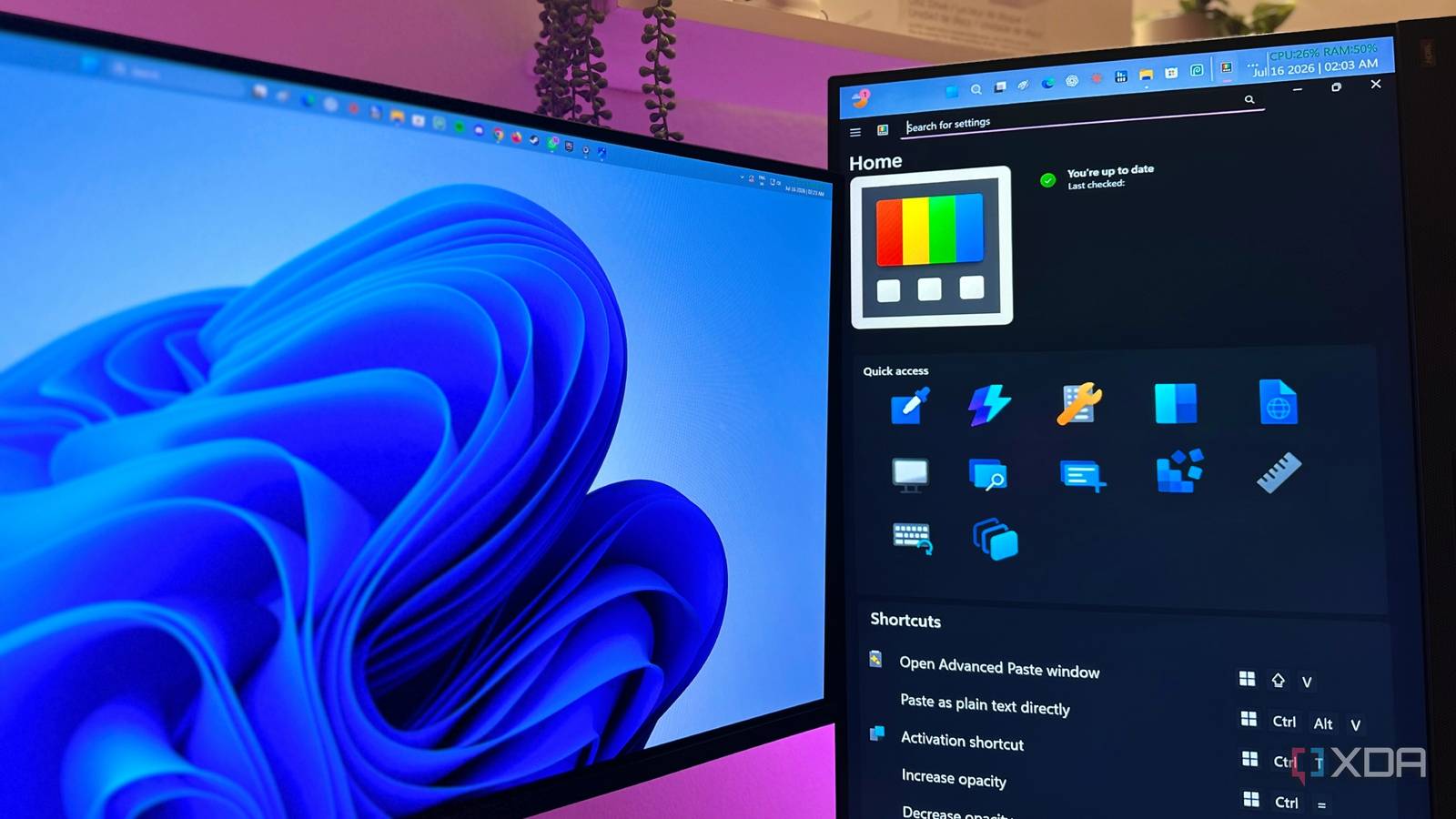
Published Jul 18, 2026, 9:00 AM EDT Gaming has been Samarveer’s greatest passion, and the Literature graduate in him takes immense joy in dissecting games for their themes, messages, and impact. Samarveer holds a deep appreciation of gaming, and considers the platform to be the most immersive and impactful across all media. He can be found engaging with gaming communities online, always ready to debate the finer points of ray tracing or itching to write an 8-page collegiate thesis on any game that impacts him emotionally. Summary PowerToys makes Windows adapt to me, filling the small workflow gaps Microsoft left. I use FancyZones, Image Resizer, and Advanced Paste to remove daily friction. It feels baked into Windows, giving me shortcuts and tools that just work. It's hard to say that Windows has been short on customization. After all, you can change wallpapers, themes, taskbar behavior, and plenty of other settings (surface-level) until the desktop feels yours. After years of daily use, though, I realized I was still adapting to Windows far more often than Windows was adapting to me. The OS works the way Microsoft has made it to, so whenever my customization preferences drift outside those boundaries, I'm left looking for workarounds. It is PowerToys that has completely changed that perspective. Instead of "reinventing Windows," it fills in the countless little gaps that make the operating system feel rigid in everyday use. More importantly, it hands control back to me, the user, letting me shape Windows around how I actually work instead of constantly reshaping my habits to fit the OS. Windows has always been customizable, but never adaptable Microsoft lets me personalize the look, not always the workflow Microsoft's definition of personalization tends to hit a brick wall after a few icon, theme, and desktop wallpaper customizations. After spending months with PowerToys, though, I realized just how much my own workflow was being held back by the very operating system I used every single day of my life. I'm not saying PowerToys reinvents Windows completely, but its utilities do go a long, long way in making the OS feel a lot more accommodating. That, to me, is the biggest reason PowerToys has become one of the first apps I install on every new Windows machine. It doesn't make Windows prettier or dramatically faster, but it really nails its job of making the operating system feel like it's taking orders from me, and not the other way around. When PowerToys works, it works brilliantly These tools have genuinely become part of the OS, and my workflow If there's one utility I believe captures "the PowerToys philosophy" perfectly, it's FancyZones. Ever since I moved to a dual-monitor setup, my desk has become a dynamic workspace. Some weeks I prefer my secondary monitor in portrait mode for writing, while other days it goes back to landscape — it depends on the side of the bed I've woken up on. You can download Microsoft PowerToys from the Windows Store or via the GitHub releases page. Now, to be fair, Windows' built-in Snap Layouts are perfectly adequate if your setup remains the same, but FancyZones gives me a message I love hearing: build whatever makes sense. My layouts change with my workflow, and whatever new distraction I have playing on the second monitor while I work away, and FancyZones ensures that my OS never gets in the way, and neither do the bezels. These features don't sound flashy, but they remove a significant amount of friction every single day. This same philosophy extends into features like Image Resizer and Advanced Paste. They're the kind of tools that I would normally expect to come from separate third-party utilities, each good enough to warrant its own installer and learning curve. Instead, they're just simply... there, woven right into Windows, letting me resize my images to the idea dimensions every single time with the click of a few buttons. Even Advanced Paste has become a much smarter clipboard, spoiling me so much with its options that I'll never be able to go back to the regular Windows Clipboard. These features might not sound flashy, but boy do they remove enough friction every single day that they've become synonymous with the Windows 11 experience for me now. It may be easy to type in a letter into Google and ask for it to be formatted a certain way, but it sure isn't fast. Quick Accent in PowerToys has significantly helped me type in superscript, subscript, or accented letters, numbers, and fractions in a fraction of a second (pun intended). That's why every time a repetitive task disappears behind a right-click menu or a keyboard shortcut, PowerToys manages to make me genuinely smile about just how well the operating system itself is melding to my needs and workflow. PowerToys fixes the little things I had stopped questioning Small improvements build an operating system that feels dramatically better A huge reason I've come to appreciate PowerToys the way I have is that it solves problems that I'd long accepted as just a part of the Windows experience. I never expected to be able to batch-rename files without uploading them online first, or extract text from an image without the help of AI, or even keep a window pinned to the top of my display. All of these functions and more have almost always required downloading another utility, or putting in a bit of extra elbow grease. That's what PowerToys tackles, removing these annoyances and all the friction without making a spectacle. If you were to take a look at each of PowerToys' utilities, you might not see anything particularly revolutionary, but combined, they eradicate hundreds of tiny pain points that threaten to distract a user's focus throughout the day. That's the biggest reason that anyone who uses PowerToys exclaims how it should have been a feature pack that Windows should ship with from the get-go — because it genuinely feels like it completes Microsoft's operating system. Microsoft PowerToys is a collection of free, open-source tools that can improve Windows productivity. PowerToys made Windows feel like it finally belongs to me Nobody understands Windows better than Microsoft, and I think that's exactly why PowerToys feels so seamless once it becomes part of your daily routine. None of these features and utilities feel bolted on, or visually out of place. They don't resemble third-party tweaks like Windhawk or Listary, either, which constantly remind you that they are separate from the OS you're using. Instead, everything in PowerToys blends into the background, and that's why you feel like it's been here since the very beginning. It's why PowerToys earns a place on every Windows PC I own. It gives me my own shortcuts, my own workflows, and my own utilities, all while feeling like they are baked into Windows itself. What I then get is a PC that listens to me every time I'm using it, giving me a deeply personalized experience without ever feeling overly modified.
PowerToys finally made Windows feel like an OS I could control, not just use
Full Article
Original Source
Read the full article at Xda-developers →KhanList aggregates and links to publicly available news content. We do not host full articles from third-party sources. Always verify important information with original sources.