
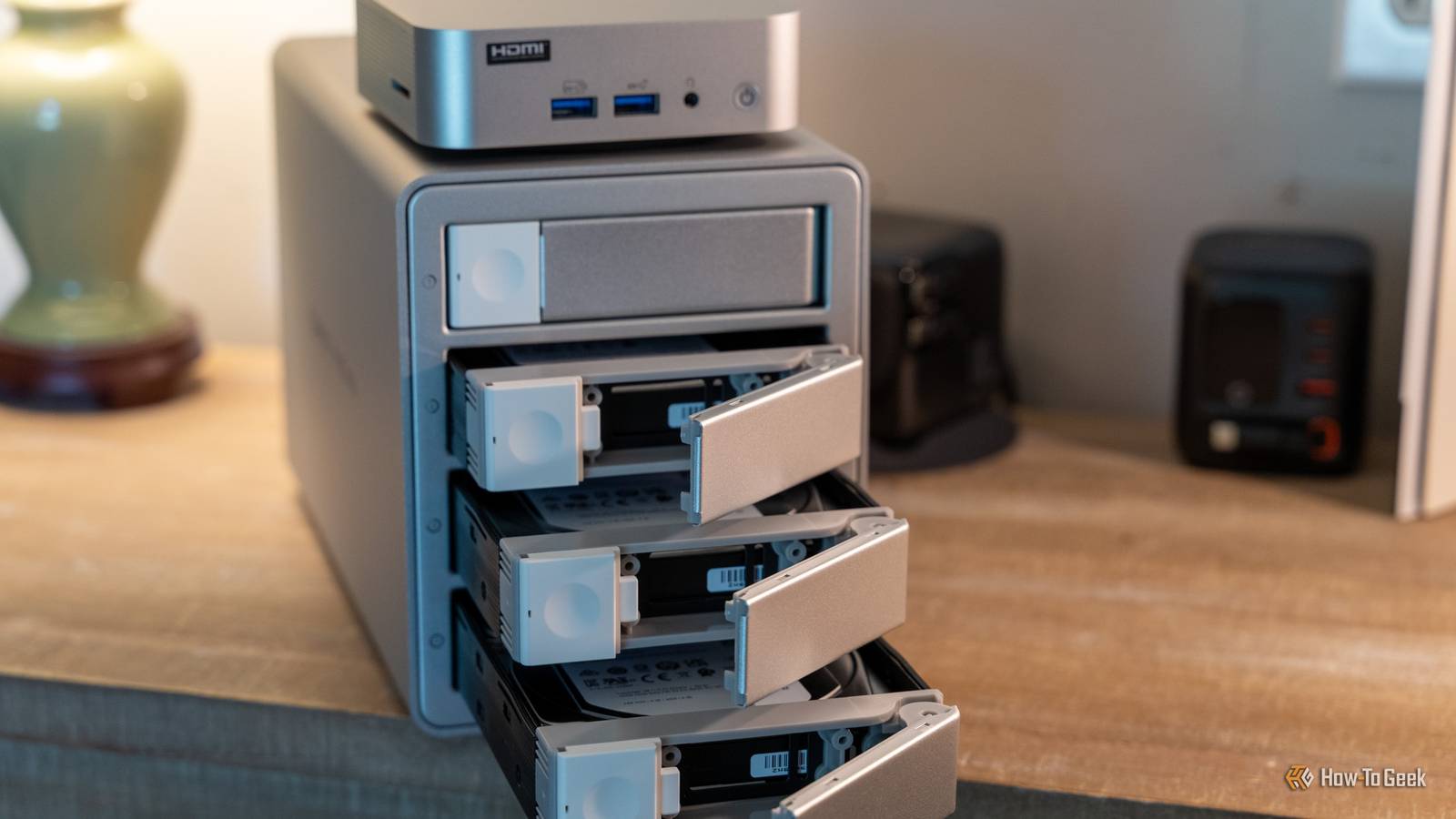
Published Oct 6, 2026, 5:30 PM EDT Ismar is a Senior Author at How-To Geek. He previously worked as a writer, editor, and general manager at a content agency before joining the team in 2023. He began his writing career in 2021 after completing a BA in English Language and Literature. Beyond How-To Geek, Ismar has contributed to Red Stag Fulfillment and Authority Hacker. He has also worked on various SEO projects to help clients improve their search visibility. Ismar has been around Windows PCs since the age of three, so friends and family naturally chose him as the resident tech support. His projects often involve tinkering, such as disassembling mechanical keyboards and gaming mice to mod his beloved gear. He also enjoys pushing hardware to the max through overclocking while staying on a reasonable budget. An avid gamer, Ismar has logged thousands of hours across various genres, including first-person shooters, RPGs, racing games, and roguelites. When he is not at his desk, he is probably exploring other people’s phones to discover their quirks and features or experimenting with the latest AI tools. In his free time, Ismar enjoys spending time with his wife, working out at the gym, playing guitar and bass, cooking gourmet meals, and traveling. Above all else, he’s a proud cat owner. Back in the day, we did everything we could to avoid transcoding in our Plex libraries. The typical home server's hardware was very weak, so transcoding turned a simple playback request into a never-ending buffering nightmare. But now that even cheap PCs can transcode video with ease, it's become a surprisingly useful trick for saving storage without having to buy more storage drives. Weak CPUs made real-time video transcoding painfully slow The old Plex problem Back when owning a Plex server was still a relatively niche hobby, transcoding was an expensive process. Plex Media Server's hardware-transcoding support arrived as a preview in late 2016 and was introduced in a limited release in early 2017, so for a long time, we had to rely on software transcoding to handle everything. This was an extremely hardware-taxing process; a single 1080p stream could consume a large amount of processing power on a modest server. To give you a rough idea of just how rough transcoding was, Plex recommends a CPU with a minimum 2,000 PassMark score to transcode a single 1080p 10 Mbps H.264 stream. The Intel Core i3-3210 roughly corresponds to that requirement with its 2,230 PassMark score, but it wasn't exactly an ultra-budget consumer processor, as it launched in 2013 at an MSRP of $117, which is around $168 today after inflation. Many people didn't even run this processor in their Plex server, though. Low-power consumer NAS hardware and budget PCs used for servers were often quite cheap and simply couldn't handle transcoding on the fly. So, to circumvent the constant buffering issues, especially if your Plex server was being used by multiple users simultaneously, the general advice was to pre-transcode the content before it was served. A good target that supported Direct Play for many client devices was a combination of an MP4 container, H.264 video, and AAC audio. To transcode the video, you had a few options: you could use HandBrake or FFmpeg manually, or, later, the Media Optimizer feature that Plex added directly to circumvent on-the-fly transcoding issues, though the feature had some limitations of its own. The problem with this whole pre-transcoding process was that it was kind of slow and caused high power draw and heat until the transcode finished. If you kept the original file along with the pre-transcoded one, you'd be wasting a bit of space. But since storage was relatively cheap, it made sense, and if you had slow hardware, it was the most viable solution. But for people who had powerful i7 and Xeon processors that were capable of potentially transcoding multiple video streams on the fly, re-encoding was sometimes seen as a waste of time and power. Cheap hardware made transcoding almost trivial, while storage got drastically more expensive The formula got flipped on its head Transcoding video on the fly hasn't been much of an issue in years. Ever since Plex added hardware-accelerated transcoding, Intel processors with Quick Sync Video (QSV) support have been making short work of it. In case you have never heard of Intel Quick Sync Video, it's a dedicated video-processing engine that Intel started adding to its processors with the second-generation Sandy Bridge processors in 2011. It's heavily optimized for video transcoding, and offloads much of the work from the processor's CPU cores, making transcoding much less demanding. Like everything else in technology, Quick Sync improved over time, making on-the-fly transcoding work even better on newer processors. Today, a simple Intel N100 chip that's optimized for low power draw and doesn't have much raw power can handle common 4K HEVC transcoding workloads with ease, all thanks to Quick Sync Video. To give you a real-world example of this Quick Sync magic, before I upgraded my media server to a mini PC with an Intel Core 3 304 (which itself is relatively cheap and blasts through transcodes), I ran an old laptop with an Intel Core i3-7200U and was able to transcode 4K video on the fly. It wasn't as fast as my new mini PC, but it didn't actually stutter or drop frames until I tried skipping through the video, and even that only happened at a higher bitrate. Unfortunately, while this powerful transcoding-capable hardware has gotten cheaper with time, the same can't be said for storage. Hard drives have gone up significantly in price from their historic lows, making the old advice to simply buy more storage increasingly expensive. This massive increase in storage costs has made Plex users look to re-encoding once again, but this time with a completely different goal in mind: reducing the file size of the content itself. Re-encoding isn't just about avoiding transcoding; it can save terabytes of storage Modern compression makes library-wide re-encoding worth the effort Credit: Patrick Campanale / How-To Geek Pre-transcoding used to be a crutch for underpowered server hardware; today, re-encoding can be a great way to shave hundreds of gigabytes off your files without drastically hurting the visuals. The way it works is surprisingly simple: A lot of content from the 2000s and 2010s was encoded using older, less efficient codecs, like H.262 (MPEG-2) or H.264 (AVC). These codecs generally require a higher bitrate to achieve similar visual quality to more modern codecs like H.265 and, more recently, AV1. So, an easy way to cut the file size by 20 to 80%, depending on the exact video content, bitrate, and various other properties, is to re-encode it to H.265. I re-encoded my library a few days ago and squeezed an extra terabyte from my storage, just by setting up a flow in Tdarr and running it for a day on my mini PC, barely using any electricity in the process thanks to Quick Sync. A lot of my content was compressed by 50–70%, and I couldn't notice any visual differences between the original and newly re-encoded content. You'd think that you might want to keep H.264 around for compatibility reasons, but many modern client devices, including laptops, smart TVs, and smartphones, support H.265 (HEVC) playback through hardware decoding. So, by re-encoding your library, you're potentially freeing up a massive amount of storage space for $0 and a few hours of processing power. Your Plex library doesn't need to be optimized for every possible client It's 2026, and a lot of devices now support H.265 playback without issue, so there aren't many drawbacks to re-encoding your entire library to the more efficient format. However, should you ever come across a playback issue on a client device, like an older streaming box that lacks H.265 support, your server can usually do the heavy lifting for you and transcode it into a format that the device can use, effectively flipping the old advice on its head.
Plex transcoding used to be the problem, now it can save you terabytes of storage
Full Article
Original Source
Read the full article at Howtogeek →KhanList aggregates and links to publicly available news content. We do not host full articles from third-party sources. Always verify important information with original sources.