
8 Questions · Test Your KnowledgeDNS filtering and network privacy toolsTrivia challengeFrom Pi-hole to Control D — how well do you know the tools that block ads and protect your network?DNSPrivacyNetworkingAd BlockingSecurityBeginWhat is Pi-hole primarily designed to do?AEncrypt DNS queries using TLSBAct as a network-wide ad blocker using DNS sinkholingCCreate a VPN tunnel for all home network trafficDMonitor bandwidth usage across connected devicesCorrect! Pi-hole works as a DNS sinkhole, intercepting DNS queries for known ad-serving domains and returning a null response so ads never load. Because it operates at the network level, it blocks ads on every device connected to your router — including smart TVs and phones — without needing a browser extension.Not quite. Pi-hole is a DNS sinkhole, meaning it blocks ad-serving domains at the DNS level before your devices even attempt to connect to them. This makes it uniquely powerful because it works across your entire network, not just in a single browser.ContinueWhich hardware platform is Pi-hole most famously associated with?AArduino UnoBNVIDIA Jetson NanoCRaspberry PiDIntel NUCCorrect! Pi-hole was built with the Raspberry Pi in mind, and its name is literally a portmanteau of 'Raspberry Pi' and 'black hole.' The low cost and small footprint of a Raspberry Pi make it an ideal always-on DNS server for a home network, though Pi-hole also runs on many other Linux systems.Not quite. The 'Pi' in Pi-hole refers to the Raspberry Pi, the inexpensive single-board computer that inspired the project. The name cleverly combines 'Raspberry Pi' with 'black hole,' reflecting how it swallows ad requests before they can reach your devices.ContinueWhat feature differentiates Control D from a basic DNS resolver like 8.8.8.8?AIt only works on Windows devicesBIt offers customizable filtering profiles, per-device rules, and analyticsCIt exclusively uses the DNS-over-HTTPS protocolDIt requires a dedicated hardware appliance to functionCorrect! Control D goes far beyond simple DNS resolution by letting users create custom filtering profiles that block categories like ads, malware, social media, or adult content. It also supports per-device routing rules and provides detailed query analytics, making it a powerful managed DNS service for both individuals and businesses.Not quite. Control D is a managed DNS service that layers advanced filtering and analytics on top of standard DNS resolution. Unlike a plain resolver such as Google's 8.8.8.8, it lets you define exactly what content is blocked or redirected, and even apply different rules to different devices on your network.ContinueWhat does DNS-over-HTTPS (DoH) protect against compared to traditional DNS?AIt prevents malware from executing on your deviceBIt hides DNS queries from eavesdroppers by tunneling them over encrypted HTTPSCIt speeds up DNS resolution by caching responses locallyDIt blocks advertisements before they reach your browserCorrect! Traditional DNS queries are sent in plain text, meaning your ISP, network admin, or anyone monitoring your traffic can see every domain you look up. DoH wraps those queries inside encrypted HTTPS traffic, making them indistinguishable from normal web browsing and shielding your browsing habits from snoops.Not quite. DNS-over-HTTPS is a privacy protocol, not a security or performance tool per se. It encrypts your DNS lookups inside standard HTTPS connections so that third parties on the network — like your ISP or a coffee shop operator — cannot see which domains you are querying.ContinueWhat is the purpose of a blocklist in tools like Pi-hole or AdGuard Home?AA list of IP addresses that are given priority bandwidthBA whitelist of trusted certificate authoritiesCA curated list of domains known to serve ads, trackers, or malware that should be blockedDA log of all devices that have ever connected to your routerCorrect! Blocklists are the heart of DNS-based filtering tools. They are community-maintained or commercially curated databases of domains associated with advertising networks, trackers, phishing sites, or malware distribution. When a device queries one of these domains, the DNS filter returns a fake or null address, preventing the connection entirely.Not quite. In DNS filtering, a blocklist is a database of known bad or unwanted domains — ad servers, trackers, and malware hosts. The DNS filter consults this list on every query and silently drops requests for listed domains, which is why Pi-hole can report blocking millions of queries per day on an active home network.ContinueAdGuard Home is often compared to Pi-hole. What is one key built-in feature AdGuard Home offers that Pi-hole historically lacked out of the box?AThe ability to run on a Raspberry PiBSupport for encrypted DNS protocols like DoH and DNS-over-TLS nativelyCA command-line interface for managing blocklistsDThe ability to block ads in mobile appsCorrect! AdGuard Home was designed from the ground up with encrypted DNS support built in, allowing it to act as a local DoH or DoT server without additional software. Pi-hole originally required pairing with a separate tool like Unbound to gain similar encrypted upstream capabilities, though the gap between the two projects has narrowed over time.Not quite. One of AdGuard Home's headline advantages has been native support for encrypted DNS protocols — DNS-over-HTTPS and DNS-over-TLS — both for upstream resolvers and for clients connecting to it. Pi-hole users who wanted the same functionality traditionally had to install Unbound or another resolver alongside it.ContinueWhat does the term 'upstream DNS resolver' mean in the context of Pi-hole or AdGuard Home?AThe DNS server that your filtering tool forwards non-blocked queries to for final resolutionBA secondary Pi-hole instance used for failover redundancyCThe router firmware that routes DNS traffic to the filtering toolDA paid subscription tier that unlocks faster query processingCorrect! Pi-hole and AdGuard Home sit between your devices and the internet, filtering out blocked domains. For everything that is not blocked, they need to forward the query to a real DNS resolver — the upstream — such as Cloudflare (1.1.1.1), Google (8.8.8.8), or a local recursive resolver like Unbound. The upstream is what actually looks up the IP address and returns it.Not quite. An upstream DNS resolver is the server your filtering tool consults whenever a query is not on the blocklist. Think of Pi-hole as a bouncer at the door — blocked domains never get in, but for everything else it passes the question along to the upstream resolver, which does the actual DNS lookup and returns the answer.ContinueWhat is a DNS rebinding attack, and which type of tool is specifically designed to help mitigate it?AAn attack that floods a DNS server with requests; mitigated by a CDNBAn attack where a malicious website tricks your browser into communicating with internal network devices; mitigated by DNS filtering tools with rebinding protectionCAn attack that intercepts DoH traffic; mitigated by a VPNDAn attack that poisons the ARP cache to redirect local traffic; mitigated by a firewallCorrect! In a DNS rebinding attack, a malicious website first resolves to a legitimate external IP, then quickly changes its DNS response to an internal IP like 192.168.1.1 — effectively turning your browser into a proxy that can talk to devices on your local network. Pi-hole and AdGuard Home both include DNS rebinding protection that rejects responses containing private IP ranges for public domain names.Not quite. DNS rebinding is a clever attack where a hacker's domain first points to their own server, then switches its DNS record to point at an IP inside your home network. Your browser, already trusting the domain, then happily sends requests to your router or other local devices. DNS filtering tools counter this by blocking any public domain that resolves to a private IP address range.See My ScoreChallenge CompleteYour Score/ 8Thanks for playing!Try Again
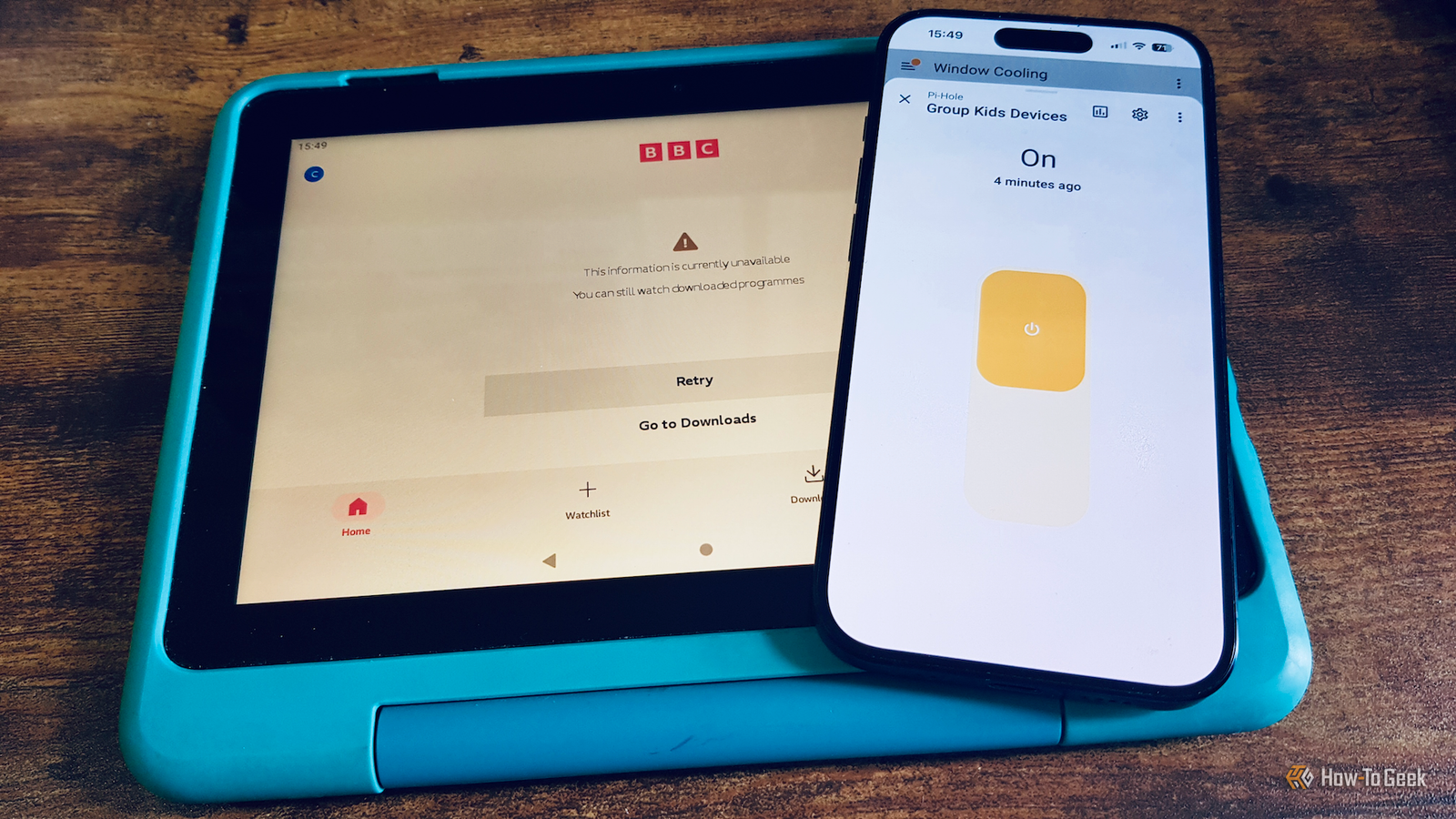
Pi-hole can enforce bedtime internet shutoffs—here's how I set it up for my family
Full Article
Original Source
Read the full article at Howtogeek →KhanList aggregates and links to publicly available news content. We do not host full articles from third-party sources. Always verify important information with original sources.