
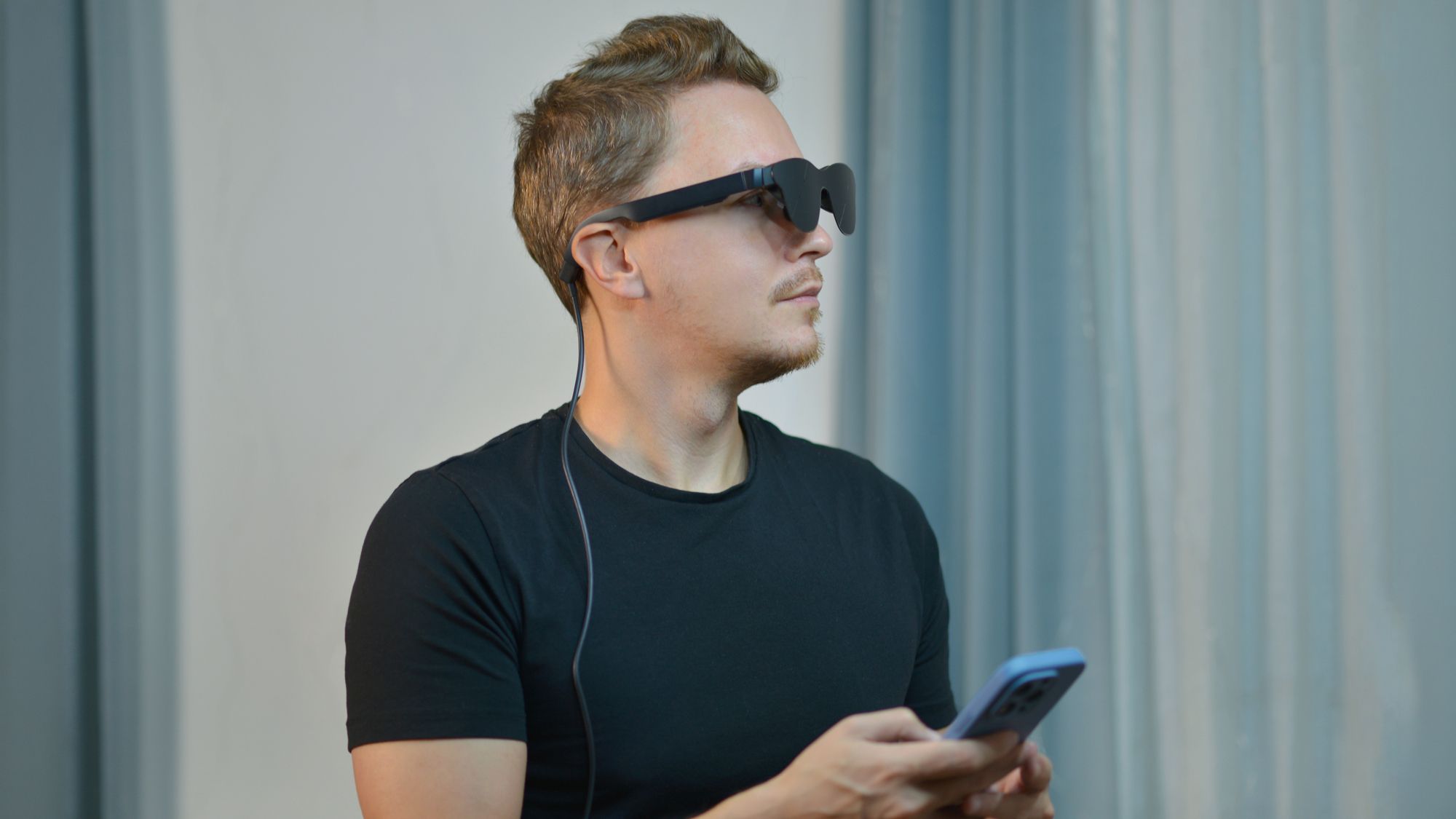
(Image credit: Shutterstock) This year has seen an uptick in popularity for smart glasses—according to IDC, the global smart glasses market has grown year over year in Q1 2026 by 167%, reaching approximately 2.25 million units shipped in a single quarter.That stat comes as no surprise, thanks to the growing popularity of certain models of smart glasses, such as the Ray-Ban Meta (Gen 2), Meta Oakley HSTN, Rokid AI Glasses, and the many, many more options.But with that surge in purchases and recognizability comes several cases of their video-filming feature being used to violate someone’s privacy.A story from Ars Technica has made the rounds regarding smart glasses being used to secretly film people in bathrooms, record someone changing in/out of their clothes and capture footage of a couple’s most intimate moments. Futurism even reported that young boys are getting their hands on smart glasses and using them to harass & bully the young girls in their middle & high schools. Public perception of smart glasses has reached an all-time low, especially with Meta trying to wipe away the title of “pervert glasses” for its product by instituting safer privacy settings.Even so, people are looking for ways to avoid being filmed by people with smart glasses. And they’re finding the sort of methods that aren’t costly at all. Here’s a list of the apps and gadgets that people are using to be aware of smart glasses in their vicinity and protect themselves from being filmed by them.The apps and gadgets that make users aware of smart glasses in their presence (Image credit: Future)There are four apps I came across on the App Store: Antizuck Smart Glasses Scanner, Nearby Glasses (Original), Zuckoff and NoGlasshole: Glasses Detector. The Nearby Glasses app is also available on Android devices.All of them have one thing in common: they’re used to make users cognizant of the presence of smart glasses in their vicinity by scanning for the Bluetooth signals they give off when powered on. Plus, these apps let users know when a recording-capable device is nearby. Smart glasses aren’t just detected by their Bluetooth activity—they can also be detected through their Wi-Fi signal and easily visible LED indicator lights on the front frame that blink or glow when the camera is recording video or taking pictures. It’s worth noting that some smart glasses modifiers are finding ways to make them harder to spot (such as disabling their LED indicators).The Zuckoff app is a prime example of an app that makes the practice of steering clear of people using smart glasses to film you without consent so much easier. “Camera glasses announce themselves over Bluetooth,” the app’s official site explains. “Zuckoff listens for those announcements and tells you when Ray-Ban Meta, Oakley Meta, Snap Spectacles or similar hardware turns up nearby. It also logs every other Bluetooth device it hears along the way. No account, no server, no analytics.Sign up to the Tom's AI Guide weekly newsletter summing up all the biggest AI news you need to know. Plus, analysis from our AI editors and tips on how to use the latest AI tools!The app’s site also offered an explainer as to what the app can’t do, however: “Glasses advertise loudest while powering on, pairing or leaving the case. Once paired to their owner's phone they can go quiet, so silence is not proof that nobody is recording, and a detection is not proof that anyone is. Signal strength gives a rough distance and no direction at all.” (Image credit: Shutterstock)There are also relatively inexpensive counter-surveillance tools sold on Amazon that people can use to detect smart glasses. Those gadgets include RF Signal Detectors and Optical Lens Finders. RF Signal Detectors measure radio frequency bursts when smart glasses stream audio or video over Wi-Fi or Bluetooth, but only trigger when smart glasses are actively transmitting data, not while they’re offline or idle. It’s worth noting that a Bluetooth scan only reveals that smart glasses are powered on and in your area—it cannot confirm whether the camera is actively recording, but at least you’ll know one’s nearby.As for Optical Lens Finders, these devices emit flashing red LEDs—the reflection off the tiny smart glasses’ camera lens in the frame shines back through a viewfinder. Keep in mind that they require a manual line-of-sight visual sweep by the user. This guide on how to tell if someone is wearing smart glasses also includes a bunch of telltale signs that will make you more likely to spot them in public.The takeawaySmart glasses certainly have beneficial uses, such as listening to hands-free media, relying on AI-powered voice assistants to handle everyday tasks, utilizing augmented reality displays for walking/cycling directions and using them as virtual monitors to watch movies in the privacy of your own home. Their filming and photo-taking capabilities are also impressive, but judging by the privacy-breaching ways they’re used nowadays, those features are untrustworthy for many.With apps and gadgets being relied upon to go on the hunt for smart glasses, people are finding unique ways to stay out of their camera frame and keep their privacy intact. Follow Tom's Guide on Google News and add us as a preferred source to get our up-to-date news, analysis, and reviews in your feeds. Subscribe to Tom's Guide on YouTube and follow us on TikTok.More from Tom’s GuideHumanoid robot fights back after man pushes it in store — is this the beginning of the uprising?'I find it very uncomfortable talking to people with a camera and a light': OpenAI's Sam Altman weighs in on smart glasses and privacy'This isn’t a Turing test scenario — I’m not trying to convince you of anything': AI agents are now emailing researchers to talk about their consciousness Elton Jones covers AI for Tom’s Guide, and tests all the latest models, from ChatGPT to Gemini to Claude to see which tools perform best — and how they can improve everyday productivity.He is also an experienced tech writer who has covered video games, mobile devices, headsets, and now artificial intelligence for over a decade. Since 2011, his work has appeared in publications including The Christian Post, Complex, TechRadar, Heavy, and ONE37pm, with a focus on clear, practical analysis.Today, Elton focuses on making AI more accessible by breaking down complex topics into useful, easy-to-understand insights for a wide range of readers.
People are using custom apps and $30 gadgets to hunt for smart glasses that may be filming them—here's how
Full Article
Original Source
Read the full article at Tomsguide →KhanList aggregates and links to publicly available news content. We do not host full articles from third-party sources. Always verify important information with original sources.