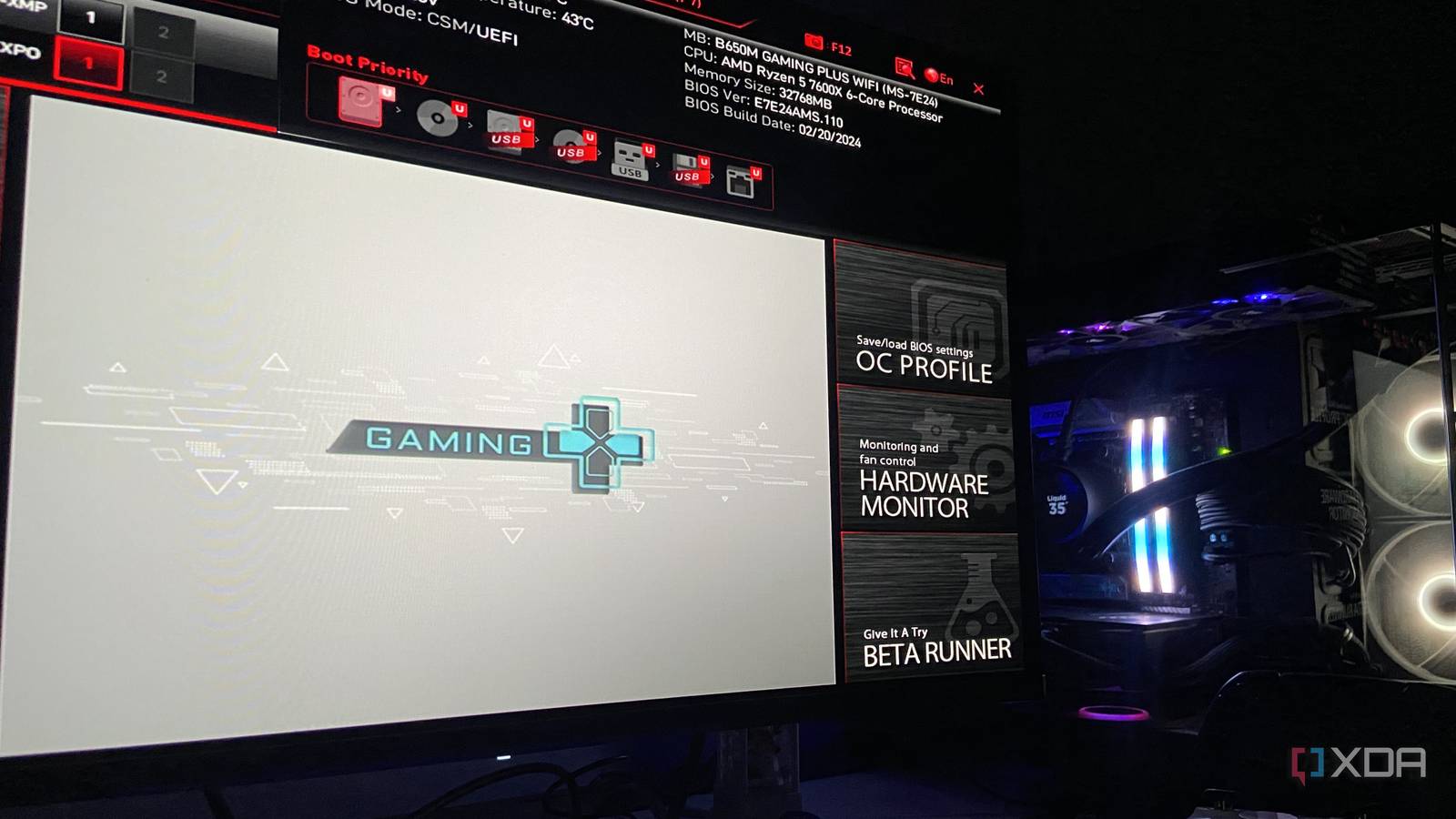
Published Jul 23, 2026, 2:30 PM EDT Abhinav pivoted from a career in banking to pursue his first love in writing. Even while working full-time, he continued contributing as an editor-at-large, a role he has held for more than 7 years. A lifelong tech enthusiast who has built three gaming and productivity powerhouse PCs since 2018, his passion for technology keeps him closely following the semiconductor industry, from NVIDIA and AMD to ARM. His MSc dissertation explored how artificial intelligence will reshape the future of work, reflecting his curiosity about the wider social impact of emerging technologies. Most people don't learn that their motherboard runs upgradable software until they drop a new CPU into an old socket, hit the power button, and get nothing but a blank, black screen. That's a feeling of horror mixed with frustration that I'm quite familiar with, being someone who only discovered BIOS updates existed after first upgrading to the Ryzen 5 5600X coming from a Ryzen 5 3600. Such moments often teach the wrong lesson, though. Once the new chip boots, most users will file away the BIOS update as a one-purpose task that you only ever bother with when a new processor demands it, which is typically once every five or six years. This assumption can often cost one some free features and the added performance that comes with them, and depending on how old the build is, the difference can be quite substantial. If you don't remember when you last updated your system BIOS, here's why you should consider doing it soon. Motherboard manufacturers frequently offer free performance boosts Better performance on the same hardware, at no cost For a while now, the general rule of thumb when it comes to BIOS updates has been that, unless something is broken, you shouldn't update it. The great paradox about this advice is the fact that users who tend to follow it are the ones who miss out on some substantial performance-enhancing features that help them get the best value out of their hardware. One of the most prominent examples that comes to mind is Resizable BAR support, particularly within the context of aged chipsets like Intel's Z490 and AMD's B450 series. These two never shipped with this feature, however, vendors retroactively delivered it through BIOS updates alone. As one can imagine, it was quite a game-changer, since on supported titles, ReBAR offers anywhere from 5–15% performance uplift, which is approximately akin to jumping from an RTX 4070 Ti to an RTX 4070 Ti Super in raw throughput. Similarly, motherboard manufacturers often ship specialized features designed to take advantage of certain chips. GIGABYTE's January 2026 AGESA 1.2.8.0 BIOS introduced X3D Turbo Mode 2 across its AM5 board lineup, which included a firmware-level gaming optimization tuned for chips with a dedicated 3D V-cache, promising performance leaps of up to 10% in "processor-bound gaming titles and creative workflows." AMD users might be missing out on some hefty boosts A new TDP toggle and a latency fix quietly arrived with a BIOS update There's a special reason why the Ryzen 9000 series that exists today is measurably faster than the one reviewers tested at launch, and the factor that makes a difference is, believe it or not, a BIOS update. The official 105W TDP mode that AGESA 1.2.0.2 brought to the Zen 5 Ryzen 5 9600X and Ryzen 7 9700X is a single toggle that lifts the default 65W ceiling and returns roughly 10% in heavily-threaded workloads whilst retaining warranty coverage. That's nothing but an upgrade in disguise. The very same microcode branch fixed something else, too. Dual-CCD Ryzen 9000 parts shipped with a cross-CCD communication latency of roughly 180ns, which was a structural delay that the upgrade cut by roughly 60%. The impact is heavily pronounced, as expected, in latency-sensitive gameplay. MSI went and took it a step further with its Latency Killer toggle, which claws back the memory latency that a later AGESA revision had degraded, worth about 8ns in AIDA64 testing. A BIOS update made some Core Ultra CPUs a better deal With a new BIOS mode, and nothing else As any enthusiast would already be aware of, the Core Ultra 200S series wasn't exactly known for its stellar gaming performance on release. What most wouldn't know, however, is that MSI's Memory Extension, obtainable through yet another simple BIOS update, managed to recover a good slice of that gap. The way the feature worked was simple to grasp. Not every CPU's memory controller is equally capable, and not every RAM kit runs at the edge of its potential out of the box. MSI's Memory Extension Mode checked what the specific CPU and RAM combination could actually handle, and then tightened the memory's sub-timings to match. The results of the impact on gameplay experience, as published by MSI itself, were fantastic enough to actually be a reason to update the BIOS. The test on a Core Ultra 9 285K showed the High-Efficiency setting cutting memory latency by a further 12–16% beyond what a standard XMP profile achieved, and with DDR5-7200, the setup delivered up to 21% more gaming performance against default settings. To think that all of this was achievable through BIOS-level tuning alone is unfathomable, and yet, the benchmarks did speak for themselves. Unfortunately, these are exactly the kind of tuning options enthusiasts who skimp on BIOS updates tend to miss. Update your BIOS, and you may surprise yourself with the gains Now, it's practically impossible to keep track of all of these new BIOS versions coming up every so often that offer better performance, especially if you consider that going through motherboard manufacturer's press releases is perhaps the last thing someone with a gaming PC would want to do. No one expects someone with a several-thousand-dollar rig to dig through these announcements and go through a tedious BIOS update every six or seven months, but the point is, given enough time, though, these incremental advancements do tend to add up, and so, those who stand to benefit the most are the ones who update their BIOS perhaps once a year. In most cases, they will make a tangible difference to tangible performance, and the only cost to get the best out of your hardware in this case is time. It does seem like a fair deal if you are willing to think of it that way.
PC hardware makers keep giving away free performance through BIOS, and most builders never claim it
Full Article
Original Source
Read the full article at Xda-developers →KhanList aggregates and links to publicly available news content. We do not host full articles from third-party sources. Always verify important information with original sources.