
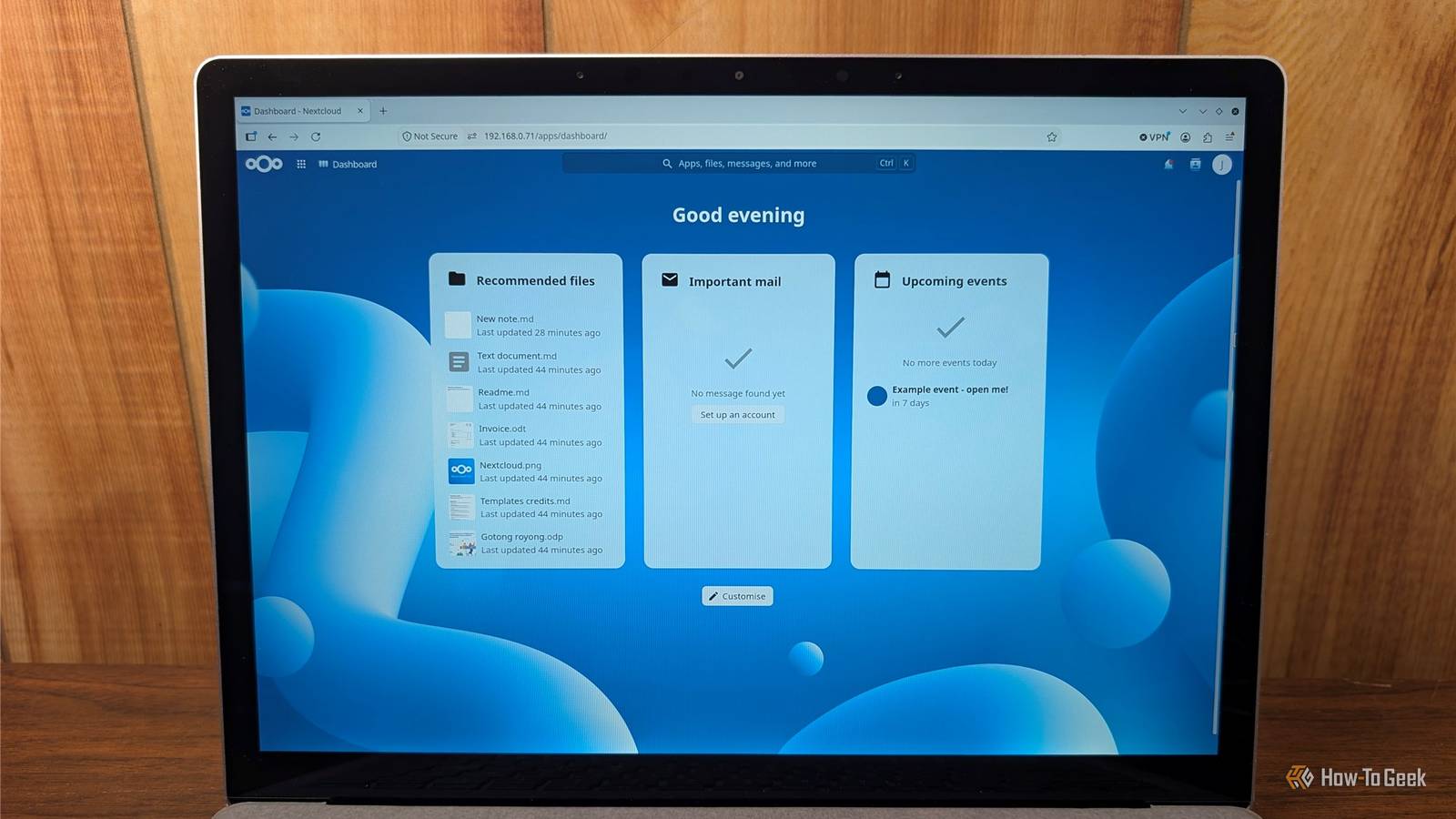
Published Nov 13, 2026, 5:00 PM EST Nimrah has spent the last five-plus years writing about technology, with Linux being one of her favorite subjects to explore. Her work covers everything from Linux and open-source software to databases, cybersecurity, and everyday software. She has contributed to Baeldung, Make Tech Easier, and LinuxHint. She particularly enjoys turning a concept that initially seems complicated into something anyone can understand. Away from tech, she loves to read, cook new recipes, and try new restaurants and cuisines. You probably have a Google Drive account, an Adobe Acrobat subscription, and a growing collection of files scattered across different cloud services. It's convenient until you're paying monthly fees for storage, PDF editing, and features you only occasionally use. But what if you could take control of your files instead? Self-hosted applications let you run software on your own server, NAS, or spare PC instead of relying entirely on someone else's cloud. You get more control over your data, how you access it, and who can see it. Self-hosting takes some effort, but the freedom and features you gain can make those subscriptions harder to justify. Nextcloud, Paperless-ngx, and BentoPDF are three great examples worth checking out. Nextcloud makes Google Drive look overpriced Get your own cloud storage and collaboration suite If you want one app to break up with your Google Drive subscription, Nextcloud is it. It's an open-source, self-hosted cloud platform that lets you upload, organize, sync, and share files across your devices. You can access your collection through a web browser, desktop client, or mobile app, making it feel surprisingly similar to the cloud storage services you already use. Your storage limit depends on your hardware, not a pricing tier. You can create folders, upload documents, share files through links, and control who gets access. Need to send someone a large file? Create a shareable link instead of attaching it to an email. You can even protect links with passwords and set expiration dates, giving you more control over how long others can access your files. But Nextcloud isn't just a place to dump your downloads and forgotten screenshots. Its ecosystem includes calendars, contacts, notes, communication tools, and office applications. With Nextcloud Office and an integration such as Collabora Online, you can create and collaboratively edit documents, spreadsheets, and presentations directly in your browser. Of course, Nextcloud has a few downsides. It's a resource-intensive application that can feel sluggish on weaker hardware, and you're responsible for managing your own storage and keeping regular backups. Paperless-ngx puts your document chaos in order Let OCR do the hard work of finding your files Cloud storage is useful, but it doesn't automatically solve the problem of finding a particular document months after you've saved it. You might remember downloading an invoice, warranty, or receipt, but good luck remembering which folder you put it in. Paperless-ngx tackles this problem by turning your documents into a searchable digital archive. It's an open-source document management system that can automatically process incoming files, recognize their contents through optical character recognition (OCR), and organize them using tags, correspondents, and document types. Here's where things get interesting. Suppose you upload a scanned electricity bill. Even if the original PDF contains nothing but an image, Paperless-ngx can use OCR to recognize its text and make it searchable. Instead of opening several documents and scanning their contents manually, you can search for a name, date, company, or phrase and find the document you need. You can also configure automatic tagging and categorization, reducing the amount of manual sorting you have to do. Its document archive keeps the original files alongside processed PDF/A versions designed for long-term preservation. Paperless-ngx is particularly useful if you care about privacy. Your financial and personal paperwork stays on hardware you control rather than in some mystery data center. Setup takes some patience, and you'll need to spend a little time teaching it your categories. After that, it feels like having a very organized assistant who never takes a day off. BentoPDF makes Adobe Acrobat look unnecessarily expensive Get an impressive PDF toolkit on your own server Adobe Acrobat has been the go-to PDF application for years, but its subscription model can feel excessive when all you want to do is merge a few documents, rearrange pages, or add a signature. BentoPDF offers a refreshing alternative with a collection of free, open-source PDF tools that you can self-host. It brings more than 50 tools into one browser-based interface, covering everything from basic PDF management to editing, conversion, compression, and document security. You can merge multiple PDFs, split documents, rotate pages, extract selected pages, add signatures, fill forms, and compress oversized files. It also supports OCR, allowing you to make scanned documents searchable. The interface is straightforward, too. You don't have to dig through complicated menus or sign up for another account just to perform a basic operation. Pick the tool you need, upload your document, make the changes, and save the result. What makes BentoPDF stand out is how it handles your documents. It processes files locally in your browser using WebAssembly, even when you use the hosted version rather than self-hosting it. Your documents aren't uploaded to a remote server for processing. It won't replace Acrobat's advanced professional tools, but it handles everyday PDF editing, organizing, converting, signing, and compressing without asking for a dime. So, is self-hosting right for you? Self-hosting isn’t for everyone. You’ll deal with updates, you’ll want backups, and when something breaks, you’re the support team. If you need guaranteed uptime or extensive real-time collaboration, a paid service may still be the better choice. But if you’re a tinkerer, a privacy-conscious user, or just tired of paying monthly fees for basic features, these three apps make a strong case. Start small. Pick the one that solves your biggest annoyance, whether that’s a cluttered drive, a paper pile, or yet another PDF paywall, and try it this weekend. You might not go back.
Paid services like Acrobat and Google Drive look amateurish next to these free self-hostable apps
Full Article
Original Source
Read the full article at Howtogeek →KhanList aggregates and links to publicly available news content. We do not host full articles from third-party sources. Always verify important information with original sources.