
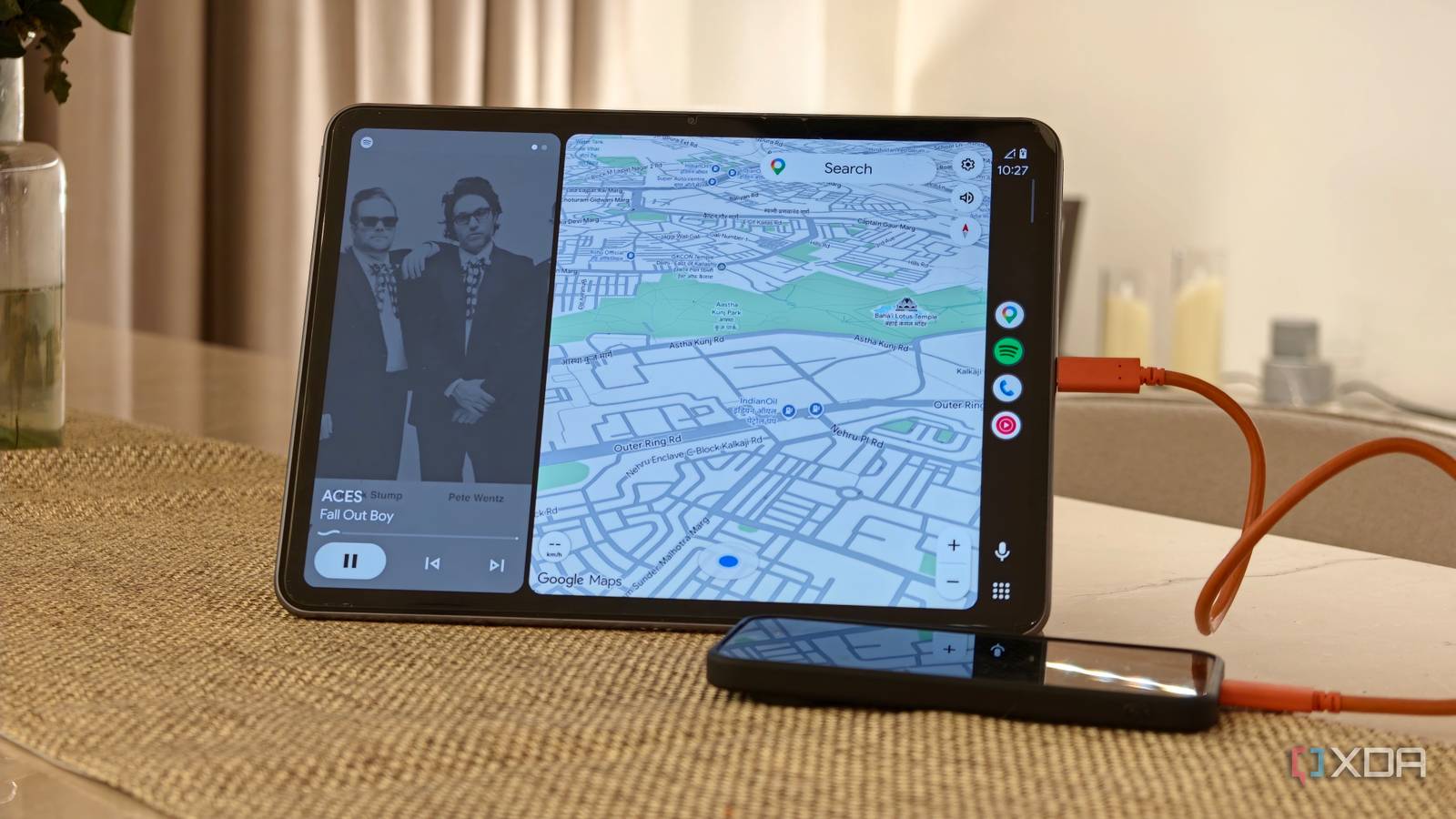
Published Nov 13, 2026, 8:30 AM EST Dhruv Bhutani has been writing about consumer technology since 2008, offering deep insights into the personal technology landscape through features and opinion pieces. He writes for XDA-Developers, where he focuses on topics like productivity, networking, self-hosting, and more. Over the years, his work has also appeared in leading publications such as Android Police, Android Authority, CNET, PCMag, and more. Outside of his professional work, Dhruv is an avid fan of horror media spanning films and literature, enjoys fitness activities, collects vinyl records, and plays the guitar. I love my 2014 Ford, but it's old enough that it doesn't have Android Auto. The lack of that feature bothers me a lot when I'm taking the car out for a drive, but it's certainly not enough to replace the car. My go-to solution for the longest time has been to stick a phone in a mount. However, phone interfaces are far from optimized for quick on-the-go access, navigation, music controls, or just checking directions while driving. So, I came across an open-source project that solves this problem. Called Open Headunit, the app lets me turn an old Android tablet into an actual Android Auto receiver and head unit. What does that mean? With the right mounting hardware, I can add a considerably larger, modern, Android Auto-based system to my car without digging out my old stereo — amazing. Turn any old Android tablet into an Android Auto display Getting started with Open Headunit is easy Open Headunit is an open-source app that turns any Android tablet or phone into an Android Auto receiver. Instead of buying a dedicated aftermarket head unit, you can just install the app on a spare device and use your smartphone to power the Android Auto experience. Don't want to pair a phone? Open Headunit will even let you run Android Auto directly on the device itself. It's quite flexible. But before we get to the specifics, it's important to know that this isn't a navigation app or launcher that looks like Android Auto. The device you install Open Headunit on becomes a receiver for your phone, giving you the same optimized experience, complete with Google Maps, music apps, messaging, and voice controls. Getting started is easy. Head over to GitHub, download the latest Open Headunit APK, and install it on your device. Open Headunit supports a few ways to connect, but my preferred option is wired, as it's proven to be a bit more reliable in my experience. Just connect your phone to your tablet using a USB cable, select the relevant option in Open Headunit, and once paired, Android Auto starts showing up on your tablet. That's it. As I mentioned, wireless connectivity is another option, but configuring it can be a bit finicky. While Open Headunit supports native Android Auto wireless connections using Wi-Fi Direct or a hotspot, in my experience, connection stability often depends on the hardware you're running the software on. On my tablet, the experience wasn't quite up to par, and I stuck with the wired mode. A bigger screen makes driving much easier There are plenty of display configuration options available With the basics out of the way, let's talk about the experience. The biggest advantage here is the sheer amount of space and screen real estate that you get. A phone mounted in your car is fine for singular uses like running Google Maps. However, if you need to interact with it often to look up turns, junctions, or even to swipe through songs while you're on a long drive, that small screen becomes annoying real quick. Switching over to a larger tablet automatically gives you a much larger canvas to work with. Google Maps benefits the most. You get a much larger view of upcoming turns and traffic conditions. If you're using music apps like Symfonium in your car, it can also make navigating dense playlists a lot more comfortable. Depending on how you use your car's infotainment system, you'll see other benefits too. For example, I use Fuelio to track fuel expenses. Right now, I have to pull up my phone and navigate to the app to enter the details. With this tablet-mounted setup, I can use the Android Auto integration straight on my phone. One of the most interesting aspects of Open Headunit is the degree of customisation it offers, especially when compared to a built-in infotainment system. You can adjust everything from resolution and pixel density to match the tablet, giving you more control over the look and feel. While the tablet I use is suitably high resolution, this feature can come in quite handy if you are using an older device with a low-resolution display. It goes without saying that since you'll be mounting your tablet manually, you also get some flexibility in device placement. If you prefer a vertical orientation, Open Headunit supports it, and Google Maps will adapt. This is something you obviously cannot do with a built-in infotainment system. An inexpensive way to modernize a car I get the convenience of having Android Auto built into a car. I love it on my other car, but an older vehicle that's just as functional can also benefit from better in-car navigation and entertainment. I like that Open Headunit solves this problem without requiring me to purchase more hardware. All it takes is a spare phone or tablet mounted securely, and this open-source app installed to turn it into a surprisingly good Android Auto receiver. With wireless, wired, and even self-hosted modes that pull up Android Auto directly on the device running the software, there are plenty of options to get a much larger Android Auto display without spending money on a dedicated head unit. Open Headunit Open Headunit is an open-source app that turns any Android tablet or phone into an Android Auto receiver.
Open Headunit turned a spare tablet into the bigger car screen my old car never had
Full Article
Original Source
Read the full article at Xda-developers →KhanList aggregates and links to publicly available news content. We do not host full articles from third-party sources. Always verify important information with original sources.