
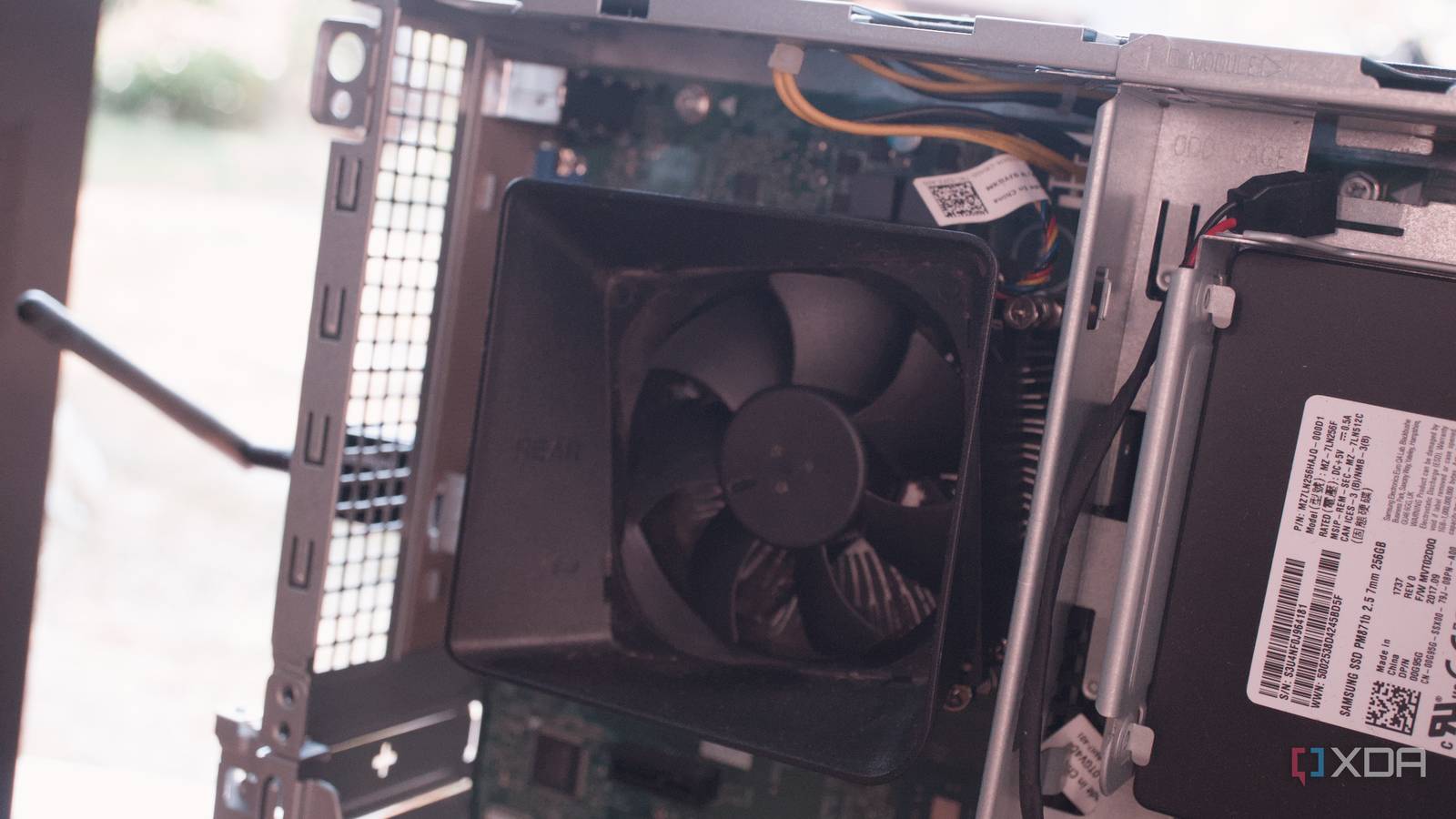
Published Oct 8, 2026, 8:00 AM EDT Richard is the PC Hardware Lead at XDA and has been covering the technology industry for almost two decades. He's been building PCs since young, and when not creating content, you can often find him inside a chassis somewhere. Proxmox is quite the solution for running virtualized services, including those part of a home lab. The allure of creating a home-based data center can be difficult to resist, especially when used enterprise hardware can be bought at a severe discount. ECC RAM, Multiple Ethernet ports. Remote management. These are the sort of features that aren't typically found elsewhere, but something like a Dell PowerEdge R21o II can tick all the right boxes. I'm here to tell you that you should skip this step altogether and pick up a retired business desktop PC. Enterprise gear is almost too appealing Don't let yourself fall into the same trap I did ECC RAM is just one of the advantages something like the PowerEdge R210 II offers. It has capable Xeon server support, Intel NICs for reliable connectivity, iDRAC for remote management, and is inside a rackmount chassis that's designed for continuous operation. It feels like a server, which is something a mini PC or used desktop simply cannot replicate. Installing Proxmox on the PowerEdge server felt like I was creating a miniature datacenter. This is why used enterprise hardware (servers, switches, etc.) is such a common homelab topic. The mistake is assuming this type of device is best suited for running Proxmox in 2026, even though it was originally sold a decade ago. These were packed together for running web services and other applications, not a short list of containers like Jellyfin, Pi-hole, and Home Assistant. The problem with used enterprise gear is that it's cheap and there's a lot of value on offer. The primary issue is power And not the good type. I had a few PowerEdge R210 IIs running in parallel and part of a Proxmox cluster. They don't consume a ridiculous amount of power, but server chipsets and platforms aren't really designed with maximum efficiency in mind. You're dealing with server fans, older components, and a dedicated RAID controller. The hardware is designed with a focus on reliability and serviceability rather than minimizing household consumption. An office PC like the Dell Vostro starts with very different design goals. These are business platforms for the office. Just like consumer-grade hardware, they're good at powering down into low-power states when doing very little. Idle power draw matters much more when a home lab is buzzing away under lower loads. The Xeon and Core i5-7400 processors in these two very different devices may have similar TDP numbers, but it doesn't tell you how efficient they are at doing next to nothing. When planning a homelab deployment, it's vital to think about the numbers. A server needs to run 8,760 hours each year, just like a NAS or router. Saving just 20W of continuous baseline load can equate to around 170 kWh or so annually. I don't know about your electricity prices, but that would result in quite the monthly utility bill. Suddenly, that cheap $50 server turns into another $30 each year or so just to run it. Then there's the noise of server fans I heard you like jet engines running at home? What's worse than a 3U rackmount server kitted out with small fans that spin at ridiculous speeds? A 1U-tall server with even smaller (and faster-spinning) blowers. These things are like Dyson vacuum cleaners sucking in as much air as possible through the compact chassis. The R210 II I used is a 1U unit. I had a few of them running inside a cabinet with no front door. They were loud. Even at idle, they're spinning at north of 1,000 revolutions per minute (RPM). A typical desktop PC case fan spins at like 200 RPM? Like power draw, these enterprise-grade devices aren't designed for the home. They have parts and specifications that make them best prepped for the data center, and these massive buildings can be incredibly loud. The Vostro, which replaced my 1U servers, is notably quieter. It has a single fan with conventional tower airflow. The chassis is thicker than a pizza box, and because there's more internal space for air to push through, the front fan doesn't need to do too much. Replacing parts is also almost impossible One of the PowerEdge R210 II motherboards ceased to function, resulting in a portion of the Proxmox cluster being offline. Unfortunately, after debugging and attempts to revive the system, I had no choice but to render it inoperable. The issue with these motherboards is they're wholly proprietary. You can't just install a standard ATX consumer board and call it quits. There's also nowhere to source these spare parts from since the servers are a few generations out. The only way to reliably source replacements is to buy new servers. But that defeats the purpose of using them to save money. Sure, another $50 isn't huge in the grand scheme of things and compared to an entire new PC, but it's still an unnecessary expense. When comparing the cost of paying for subscriptions and building a self-hosting empire, every expense adds up. Granted, the Vostro isn't typically any more serviceable, but at least it's using slightly more standard hardware. I miss server remote management One thing that really got me excited about managing my own home-based data center was the remote management tools available on servers. Dell has iDRAC, which is pretty good when it works. Lenovo's own solution for its hardware is brilliant and works like a charm every time. There's something about being able to connect to each admin interface to see what the server is doing, manage firmware updates, and even troubleshoot issues. Moving between devices and form factors has pros and cons with each hop, and these are some of the things I've found using old enterprise servers and eventually replacing them with office PCs. I've since ditched proprietary hardware altogether and went with a custom server build using consumer parts. It all boils down to what you want to use, but don't go rushing to rackmount servers just because they look cool, you've seen them on Mr Robot, or there's a great deal on classified sites.
Old enterprise servers are the worst way to start a Proxmox homelab, and a retired office PC beats them on almost everything
Full Article
Original Source
Read the full article at Xda-developers →KhanList aggregates and links to publicly available news content. We do not host full articles from third-party sources. Always verify important information with original sources.