
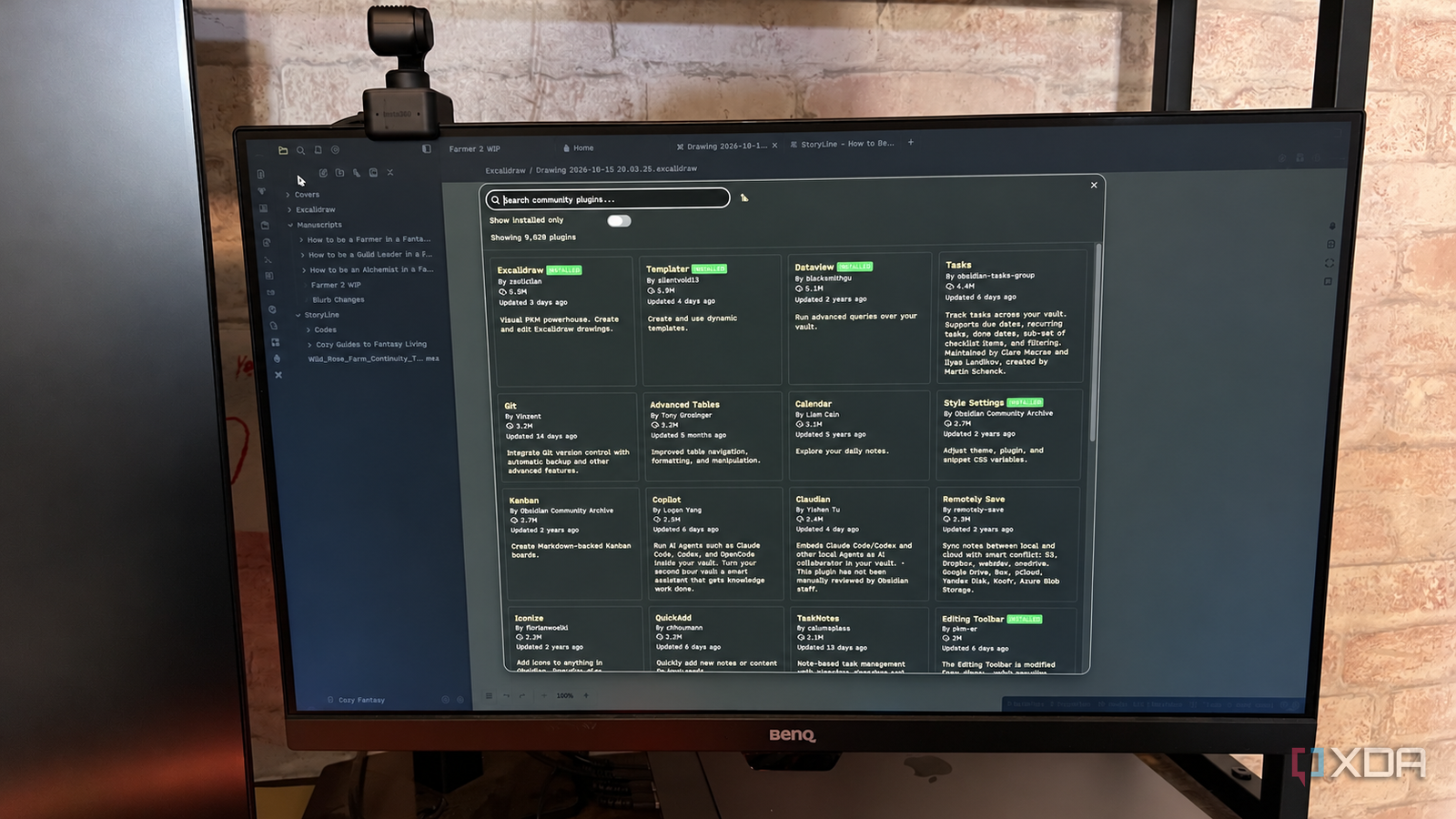
Published Oct 16, 2026, 5:30 PM EDT Patrick is a seasoned writer with more than a decade of experience, specializing in any and all things tech. His work has been featured on platforms like CNET, Yahoo, Xfinity, and many other outlets. When not typing away, he can be found with his nose in a book. Obsidian has grown in popularity, and the plugin library has absolutely exploded. It's grown by more than 3,000 plugins in the last few months alone, with options for nearly every niche or application you can think of. It's impressive, and it's always fun to browse the library to see what's new. But here's the thing: despite the plugin library's exponential growth, you really only need a few. By all means, install as many as you want — but if you're minimizing your vault, these are the four I'd keep. Templater and Dataview Two of the most powerful plugins in the library If I had to choose only two plugins, I'd install Templater and Dataview. Templater is a must-have for creating templates for recurring note types. I use one for all my Substack articles, and it automatically creates fields for the tags and properties I need. Templater expands on Obsidian's core Template plugin with a wide range of features and compatibility with dynamic content. I also use a template for my daily notes, and it works with Dataview to pull information about my day straight into the note. The two plugins each have a different job, but they work incredibly well together. Templater gives each daily note a set, predictable layout, while Dataview searches the vault and compiles information. Depending on how you use your vault, that can mean pulling a task list, related notes, or other details into a single spot for easy review. Excalidraw For visual thinking Excalidraw is the most-downloaded plugin in the Obsidian community library, and for good reason. Excalidraw users are offered an easy integration into the Obsidian ecosystem, and many other users — myself included — discovered Excalidraw through Obsidian. The app is useful for everything from quick sketches to brainstorming, and it even works for things you might not expect, like dealing with maps. That last application has been a godsend for my fantasy-novel vaults. Style Settings Because what's a vault without customization? Obsidian has many themes to choose from, and while most look great out of the box, deeper customization requires the Style Settings app to tweak things the way you want. The level of customization available depends on the theme. For one of my vaults, I use the Typewriter theme, which offers minimal settings (although it does grant easy access to the CSS for theme-wide changes). My primary vault uses AnuPpuccin, and it leans heavily on Style Settings for granular customization. It offers subsettings for everything from the vault's overall color, including specific choices for light and dark mode themes, to color settings for callouts, tables, and more. There are too many settings; for the most part, I've stuck with the defaults. The number of options available for AnuPpuccin is a bit overwhelming, but for users who like to get into the finest details of their vault's appearance, it's one you don't want to miss. There are no "universal" plugins The best options for you depend entirely on how you use your vault When I started writing this, I tried to pick out plugins that would apply to the widest range of users. It felt natural to go with the most downloaded; after all, those are the most common choices by default. That said, even these aren't always applicable. If you don't work with large data sets, then Dataview might not be the most useful tool. If you use Obsidian more as a second brain to store articles and things you find interesting rather than as a note-taking platform, you might not find much use for Templater. That's the magic of Obsidian: there are as many ways to use the app as there are users, but it also makes it tough to find the best overall plugins. For example, I rely on StoryLine for all of my fiction-focused vaults. It's an incredible tool for keeping complicated plotlines organized and making it easy to reference earlier events, but if you aren't a writer, it's not useful for much else (though I think it would work well as a TTRPG management tool). If you're just starting out in Obsidian and want to install plugins, I'd caution you to wait, figure out how you actually use your vault, and then search for plugins that fit your workflow rather than trying to build a workflow around the plugins. More plugins is a win, but be selective Too many plugins can slow your vault, especially if you use Obsidian primarily on mobile. My main vault has more than 30 plugins, and I definitely see a performance impact compared to some of my secondary vaults that have fewer than ten. Obsidian OS Windows, macOS, Linux, iOS, iPadOS, Android Individual pricing Free normally; $4/month for Obsidian Sync Obsidian is a feature-rich note-taking app that's available on different platforms and offers a neat and clean interface. It's also free-to-use for individuals.
Obsidian's plugin library doubled to over 8,000 this year, and you still only need about four of them
Full Article
Original Source
Read the full article at Xda-developers →KhanList aggregates and links to publicly available news content. We do not host full articles from third-party sources. Always verify important information with original sources.