
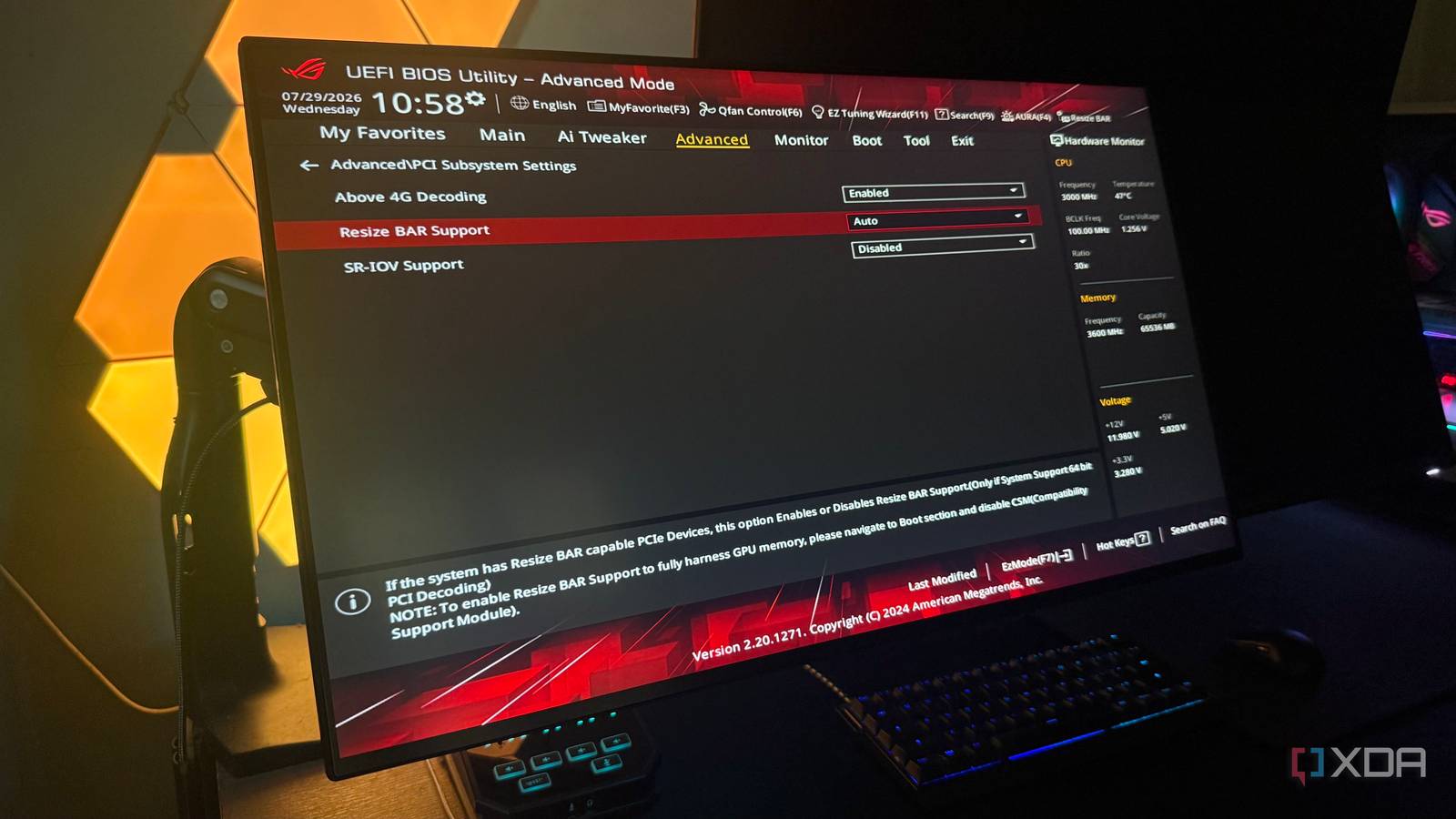
Published Aug 9, 2026, 7:00 AM EDT Hamlin has been in the tech field for over nine years. Since 2017, his work has appeared on MakeUseOf, Android Police, OSXDaily, Beebom, and more. He served as the Senior Editor at Valnet's MakeUseOf for over two years before joining XDA. He uses a high-end gaming rig for desktop use and a MacBook for traveling, but dislikes some of the quirks of macOS. You're more likely to catch him at the gym or on a flight than anywhere else. Resizable BAR is one of those features that we've come to appreciate in recent years because it can give a free performance boost in some games. It's essentially a PCIe feature that lets the CPU access the GPU's entire frame buffer at once, rather than in smaller chunks. AMD calls it Smart Access Memory (SAM), but it's the same underlying technology. To set it up, just enable Above 4G Decoding and Resizable BAR in the BIOS settings, and you're good to go. Or so I thought. While that does enable Resizable BAR at the system level, it doesn't necessarily mean every game will actually use it. That comes down to Nvidia's driver profiles, which can enable or disable the feature on a per-game basis. Think of it as Nvidia's own whitelist for this feature. If a game is on the list, the driver automatically enables Resizable BAR. But if it isn't, enabling that BIOS setting alone won't do anything for that particular game, even if Nvidia Control Panel says it's enabled. Enabling ReBAR in the BIOS only clears the first hurdle Nvidia’s driver still gets the final say in each game There are two separate layers to Resizable BAR, and Nvidia doesn’t make the distinction obvious. Enabling Above 4G Decoding and Resizable BAR in your motherboard’s BIOS ensures your GPU is ready to use these features. And if the Nvidia Control Panel's System Information section shows Resizable BAR: Yes, that only confirms the feature is enabled at the system level. The second layer is Nvidia's driver profiles, which determine whether a game gets to use Resizable BAR. Nvidia has handled ReBAR this way ever since it rolled it out in 2021. The reason for this is pretty simple. Resizable BAR isn't a guaranteed performance boost in every game, so Nvidia tests titles individually before whitelisting them in its driver profiles. And honestly, I think this is the right approach. If Nvidia enabled it across the board, some games could end up running worse without users knowing why. The only problem is that Nvidia doesn't make this clear, and the BIOS toggle is the only control you have over the feature. Nvidia Profile Inspector gives you more control It lets you override Nvidia's default ReBAR settings The good news is that you don't have to stick to whatever Nvidia decides is best for your games. You can use Nvidia Profile Inspector to edit the driver profiles yourself. It's an open-source tool that exposes the driver profiles Nvidia ships with its graphics drivers, including ReBAR settings, DLSS overrides, FPS limiters, and even some options you won't find in the Nvidia Control Panel or the Nvidia App. So if Nvidia hasn't whitelisted one of the games you play, you can look for the rBAR - Enable setting and toggle it yourself. If you only want to enable Resizable BAR for a specific game while leaving Nvidia's default settings intact for everything else, make sure you select that game from the drop-down menu at the top. I'd recommend testing the same section of the game before and after making the change, rather than treating it as a guaranteed FPS boost. I personally use this tool to double-check whether Nvidia has whitelisted a game before I start experimenting with its graphics settings. At the very least, I know whether a game is actually using ReBAR instead of simply assuming it is. You shouldn't force ReBAR in every game Some games may still benefit before Nvidia whitelists them Credit: Hardware Unboxed As convenient as Nvidia Profile Inspector makes it, I wouldn't touch the ReBAR setting in the Global Driver Profile. That would force the feature on every game on your PC, including those that perform worse with it enabled. If using ReBAR guaranteed an FPS boost, Nvidia wouldn't have to test games individually in the first place. In some titles, your average frame rate may be similar, while your 1% lows or frame-time consistency take a hit. If you leave it enabled globally, ReBAR would probably be the last thing you'd blame when you run into those issues. That said, I still wouldn't treat Nvidia's whitelist as the final word. Nvidia may not have tested some newer games at launch, and it can take time for new driver profiles to catch up. A good example is Starfield, which launched before Nvidia later added official Resizable BAR support through a driver update. Those who manually enabled it using Nvidia Profile Inspector saw a 5-10% improvement in FPS. That's why I think it's worth experimenting with ReBAR in the games you play the most to see if Nvidia simply hasn't caught up yet. Experimenting beats assuming when it comes to ReBAR Unlike many of the performance-oriented features Nvidia offers, Resizable BAR can be hit-or-miss. That's why Nvidia added a second layer of control through its driver profiles. The last thing you want is a single setting affecting performance in a few games in your library. But if you're a tinkerer and don't mind spending a few minutes benchmarking, I think Nvidia Profile Inspector is well worth keeping around. It gives you a way to verify whether a game is actually using Resizable BAR instead of assuming Nvidia has already enabled it just because the game has been out for a while. Nvidia Profile Inspector An open-source tool that gives you more control over Nvidia's driver profiles. You can use it to force Resizable BAR in games that Nvidia hasn't whitelisted.
Nvidia's secretly disabling Resizable BAR in your games, even though your BIOS says it's on
Full Article
Original Source
Read the full article at Xda-developers →KhanList aggregates and links to publicly available news content. We do not host full articles from third-party sources. Always verify important information with original sources.